
Comparison BASEUS Superlative USB-C to 2 x USB3.0 + HDMI + Audio + PD + iWatch vs Promate PrimeHub-C
Add to comparison | 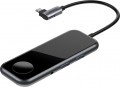 | 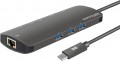 |
|---|---|---|
| BASEUS Superlative USB-C to 2 x USB3.0 + HDMI + Audio + PD + iWatch | Promate PrimeHub-C | |
| Outdated Product | Outdated Product | |
| TOP sellers | ||
Built-in wireless charging for Apple Watch and 3.5" mini-Jack port for connecting headphones The length of the built-in cable for connection is 150 mm | Aux port | |
| Product type | USB hub | hub with card reader |
| Placement | external | external |
| PC connectivity | USB-C 5Gbps | USB-C 10Gbps |
HUB connectors | ||
| USB-A | 2 pcs 5Gbps | 3 pcs 10Gbps |
| USB-C | 1 pcs | 1 pcs |
| Power Delivery | 60 W | + |
| HDMI | 1 | 1 |
| mini-Jack (3.5 mm) |  | |
| LAN (RJ-45) |  | |
| Card slots | SD microSD | |
More features | ||
| External power supply | | |
| Cable length | 15 cm | 14 cm |
| Activity indicator | | |
| Size | 118x45x12 mm | |
| Color | ||
| Added to E-Catalog | december 2019 | august 2019 |


Compare BASEUS Superlative USB-C to 2 x USB3.0 + HDMI + Audio + PD + iWatch and Promate PrimeHub-C
You may be interested in
My comparisons
BASEUS Superlative USB-C to 2 x USB3.0 + HDMI + Audio + PD + iWatch often compared

Promate PrimeHub-C often compared
Glossary
Product type
— Card Reader. Devices designed primarily for reading various types of memory cards. They may have USB ports (see "USB inputs"), but usually less than one (very rarely two). There are both external and internal (see "Purpose").
— USB hub. He's a "splitter". A variety of peripheral devices designed to increase the number of working USB ports in the system. The hub has several own USB inputs (usually at least 4), and only one such port is used to connect it to a computer. Thus, by connecting, for example, a 4-port hub to a computer, you will get 4 instead of one USB port. Such devices can be useful for those who have to use many USB devices at the same time, as well as for owners of compact laptops where there are few standard connectors. However, keep in mind that the power of one port may not be enough to power all the peripherals connected through the hub, for more details see "Connecting the power supply". Models of this type are only external(see "Purpose").
— Card reader / USB hub. External (see "Purpose") devices that combine the functionality of the two types described above: they have both slots for memory cards and USB ports, which allows them to be used as both card readers and hubs. However, it is worth noting that USB ports in such models are usually fewer than in full-featured hubs, and some even have only 1 USB input.
— USB hub. He's a "splitter". A variety of peripheral devices designed to increase the number of working USB ports in the system. The hub has several own USB inputs (usually at least 4), and only one such port is used to connect it to a computer. Thus, by connecting, for example, a 4-port hub to a computer, you will get 4 instead of one USB port. Such devices can be useful for those who have to use many USB devices at the same time, as well as for owners of compact laptops where there are few standard connectors. However, keep in mind that the power of one port may not be enough to power all the peripherals connected through the hub, for more details see "Connecting the power supply". Models of this type are only external(see "Purpose").
— Card reader / USB hub. External (see "Purpose") devices that combine the functionality of the two types described above: they have both slots for memory cards and USB ports, which allows them to be used as both card readers and hubs. However, it is worth noting that USB ports in such models are usually fewer than in full-featured hubs, and some even have only 1 USB input.
PC connectivity
— USB-A. The classic, widely accepted USB port, which has recently been losing ground to the more advanced USB-C port.
— USB-C. Unlike the classic, full-sized USB, this connector is much smaller and features a reversible design, allowing the plug to be inserted in either direction. This interface is rarely found in desktop PCs but is becoming increasingly popular in laptops, tablets, and phones. Note that the Type C standard describes only the connector design; the version (interface) of USB is described in the section below.
The main difference between interface versions is the bandwidth — speed.
— 2.0. The outdated 2.0 version provides data transfer speeds up to 480 Mbps. Found only in USB-A ports.
— 5Gbps. Previously named USB 3.2 gen1 and USB 3.0 (they sure know how to confuse). Unlike 2.0, this version offers a 10 times higher maximum speed (4.8 Gbps) and higher power output, allowing power-hungry devices and extensive hubs to be connected.
— 10Gbps. Further enhancement of the 5Gbps standard (and typically, the previously renamed USB 3.2 gen2 and just USB 3.1), achieving a maximum speed of 10 Gbps and even higher power output for external devices.
— 20Gbps. As the name suggests, the interface supports spee...ds up to 20 Gbps.
— USB4 40Gbps / Thunderbolt 4. Connecting a USB4 or Thunderbolt 4 hub to a PC allows data to be transmitted at speeds up to 40 Gbps through a single cable, connect multiple monitors (e.g., two 4K or one 8K display), use high-speed drives with PCIe, supply power to devices up to 100 W, and connect peripherals like network cards, audio interfaces, and chargers, turning one USB-C port into a universal dock with many functions.
— Lightning. Apple's proprietary interface used in its compact devices (iPhone, iPad, and iPod touch) since 2012. In terms of application, it is fully analogous to the microUSB described above, with the adjustment that it is only found in Apple gadgets and not used by other manufacturers.
— Internal USB. A variety of the USB standard used for connecting internal card readers (see "Type", "Purpose"). It differs from external USB in its connector; a card reader with such a connection can only be connected to connectors on the motherboard and is not compatible with external USB ports. All other characteristics are fully analogous to the corresponding standard of external USB (see above).
— microUSB. A reduced version of the external USB interface (see above): the size of such a connector is much smaller than the full-sized one, allowing it to be used in portable equipment, particularly smartphones and tablets. In fact, card readers and hubs using this interface for connection are usually intended for such equipment. Note that proper operation is only possible if the primary device can operate in USB host mode (this feature is called USB On-the-Go).
— USB-C. Unlike the classic, full-sized USB, this connector is much smaller and features a reversible design, allowing the plug to be inserted in either direction. This interface is rarely found in desktop PCs but is becoming increasingly popular in laptops, tablets, and phones. Note that the Type C standard describes only the connector design; the version (interface) of USB is described in the section below.
The main difference between interface versions is the bandwidth — speed.
— 2.0. The outdated 2.0 version provides data transfer speeds up to 480 Mbps. Found only in USB-A ports.
— 5Gbps. Previously named USB 3.2 gen1 and USB 3.0 (they sure know how to confuse). Unlike 2.0, this version offers a 10 times higher maximum speed (4.8 Gbps) and higher power output, allowing power-hungry devices and extensive hubs to be connected.
— 10Gbps. Further enhancement of the 5Gbps standard (and typically, the previously renamed USB 3.2 gen2 and just USB 3.1), achieving a maximum speed of 10 Gbps and even higher power output for external devices.
— 20Gbps. As the name suggests, the interface supports spee...ds up to 20 Gbps.
— USB4 40Gbps / Thunderbolt 4. Connecting a USB4 or Thunderbolt 4 hub to a PC allows data to be transmitted at speeds up to 40 Gbps through a single cable, connect multiple monitors (e.g., two 4K or one 8K display), use high-speed drives with PCIe, supply power to devices up to 100 W, and connect peripherals like network cards, audio interfaces, and chargers, turning one USB-C port into a universal dock with many functions.
— Lightning. Apple's proprietary interface used in its compact devices (iPhone, iPad, and iPod touch) since 2012. In terms of application, it is fully analogous to the microUSB described above, with the adjustment that it is only found in Apple gadgets and not used by other manufacturers.
— Internal USB. A variety of the USB standard used for connecting internal card readers (see "Type", "Purpose"). It differs from external USB in its connector; a card reader with such a connection can only be connected to connectors on the motherboard and is not compatible with external USB ports. All other characteristics are fully analogous to the corresponding standard of external USB (see above).
— microUSB. A reduced version of the external USB interface (see above): the size of such a connector is much smaller than the full-sized one, allowing it to be used in portable equipment, particularly smartphones and tablets. In fact, card readers and hubs using this interface for connection are usually intended for such equipment. Note that proper operation is only possible if the primary device can operate in USB host mode (this feature is called USB On-the-Go).
USB-A
The number of USB ports located on the body of the card reader or hub (see "Type"). This parameter determines the number of USB ports you will have at your disposal after connecting the device. "Pure" card readers and combined models generally have 1, 2, and even 3 USB ports, while hubs typically feature 4 or more ports.
And the USB connection interface affects the speed. It is worth noting that the speed of the input port does not necessarily indicate overall throughput, as simultaneous connection of USB drives, phones, and memory cards can slow down data transmission, which is in any case limited by the connection interface of the device itself to the PC or laptop (refer to "Connection Interface").
— USB-A 2.0. The outdated version 2.0 provides a data transfer speed of up to 480 Mbps.
— USB-A 5Gbps. Previously known as the standards USB 3.2 gen1 and USB 3.0 (they sure know how to confuse). This version provides a maximum speed 10 times greater (4.8 Gbps) and higher power supply, allowing for energy-demanding devices and extensive splitters to be connected.
— USB-A 10Gbps. Further enhancement of the USB-A 5Gbps standard (and as expected, with multiple previous names like USB 3.2 gen2 and simply USB 3.1), achieving a maximum speed of 10 Gbps and...an even higher power supply for external devices.
And the USB connection interface affects the speed. It is worth noting that the speed of the input port does not necessarily indicate overall throughput, as simultaneous connection of USB drives, phones, and memory cards can slow down data transmission, which is in any case limited by the connection interface of the device itself to the PC or laptop (refer to "Connection Interface").
— USB-A 2.0. The outdated version 2.0 provides a data transfer speed of up to 480 Mbps.
— USB-A 5Gbps. Previously known as the standards USB 3.2 gen1 and USB 3.0 (they sure know how to confuse). This version provides a maximum speed 10 times greater (4.8 Gbps) and higher power supply, allowing for energy-demanding devices and extensive splitters to be connected.
— USB-A 10Gbps. Further enhancement of the USB-A 5Gbps standard (and as expected, with multiple previous names like USB 3.2 gen2 and simply USB 3.1), achieving a maximum speed of 10 Gbps and...an even higher power supply for external devices.
Power Delivery
The technology allows you to work at higher voltage, thereby increasing the transmitted power. USB hubs with Power Dlivery can not only charge smartphones faster, but also power more power-hungry devices, such as laptops.
LAN (RJ-45)
The presence of a LAN connector (RJ-45) makes it possible for the card reader/hub to work as a LAN adapter.
This port is commonly used for wired connection to computer networks. This connection may be preferable to wireless in some situations, but some devices (such as ultra-thin laptops) may not have a native LAN port. And in a PC, where such a port is usually installed on the back of the case, it can be much more difficult to get to it than to the USB connector. For such cases, card readers / hubs with a built-in LAN adapter are designed — usually, these are external devices connected via USB and capable of operating as an external network card.
This port is commonly used for wired connection to computer networks. This connection may be preferable to wireless in some situations, but some devices (such as ultra-thin laptops) may not have a native LAN port. And in a PC, where such a port is usually installed on the back of the case, it can be much more difficult to get to it than to the USB connector. For such cases, card readers / hubs with a built-in LAN adapter are designed — usually, these are external devices connected via USB and capable of operating as an external network card.
Card slots
— SD(from Secure Digital). One of the most common modern memory card standards, widely used in photo and video equipment, laptops, tablets, etc. The media has a size of 32x24x2.1 mm. A design feature is mechanical write protection in the form of a slider (however, its correct operation depends on the functions of the card reader, and not on the card itself). Support password protection and DRM technology. To date, there are three generations of cards of this standard: the original SD (up to 4 GB), SD HC (up to 32 GB) and SD XC (theoretically — up to 2 TB). Their physical size is identical, and the card readers support earlier generations, except for the main one. So, the device under SD HC will “understand” the original SD, and the reader under SD XC reads all three generations. At the same time, a "later" card will not be able to be read correctly by an "earlier" card reader.
— miniSD. Smaller version of SD cards (see above). It is identical to them in almost everything, except for the size (22x20x1.4) and write protection, due to which it can also be read in SD-card readers when using a special adapter.
— microSD. Another smaller version of the SD standard, 15x11x1 mm in size. Almost completely identical to the original, except for the dimensions and write protection. Due to its compactness, it has become widespread in portable technology, especially mo...bile phones. It can also be used in SD card readers when using an adapter, and in some models even without it. — CompactFlash. This standard appeared one of the first and has survived to this day in a slightly modified form due to its good capacity (up to 512 GB) and high write speed — which is especially important in professional digital photography and video filming, where these cards are still quite widely used. The disadvantage is significant dimensions: 42x36 mm with a thickness of 5 mm (CompactFlash Type I) or 3.3 mm (CompactFlash Type II). The compatibility of both types in fact is directly related to the size: the Type II card simply won't fit in the Type I reader, but vice versa is quite possible. In addition, Type I and Type II differ in speed.
— XQD. A format developed by the CompactFlash Association as a potential replacement for CompactFlash and intended for devices with high requirements for read and write speeds. Actually, the data exchange speed, depending on the version, can reach 1 GB / s in the original XQD and 2 GB / s in cards supporting the CFexpress standard, with the prospect of further increase to 8 GB / s and even higher. At the same time, the cards themselves turned out to be smaller than СompactFlash, although they are still quite large — 39 x 30 mm with a thickness of 3.8 mm.
— MemoryStick. Sony's proprietary memory card format is used primarily in its devices, such as camcorders and handheld consoles. Such cards have a size of 50x21.5x2.8 mm (original version) or 31x20x1.6 (various Duo modifications), and the volume can reach 32 GB. Although cards are produced not only by Sony, the standard is officially closed, and therefore only cards of the original production can be guaranteed to comply with it.
— Memory Stick Micro (M2). A smaller version of Memory Stick cards (see above), have dimensions of 15x12.5x1.2 mm and a capacity of up to 32 GB. Compatible with readers for original Memory Stick using special adapters.
— xD-Picture. A specialized format jointly developed by Olympus and Fujifilm for their own digital cameras. They are distinguished by the absence of their own memory controller, which, on the one hand, ensures compactness and reliability, on the other hand, reduces performance. In addition, according to Olympus, using this card allows you to work with some of the camera's own effects. The theoretical volume of such cards is up to 8 GB. Another disadvantage is their high price. Due to this, xD-Picture is used quite rarely, and even manufacturers themselves transfer their products to other standards.
— MMC. Universal memory cards, similar in size to SD — up to the point that they are compatible with SD readers, and on some modern devices (cameras, camcorders, laptops ...) "SD / MMC" is directly indicated. At the same time, SD cards simply won't fit in MMC card readers. MMCs have low power consumption, but are expensive and not very fast in operation. Their maximum volume is 4 GB.
— MMC micro. A smaller version of MMC standard cards (see above) — they have dimensions of 12x14x1.1 mm, otherwise they are almost identical.
— cfexpress. Incredibly fast high-capacity drives with an eye for long continuous recording in intensive mode. They are the best suited for shooting video in 4K resolution and higher with a frame rate of 120 fps. So far, they are not so common in photo and video equipment. There are two types of CFexpress drives: Type A with dimensions of 20x28x2.8 mm and Type B with dimensions of 38.5x29.8x3.8 mm.
— SIM cards. Ability to use a card reader to work with SIM-cards used in mobile phones. In modern mobile phones, the SIM card is responsible not only for the number on the network — it can store a lot of different information, such as contacts, messages, settings profiles, etc.; as a result, the loss of a SIM due to loss or theft can turn into serious difficulties. The SIM card reader is designed primarily for such situations: with its help, you can save a backup copy of the data from the SIM card on a computer or external media, and later, if necessary, restore them without any problems.
— miniSD. Smaller version of SD cards (see above). It is identical to them in almost everything, except for the size (22x20x1.4) and write protection, due to which it can also be read in SD-card readers when using a special adapter.
— microSD. Another smaller version of the SD standard, 15x11x1 mm in size. Almost completely identical to the original, except for the dimensions and write protection. Due to its compactness, it has become widespread in portable technology, especially mo...bile phones. It can also be used in SD card readers when using an adapter, and in some models even without it. — CompactFlash. This standard appeared one of the first and has survived to this day in a slightly modified form due to its good capacity (up to 512 GB) and high write speed — which is especially important in professional digital photography and video filming, where these cards are still quite widely used. The disadvantage is significant dimensions: 42x36 mm with a thickness of 5 mm (CompactFlash Type I) or 3.3 mm (CompactFlash Type II). The compatibility of both types in fact is directly related to the size: the Type II card simply won't fit in the Type I reader, but vice versa is quite possible. In addition, Type I and Type II differ in speed.
— XQD. A format developed by the CompactFlash Association as a potential replacement for CompactFlash and intended for devices with high requirements for read and write speeds. Actually, the data exchange speed, depending on the version, can reach 1 GB / s in the original XQD and 2 GB / s in cards supporting the CFexpress standard, with the prospect of further increase to 8 GB / s and even higher. At the same time, the cards themselves turned out to be smaller than СompactFlash, although they are still quite large — 39 x 30 mm with a thickness of 3.8 mm.
— MemoryStick. Sony's proprietary memory card format is used primarily in its devices, such as camcorders and handheld consoles. Such cards have a size of 50x21.5x2.8 mm (original version) or 31x20x1.6 (various Duo modifications), and the volume can reach 32 GB. Although cards are produced not only by Sony, the standard is officially closed, and therefore only cards of the original production can be guaranteed to comply with it.
— Memory Stick Micro (M2). A smaller version of Memory Stick cards (see above), have dimensions of 15x12.5x1.2 mm and a capacity of up to 32 GB. Compatible with readers for original Memory Stick using special adapters.
— xD-Picture. A specialized format jointly developed by Olympus and Fujifilm for their own digital cameras. They are distinguished by the absence of their own memory controller, which, on the one hand, ensures compactness and reliability, on the other hand, reduces performance. In addition, according to Olympus, using this card allows you to work with some of the camera's own effects. The theoretical volume of such cards is up to 8 GB. Another disadvantage is their high price. Due to this, xD-Picture is used quite rarely, and even manufacturers themselves transfer their products to other standards.
— MMC. Universal memory cards, similar in size to SD — up to the point that they are compatible with SD readers, and on some modern devices (cameras, camcorders, laptops ...) "SD / MMC" is directly indicated. At the same time, SD cards simply won't fit in MMC card readers. MMCs have low power consumption, but are expensive and not very fast in operation. Their maximum volume is 4 GB.
— MMC micro. A smaller version of MMC standard cards (see above) — they have dimensions of 12x14x1.1 mm, otherwise they are almost identical.
— cfexpress. Incredibly fast high-capacity drives with an eye for long continuous recording in intensive mode. They are the best suited for shooting video in 4K resolution and higher with a frame rate of 120 fps. So far, they are not so common in photo and video equipment. There are two types of CFexpress drives: Type A with dimensions of 20x28x2.8 mm and Type B with dimensions of 38.5x29.8x3.8 mm.
— SIM cards. Ability to use a card reader to work with SIM-cards used in mobile phones. In modern mobile phones, the SIM card is responsible not only for the number on the network — it can store a lot of different information, such as contacts, messages, settings profiles, etc.; as a result, the loss of a SIM due to loss or theft can turn into serious difficulties. The SIM card reader is designed primarily for such situations: with its help, you can save a backup copy of the data from the SIM card on a computer or external media, and later, if necessary, restore them without any problems.
Cable length
The length of the cable supplied with the device. Mostly relevant for models with a non-removable cable that cannot be replaced.
Activity indicator
Light indicator, indicating that data is currently being exchanged between the memory card and the computer to which the card reader is connected. This allows you to avoid disconnecting the card reader during operation, which is fraught not only with data loss, but even damage to the device.