
Comparison Chieftec PPS PPS-500S vs Chieftec iARENA GPB GPB-500S
Add to comparison | 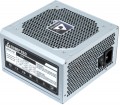 | 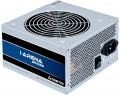 |
|---|---|---|
| Chieftec PPS PPS-500S | Chieftec iARENA GPB GPB-500S | |
from $32.56 up to $35.16 | from $34.33 up to $40.32 | |
| User reviews | ||
| TOP sellers | ||
| Power | 500 W | 500 W |
| Form factor | ATX | ATX |
Specs | ||
| PFC | active | |
| Efficiency | 80 % | 85 % |
| Cooling system | active | active |
| Fan size | 120 mm | 120 mm |
| Certification | without 80+ | without 80+ |
| ATX12V version | 2.3 | 2.3 |
Power connectors | ||
| MB/CPU power supply | 24+4 pin | 24+4 pin |
| SATA | 4 | 5 |
| MOLEX | 2 | 3 |
| PCIe 6pin | 1 | |
| PCIe 8pin (6+2) | 1 | |
| Cable system | non-modular | non-modular |
Cable length | ||
| MB | 400 mm | |
| CPU | 400 mm | |
| SATA | 550 mm | |
| MOLEX | 550 mm | |
| PCIe | 400 mm | |
General | ||
| Over voltage protection (OVP) |  | |
| Over power protection (OPP) | | |
| Short circuit protection (SCP) | | |
| Manufacturer's warranty | 2 years | |
| Dimensions (HxWxD) | 86x150x140 mm | 87x150x140 mm |
| Added to E-Catalog | october 2016 | april 2016 |


Compare Chieftec PPS and iARENA GPB
You may be interested in
My comparisons
Chieftec PPS often compared


Glossary
PFC
The type of power factor correction (PFC) provided in the power supply.
The power consumed by the PSU is divided into active and reactive; the first goes to perform useful work, the second does not produce such work and is dissipated in the form of heat. The power factor is the ratio of active power to the total power consumed; the closer it is to one, the more efficient the PSU.
PFC correction is applied to improve the power factor. It can be done passively or actively. The first option provides the presence of a coil (choke), which partly compensates for the operation of the reactive components of the PSU; such a correction is simple and inexpensive to implement, but not very effective. The active method, in turn, provides the presence of a specialized controller. It is more expensive, but the power factor in such PSUs can reach 0.95 or more; in addition, the device is more resistant to voltage drops.
In general, for use in a home or small office, passive correction is more than enough; active PSUs should be specifically looked for mainly in cases where we are talking about numerous computers connected to a powerful UPS.
The power consumed by the PSU is divided into active and reactive; the first goes to perform useful work, the second does not produce such work and is dissipated in the form of heat. The power factor is the ratio of active power to the total power consumed; the closer it is to one, the more efficient the PSU.
PFC correction is applied to improve the power factor. It can be done passively or actively. The first option provides the presence of a coil (choke), which partly compensates for the operation of the reactive components of the PSU; such a correction is simple and inexpensive to implement, but not very effective. The active method, in turn, provides the presence of a specialized controller. It is more expensive, but the power factor in such PSUs can reach 0.95 or more; in addition, the device is more resistant to voltage drops.
In general, for use in a home or small office, passive correction is more than enough; active PSUs should be specifically looked for mainly in cases where we are talking about numerous computers connected to a powerful UPS.
Efficiency
Efficiency, in this case — the ratio of the power of the power supply (see "Power") to its power consumption. The higher the efficiency, the more efficient the power supply, the less energy it consumes from the network at the same output power, and the cheaper it is to operate. Efficiency may differ depending on the load; the characteristics can indicate both the minimum efficiency and its value at an average load (50%).
It should be noted that compliance with one or another level of 80PLUS efficiency directly depends on this indicator (for more details, see "Certificate").
It should be noted that compliance with one or another level of 80PLUS efficiency directly depends on this indicator (for more details, see "Certificate").
SATA
The number of SATA power connectors provided in the PSU.
Nowadays, SATA is the standard interface for connecting internal hard drives, and it is also found in other types of drives (SSD, SSHD, etc.). Such an interface consists of a data connector connected to the motherboard, and a power connector connected to the PSU. Accordingly, in this paragraph we are talking about the number of SATA power plugs provided in the PSU. This number corresponds to the number of SATA drives that can be simultaneously powered from this model.
Nowadays, SATA is the standard interface for connecting internal hard drives, and it is also found in other types of drives (SSD, SSHD, etc.). Such an interface consists of a data connector connected to the motherboard, and a power connector connected to the PSU. Accordingly, in this paragraph we are talking about the number of SATA power plugs provided in the PSU. This number corresponds to the number of SATA drives that can be simultaneously powered from this model.
MOLEX
The number of Molex (IDE) connectors provided in the design of the power supply.
Initially, such a connector was intended to power peripherals for the IDE interface, primarily hard drives. And although the IDE itself is completely obsolete today and is not used in new components, however, the Molex power connector continues to be installed in power supplies, and almost without fail. Almost any modern PSU has at least 1 – 2 of these connectors, and in high-end models this number can be 7 or more. This situation is due to the fact that Molex IDE is a fairly universal standard, and with the help of the simplest adapters, components with a different power interface can be powered from it. For example, there are Molex - SATA adapters for drives, Molex - 6 pin for video cards, etc.
Initially, such a connector was intended to power peripherals for the IDE interface, primarily hard drives. And although the IDE itself is completely obsolete today and is not used in new components, however, the Molex power connector continues to be installed in power supplies, and almost without fail. Almost any modern PSU has at least 1 – 2 of these connectors, and in high-end models this number can be 7 or more. This situation is due to the fact that Molex IDE is a fairly universal standard, and with the help of the simplest adapters, components with a different power interface can be powered from it. For example, there are Molex - SATA adapters for drives, Molex - 6 pin for video cards, etc.
PCIe 6pin
Number of 6-pin PCIe power connectors provided in the power supply unit.
These connectors are used for additional power to types of internal peripherals for which the 75W supplied directly through the PCIe slot on the motherboard is insufficient (a typical example being graphics cards). A 6-pin connector on the power supply unit provides an additional 75W, allowing the connection of boards with power consumption up to 150W.
Note that some graphics cards have multiple connectors for additional power. In light of this, a PSU may have either one PCIe 6-pin plug or two such connectors. However, this type of plug is generally used quite rarely due to the proliferation of the more convenient and versatile 8-pin "6+2" format connector, which can be used as either a six- or eight-pin (see more about it below).
These connectors are used for additional power to types of internal peripherals for which the 75W supplied directly through the PCIe slot on the motherboard is insufficient (a typical example being graphics cards). A 6-pin connector on the power supply unit provides an additional 75W, allowing the connection of boards with power consumption up to 150W.
Note that some graphics cards have multiple connectors for additional power. In light of this, a PSU may have either one PCIe 6-pin plug or two such connectors. However, this type of plug is generally used quite rarely due to the proliferation of the more convenient and versatile 8-pin "6+2" format connector, which can be used as either a six- or eight-pin (see more about it below).
PCIe 8pin (6+2)
Number of 8-pin PCIe power connectors (6+2) provided in the PSU design.
Additional PCIe power connectors (of all formats) are used for additional power to types of internal peripherals that require more than the 75W supplied directly through the PCIe slot on the motherboard (a typical example is graphics cards). In PC components, there are two types of such connectors — 6-pin, providing up to 75W of additional power, and 8-pin, giving up to 150W. The 8-pin (6+2) connectors used in power supplies are universal: they can work with both 6-pin and 8-pin connectors on the expansion board. Therefore, this type of connector is the most popular in modern PSUs.
As for the quantity, there are models on sale with 1 PCIe 8-pin (6+2) connector, 2 such connectors, 3 connectors, 4 connectors, and in some cases — 6 or more. Several of these connectors can be useful, for example, when connecting multiple graphics cards — or for a powerful high-performance video adapter equipped with multiple additional PCIe power connectors.
Additional PCIe power connectors (of all formats) are used for additional power to types of internal peripherals that require more than the 75W supplied directly through the PCIe slot on the motherboard (a typical example is graphics cards). In PC components, there are two types of such connectors — 6-pin, providing up to 75W of additional power, and 8-pin, giving up to 150W. The 8-pin (6+2) connectors used in power supplies are universal: they can work with both 6-pin and 8-pin connectors on the expansion board. Therefore, this type of connector is the most popular in modern PSUs.
As for the quantity, there are models on sale with 1 PCIe 8-pin (6+2) connector, 2 such connectors, 3 connectors, 4 connectors, and in some cases — 6 or more. Several of these connectors can be useful, for example, when connecting multiple graphics cards — or for a powerful high-performance video adapter equipped with multiple additional PCIe power connectors.
Manufacturer's warranty
Manufacturer's warranty provided for this model.
In fact, this is the minimum service life promised by the manufacturer, subject to the rules of operation. There are both models with a small warranty up to 3 years, and more advanced power supplies, in which the warranty can reach 7, 10 years and even 12 years. In general , a 5-year warranty(for example) does not mean that the device will fail after the specified time. Most often, the actual service life of the device is much longer than the guaranteed one.
Specific warranty periods may vary even for similar drives from the same manufacturer. So not
In fact, this is the minimum service life promised by the manufacturer, subject to the rules of operation. There are both models with a small warranty up to 3 years, and more advanced power supplies, in which the warranty can reach 7, 10 years and even 12 years. In general , a 5-year warranty(for example) does not mean that the device will fail after the specified time. Most often, the actual service life of the device is much longer than the guaranteed one.
Specific warranty periods may vary even for similar drives from the same manufacturer. So not
Dimensions (HxWxD)
PC PSU dimensions are defined by the form factor (most often ATX 150×86 mm), and the key factor in compatibility is depth — the PSU case length. “Universal” ATX units are usually 140, 150 mm, while quiet, high-power models with large heatsinks and a 135/140‑mm fan range from 160 to 200+ mm; compact builds use SFX/SFX-L (depth ~100 and ~125 mm with an adapter bracket). The greater the depth, the higher the risk of hitting drive cages, the PSU shroud, cable management, or a front LCS radiator, and modular connectors plus cable bend radius require another 20 – 40 mm of real clearance.