
Comparison Akai MPK Mini Plus vs M-AUDIO Oxygen Pro Mini
Add to comparison | 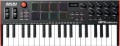 | 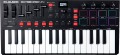 |
|---|---|---|
| Akai MPK Mini Plus | M-AUDIO Oxygen Pro Mini | |
from $169.00 | Compare prices 1 | |
| TOP sellers | ||
| Keys | 37 шт | 32 шт |
| Key size | small-sized | small-sized |
| Mechanics | active (dynamic) | active (dynamic) |
| Rigidity | unweighted | semi-weighted |
Control | ||
| Pitch controller |  | |
| Modulation controller | | |
| Sustain | |  |
| Transposition | | |
| Octave shift | | |
| Arpeggiator | | |
| Transport control | | |
| Pads | 8 | 8 |
| Faders | 4 | |
| Regulators (encoders) | 9 | 4 |
Connections | ||
| MIDI in | | |
| MIDI out | | |
| USB to host (type B) | | |
| Connectable pedals | 1 шт | |
General | ||
| Programming function | | |
| Display | monochrome | monochrome |
| Dimensions (WxHxD) | 451x52x180 mm | 401x60x190 mm |
| Weight | 1.26 kg | 1.2 kg |
| Color | ||
| Added to E-Catalog | march 2023 | march 2021 |



Compare Akai MPK Mini Plus and M-AUDIO Oxygen Pro Mini
Price comparison
You may be interested in
Akai MPK Mini Plus often compared


M-AUDIO Oxygen Pro Mini often compared


Glossary
Keys
The total number of keys on the keyboard.
The more keys provided in the design, the wider the instrument's own range, the more notes it can play without resorting to octave shift or transposition. On the other hand, this characteristic directly affects the dimensions and cost, and an extensive range is not required so often. Therefore, 88 -key instruments corresponding to a full-size classical piano keyboard are quite rare. But compact models with only 25 keys(2 octaves), on the contrary, are popular: for the purposes for which MIDI keyboards are used, this is often quite enough. Other common options are the 49 -key (4 octave) and 61 -key (5 octave) models; somewhat less common are 32 and 37 keys.
The more keys provided in the design, the wider the instrument's own range, the more notes it can play without resorting to octave shift or transposition. On the other hand, this characteristic directly affects the dimensions and cost, and an extensive range is not required so often. Therefore, 88 -key instruments corresponding to a full-size classical piano keyboard are quite rare. But compact models with only 25 keys(2 octaves), on the contrary, are popular: for the purposes for which MIDI keyboards are used, this is often quite enough. Other common options are the 49 -key (4 octave) and 61 -key (5 octave) models; somewhat less common are 32 and 37 keys.
Rigidity
The hardness of the keys on a keyboard is the amount of resistance they provide when pressed.
— Unweighted. Very low rigidity: the keys literally "fail" under the fingers. Found mostly in entry-level keyboards; this is due to the fact that unweighted mechanics are inexpensive, but the low pressure resistance makes it difficult to select the optimal pressure and control the dynamics of the sound.
— Semi- weighted. Keyboards with medium resistance — not as high as on weighted keys, but noticeably higher than on unweighted ones. This option is considered optimal for active keyboards (see "Mechanics"): at a low cost, it gives quite good responsiveness and, with a minimum skill, allows you to accurately control the pressing force.
— Weighted. Keyboards with high resistance, which is comparable to the resistance of classical piano keys. Note that high effort in this case is an advantage: it allows you to bring the response of the keyboard as close as possible to the response of a classical piano and makes it easier to control the pressure and dynamics of the sound. Actually, by definition, all hammer-action models are made weighted (see "Mechanics"), but among active keyboards this option is rare — due to complexity and high cost.
— Unweighted. Very low rigidity: the keys literally "fail" under the fingers. Found mostly in entry-level keyboards; this is due to the fact that unweighted mechanics are inexpensive, but the low pressure resistance makes it difficult to select the optimal pressure and control the dynamics of the sound.
— Semi- weighted. Keyboards with medium resistance — not as high as on weighted keys, but noticeably higher than on unweighted ones. This option is considered optimal for active keyboards (see "Mechanics"): at a low cost, it gives quite good responsiveness and, with a minimum skill, allows you to accurately control the pressing force.
— Weighted. Keyboards with high resistance, which is comparable to the resistance of classical piano keys. Note that high effort in this case is an advantage: it allows you to bring the response of the keyboard as close as possible to the response of a classical piano and makes it easier to control the pressure and dynamics of the sound. Actually, by definition, all hammer-action models are made weighted (see "Mechanics"), but among active keyboards this option is rare — due to complexity and high cost.
Sustain
The presence in the keyboard of its own sustain control — the extension of the extracted note. With sustain on, the note continues to sound (slowly decaying) even after the key has been released—similar to depressing the right pedal on a piano. Note that many keyboards allow the connection of pedals, including to control this function (see "Connected Pedals"), however, here it means its own controller, which allows you to turn sustain on and off using the keyboard itself, without additional equipment.
Transposition
The presence of the transposition function in the keyboard — switching the sound to a different key. When transposing, the pitch of all keys is simultaneously raised or lowered by a certain number of semitones. This function is useful in all cases when a melody learned in one key needs to be played in a different key — for example, if the original melody is too high or too low for the vocalist, if the external accompaniment differs in key, if you need to switch between keys during the song, and etc. In such situations, by transposing the sound, you can play a melody in a new key using the same familiar keys without relearning it.
Faders
The number of faders provided in the design of the keyboard.
A fader is a slider control. The simplest kind of such controls is the volume setting; if there is one fader in the design, most likely it is responsible for the volume. If there are more controls, other functions can be tied to them, respectively — in particular, changing the settings in the recording programme on the computer to which the keyboard is connected.
A fader is a slider control. The simplest kind of such controls is the volume setting; if there is one fader in the design, most likely it is responsible for the volume. If there are more controls, other functions can be tied to them, respectively — in particular, changing the settings in the recording programme on the computer to which the keyboard is connected.
Regulators (encoders)
The number of encoder controlsprovided in the design of the keyboard.
Such a knob looks like a rotary knob, with which you can control various functions of the device to which the keyboard is connected — for example, turn the virtual knobs in the programme for recording and sound processing. At the same time, we note that a full-fledged encoder is capable of rotating 360 ° and turning to any angle in any direction, however, keyboards can also contain knobs with a limited rotation sector — they can also be called encoders. None of these options has a clear advantage: in some cases, an unlimited turning sector is more convenient, in others, a limited one.
Such a knob looks like a rotary knob, with which you can control various functions of the device to which the keyboard is connected — for example, turn the virtual knobs in the programme for recording and sound processing. At the same time, we note that a full-fledged encoder is capable of rotating 360 ° and turning to any angle in any direction, however, keyboards can also contain knobs with a limited rotation sector — they can also be called encoders. None of these options has a clear advantage: in some cases, an unlimited turning sector is more convenient, in others, a limited one.
MIDI in
Input for receiving MIDI signals from an external device such as an optional keyboard or other controller, sequencer, etc. For MIDI signals, see “MIDI Out”; here we note that such signals received at the MIDI In input can be mixed with signals from the keyboard and output via MIDI Out or another interface of a similar purpose, or they can be sent unchanged to the MIDI Thru output. It is worth looking for a device with this input if you plan to build a complex from several MIDI signal sources and intend to use the keyboard as an intermediate link in such a system.
Connectable pedals
The maximum number of pedals that can be connected to the keyboard at the same time.
Pedals are used as additional controls to change various keyboard settings. The “classic of the genre” in this sense is the sustain pedal (see “Sustain”) — if the device has one connector for pedals, then this will almost certainly be the input for just such a pedal. Keyboards are produced, where there are 2 or more such inputs — in addition to sustain, you can connect pedals to them for other adjustments and effects (in particular, changing the volume).
Pedals are used as additional controls to change various keyboard settings. The “classic of the genre” in this sense is the sustain pedal (see “Sustain”) — if the device has one connector for pedals, then this will almost certainly be the input for just such a pedal. Keyboards are produced, where there are 2 or more such inputs — in addition to sustain, you can connect pedals to them for other adjustments and effects (in particular, changing the volume).