
Comparison Akai MPK Mini Plus vs Novation Launchkey 37 MK3
Add to comparison | 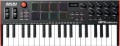 |  |
|---|---|---|
| Akai MPK Mini Plus | Novation Launchkey 37 MK3 | |
from $169.00 | Compare prices 1 | |
| TOP sellers | ||
| Keys | 37 шт | 37 шт |
| Key size | small-sized | full size |
| Mechanics | active (dynamic) | active (dynamic) |
| Rigidity | unweighted | semi-weighted |
Control | ||
| Pitch controller |  | |
| Modulation controller | | |
| Sustain | |  |
| Octave shift | | |
| Arpeggiator | | |
| Transport control | | |
| Pads | 8 | 16 |
| Regulators (encoders) | 9 | 8 |
Connections | ||
| MIDI in | | |
| MIDI out | | |
| USB to host (type B) | | |
| Connectable pedals | 1 шт | |
General | ||
| Programming function | | |
| Display | monochrome | monochrome |
| Dimensions (WxHxD) | 451x52x180 mm | 555x77x258 mm |
| Weight | 1.26 kg | 2.2 kg |
| Color | ||
| Added to E-Catalog | march 2023 | april 2021 |



Compare Akai MPK Mini Plus and Novation Launchkey 37 MK3
Price comparison
You may be interested in
Akai MPK Mini Plus often compared


Novation Launchkey 37 MK3 often compared
Glossary
Key size
In this case, the size means the size of the keys in width — the length practically does not affect the game process.
— Full size. Standard-width keys, as on a traditional piano keyboard. Switching to such a keyboard from another instrument with standard keys does not cause any problems; Also note that this particular option is recommended for complex games. On the other hand, a full-size keyboard can take up quite a lot of space.
— Small size. Reduced width keys. It is worth paying attention to this option, first of all, if there is not much space for installing the keyboard and compactness is crucial: small keys allow you to reduce the size of the device. In addition, such keys can be useful for people with small hands. But for complex parties, they are worse than full-sized ones.
— Full size. Standard-width keys, as on a traditional piano keyboard. Switching to such a keyboard from another instrument with standard keys does not cause any problems; Also note that this particular option is recommended for complex games. On the other hand, a full-size keyboard can take up quite a lot of space.
— Small size. Reduced width keys. It is worth paying attention to this option, first of all, if there is not much space for installing the keyboard and compactness is crucial: small keys allow you to reduce the size of the device. In addition, such keys can be useful for people with small hands. But for complex parties, they are worse than full-sized ones.
Rigidity
The hardness of the keys on a keyboard is the amount of resistance they provide when pressed.
— Unweighted. Very low rigidity: the keys literally "fail" under the fingers. Found mostly in entry-level keyboards; this is due to the fact that unweighted mechanics are inexpensive, but the low pressure resistance makes it difficult to select the optimal pressure and control the dynamics of the sound.
— Semi- weighted. Keyboards with medium resistance — not as high as on weighted keys, but noticeably higher than on unweighted ones. This option is considered optimal for active keyboards (see "Mechanics"): at a low cost, it gives quite good responsiveness and, with a minimum skill, allows you to accurately control the pressing force.
— Weighted. Keyboards with high resistance, which is comparable to the resistance of classical piano keys. Note that high effort in this case is an advantage: it allows you to bring the response of the keyboard as close as possible to the response of a classical piano and makes it easier to control the pressure and dynamics of the sound. Actually, by definition, all hammer-action models are made weighted (see "Mechanics"), but among active keyboards this option is rare — due to complexity and high cost.
— Unweighted. Very low rigidity: the keys literally "fail" under the fingers. Found mostly in entry-level keyboards; this is due to the fact that unweighted mechanics are inexpensive, but the low pressure resistance makes it difficult to select the optimal pressure and control the dynamics of the sound.
— Semi- weighted. Keyboards with medium resistance — not as high as on weighted keys, but noticeably higher than on unweighted ones. This option is considered optimal for active keyboards (see "Mechanics"): at a low cost, it gives quite good responsiveness and, with a minimum skill, allows you to accurately control the pressing force.
— Weighted. Keyboards with high resistance, which is comparable to the resistance of classical piano keys. Note that high effort in this case is an advantage: it allows you to bring the response of the keyboard as close as possible to the response of a classical piano and makes it easier to control the pressure and dynamics of the sound. Actually, by definition, all hammer-action models are made weighted (see "Mechanics"), but among active keyboards this option is rare — due to complexity and high cost.
Sustain
The presence in the keyboard of its own sustain control — the extension of the extracted note. With sustain on, the note continues to sound (slowly decaying) even after the key has been released—similar to depressing the right pedal on a piano. Note that many keyboards allow the connection of pedals, including to control this function (see "Connected Pedals"), however, here it means its own controller, which allows you to turn sustain on and off using the keyboard itself, without additional equipment.
Arpeggiator
The presence of an arpeggiator in the keyboard.
The name of this function comes from "arpeggio" — a technique for playing chords, in which notes are not played all at once, but in turn. Accordingly, the arpeggiator is a function that allows you to play a taken chord in the arpeggio technique: the musician presses all the keys at once, and the keyboard plays them in turn. This effect can also be achieved manually, but in some cases the arpeggiator turns out to be more convenient: it plays notes at a clearly defined speed and interval, can accompany them with various effects, and provides other additional features. These features vary depending on the model, but some instruments allow you to create entire songs with the arpeggiator by simply pressing a sequence of chords.
The name of this function comes from "arpeggio" — a technique for playing chords, in which notes are not played all at once, but in turn. Accordingly, the arpeggiator is a function that allows you to play a taken chord in the arpeggio technique: the musician presses all the keys at once, and the keyboard plays them in turn. This effect can also be achieved manually, but in some cases the arpeggiator turns out to be more convenient: it plays notes at a clearly defined speed and interval, can accompany them with various effects, and provides other additional features. These features vary depending on the model, but some instruments allow you to create entire songs with the arpeggiator by simply pressing a sequence of chords.
Pads
The number of pads provided in the design of the keyboard.
Pads are auxiliary controls in the form of characteristic pads, usually square. The pads respond to touch, each of them can be tied to a specific sound or even a sequence of sounds. One of the most popular ways to use pads is to play drums or other rhythmic instruments.
Pads are auxiliary controls in the form of characteristic pads, usually square. The pads respond to touch, each of them can be tied to a specific sound or even a sequence of sounds. One of the most popular ways to use pads is to play drums or other rhythmic instruments.
Regulators (encoders)
The number of encoder controlsprovided in the design of the keyboard.
Such a knob looks like a rotary knob, with which you can control various functions of the device to which the keyboard is connected — for example, turn the virtual knobs in the programme for recording and sound processing. At the same time, we note that a full-fledged encoder is capable of rotating 360 ° and turning to any angle in any direction, however, keyboards can also contain knobs with a limited rotation sector — they can also be called encoders. None of these options has a clear advantage: in some cases, an unlimited turning sector is more convenient, in others, a limited one.
Such a knob looks like a rotary knob, with which you can control various functions of the device to which the keyboard is connected — for example, turn the virtual knobs in the programme for recording and sound processing. At the same time, we note that a full-fledged encoder is capable of rotating 360 ° and turning to any angle in any direction, however, keyboards can also contain knobs with a limited rotation sector — they can also be called encoders. None of these options has a clear advantage: in some cases, an unlimited turning sector is more convenient, in others, a limited one.
MIDI in
Input for receiving MIDI signals from an external device such as an optional keyboard or other controller, sequencer, etc. For MIDI signals, see “MIDI Out”; here we note that such signals received at the MIDI In input can be mixed with signals from the keyboard and output via MIDI Out or another interface of a similar purpose, or they can be sent unchanged to the MIDI Thru output. It is worth looking for a device with this input if you plan to build a complex from several MIDI signal sources and intend to use the keyboard as an intermediate link in such a system.
MIDI out
A specialized output for transmitting MIDI signals to an external device — a sequencer, a computer sound card (if there is a MIDI In input), etc.
MIDI signals are a kind of "digital notation": they tell which key was pressed, with what force and for how long, and also carry information about various additional parameters: timbre, tempo, key, etc. To convert such signals a "ready" sound requires an external sequencer (software or hardware).
Note that despite its specialized purpose, the MIDI Out output is not mandatory for modern MIDI keyboards: MIDI signals can also be transmitted via other interfaces, such as USB or Bluetooth (see the relevant paragraphs). So it makes sense to specifically look for a keyboard with such a connector if you plan to connect it to equipment with a MIDI In input.
MIDI signals are a kind of "digital notation": they tell which key was pressed, with what force and for how long, and also carry information about various additional parameters: timbre, tempo, key, etc. To convert such signals a "ready" sound requires an external sequencer (software or hardware).
Note that despite its specialized purpose, the MIDI Out output is not mandatory for modern MIDI keyboards: MIDI signals can also be transmitted via other interfaces, such as USB or Bluetooth (see the relevant paragraphs). So it makes sense to specifically look for a keyboard with such a connector if you plan to connect it to equipment with a MIDI In input.
Connectable pedals
The maximum number of pedals that can be connected to the keyboard at the same time.
Pedals are used as additional controls to change various keyboard settings. The “classic of the genre” in this sense is the sustain pedal (see “Sustain”) — if the device has one connector for pedals, then this will almost certainly be the input for just such a pedal. Keyboards are produced, where there are 2 or more such inputs — in addition to sustain, you can connect pedals to them for other adjustments and effects (in particular, changing the volume).
Pedals are used as additional controls to change various keyboard settings. The “classic of the genre” in this sense is the sustain pedal (see “Sustain”) — if the device has one connector for pedals, then this will almost certainly be the input for just such a pedal. Keyboards are produced, where there are 2 or more such inputs — in addition to sustain, you can connect pedals to them for other adjustments and effects (in particular, changing the volume).