
Comparison Roland GO:KEYS 3 vs Roland E-X50
Add to comparison | 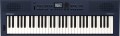 | 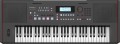 |
|---|---|---|
| Roland GO:KEYS 3 | Roland E-X50 | |
from $384.99 | Compare prices 1 | |
| TOP sellers | ||
| Type | synthesizer (rompler) | synthesizer (rompler) |
Keys | ||
| Number of keys | 61 | 61 |
| Size | full size | full size |
| Mechanics | active | active |
| Sensitivity adjustment |  |  |
| Rigidity | semi-weighted | semi-weighted |
Specs | ||
| Polyphony | 256 voices | 256 voices |
| Built-in timbres | 689 шт | |
| Auto accompaniment | | |
| Accompaniment styles | 203 шт | 300 шт |
| Custom styles | 30 шт | |
| Tempo change | 30 – 280 | |
| Metronome | | |
| Sequencer (recording) | | |
| Built-in compositions | | |
Effects and control | ||
| Timbres layering | | |
| Keyboard split | | |
| Octave shift | | |
| Arpeggiator | | |
| Reverberation | | |
| Chorus | | |
| Transposition | | |
| Pitch controller | | |
| Fine tuning | | |
Connectors | ||
| Inputs | mini-Jack (3.5 mm) USB to device (type A) | USB to device (type A) |
| Microphone | 1 pcs | 1 pcs |
| Connectable pedals | 1 шт | 1 шт |
| Outputs | USB to host (type B) headphones | USB to host (type B) headphones |
| Linear outputs | 2 | 2 |
In box | ||
| In box | music stand PSU | |
General | ||
| Built-in acoustics | 20 W | |
| Number of bands | 2 | 2 |
| Display | monochrome | monochrome |
| Power consumption | 7 W | |
| Autonomous power supply | aA batteries | aA batteries |
| Operating hours | 2 h | |
| Dimensions (WxHxD) | 950x87x286 mm | 1048x141x391 mm |
| Weight | 4.5 kg | 9.6 kg |
| Color | ||
| Added to E-Catalog | september 2024 | october 2023 |


Compare Roland GO:KEYS 3 and E-X50
Price comparison
You may be interested in
My comparisons
Roland GO:KEYS 3 often compared


Roland E-X50 often compared


Glossary
Sensitivity adjustment
Ability to change the sensitivity of active mechanics (see above) in the synthesizer.
This function allows you to adjust the intensity of the key's response to pressing. Simply put, the higher the sensitivity, the louder and sharper the sound will be, with the same pressing force. This allows you to change the characteristics of the instrument's sound.
Also in synthesizers with this function, it is often possible to completely turn off the active mechanics and play on a “passive” keyboard. This can be useful for making certain voices, such as harpsichord or organ, sound realistic.
This function allows you to adjust the intensity of the key's response to pressing. Simply put, the higher the sensitivity, the louder and sharper the sound will be, with the same pressing force. This allows you to change the characteristics of the instrument's sound.
Also in synthesizers with this function, it is often possible to completely turn off the active mechanics and play on a “passive” keyboard. This can be useful for making certain voices, such as harpsichord or organ, sound realistic.
Built-in timbres
The number of built-in sounds provided in the synthesizer.
The number of timbres is often described as the number of instruments that a given model can imitate. However, this is not entirely true — rather, this parameter can be called "the number of instruments and sound effects." For example, the same instrument — an electric guitar — with different "gadgets" (distortion, overdrive) will sound differently, and in the synthesizer each such gadget will be considered a separate timbre. The “drums” timbre usually combines different types of drums and other percussion instruments — in other words, it allows you to portray both the “bass drum” and the cymbals without switching settings, just by pressing the desired keys. And some timbres may not have analogues among real instruments at all.
The more built-in timbres, the more extensive the possibilities of the synthesizer, the more diverse the sounds that can be extracted from it. At the same time, in high-end models like workstations (see "Type"), this number can reach 1000 or even more.
The number of timbres is often described as the number of instruments that a given model can imitate. However, this is not entirely true — rather, this parameter can be called "the number of instruments and sound effects." For example, the same instrument — an electric guitar — with different "gadgets" (distortion, overdrive) will sound differently, and in the synthesizer each such gadget will be considered a separate timbre. The “drums” timbre usually combines different types of drums and other percussion instruments — in other words, it allows you to portray both the “bass drum” and the cymbals without switching settings, just by pressing the desired keys. And some timbres may not have analogues among real instruments at all.
The more built-in timbres, the more extensive the possibilities of the synthesizer, the more diverse the sounds that can be extracted from it. At the same time, in high-end models like workstations (see "Type"), this number can reach 1000 or even more.
Accompaniment styles
The number of auto accompaniment styles (see above) originally provided in the synthesizer, in other words, the number of accompaniment options available to the user.
The more extensive this set, the higher the probability of finding among these melodies suitable options for a particular case. At the same time, the abundance of styles in itself is not yet a 100% guarantee that among them there will be a suitable one, especially since different synthesizer models can differ markedly in a specific set of melodies. So the list does not hurt to clarify before buying. Also note that the situation can be corrected by user styles (see below) — many synthesizers with auto accompaniment support them.
The more extensive this set, the higher the probability of finding among these melodies suitable options for a particular case. At the same time, the abundance of styles in itself is not yet a 100% guarantee that among them there will be a suitable one, especially since different synthesizer models can differ markedly in a specific set of melodies. So the list does not hurt to clarify before buying. Also note that the situation can be corrected by user styles (see below) — many synthesizers with auto accompaniment support them.
Custom styles
The number of user auto accompaniment styles supported by the synthesizer, in other words, the number of additional styles that can be stored in memory in addition to the built-in ones. Note that styles can have different volumes (depending on the number of notes used), so this parameter often turns out to be not exact, but only an average-approximate one.
Modern synthesizers may have a fairly extensive set of built-in auto accompaniment styles (see above), but even the richest set may not contain the desired melody. Thus, many models allow you to supplement the standard list with custom melodies. The addition methods themselves can be different: in some models, these melodies need to be downloaded from external media, in others they can even be composed manually. Nevertheless, the presence of user styles allows you to expand the range of auto accompaniment melodies, moreover, at the request of the user himself.
Modern synthesizers may have a fairly extensive set of built-in auto accompaniment styles (see above), but even the richest set may not contain the desired melody. Thus, many models allow you to supplement the standard list with custom melodies. The addition methods themselves can be different: in some models, these melodies need to be downloaded from external media, in others they can even be composed manually. Nevertheless, the presence of user styles allows you to expand the range of auto accompaniment melodies, moreover, at the request of the user himself.
Tempo change
The range in which you can change the tempo of the programme played by the synthesizer — auto accompaniment, lesson tune (see above), metronome (see below), recorded sample, etc.
Pace is measured in beats per minute. Changing it allows you to adjust the speed of the synthesizer to the specifics of the situation — for example, slightly slow down the tutorial if it is too hard to master at the initial pace. The wider the range of tempo adjustment, the more options the musician has to choose from, especially in the area of very slow and very fast tempos.
Note that the traditional range of musical tempos covers values from 40 beats / min (“grave”, “very slowly”) to 208 beats / min (“prestissimo”, “very fast”), however, in synthesizers it can be more extensive — for example, 30 – 255 bpm.
Pace is measured in beats per minute. Changing it allows you to adjust the speed of the synthesizer to the specifics of the situation — for example, slightly slow down the tutorial if it is too hard to master at the initial pace. The wider the range of tempo adjustment, the more options the musician has to choose from, especially in the area of very slow and very fast tempos.
Note that the traditional range of musical tempos covers values from 40 beats / min (“grave”, “very slowly”) to 208 beats / min (“prestissimo”, “very fast”), however, in synthesizers it can be more extensive — for example, 30 – 255 bpm.
Timbres layering
The ability to overlay different timbres of the synthesizer sound on top of each other. This creates the effect of the sound of two (or even more) instruments at once — for example, piano and violin. At the same time, in advanced models, it may be possible to set different settings for different timbres so that the sameness of the extracted notes is not so noticeable — for example, the same "violin" can be set to smooth transitions between notes, while on the "piano" they will sound jerky.
Keyboard split
Possibility of dividing the keyboard of the synthesizer into two parts, each of which is responsible for its own timbre of sound. Thus, on one keyboard, you can play two "instruments" at once in real time — for example, accompany the solo part of the violin with chords of a string orchestra. At the same time, unlike auto accompaniment (see above), all notes are taken by the musician himself, without relying on the automatic settings prescribed in the programme.
Usually, several “split keyboard” combinations are pre-written in the synthesizer’s memory, however, some models allow you to separately select a timbre for each half, at the discretion of the musician.
Usually, several “split keyboard” combinations are pre-written in the synthesizer’s memory, however, some models allow you to separately select a timbre for each half, at the discretion of the musician.
Arpeggiator
The presence of an arpeggiator in the design of the synthesizer.
The term "arpeggio" originally means the technique of playing a chord, in which the notes are not sounded all at once, but one after another. Accordingly, arpeggiator, roughly speaking, is a device for the automated playing of chords using the arpeggio technique. Compared to manual playback by notes, this function is convenient because the arpeggiator can provide various additional settings: set the direction of playback (up or down), speed, interval between notes and their duration, special effects, background accompaniment, etc. At the same time, all effects work automatically, the user only needs to press the keys that make up the chord (and in some synthesizers in some modes, only one key can generally be responsible for a whole chord). The specific capabilities of arpeggiators can be different, often such a device allows you to create entire compositions just by pressing a sequence of chords.
The term "arpeggio" originally means the technique of playing a chord, in which the notes are not sounded all at once, but one after another. Accordingly, arpeggiator, roughly speaking, is a device for the automated playing of chords using the arpeggio technique. Compared to manual playback by notes, this function is convenient because the arpeggiator can provide various additional settings: set the direction of playback (up or down), speed, interval between notes and their duration, special effects, background accompaniment, etc. At the same time, all effects work automatically, the user only needs to press the keys that make up the chord (and in some synthesizers in some modes, only one key can generally be responsible for a whole chord). The specific capabilities of arpeggiators can be different, often such a device allows you to create entire compositions just by pressing a sequence of chords.
Chorus
The presence of a chorus effect in the synthesizer.
The word "chorus" comes from chorus, "chorus", and the purpose of this function is quite consistent with the origin of its name — it creates the effect of the choral sound of several instruments. To do this, the original sound signal is copied (one or more times) and the copies are added to the overall sound with a small, up to 30 ms, time shift, and this shift is constantly changing. In this way, a small but noticeable difference in individual "voices", characteristic of a real choir, is imitated. However it is worth noting that a full-fledged resemblance to a choral performance with the help of a chorus cannot be achieved even on the most advanced synthesizer; however, this effect in itself sounds very interesting, thanks to which it does not lose its popularity.
The word "chorus" comes from chorus, "chorus", and the purpose of this function is quite consistent with the origin of its name — it creates the effect of the choral sound of several instruments. To do this, the original sound signal is copied (one or more times) and the copies are added to the overall sound with a small, up to 30 ms, time shift, and this shift is constantly changing. In this way, a small but noticeable difference in individual "voices", characteristic of a real choir, is imitated. However it is worth noting that a full-fledged resemblance to a choral performance with the help of a chorus cannot be achieved even on the most advanced synthesizer; however, this effect in itself sounds very interesting, thanks to which it does not lose its popularity.