
Comparison Medeli AKX10 vs Roland E-X50
Add to comparison | 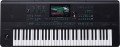 | 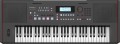 |
|---|---|---|
| Medeli AKX10 | Roland E-X50 | |
| Outdated Product | Compare prices 1 | |
| TOP sellers | ||
| Type | synthesizer (rompler) | synthesizer (rompler) |
Keys | ||
| Number of keys | 61 | 61 |
| Size | full size | full size |
| Mechanics | active | active |
| Rigidity | unweighted | semi-weighted |
Specs | ||
| Polyphony | 256 voices | 256 voices |
| Built-in timbres | 1356 шт | 689 шт |
| User timbres | 500 шт | |
| Auto accompaniment |  | |
| Accompaniment styles | 280 шт | 300 шт |
| Custom styles | 1000 шт | 30 шт |
| Learning mode | |  |
| Tempo change | 30 – 280 | |
| Metronome | | |
| Sequencer (recording) | | |
| Built-in compositions | | |
Effects and control | ||
| Timbres layering | | |
| Keyboard split | | |
| Octave shift | | |
| Reverberation | | |
| Chorus | | |
| Transposition | | |
| Pitch controller | | |
Connectors | ||
| Inputs | USB to device (type A) | |
| Microphone | 1 pcs | |
| Connectable pedals | 1 шт | 1 шт |
| Outputs | USB to host (type B) headphones | USB to host (type B) headphones |
| Linear outputs | 2 | |
In box | ||
| In box | PSU | music stand PSU |
General | ||
| Built-in acoustics | 80 W | 20 W |
| Number of bands | 2 | 2 |
| Display | colour | monochrome |
| Touch screen | | |
| Autonomous power supply | aA batteries | |
| Operating hours | 2 h | |
| Dimensions (WxHxD) | 1007x130x392 mm | 1048x141x391 mm |
| Weight | 9.4 kg | 9.6 kg |
| Color | ||
| Added to E-Catalog | september 2024 | october 2023 |


Compare Medeli AKX10 and Roland E-X50
Price comparison
You may be interested in
My comparisons
Medeli AKX10 often compared


Roland E-X50 often compared


Glossary
Rigidity
— Unweighted. Keys with a very low pressing force, literally "failing" under the fingers. This option is well suited for inexpensive synthesizers with passive mechanics (see above), but is rarely used in active models — a small resistance force makes it difficult to choose the optimal pressing force.
— Semi- weighted. Medium-strength keys, not up to the hardness of a full-fledged piano, but showing noticeably more resistance than unweighted ones. This variant is most popular among instruments with active mechanics (see above) — the force on the keys provides adequate feedback and at the same time playing such an instrument does not cause any special difficulties even for those who previously dealt only with unweighted keyboards.
— Weighted. Keys with high actuation force, comparable to that of a classical piano. Used only in professional hammer action instruments (see above) — high rigidity is a must for such mechanics (more precisely, for the response that it must provide).
— Semi- weighted. Medium-strength keys, not up to the hardness of a full-fledged piano, but showing noticeably more resistance than unweighted ones. This variant is most popular among instruments with active mechanics (see above) — the force on the keys provides adequate feedback and at the same time playing such an instrument does not cause any special difficulties even for those who previously dealt only with unweighted keyboards.
— Weighted. Keys with high actuation force, comparable to that of a classical piano. Used only in professional hammer action instruments (see above) — high rigidity is a must for such mechanics (more precisely, for the response that it must provide).
Built-in timbres
The number of built-in sounds provided in the synthesizer.
The number of timbres is often described as the number of instruments that a given model can imitate. However, this is not entirely true — rather, this parameter can be called "the number of instruments and sound effects." For example, the same instrument — an electric guitar — with different "gadgets" (distortion, overdrive) will sound differently, and in the synthesizer each such gadget will be considered a separate timbre. The “drums” timbre usually combines different types of drums and other percussion instruments — in other words, it allows you to portray both the “bass drum” and the cymbals without switching settings, just by pressing the desired keys. And some timbres may not have analogues among real instruments at all.
The more built-in timbres, the more extensive the possibilities of the synthesizer, the more diverse the sounds that can be extracted from it. At the same time, in high-end models like workstations (see "Type"), this number can reach 1000 or even more.
The number of timbres is often described as the number of instruments that a given model can imitate. However, this is not entirely true — rather, this parameter can be called "the number of instruments and sound effects." For example, the same instrument — an electric guitar — with different "gadgets" (distortion, overdrive) will sound differently, and in the synthesizer each such gadget will be considered a separate timbre. The “drums” timbre usually combines different types of drums and other percussion instruments — in other words, it allows you to portray both the “bass drum” and the cymbals without switching settings, just by pressing the desired keys. And some timbres may not have analogues among real instruments at all.
The more built-in timbres, the more extensive the possibilities of the synthesizer, the more diverse the sounds that can be extracted from it. At the same time, in high-end models like workstations (see "Type"), this number can reach 1000 or even more.
User timbres
The number of memory slots for user tones provided in the synthesizer.
For Voices in general, see “Preset Voices” above. User timbres are sound settings that were not originally provided in the synthesizer's memory and are created by the user according to their preferences. This feature is indispensable in cases where the built-in set of timbres does not contain the necessary options. However, the capabilities of the User Voices may vary from model to model. So, one instrument only allows you to edit and supplement existing timbres (for example, add a “wah-wah” effect to a bass guitar and save such a bunch as a user setting), another makes it possible to set the sound parameters almost manually, and the third even allows you to load timbres through USB (see below).
The more user timbres in the synthesizer, the more personal “instruments” you can register in its memory.
For Voices in general, see “Preset Voices” above. User timbres are sound settings that were not originally provided in the synthesizer's memory and are created by the user according to their preferences. This feature is indispensable in cases where the built-in set of timbres does not contain the necessary options. However, the capabilities of the User Voices may vary from model to model. So, one instrument only allows you to edit and supplement existing timbres (for example, add a “wah-wah” effect to a bass guitar and save such a bunch as a user setting), another makes it possible to set the sound parameters almost manually, and the third even allows you to load timbres through USB (see below).
The more user timbres in the synthesizer, the more personal “instruments” you can register in its memory.
Accompaniment styles
The number of auto accompaniment styles (see above) originally provided in the synthesizer, in other words, the number of accompaniment options available to the user.
The more extensive this set, the higher the probability of finding among these melodies suitable options for a particular case. At the same time, the abundance of styles in itself is not yet a 100% guarantee that among them there will be a suitable one, especially since different synthesizer models can differ markedly in a specific set of melodies. So the list does not hurt to clarify before buying. Also note that the situation can be corrected by user styles (see below) — many synthesizers with auto accompaniment support them.
The more extensive this set, the higher the probability of finding among these melodies suitable options for a particular case. At the same time, the abundance of styles in itself is not yet a 100% guarantee that among them there will be a suitable one, especially since different synthesizer models can differ markedly in a specific set of melodies. So the list does not hurt to clarify before buying. Also note that the situation can be corrected by user styles (see below) — many synthesizers with auto accompaniment support them.
Custom styles
The number of user auto accompaniment styles supported by the synthesizer, in other words, the number of additional styles that can be stored in memory in addition to the built-in ones. Note that styles can have different volumes (depending on the number of notes used), so this parameter often turns out to be not exact, but only an average-approximate one.
Modern synthesizers may have a fairly extensive set of built-in auto accompaniment styles (see above), but even the richest set may not contain the desired melody. Thus, many models allow you to supplement the standard list with custom melodies. The addition methods themselves can be different: in some models, these melodies need to be downloaded from external media, in others they can even be composed manually. Nevertheless, the presence of user styles allows you to expand the range of auto accompaniment melodies, moreover, at the request of the user himself.
Modern synthesizers may have a fairly extensive set of built-in auto accompaniment styles (see above), but even the richest set may not contain the desired melody. Thus, many models allow you to supplement the standard list with custom melodies. The addition methods themselves can be different: in some models, these melodies need to be downloaded from external media, in others they can even be composed manually. Nevertheless, the presence of user styles allows you to expand the range of auto accompaniment melodies, moreover, at the request of the user himself.
Learning mode
The presence of a learning mode in the design of the synthesizer.
The purpose of this function is clear from the name. It is most often based on the following principle: the synthesizer itself tells the student which keys to press, displaying the keyboard on the display or highlighting the necessary keys using the backlight (if available, see above). Of course, at different levels of learning, the format of such prompts will also be different: for example, at the very beginning, the synthesizer highlights the necessary notes until they are pressed, and at the final stage it highlights them at the tempo at which you need to play the melody, and evaluates the accuracy of the student pressing the desired keys. There are also other features and nuances of learning — for example, the mode of separate learning of parts for the left and right hands, when the instrument itself plays one part and tells the student how to play the second. In addition, a metronome function is practically mandatory for a synthesizer with this mode (see below).
Regardless of the specific functionality, this mode will be very useful for those who are just developing their keyboard playing skills.
The purpose of this function is clear from the name. It is most often based on the following principle: the synthesizer itself tells the student which keys to press, displaying the keyboard on the display or highlighting the necessary keys using the backlight (if available, see above). Of course, at different levels of learning, the format of such prompts will also be different: for example, at the very beginning, the synthesizer highlights the necessary notes until they are pressed, and at the final stage it highlights them at the tempo at which you need to play the melody, and evaluates the accuracy of the student pressing the desired keys. There are also other features and nuances of learning — for example, the mode of separate learning of parts for the left and right hands, when the instrument itself plays one part and tells the student how to play the second. In addition, a metronome function is practically mandatory for a synthesizer with this mode (see below).
Regardless of the specific functionality, this mode will be very useful for those who are just developing their keyboard playing skills.
Tempo change
The range in which you can change the tempo of the programme played by the synthesizer — auto accompaniment, lesson tune (see above), metronome (see below), recorded sample, etc.
Pace is measured in beats per minute. Changing it allows you to adjust the speed of the synthesizer to the specifics of the situation — for example, slightly slow down the tutorial if it is too hard to master at the initial pace. The wider the range of tempo adjustment, the more options the musician has to choose from, especially in the area of very slow and very fast tempos.
Note that the traditional range of musical tempos covers values from 40 beats / min (“grave”, “very slowly”) to 208 beats / min (“prestissimo”, “very fast”), however, in synthesizers it can be more extensive — for example, 30 – 255 bpm.
Pace is measured in beats per minute. Changing it allows you to adjust the speed of the synthesizer to the specifics of the situation — for example, slightly slow down the tutorial if it is too hard to master at the initial pace. The wider the range of tempo adjustment, the more options the musician has to choose from, especially in the area of very slow and very fast tempos.
Note that the traditional range of musical tempos covers values from 40 beats / min (“grave”, “very slowly”) to 208 beats / min (“prestissimo”, “very fast”), however, in synthesizers it can be more extensive — for example, 30 – 255 bpm.
Timbres layering
The ability to overlay different timbres of the synthesizer sound on top of each other. This creates the effect of the sound of two (or even more) instruments at once — for example, piano and violin. At the same time, in advanced models, it may be possible to set different settings for different timbres so that the sameness of the extracted notes is not so noticeable — for example, the same "violin" can be set to smooth transitions between notes, while on the "piano" they will sound jerky.
Keyboard split
Possibility of dividing the keyboard of the synthesizer into two parts, each of which is responsible for its own timbre of sound. Thus, on one keyboard, you can play two "instruments" at once in real time — for example, accompany the solo part of the violin with chords of a string orchestra. At the same time, unlike auto accompaniment (see above), all notes are taken by the musician himself, without relying on the automatic settings prescribed in the programme.
Usually, several “split keyboard” combinations are pre-written in the synthesizer’s memory, however, some models allow you to separately select a timbre for each half, at the discretion of the musician.
Usually, several “split keyboard” combinations are pre-written in the synthesizer’s memory, however, some models allow you to separately select a timbre for each half, at the discretion of the musician.