
Comparison Hoco DB49 Action vs Hoco J107 Super
Add to comparison | 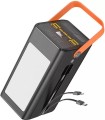 | 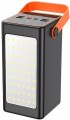 |
|---|---|---|
| Hoco DB49 Action | Hoco J107 Super | |
| Outdated Product | Outdated Product | |
| TOP sellers | ||
| Battery capacity | 100000 mAh 370 W*h | 90000 mAh 333 W*h |
| Real capacity | 62900 mAh | 50000 mAh |
| Battery type | Li-Pol | Li-Pol |
Charging gadgets / outputs | ||
| USB-C | 2 pcs | 1 pcs |
| USB-A | 4 pcs | 4 pcs |
| USB-C1 | 20 W | 20 W |
| USB-C2 | 18 W | |
| USB-A1 | 22.5 W | 22.5 W |
| USB-A2 | 12 W | 10.5 W |
| USB-A3 | 12 W | 10.5 W |
| USB-A4 | 12 W | 10.5 W |
| Power output (all ports) | 15 W | |
| Built-in charging cable | USB-C, Lightning | |
Power bank charging | ||
| Power bank charging inputs | USB-C Apple Lightning microUSB | USB-C Apple Lightning microUSB |
| Power bank charge power | 18 W | 18 W |
Features | ||
| Fast charge | Quick Charge 3.0 Power Delivery 3.0 | Quick Charge 3.0 Power Delivery 3.0 |
| Features | info display lamp | info display lamp |
General | ||
| Body material | plastic | plastic |
| Dimensions | 177x100x93 mm | 175x90x84 mm |
| Weight | 1994 g | 1887 g |
| Color | ||
| Added to E-Catalog | october 2024 | january 2024 |


Compare Hoco DB49 Action and J107 Super
You may be interested in
My comparisons
Hoco DB49 Action often compared


Hoco J107 Super often compared
Glossary
Battery capacity
The capacity of a powerbank indicates the amount of energy it can store and is usually specified in two formats in the specifications — mAh and Wh. The mAh value is more familiar to most buyers and helps quickly understand the class of the model, while Wh more accurately reflects the total energy reserve and is more convenient for a more accurate comparison of devices.
For example, a powerbank with 10000 mAh usually has about 37 Wh, a model with 20000 mAh — approximately 74 Wh, and a version with 30000 mAh — about 111 Wh. The higher these values, the more charges for a smartphone, headphones, watch, or other devices can be expected, but the larger, heavier, and usually more expensive the device becomes.
At the same time, it is important to remember that the actual output is always lower than the nominal figures due to energy conversion losses. Therefore, capacity is one of the main parameters that immediately shows whether the powerbank is suitable for a day's backup or for more serious autonomous use.
Real capacity
The real capacity of the power bank.
Real capacity is the amount of energy that a power bank is able to transfer to rechargeable gadgets. This amount is inevitably lower than the nominal capacity (see above) — most often by about 1.6 times (due to the fact that part of the energy goes to additional features and transmission losses). However, it is by real capacity that it is easiest to evaluate the actual capabilities of an external battery: for example, if this figure is 6500 mAh, this model is guaranteed to be enough for two full charges of a smartphone with a 3000 mAh battery and smartwatches for 250 mAh.
The capacity in this case is indicated for 5 V — the standard USB charging voltage. At the same time, the features of milliamp-hours as a unit of capacity are such that the actual amount of energy in the battery depends not only on the number of mAh, but also on the operating voltage. In fact, this means that when using fast charging technologies (see below) that involve increased voltage, the actual value of the actual capacity will differ from the claimed one (it will be lower). There are formulas and methods for calculating this value, they can be found in special sources.
Real capacity is the amount of energy that a power bank is able to transfer to rechargeable gadgets. This amount is inevitably lower than the nominal capacity (see above) — most often by about 1.6 times (due to the fact that part of the energy goes to additional features and transmission losses). However, it is by real capacity that it is easiest to evaluate the actual capabilities of an external battery: for example, if this figure is 6500 mAh, this model is guaranteed to be enough for two full charges of a smartphone with a 3000 mAh battery and smartwatches for 250 mAh.
The capacity in this case is indicated for 5 V — the standard USB charging voltage. At the same time, the features of milliamp-hours as a unit of capacity are such that the actual amount of energy in the battery depends not only on the number of mAh, but also on the operating voltage. In fact, this means that when using fast charging technologies (see below) that involve increased voltage, the actual value of the actual capacity will differ from the claimed one (it will be lower). There are formulas and methods for calculating this value, they can be found in special sources.
USB-C
The number of modern ports USB-C and built-in USB-C cables that can be used to charge smartphones, tablets, headphones, consoles, and other current devices. This format is particularly convenient today because USB-C has become the main connector for most new devices and usually supports higher charging power than USB-A. One USB-C output is usually enough for everyday use, while two and three are convenient if you need to connect several gadgets at the same time.
USB-C2
Maximum output power of the second USB-C port, which usually lags behind USB-C1, but can still be suitable for fast charging smartphones, portable consoles, and other modern devices.
USB-A2
The maximum power of the second USB-A output, which is usually slightly less than USB-A1, but is still suitable for charging smartphones, accessories, and other everyday devices.
USB-A3
The power on the USB-A3 port indicates the maximum power at which the third USB-A port operates, which is often used as an additional output when charging multiple devices simultaneously. It should be noted that simultaneous charging on multiple ports reduces the maximum output power values.
USB-A4
The limit of the fourth USB-A port, which in many models is the weakest and primarily intended for accessories. It is convenient to use it for devices that prioritize just charging over receiving the maximum wattage.
Power output (all ports)
The total charge power provided by the power bank on all connectors overnight - when devices are connected simultaneously to all charging ports.
This parameter is given due to the fact that the total charge power does not always correspond to the sum of the maximum powers of all available ports. The built-in battery of a power bank often has its own limitation on the output power. Therefore, for example, in a model with two 18 W USB ports, each total charge power can be the same 18 W. Note that the distribution of power among the connectors may be different: in some models it is divided equally, in others it is divided in proportion to the maximum current strength (if it differs on different ports). These nuances should be clarified using the detailed characteristics of the charging connectors.
If you plan to regularly use all power bank connectors at once, you should pay attention to this indicator.
This parameter is given due to the fact that the total charge power does not always correspond to the sum of the maximum powers of all available ports. The built-in battery of a power bank often has its own limitation on the output power. Therefore, for example, in a model with two 18 W USB ports, each total charge power can be the same 18 W. Note that the distribution of power among the connectors may be different: in some models it is divided equally, in others it is divided in proportion to the maximum current strength (if it differs on different ports). These nuances should be clarified using the detailed characteristics of the charging connectors.
If you plan to regularly use all power bank connectors at once, you should pay attention to this indicator.
Built-in charging cable
Type of built-in cable(or cables) for charging external devices, provided in the design of the power bank.
The main advantage of such equipment over a removable one (see "Bundled wires (adapters)") is that the built-in cable is always in place — you can lose it only together with the power bank itself (or as a result of an "accident" with physical damage to the structure) . On the other hand, such a cable cannot be quickly replaced with another one (longer, with a different plug, etc.); and if it is damaged, you will have to carry the power bank for repair or change it entirely. As for the type of built-in wires, this is indicated by the type of plugs for charging external gadgets that such wires are equipped with. Most often these are microUSB, USB type C and/or Lightning connectors, here is a more detailed description of them:
— microUSB. Relatively old, but still popular connector for portable equipment (mobile phones, tablets, players, etc.); used by almost all manufacturers of such equipment, except for Apple with their proprietary Lightning interface (see below).
— USB type C. A miniature connector, released relatively recently, but gaining more and more popularity (to the point that even Apple, which usually prefers proprietary interfaces, uses USB type C to charge its laptops). It is small (slightly large...r than microUSB) and has conveniently reversible design, well optimized for various advanced features, including some fast charging technologies (although the presence of USB type C does not mean support for such charging).
— Lightning. Apple proprietary connector used in portable devices of this brand (iPhone, iPad, iPod); does not apply to other manufacturers. Note that for a power bank with such a cable, MFi certification is desirable (see above).
If there are several types of plugs, they can be provided both on individual wires and on one combined cable. But if a removable adapter is included in the kit, its type is indicated in the “Bundled wires (adapters)” paragraph.
The main advantage of such equipment over a removable one (see "Bundled wires (adapters)") is that the built-in cable is always in place — you can lose it only together with the power bank itself (or as a result of an "accident" with physical damage to the structure) . On the other hand, such a cable cannot be quickly replaced with another one (longer, with a different plug, etc.); and if it is damaged, you will have to carry the power bank for repair or change it entirely. As for the type of built-in wires, this is indicated by the type of plugs for charging external gadgets that such wires are equipped with. Most often these are microUSB, USB type C and/or Lightning connectors, here is a more detailed description of them:
— microUSB. Relatively old, but still popular connector for portable equipment (mobile phones, tablets, players, etc.); used by almost all manufacturers of such equipment, except for Apple with their proprietary Lightning interface (see below).
— USB type C. A miniature connector, released relatively recently, but gaining more and more popularity (to the point that even Apple, which usually prefers proprietary interfaces, uses USB type C to charge its laptops). It is small (slightly large...r than microUSB) and has conveniently reversible design, well optimized for various advanced features, including some fast charging technologies (although the presence of USB type C does not mean support for such charging).
— Lightning. Apple proprietary connector used in portable devices of this brand (iPhone, iPad, iPod); does not apply to other manufacturers. Note that for a power bank with such a cable, MFi certification is desirable (see above).
If there are several types of plugs, they can be provided both on individual wires and on one combined cable. But if a removable adapter is included in the kit, its type is indicated in the “Bundled wires (adapters)” paragraph.