
Comparison be quiet! Dark Power 14 BP019 vs be quiet! Dark Power 13 BN334
Add to comparison |  | 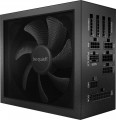 |
|---|---|---|
| be quiet! Dark Power 14 BP019 | be quiet! Dark Power 13 BN334 | |
| Compare prices 1 | Compare prices 1 | |
| TOP sellers | ||
| Power | 850 W | 850 W |
| Form factor | ATX | ATX |
Specs | ||
| PFC | active | active |
| Efficiency | 94 % | 95 % |
| Cooling system | semi-passive | active |
| Fan size | 135 mm | 135 mm |
| Fan bearing | hydrodynamic | hydrodynamic |
| Certification | 80+ Titanium | 80+ Titanium |
| Cybenetics Efficiency | Titanium | |
| Cybenetics Noise | A ++ | |
| ATX12V version | 3.1 | 3 |
| EPS12V version | 2.92 | 2.92 |
Power connectors | ||
| MB/CPU power supply | 24+8+8(4+4) pin | 24+8+8(4+4) pin |
| SATA | 13 | 12 |
| MOLEX | 2 | 2 |
| PCIe 8pin (6+2) | 4 | 4 |
| PCIe 16pin | 1 pcs | 1 pcs |
| Cable system | modular | modular |
| Braided wires |  | |
Cable length | ||
| MB | 600 mm | 600 mm |
| CPU | 700 mm | 700 mm |
| SATA | 600 mm | 750 mm |
| MOLEX | 900 mm | 900 mm |
| PCIe | 600 mm | 600 mm |
Max. power | ||
| +3.3V | 24 А | 24 А |
| +5V | 24 А | 24 А |
| +12V1 | 30 А | 30 А |
| +12V2 | 30 А | 30 А |
| +12V3 | 35 А | 35 А |
| +12V4 | 35 А | 35 А |
| -12V | 0.5 А | 0.5 А |
| +5Vsb | 3 А | 3 А |
| +12V | 850 W | 840 W |
| +3.3V +5V | 120 W | 120 W |
General | ||
| Over voltage protection (OVP) | | |
| Over power protection (OPP) | | |
| Short circuit protection (SCP) | | |
| Protection | OTP, OCP, UVP, SIP | OTP, OCP, UVP, SIP |
| Noise level | 16 dB | 20 dB |
| Manufacturer's warranty | 10 years | 10 years |
| Dimensions (HxWxD) | 86x150x175 mm | 86x150x170 mm |
| Weight | 2.2 kg | 1.97 kg |
| Added to E-Catalog | november 2025 | february 2023 |


Compare be quiet! Dark Power 14 and Dark Power 13
Price comparison
You may be interested in
My comparisons
be quiet! Dark Power 14 often compared


be quiet! Dark Power 13 often compared

Glossary
Efficiency
Efficiency, in this case — the ratio of the power of the power supply (see "Power") to its power consumption. The higher the efficiency, the more efficient the power supply, the less energy it consumes from the network at the same output power, and the cheaper it is to operate. Efficiency may differ depending on the load; the characteristics can indicate both the minimum efficiency and its value at an average load (50%).
It should be noted that compliance with one or another level of 80PLUS efficiency directly depends on this indicator (for more details, see "Certificate").
It should be noted that compliance with one or another level of 80PLUS efficiency directly depends on this indicator (for more details, see "Certificate").
Cooling system
— Active cooling system. Uses a fan that constantly operates to remove heat from internal components. Unlike passive cooling, the active system provides better heat dissipation and stability under high loads, preventing overheating. However, it creates noise. To eliminate this, fans in such power supplies can have dynamic speed control (AFC – Automatic Fan Control), reducing speed at low power consumption.
— Semi-passive. Active cooling systems with automatic fan shutdown in situations where the load on the power supply is low and heat generation is reduced. Let us remind you that systems of this type are more efficient than passive ones, but they consume additional energy and create noise during operation. Accordingly, at low loads, when intensive cooling is not required, it is wiser to turn off the fans — this saves energy and reduces the noise level.
— Passive(radiators). Compared to fans, radiators have a number of advantages: for example, they do not create any noise and do not require their own power supply (thus reducing overall energy consumption). On the other hand, they are significantly less efficient, as a result — the power of power supplies with passive cooling does not exceed 600 W. In addition, such power supplies are quite expensive.
— Semi-passive. Active cooling systems with automatic fan shutdown in situations where the load on the power supply is low and heat generation is reduced. Let us remind you that systems of this type are more efficient than passive ones, but they consume additional energy and create noise during operation. Accordingly, at low loads, when intensive cooling is not required, it is wiser to turn off the fans — this saves energy and reduces the noise level.
— Passive(radiators). Compared to fans, radiators have a number of advantages: for example, they do not create any noise and do not require their own power supply (thus reducing overall energy consumption). On the other hand, they are significantly less efficient, as a result — the power of power supplies with passive cooling does not exceed 600 W. In addition, such power supplies are quite expensive.
Cybenetics Efficiency
Cybenetics Efficiency is a power supply unit (PSU) energy efficiency certification system that serves as an alternative to the 80 PLUS standard. It is more accurate as it considers efficiency at various load levels (10%, 20%, 50%, 100%) and at different input voltages (115V, 230V). The labeling of this system is identical to 80 PLUS:
Bronze — overall efficiency from 82% to 85% at 115V input voltage and from 84% to 87% at 230V;
Silver — 85 – 87% and 87 – 89% respectively;
Gold — from 87% to 89% (115V) and from 89% to 91% (230V);
Platinum — 89 – 91% at 115V and 91 – 93% at 230V;
Titanium — 91 – 93% (115V) and 93 – 95% (230V);
Diamond — ≥ 93/95%.
Bronze — overall efficiency from 82% to 85% at 115V input voltage and from 84% to 87% at 230V;
Silver — 85 – 87% and 87 – 89% respectively;
Gold — from 87% to 89% (115V) and from 89% to 91% (230V);
Platinum — 89 – 91% at 115V and 91 – 93% at 230V;
Titanium — 91 – 93% (115V) and 93 – 95% (230V);
Diamond — ≥ 93/95%.
Cybenetics Noise
The Cybenetics Lambda Certification System evaluates the noise levels of power supply units (PSUs), providing consumers with information about their acoustic characteristics. As a result, you can rely not only on the efficiency of the PSU but also on its noise level. Cybenetics Lambda certification levels include:
Standard — from 40 dB(A) to 45 dB(A) – noticeable noise;
Standard+ — from 35 dB(A) to 40 dB(A) – noticeable noise;
Standard++ — from 30 dB(A) to 35 dB(A) – moderate noise;
A- — from 25 dB(A) to 30 dB(A) – moderately quiet;
A — from 20 dB(A) to 25 dB(A) – quiet;
A+ — from 15 dB(A) to 20 dB(A) – very quiet;
A++ — less than 15 dB(A) – nearly silent.
Standard — from 40 dB(A) to 45 dB(A) – noticeable noise;
Standard+ — from 35 dB(A) to 40 dB(A) – noticeable noise;
Standard++ — from 30 dB(A) to 35 dB(A) – moderate noise;
A- — from 25 dB(A) to 30 dB(A) – moderately quiet;
A — from 20 dB(A) to 25 dB(A) – quiet;
A+ — from 15 dB(A) to 20 dB(A) – very quiet;
A++ — less than 15 dB(A) – nearly silent.
ATX12V version
A standard for power supplies that supplements the ATX specifications regarding power supply along the 12 V line. Introduced into use since the time of the Intel Pentium 4 processor. In the first series of the standard, the +5 V line was mainly used; from version 2.0, the +12 V line was introduced to fully power the components computer. Also in the second generation, a 24-pin power connector appeared, used in most modern motherboards.
SATA
The number of SATA power connectors provided in the PSU.
Nowadays, SATA is the standard interface for connecting internal hard drives, and it is also found in other types of drives (SSD, SSHD, etc.). Such an interface consists of a data connector connected to the motherboard, and a power connector connected to the PSU. Accordingly, in this paragraph we are talking about the number of SATA power plugs provided in the PSU. This number corresponds to the number of SATA drives that can be simultaneously powered from this model.
Nowadays, SATA is the standard interface for connecting internal hard drives, and it is also found in other types of drives (SSD, SSHD, etc.). Such an interface consists of a data connector connected to the motherboard, and a power connector connected to the PSU. Accordingly, in this paragraph we are talking about the number of SATA power plugs provided in the PSU. This number corresponds to the number of SATA drives that can be simultaneously powered from this model.
+12V
The maximum power that the PSU can deliver to the +12V power rail.
For more details on power rails in general, see "Maximum current and power." Here, it should be noted that 12V is the most popular voltage among computer power connectors. It is used in nearly all such connectors (with few exceptions), and some plugs (such as the additional PCI-E power for 6 or 8 connectors) use only 12-volt rails, specifically in the +12V format. Therefore, this indicator is one of the most important characteristics of any PSU.
It is worth noting that many PSUs have multiple separate +12V power rails. In such cases, the total power is indicated here, which is usually divided equally among the rails.
For more details on power rails in general, see "Maximum current and power." Here, it should be noted that 12V is the most popular voltage among computer power connectors. It is used in nearly all such connectors (with few exceptions), and some plugs (such as the additional PCI-E power for 6 or 8 connectors) use only 12-volt rails, specifically in the +12V format. Therefore, this indicator is one of the most important characteristics of any PSU.
It is worth noting that many PSUs have multiple separate +12V power rails. In such cases, the total power is indicated here, which is usually divided equally among the rails.
Noise level
The noise level produced by the power supply.
Usually, the characteristics indicate the average value of the noise level during normal operation. The lower this value, the quieter the power supply and the more comfortable it is to use. However, it is worth noting that modern computer PSUs produce very little noise. So, in the quietest models, this figure does not exceed 20 dB — this is no louder than the rustling of leaves in a light breeze, such a sound is almost inaudible and is quite acceptable even in a residential area at night. Also acceptable for this application are noise sources of 21 – 25 dB(corresponding to a whisper at a distance of about 1 m) and 26 – 30 dB(wall clock ticking). Noise of more than 30 dB is already considered quite significant for computer PSUs; according to sanitary standards, such equipment in residential premises can only be used during the day.
When choosing a power supply for this indicator, it is worth considering a few points. First, noise reduction comes at a cost: it can affect the cooling performance and/or cost of the device. Secondly, the noise from the power supply is often lost against the background of louder PC components — for example, powerful cooling systems for the CPU or graphics card. Thirdly, the very environment where the PC is installed can be noisy — an example is a...n office or coworking. Thus, specifically looking for a low-noise model makes sense mainly in cases where maximum silence is crucial for you.
Usually, the characteristics indicate the average value of the noise level during normal operation. The lower this value, the quieter the power supply and the more comfortable it is to use. However, it is worth noting that modern computer PSUs produce very little noise. So, in the quietest models, this figure does not exceed 20 dB — this is no louder than the rustling of leaves in a light breeze, such a sound is almost inaudible and is quite acceptable even in a residential area at night. Also acceptable for this application are noise sources of 21 – 25 dB(corresponding to a whisper at a distance of about 1 m) and 26 – 30 dB(wall clock ticking). Noise of more than 30 dB is already considered quite significant for computer PSUs; according to sanitary standards, such equipment in residential premises can only be used during the day.
When choosing a power supply for this indicator, it is worth considering a few points. First, noise reduction comes at a cost: it can affect the cooling performance and/or cost of the device. Secondly, the noise from the power supply is often lost against the background of louder PC components — for example, powerful cooling systems for the CPU or graphics card. Thirdly, the very environment where the PC is installed can be noisy — an example is a...n office or coworking. Thus, specifically looking for a low-noise model makes sense mainly in cases where maximum silence is crucial for you.
Dimensions (HxWxD)
PC PSU dimensions are defined by the form factor (most often ATX 150×86 mm), and the key factor in compatibility is depth — the PSU case length. “Universal” ATX units are usually 140, 150 mm, while quiet, high-power models with large heatsinks and a 135/140‑mm fan range from 160 to 200+ mm; compact builds use SFX/SFX-L (depth ~100 and ~125 mm with an adapter bracket). The greater the depth, the higher the risk of hitting drive cages, the PSU shroud, cable management, or a front LCS radiator, and modular connectors plus cable bend radius require another 20 – 40 mm of real clearance.