
Comparison Strong LEAP-S3+V2 vs Google TV Streamer
Add to comparison |  | 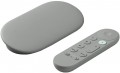 |
|---|---|---|
| Strong LEAP-S3+V2 | Google TV Streamer | |
| Outdated Product | Compare prices 9 | |
| TOP sellers | ||
Processing audio and video codecs Dolby Atmos and Dolby Vision. Support for Chromecast. Support for IPTV. | Gemini support, 4K video streaming. Serves as a hub for a smart home and can control other company devices.
Personalized content recommendations using AI. | |
| Type | Media Player | Media Player |
| Operating system | Google TV (Android TV) | Google TV (Android TV) |
Connectivity and interfaces | ||
| Bluetooth | v5.0 | v5.1 |
| Wi-Fi | Wi-Fi 5 (802.11ac) | Wi-Fi 5 (802.11ac) |
| Google Cast (Chromecast) |  | |
| IPTV support | | |
Connectors | ||
| HDMI | v 2.1 | v 2.1 |
| USB-A 2.0 | 1 pcs | |
| USB-C | 1 | |
| LAN | 100 Mbps | 1 Gbps |
| Optical output | |  |
Hardware | ||
| CPU | Amlogic S905Y4 | |
| CPU cores | 4 | |
| CPU frequency | 2 GHz | |
| RAM | 2 GB | 4 GB |
| Built-in memory | 16 GB | 32 GB |
| Ultra HD 4K support | | |
| HDR support | HDR10+, Dolby Vision | HDR10+, Dolby Vision |
General | ||
| Video decoders | AV1, VP9, H.265, H.264 | |
| Audio decoders | Dolby Digital MS12, Dolby Atmos | Dolby Digital, Dolby Digital Plus, Dolby Atmos |
| Remote control | with voice control | with voice control |
| Dimensions (WxHxD) | 96x96x23 mm | 163x76x25 mm |
| Weight | 153 g | 162 g |
| Added to E-Catalog | june 2025 | august 2024 |





Compare Strong LEAP-S3+V2 and Google TV Streamer
Price comparison
You may be interested in
My comparisons
Strong LEAP-S3+V2 often compared


Google TV Streamer often compared


Glossary
Bluetooth
Bluetooth is a technology used to connect various devices wirelessly directly. In media centers and TV receivers, it can be used to broadcast sound to wireless headphones and acoustics, to work with wireless mice and keyboards, to use a smartphone / tablet as a remote control, etc.; specific functionality should be specified separately. Also note that the supported version of Bluetooth can be specified here. The newest and most advanced is Bluetooth 5.0, but here is a more detailed description of the different versions:
- Bluetooth v4.0. The version in which the "Bluetooth Low Energy" (LE) format was first introduced — in addition to regular Bluetooth (version 2.1 functionality) and the high-speed HE standard for transferring large amounts of information (introduced in version 3.0). Bluetooth LE allows you to significantly reduce power consumption when transmitting small data packets, such as request-responses about connection activity in idle mode. For the media centers and TV receivers themselves, this is not particularly important, but for portable equipment (especially miniature ones, where battery capacity is very limited), such functionality will be useful.
- Bluetooth v 4.1. Development and improvement of Bluetooth 4.0. One of the key improvements was the optimization of collaboration with 4G LTE communication modules so that Bluetooth and LTE do not interfere with each other. In addition, this...version has the ability to simultaneously use a Bluetooth device in several roles — for example, to remotely control an external device while simultaneously streaming music to headphones.
- Bluetooth v4.2. Further, after 4.1, the development of the Bluetooth standard. It did not introduce fundamental updates, but received a number of improvements regarding reliability and noise immunity, as well as improved compatibility with the Internet of Things.
- Bluetooth v5.0. Version introduced in 2016. One of the most notable updates was the introduction of two new modes of operation for Bluetooth LE — with an increase in speed by reducing the range and with an increase in range by reducing the speed. In addition, a number of improvements have been introduced regarding simultaneous work with numerous connected devices, as well as work with the components of the Internet of Things.
USB-A 2.0
A classic USB port for connecting flash drives, receivers, keyboards, and other compatible peripherals, designed for data transfer up to 480 Mbps. This type of port is convenient for basic tasks where high speed isn't necessary, but it significantly falls behind more modern USB versions for very large files and fast external drives. The major advantage here is compatibility: USB-A 2.0 has long remained the most familiar format for mass accessories.
USB-C
The number of USB-C connectors in the design of the device.
This interface differs from the full-sized USB host ports (see above) primarily in the design of the connector: it is much smaller and made double-sided (the plug can be inserted in either direction). There are also a number of notable differences regarding application specifics. The most common option is the same as for conventional USB — connecting external peripherals, primarily drives like flash drives and external HDDs. But for charging gadgets, such connectors are used extremely rarely. In some models, USB-C plays the role of a service input for managing settings from a computer (that is, it actually works in the USB slave format — see "Inputs"). Also, this connector may provide an Alternate Mode mode, when other interfaces are implemented through the USB-C hardware port — for example, DisplayPort or HDMI for video broadcasting, or Thunderbolt for connecting some accessories. In media players, this mode is practically not used yet, but in the future the situation may change.
Summing up, we can say that the features of using USB-C in each model should be clarified separately. As for the number, such connectors are rarely provided for more than one — this is quite enough in most cases.
This interface differs from the full-sized USB host ports (see above) primarily in the design of the connector: it is much smaller and made double-sided (the plug can be inserted in either direction). There are also a number of notable differences regarding application specifics. The most common option is the same as for conventional USB — connecting external peripherals, primarily drives like flash drives and external HDDs. But for charging gadgets, such connectors are used extremely rarely. In some models, USB-C plays the role of a service input for managing settings from a computer (that is, it actually works in the USB slave format — see "Inputs"). Also, this connector may provide an Alternate Mode mode, when other interfaces are implemented through the USB-C hardware port — for example, DisplayPort or HDMI for video broadcasting, or Thunderbolt for connecting some accessories. In media players, this mode is practically not used yet, but in the future the situation may change.
Summing up, we can say that the features of using USB-C in each model should be clarified separately. As for the number, such connectors are rarely provided for more than one — this is quite enough in most cases.
LAN
LAN — connector for wired connection to the Internet and/or local area network using an Ethernet cable. A wired connection is not as convenient as Wi-Fi (see "Multimedia"), but it is considered more reliable and provides faster data transfer speeds. And the speed indicators depend on the device and can be 100 Mbps and 1 Gbps.
Optical output
A variation of the SP/DIF audio interface that uses a TOSLINK fibre optic cable. Like the coaxial connector, the optical output uses a digital data transfer format and can work with multi-channel audio. At the same time, optical fibre requires rather delicate handling, but it is absolutely insensitive to electrical interference.
CPU
The model of the CPU installed in the media player.
This information is mainly of reference value: the processor is selected in such a way as to provide certain practical characteristics (maximum resolution, support for certain standards, embedded applications, etc.). So when choosing, you should focus primarily on these specifications. However, if you wish, knowing the processor model, you can find detailed data on it and evaluate the capabilities of the media centre to work with resource-consuming applications. This can be useful, in particular, if you choose an Android model (see above) and plan to use additional software intensively — the set of applications for this OS is very extensive, and some of them are quite demanding on system resources.
Also note that CPU data is often specified for advertising purposes — to emphasize that the device has a fairly advanced chip from a well-known brand. Among the most common brands of such processors are Allwinner, Amlogic, Rockchip, Realtek.
This information is mainly of reference value: the processor is selected in such a way as to provide certain practical characteristics (maximum resolution, support for certain standards, embedded applications, etc.). So when choosing, you should focus primarily on these specifications. However, if you wish, knowing the processor model, you can find detailed data on it and evaluate the capabilities of the media centre to work with resource-consuming applications. This can be useful, in particular, if you choose an Android model (see above) and plan to use additional software intensively — the set of applications for this OS is very extensive, and some of them are quite demanding on system resources.
Also note that CPU data is often specified for advertising purposes — to emphasize that the device has a fairly advanced chip from a well-known brand. Among the most common brands of such processors are Allwinner, Amlogic, Rockchip, Realtek.
CPU cores
The core is the part of the processor that executes a single thread of instructions. Accordingly, the presence of multiple cores allows to work with multiple threads simultaneously, which has a positive effect on performance. Theoretically, more cores (4 cores or even 6 cores or more) can increase the efficiency of the processor. However, in fact, CPU performance depends on so many additional factors that the number of cores is purely a reference parameter. So, a high-end dual-core processor may well be more performant than an inexpensive quad-core one.
CPU frequency
The clock speed of the CPU installed in the media centre.
On the technical side, the higher this indicator, the faster the processor works and the higher, accordingly, the overall system performance. At the same time, the CPU performance depends, in addition to the frequency itself, on a number of factors — architecture, number of cores, special design features, etc.; and the actual speed of the entire system is affected by performance of components other than the processor. In addition, manufacturers usually select processors in such a way that their computing power is guaranteed to be enough for all the features claimed for a media centre. Therefore, in this case, the CPU frequency is more of a reference parameter (and partly an advertising indicator that demonstrates the advanced specifications of the device), rather than practically significant for buyer.
On the technical side, the higher this indicator, the faster the processor works and the higher, accordingly, the overall system performance. At the same time, the CPU performance depends, in addition to the frequency itself, on a number of factors — architecture, number of cores, special design features, etc.; and the actual speed of the entire system is affected by performance of components other than the processor. In addition, manufacturers usually select processors in such a way that their computing power is guaranteed to be enough for all the features claimed for a media centre. Therefore, in this case, the CPU frequency is more of a reference parameter (and partly an advertising indicator that demonstrates the advanced specifications of the device), rather than practically significant for buyer.
RAM
The amount of RAM installed in the media player.
In general, this volume is selected by the manufacturer in such a way that the device can normally cope with the tasks that are claimed for it. On the other hand, all else being equal, more RAM usually means faster performance. This parameter is especially important if the media player runs under the Android OS (see above): such firmware allows the installation of additional applications that may have rather high requirements for RAM.
As for specific values, by modern standards, a device with more than 2 GB of RAM is considered a fast media player.
In general, this volume is selected by the manufacturer in such a way that the device can normally cope with the tasks that are claimed for it. On the other hand, all else being equal, more RAM usually means faster performance. This parameter is especially important if the media player runs under the Android OS (see above): such firmware allows the installation of additional applications that may have rather high requirements for RAM.
As for specific values, by modern standards, a device with more than 2 GB of RAM is considered a fast media player.