
Comparison ARCTIC P14 Pro PST CO vs ARCTIC P14 Max Black
Add to comparison | 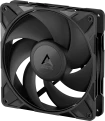 |  |
|---|---|---|
| ARCTIC P14 Pro PST CO | ARCTIC P14 Max Black | |
from $12.99 | from $10.99 | |
| TOP sellers | ||
Main specs | ||
| Features | for case | for case |
| Product type | fan | fan |
Fan | ||
| Number of fans | 1 | 1 |
| Fan size | 140 mm | 140 mm |
| Fan thickness | 27 mm | 27 mm |
| Bearing | rolling (Dual Bearing) | Fluid Dynamic Bearing |
| Min. RPM | 400 rpm | 400 rpm |
| Max. RPM | 2500 rpm | 2800 rpm |
| Speed controller | auto (PWM) | auto (PWM) |
| Max. air flow | 110 CFM | 95 CFM |
| Static pressure | 5.2 mm H2O | 4.18 mm H2O |
| Cybenetics Airflow | Platinum | |
| Cybenetics Static Pressure | Diamond | |
| Starting voltage | 5 В | 3.9 В |
| Power source | 4-pin (daisy-chain) | 4-pin |
General | ||
| Mount type | bolts | bolts |
| Manufacturer's warranty | 6 years | 6 years |
| Dimensions | 140x140x27 mm | 140x140x27 mm |
| Weight | 242 g | 245 g |
| Added to E-Catalog | august 2025 | may 2024 |


Compare ARCTIC P14 Pro PST CO and P14 Max Black
You may be interested in
My comparisons
ARCTIC P14 Pro PST CO often compared


ARCTIC P14 Max Black often compared

Glossary
Bearing
The type of bearing used in the cooling fan(s).
The bearing is the piece between the rotating axle of the fan and the fixed base that supports the axle and reduces friction. The following types of bearings are found in modern fans:
— Sliding. The action of these bearings is based on direct contact between two solid surfaces, carefully polished to reduce friction. Such devices are simple, reliable and durable, but their efficiency is rather low — rolling, and even more so the hydrodynamic and magnetic principle of operation (see below), provide much less friction.
— Rolling. They are also called "ball bearings", since the "intermediaries" between the axis of rotation and the fixed base are balls (less often — cylindrical rollers) fixed in a special ring. When the axis rotates, such balls roll between it and the base, due to which the friction force is very low — noticeably lower than in plain bearings. On the other hand, the design turns out to be more expensive and complex, and in terms of reliability it is somewhat inferior to both the same plain bearings and more advanced hydrodynamic devices (see below). Therefore, although rolling bearings are quite widespread nowadays, however, in general, they are much less common than the mentioned varieties.
— Hydrodynamic. Bearings of this type are filled with a special liquid; when rotate...d, it creates a layer on which the moving part of the bearing slides. In this way, direct contact between hard surfaces is avoided and friction is significantly reduced compared to previous types. Also, these bearings are quiet and very reliable. Of their shortcomings, a relatively high cost can be noted, but in fact this moment often turns out to be invisible against the background of the price of the entire system. Therefore, this option is extremely popular nowadays, it can be found in cooling systems of all levels — from low-cost to advanced.
— Magnetic centering. Bearings based on the principle of magnetic levitation: the rotating axis is "suspended" in a magnetic field. Thus, it is possible (as in hydrodynamic ones) to avoid contact between solid surfaces and further reduce friction. Considered the most advanced type of bearings, they are reliable and quiet, but expensive.
The bearing is the piece between the rotating axle of the fan and the fixed base that supports the axle and reduces friction. The following types of bearings are found in modern fans:
— Sliding. The action of these bearings is based on direct contact between two solid surfaces, carefully polished to reduce friction. Such devices are simple, reliable and durable, but their efficiency is rather low — rolling, and even more so the hydrodynamic and magnetic principle of operation (see below), provide much less friction.
— Rolling. They are also called "ball bearings", since the "intermediaries" between the axis of rotation and the fixed base are balls (less often — cylindrical rollers) fixed in a special ring. When the axis rotates, such balls roll between it and the base, due to which the friction force is very low — noticeably lower than in plain bearings. On the other hand, the design turns out to be more expensive and complex, and in terms of reliability it is somewhat inferior to both the same plain bearings and more advanced hydrodynamic devices (see below). Therefore, although rolling bearings are quite widespread nowadays, however, in general, they are much less common than the mentioned varieties.
— Hydrodynamic. Bearings of this type are filled with a special liquid; when rotate...d, it creates a layer on which the moving part of the bearing slides. In this way, direct contact between hard surfaces is avoided and friction is significantly reduced compared to previous types. Also, these bearings are quiet and very reliable. Of their shortcomings, a relatively high cost can be noted, but in fact this moment often turns out to be invisible against the background of the price of the entire system. Therefore, this option is extremely popular nowadays, it can be found in cooling systems of all levels — from low-cost to advanced.
— Magnetic centering. Bearings based on the principle of magnetic levitation: the rotating axis is "suspended" in a magnetic field. Thus, it is possible (as in hydrodynamic ones) to avoid contact between solid surfaces and further reduce friction. Considered the most advanced type of bearings, they are reliable and quiet, but expensive.
Max. RPM
The highest speed at which the cooling system fan is capable of operating; for models without a speed controller (see below), this item indicates the nominal rotation speed. In the "slowest" modern fans, the maximum speed does not exceed 1000 rpm, in the "fastest" it can be up to 2500 rpm and even more.
Note that this parameter is closely related to the fan diameter (see above): the smaller the diameter, the higher the speed must be to achieve the desired airflow values. In this case, the rotation speed directly affects the level of noise and vibration. Therefore, it is believed that the required volume of air is best provided by large and relatively "slow" fans; and it makes sense to use "fast" small models where compactness is crucial. If we compare the speed of models of the same size, then higher speeds have a positive effect on performance, but increase not only the noise level, but also the price and power consumption.
Note that this parameter is closely related to the fan diameter (see above): the smaller the diameter, the higher the speed must be to achieve the desired airflow values. In this case, the rotation speed directly affects the level of noise and vibration. Therefore, it is believed that the required volume of air is best provided by large and relatively "slow" fans; and it makes sense to use "fast" small models where compactness is crucial. If we compare the speed of models of the same size, then higher speeds have a positive effect on performance, but increase not only the noise level, but also the price and power consumption.
Max. air flow
The maximum airflow that a cooling fan can create; measured in CFM — cubic feet per minute.
The higher the CFM number, the more efficient the fan. On the other hand, high performance requires either a large diameter (which affects the size and cost) or high speed (which increases the noise and vibration levels). Therefore, when choosing, it makes sense not to chase the maximum air flow, but to use special formulas that allow you to calculate the required number of CFM depending on the type and power of the cooled component and other parameters. Such formulas can be found in special sources. As for specific numbers, in the most modest systems, the performance does not exceed 30 CFM, and in the most powerful systems it can be up to 80 CFM and even more.
It is also worth considering that the actual value of the air flow at the highest speed is usually lower than the claimed maximum; see Static Pressure for details.
The higher the CFM number, the more efficient the fan. On the other hand, high performance requires either a large diameter (which affects the size and cost) or high speed (which increases the noise and vibration levels). Therefore, when choosing, it makes sense not to chase the maximum air flow, but to use special formulas that allow you to calculate the required number of CFM depending on the type and power of the cooled component and other parameters. Such formulas can be found in special sources. As for specific numbers, in the most modest systems, the performance does not exceed 30 CFM, and in the most powerful systems it can be up to 80 CFM and even more.
It is also worth considering that the actual value of the air flow at the highest speed is usually lower than the claimed maximum; see Static Pressure for details.
Static pressure
The maximum static air pressure generated by the fan during operation.
This parameter is measured as follows: if the fan is installed on a blind pipe, from which there is no air outlet, and turned on for blowing, then the pressure reached in the pipe will correspond to the static one. In fact, this parameter determines the overall efficiency of the fan: the higher the static pressure (ceteris paribus), the easier it is for the fan to “push” the required amount of air through a space with high resistance, for example, through narrow slots of a radiator or through a case full of components.
Also, this parameter is used for some specific calculations, however, these calculations are quite complex and, usually, are not necessary for an ordinary user — they are associated with nuances that are relevant mainly for computer enthusiasts. You can read more about this in special sources.
This parameter is measured as follows: if the fan is installed on a blind pipe, from which there is no air outlet, and turned on for blowing, then the pressure reached in the pipe will correspond to the static one. In fact, this parameter determines the overall efficiency of the fan: the higher the static pressure (ceteris paribus), the easier it is for the fan to “push” the required amount of air through a space with high resistance, for example, through narrow slots of a radiator or through a case full of components.
Also, this parameter is used for some specific calculations, however, these calculations are quite complex and, usually, are not necessary for an ordinary user — they are associated with nuances that are relevant mainly for computer enthusiasts. You can read more about this in special sources.
Cybenetics Airflow
The Cybenetics Airflow Test evaluates the efficiency of a fan in moving air (see Max Airflow section), at a normalized noise level of 25 dB. This test measures the airflow (or air performance) that a fan can provide when operating at a given speed, and how well it can move air through the system. Test results allow for the classification of fans into levels: Bronze (34 - 38 CFM), Silver (38 - 42 CFM), Gold (42 - 46 CFM), Platinum (46 - 50 CFM), Titanium (50 - 55 CFM), and Diamond (55+ CFM), depending on their ability to provide airflow at a low noise level.
In technical documentation, manufacturers often specify data obtained under laboratory conditions with optimal parameters, such as ideal temperatures and maximum fan speeds. Tests like the Cybenetics Airflow are conducted under stricter and more realistic conditions, such as with noise limitations or in conditions that simulate real-world use, which can lead to differences from the specifications.
In technical documentation, manufacturers often specify data obtained under laboratory conditions with optimal parameters, such as ideal temperatures and maximum fan speeds. Tests like the Cybenetics Airflow are conducted under stricter and more realistic conditions, such as with noise limitations or in conditions that simulate real-world use, which can lead to differences from the specifications.
Starting voltage
The starting voltage of the fan installed in the cooling system. In fact, this is the smallest value necessary for stable operation of the fan — if the voltage is too low, it simply “will not start”. Note that this parameter is relevant mainly for rather specific tasks — for example, installing a fan in a power supply unit with a direct connection to the PSU, or choosing an external controller to control the rotation speed. When connected through standard power connectors, you can not pay much attention to the starting voltage.
Power source
Type of power connector for the cooling system. Power is usually output through the motherboard, for this the following connectors are most often used:
— 3-pin. Three-pin connector; Today it is considered obsolete, but it is still widely used.
— 4-pin. Plug with 4 pins. Its main advantage is the ability to automatically adjust the rotation speed via PWM (for more details, see "Speed controller").
These two standards are mutually compatible: a 3-pin fan can be connected to a 4-pin connector on the motherboard, and vice versa (unless PWM is available in both cases).
Much less common are options such as 2-pin, installed in some inexpensive fans; 6-pin, used in cooling systems with RGB backlighting, which requires a rather powerful additional power supply; 7-pin and 8-pin, similar in their specifics to a 6-pin connector; as well as power supply via a standard MOLEX plug provided in separate case fans.
— 3-pin. Three-pin connector; Today it is considered obsolete, but it is still widely used.
— 4-pin. Plug with 4 pins. Its main advantage is the ability to automatically adjust the rotation speed via PWM (for more details, see "Speed controller").
These two standards are mutually compatible: a 3-pin fan can be connected to a 4-pin connector on the motherboard, and vice versa (unless PWM is available in both cases).
Much less common are options such as 2-pin, installed in some inexpensive fans; 6-pin, used in cooling systems with RGB backlighting, which requires a rather powerful additional power supply; 7-pin and 8-pin, similar in their specifics to a 6-pin connector; as well as power supply via a standard MOLEX plug provided in separate case fans.