
Comparison XP-PEN Deco 640 vs XP-PEN Deco 01V2
Add to comparison |  | 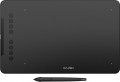 |
|---|---|---|
| XP-PEN Deco 640 | XP-PEN Deco 01V2 | |
| Compare prices 1 | Compare prices 2 | |
| User reviews | ||
| TOP sellers | ||
| Product type | graphics Tablet | graphics Tablet |
| Format | A6 | A5 |
| Workspace | 190x90 mm | 254x159 mm |
| Aspect ratio | 16:9 | 16:10 |
| Control keys | 8 | |
Connection | ||
| Connection type | wired | wired |
| Connector on device | USB C | USB C |
| Compatibility | Windows MacOS ChromeOS Linux Android | Windows MacOS ChromeOS Linux Android |
Pen | ||
| Pen model | P01(16K) | P05 |
| Pen power source | no battery (passive) | no battery (passive) |
| Max. reading height | 10 mm | 10 mm |
| Pressure levels | 16384 | 8192 |
| Pen angle | 60 ° | |
| Resolution | 5080 lpi | 5080 lpi |
| Response | 220 PPS | 200 PPS |
| Control keys | 2 | 1 |
General | ||
| In box | replacement pen nibs | replacement pen nibs pen holder |
| Power source | USB port | USB port |
| Size | 150x188x7.7 mm | 360x210x8 mm |
| Added to E-Catalog | november 2024 | january 2020 |


Compare XP-PEN Deco 640 and Deco 01V2
Price comparison
You may be interested in
My comparisons
XP-PEN Deco 640 often compared


XP-PEN Deco 01V2 often compared


Glossary
Format
The paper size that corresponds to the size of the tablet's active surface.
This parameter is specified only for traditional tablets and smart-notebooks (see "Type"). At the same time, the specific size of the device does not always strictly correspond to the specified format. For example, an A4 tablet can be either a little larger or a little smaller than a standard landscape sheet of 210x297 mm. Nevertheless, according to the specified format, one can easily estimate the dimensions of the tablet as a whole and its general “weight category”.
Nowadays, on the market you can find devices in formats from A3 to A7, and the most popular options are the A4 mentioned above, as well as A5(148x210 mm) and A6(105x148 mm). In general, larger tablets are easier to use, but also more expensive.
This parameter is specified only for traditional tablets and smart-notebooks (see "Type"). At the same time, the specific size of the device does not always strictly correspond to the specified format. For example, an A4 tablet can be either a little larger or a little smaller than a standard landscape sheet of 210x297 mm. Nevertheless, according to the specified format, one can easily estimate the dimensions of the tablet as a whole and its general “weight category”.
Nowadays, on the market you can find devices in formats from A3 to A7, and the most popular options are the A4 mentioned above, as well as A5(148x210 mm) and A6(105x148 mm). In general, larger tablets are easier to use, but also more expensive.
Workspace
The exact size of the active area of a tablet (or screen in a graphic display) in width and height. In general, it is more of a reference than a practically significant parameter: when choosing a traditional graphics tablet, there is often enough information about the format (see above), and for displays, primarily the diagonal (see above) and aspect ratio (see below) are of practical importance . However, the exact dimensions can also be useful in fact: for example, you can determine the aspect ratio from them (for classic tablets, this parameter is often not indicated).
Aspect ratio
The aspect ratio of the tablet working area (width to height). This parameter allows you to evaluate the overall proportions of the device: for example, the ratio of 4:3 gives an almost square shape of the work area, and in 16:9 models it is noticeably elongated in width.
Actually, "widescreen" aspect ratios — 16:9 and 16:10 — are now much more common than the classic 4:3. The 3:2 standard is also rare, although it is actually also a widescreen. This situation is due to the fact that, ideally, the aspect ratio of the monitor and tablet should be the same (otherwise, there may be a mismatch in the movement of the pen and the cursor on the screen, or part of the screen or tablet area will be unused). And the most popular nowadays are just monitors in 16:9 and 16:10 formats, the 4:3 standard is much less common, and 3:2 is extremely rare.
Actually, "widescreen" aspect ratios — 16:9 and 16:10 — are now much more common than the classic 4:3. The 3:2 standard is also rare, although it is actually also a widescreen. This situation is due to the fact that, ideally, the aspect ratio of the monitor and tablet should be the same (otherwise, there may be a mismatch in the movement of the pen and the cursor on the screen, or part of the screen or tablet area will be unused). And the most popular nowadays are just monitors in 16:9 and 16:10 formats, the 4:3 standard is much less common, and 3:2 is extremely rare.
Control keys
The number of control keys provided in the design of the tablet.
Each of these keys is responsible for a specific function, while the set of these functions can be configured: in some models they can be selected manually, in others the functionality of the keys changes automatically, depending on the currently active application. Anyway, additional keys allow the user to perform various actions without looking up from the tablet — this can be very convenient in the midst of the work process, when you don’t want to change the pen to the mouse again or reach for the keyboard. And the more control keys — so, respectively, more additional actions can be performed using the tablet. On the other hand, with relatively simple tasks, the abundance of additional buttons can hinder and confuse the user rather than help.
The most modest modern tablets provide up to 5 control keys ; the most popular option is from 6 to 10 keys, and in advanced models this number can reach 15 or even more.
Each of these keys is responsible for a specific function, while the set of these functions can be configured: in some models they can be selected manually, in others the functionality of the keys changes automatically, depending on the currently active application. Anyway, additional keys allow the user to perform various actions without looking up from the tablet — this can be very convenient in the midst of the work process, when you don’t want to change the pen to the mouse again or reach for the keyboard. And the more control keys — so, respectively, more additional actions can be performed using the tablet. On the other hand, with relatively simple tasks, the abundance of additional buttons can hinder and confuse the user rather than help.
The most modest modern tablets provide up to 5 control keys ; the most popular option is from 6 to 10 keys, and in advanced models this number can reach 15 or even more.
Pen model
The model of the pen that comes with the device. Allows you to understand which one is used and learn more fully its full characteristics. In this case, in the case of a replacement, you will already be aware of which accessory is needed for the purchase. However, nothing prevents you from replacing the existing one with a more advanced one, of course, if the graphics tablet itself allows you to work with a different pen model.
Pressure levels
The number of pressure levels supported by the pen.
The more levels of pressure, the more accurately the pen tracks the force of pressure and the closer the drawing is to the drawing made by real tools like a pencil. The minimum value for a modern tablet is 512 levels, an indicator of 1024 levels is considered relatively small, 2048 is considered average, and in some models 4096 and even 8192 levels are found. At the same time, it is worth noting that the difference between pens with different accuracy becomes noticeable mainly on the thinnest strokes and on lines with a thickness that changes along the stylus; so numerous levels, even a professional artist is not always required. For this reason, this parameter has practically nothing to do with the general class of the device: for example, there are low-cost models on the market with 8192 levels, and professional solutions with only 1024.
The more levels of pressure, the more accurately the pen tracks the force of pressure and the closer the drawing is to the drawing made by real tools like a pencil. The minimum value for a modern tablet is 512 levels, an indicator of 1024 levels is considered relatively small, 2048 is considered average, and in some models 4096 and even 8192 levels are found. At the same time, it is worth noting that the difference between pens with different accuracy becomes noticeable mainly on the thinnest strokes and on lines with a thickness that changes along the stylus; so numerous levels, even a professional artist is not always required. For this reason, this parameter has practically nothing to do with the general class of the device: for example, there are low-cost models on the market with 8192 levels, and professional solutions with only 1024.
Pen angle
The maximum angle of the pen (relative to vertical) at which the tablet continues to perceive it as a working tool and respond to its movements. The larger this angle, the greater the allowable deviation of the pen from the perpendicular position and the higher the degree of freedom when working with the tablet.
Response
A characteristic of a graphics tablet that determines how many times per second the tablet records the artist’s actions. The response rate is expressed in PPS (Points Per Second).
The higher the PPS value, the more responsive the surface is. If responsiveness is low, there is a possibility of getting jagged lines when working with the pen, and the stylus cursor may lag behind the movement of your hand. Devices with a response of 266 PPS or more perform best, the “golden mean” is the range of values 230 – 233 PPS and 250 – 260 PPS, and in entry-level models the response can be 220 PPS or less.
The higher the PPS value, the more responsive the surface is. If responsiveness is low, there is a possibility of getting jagged lines when working with the pen, and the stylus cursor may lag behind the movement of your hand. Devices with a response of 266 PPS or more perform best, the “golden mean” is the range of values 230 – 233 PPS and 250 – 260 PPS, and in entry-level models the response can be 220 PPS or less.
Control keys
The number of control keys provided on the pen. These keys can be used for various purposes — for example, changing the type or size of the brush for painting, switching colours, turning on the eraser mode, etc. The more keys — the more options the artist can switch on the fly without getting into the settings of the graphic editor, and the more advanced, usually, this pen is.