
Comparison Gorenje Essential MO20E1W2 white vs Gorenje Essential MO20E1W white
Add to comparison |  | 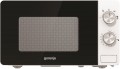 |
|---|---|---|
| Gorenje Essential MO20E1W2 white | Gorenje Essential MO20E1W white | |
| Outdated Product | Outdated Product | |
| User reviews | ||
| TOP sellers | ||
| Capacity | 20 L | 20 L |
Technical specs | ||
| Microwave power | 800 W | 800 W |
| Controls | touch control | rotary knobs |
| Turntable |  | |
| Turntable diameter | 270 mm | 270 mm |
| Power levels | 5 | 5 |
| Features | defrosting | defrosting |
More specs | ||
| Door opening | side (left) | side (left) |
| Door opens with | button | button |
| Inner coating | enamel | enamel |
| Steam cleaning | | |
| Display | LED | |
| Dimensions (HxWxD) | 25.7x45.1x34.3 cm | 25.7x45.1x34.3 cm |
| Color | ||
| Added to E-Catalog | august 2025 | july 2019 |


Compare Gorenje Essential MO20E1W2 and Essential MO20E1W
You may be interested in
Gorenje Essential MO20E1W2 often compared

Gorenje Essential MO20E1W often compared


Glossary
Controls
The main type of control elements in a microwave oven.
— Rotary knobs. Mechanical rotary knobs most often are used in the simplest low-cost models: one knob sets the heating power, and the other — the operating time. The accuracy of such adjustments is not very high; this is especially true for the operating time. However, there are also quite advanced microwaves with similar controls — they may provide other ways to use rotary knobs, as well as additional controls (for example, buttons).
— Push-buttons. Control using buttons, usually, implies the presence of a display — otherwise, it would be difficult to control the operation. This option allows you to set the parameters more accurately — in particular, the timer in push-button models is usually electronic. In addition, it is well-suited for models with predefined recipes, special modes, etc. Therefore, buttons are a sign of a model with advanced features, the functionality of which is not limited to constant heating at a certain power.
— Rotary knobs + touch controls. Controls include both rotary knobs and touch controls. The main features of both are described above. Such controls, as well as purely touch controls, are found mainly in fairly advanced models. On the one hand, rotary knobs are more convenient for some tasks (for example, adjusting power or selecting an operating mode). On the other hand, they somewhat complicate the design of the control panel and make it difficult to cle...an. Therefore, this option has not received much popularity.
— Touch controls. Another type of control, similar to the buttons described above, with one difference — the role of the buttons, in this case, is played by touch sensors. Touch controls look more advanced than push-buttons, are easier to operate, and have no protruding parts, making them less dirty and easier to clean. The disadvantage of touch controls can be called a higher cost, which is why this option is found mainly in expensive models.
— Pop-out knobs + touch controls. Pop-out knobs are a variation of the rotary knobs described above, in which the knobs can be recessed into the control panel. Usually, pop-out knobs are designed to stay outside only during the direct setting of the operating mode. And for the time when the oven is not in use or works in one mode, they can be hidden. It gives the unit a neat appearance, reduces the places where dirt can accumulate, and makes the front panel easier to clean. And touch controls complement the style of the device and underline its premium performance.
— Rotary knobs. Mechanical rotary knobs most often are used in the simplest low-cost models: one knob sets the heating power, and the other — the operating time. The accuracy of such adjustments is not very high; this is especially true for the operating time. However, there are also quite advanced microwaves with similar controls — they may provide other ways to use rotary knobs, as well as additional controls (for example, buttons).
— Push-buttons. Control using buttons, usually, implies the presence of a display — otherwise, it would be difficult to control the operation. This option allows you to set the parameters more accurately — in particular, the timer in push-button models is usually electronic. In addition, it is well-suited for models with predefined recipes, special modes, etc. Therefore, buttons are a sign of a model with advanced features, the functionality of which is not limited to constant heating at a certain power.
— Rotary knobs + touch controls. Controls include both rotary knobs and touch controls. The main features of both are described above. Such controls, as well as purely touch controls, are found mainly in fairly advanced models. On the one hand, rotary knobs are more convenient for some tasks (for example, adjusting power or selecting an operating mode). On the other hand, they somewhat complicate the design of the control panel and make it difficult to cle...an. Therefore, this option has not received much popularity.
— Touch controls. Another type of control, similar to the buttons described above, with one difference — the role of the buttons, in this case, is played by touch sensors. Touch controls look more advanced than push-buttons, are easier to operate, and have no protruding parts, making them less dirty and easier to clean. The disadvantage of touch controls can be called a higher cost, which is why this option is found mainly in expensive models.
— Pop-out knobs + touch controls. Pop-out knobs are a variation of the rotary knobs described above, in which the knobs can be recessed into the control panel. Usually, pop-out knobs are designed to stay outside only during the direct setting of the operating mode. And for the time when the oven is not in use or works in one mode, they can be hidden. It gives the unit a neat appearance, reduces the places where dirt can accumulate, and makes the front panel easier to clean. And touch controls complement the style of the device and underline its premium performance.
Display
The presence of the display makes it easier to handle the microwave oven, allowing you to show information about the time, mode, etc. It is present mainly in electronically controlled models. However, mechanical ones can also have a display. And advanced models can be equipped not with a classic LED display but with a TFT display that can display not only letters and numbers but also images.