
Comparison OfficePro MA411B vs NB F80
Add to comparison | 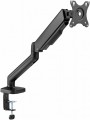 | 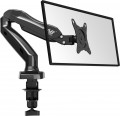 |
|---|---|---|
| OfficePro MA411B | NB F80 | |
| Outdated Product | from $18.73 | |
| TOP sellers | ||
Built-in gas spring has adjustable stiffness | ||
| Type | desktop mount | desktop mount |
| Installation | universal | clamp |
Specs | ||
| Minimum size | 17 " | 17 " |
| Max. size | 32 " | 27 " |
| Max. weight | 9 kg | 9 kg |
| Adjustments | tilt turn depth adjustment slide rotation height adjustment | tilt turn depth adjustment slide rotation height adjustment |
Angles and dimensions | ||
| Upward tilt angle | 90 ° | 35 ° |
| Downward tilt angle | 90 ° | 50 ° |
| Turn angle | 180 ° | 360 ° |
| Rotation angle | 180 ° | 180 ° |
| VESA | 75x75mm 100x100 mm | 75x75mm 100x100 mm |
| Removable VESA plate |  |  |
General | ||
| Cable management | | |
| Dimensions (WxHxD) | 390x280x100 mm | |
| Color | ||
| Added to E-Catalog | february 2024 | september 2017 |


Compare OfficePro MA411B and NB F80
You may be interested in
My comparisons
OfficePro MA411B often compared


NB F80 often compared


Glossary
Installation
Method of table mount installation (see "Type") to the tabletop.
This parameter is specified for those models that have additional devices for fixing on the table — a clamp, a platform for bolt-through mounting, or both. In addition, there are ordinary stands that do not have fixing devices; they are as simple as possible to install and move from place to place, but they are not very reliable.
As for the different installation methods, their features are as follows:
— Clamp. Fixation with a clamp attached to the edge of the table. Clamps are more limited in their choice of mounting location than bolts — such a mount cannot be installed in the middle of a countertop. At the same time, such installation is much easier both during the initial installation and when moving the structure from place to place: there is no need to drill a table, preparing a place for bolts. And the limited choice of location is often compensated by an abundance of adjustments that allow you to set the optimal position of the screen. Due to this, clamps are the most popular in desktop mounts.
— Bolt-through mounting. Mounting with bolts through holes in the countertop. The main advantages of this option are reliability, as well as the ability to choose the installation point almost anywhere on the countertop. On the other hand, the installation procedure itself is q...uite complicated and involves permanent placement in one place, without moving — after all, it is necessary to drill holes for the bolts. Therefore, such a method of installation in its pure form is extremely rare nowadays — universal mounts have become more common (see below).
— Universal. Mounts that allows two mounting options described above at once — using a clamp to the edge of the countertop or using bolts. This design allows you to choose the best option. At the same time, it is technically easy to provide both a clamp and the possibility of bolt-through installation in one mount; therefore, most mounts with the possibility of using bolts are universal.
This parameter is specified for those models that have additional devices for fixing on the table — a clamp, a platform for bolt-through mounting, or both. In addition, there are ordinary stands that do not have fixing devices; they are as simple as possible to install and move from place to place, but they are not very reliable.
As for the different installation methods, their features are as follows:
— Clamp. Fixation with a clamp attached to the edge of the table. Clamps are more limited in their choice of mounting location than bolts — such a mount cannot be installed in the middle of a countertop. At the same time, such installation is much easier both during the initial installation and when moving the structure from place to place: there is no need to drill a table, preparing a place for bolts. And the limited choice of location is often compensated by an abundance of adjustments that allow you to set the optimal position of the screen. Due to this, clamps are the most popular in desktop mounts.
— Bolt-through mounting. Mounting with bolts through holes in the countertop. The main advantages of this option are reliability, as well as the ability to choose the installation point almost anywhere on the countertop. On the other hand, the installation procedure itself is q...uite complicated and involves permanent placement in one place, without moving — after all, it is necessary to drill holes for the bolts. Therefore, such a method of installation in its pure form is extremely rare nowadays — universal mounts have become more common (see below).
— Universal. Mounts that allows two mounting options described above at once — using a clamp to the edge of the countertop or using bolts. This design allows you to choose the best option. At the same time, it is technically easy to provide both a clamp and the possibility of bolt-through installation in one mount; therefore, most mounts with the possibility of using bolts are universal.
Max. size
The maximum size of the TV screen that can be installed on the stand/mount. Like the minimum size (see above), it is in some way a conditional indicator — TVs with a larger size can also fit for the mount, and then the main determining parameter will be the maximum weight (see below).
Upward tilt angle
The maximum upwards tilt angle from the vertical of the installed screen. The larger the tilt angle, the wider the adjustment possibilities, however, in fact, an angle of more than 5° is rarely required.
Downward tilt angle
The maximum downward tilt angle from the vertical for the installed screen. As with the upward tilt angle, the larger this angle, the wider the adjustment possibilities; however, downward tilt is usually required more frequently (the TV may be installed under the ceiling), and its angle can be as high as 15-20°.
Turn angle
The angle within which the screen installed on the mount can rotate. Measured from far left to far right. In modern models, it can reach 180°.
Removable VESA plate
"Quick-release" interface between TV/monitor and bracket: a thin plate is screwed to the screen according to the VESA standard (usually 75×75, 100×100, 200×200, and larger), then clicks into the base on the bracket with one motion and is fixed with a locking screw or latch. This solution speeds up installation and maintenance: you can hang a heavy monitor solo, quickly remove the TV for cable management or cleaning, and easily move the screen from wall mounting to a desktop arm. Compared to a fixed plate, it's more convenient and there's less risk of missing the holes; the downsides are a slight increase in extension and possible play in cheap mechanisms. Typical scenarios include an office with frequent monitor rotation, a digital menu and display service, and a home setup where the screen is periodically removed for port access.