
Comparison Lenovo Yoga Tab Plus 256 GB vs OnePlus Pad Pro 512 GB
Add to comparison |  | 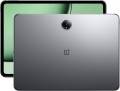 |
|---|---|---|
| Lenovo Yoga Tab Plus 256 GB | OnePlus Pad Pro 512 GB | |
| Compare prices 1 | Outdated Product | |
| TOP sellers | ||
2 microphones. | ||
| Operating system | Android 14 | Android 14 |
Screen | ||
| Screen | 12.7 " 2944x1840 px 273 ppi LTPS 144 Hz Dolby Vision light sensor | 12.1 " 3000x2120 px 304 ppi IPS 144 Hz Dolby Vision light sensor |
| Brightness | 650 nit | 900 nit |
| Screen to body ratio | 85 % | 85 % |
| DCI-P3 |  |  |
| TÜV Rheinland certificate | | |
Hardware | ||
| Processor (graphics) | Snapdragon 8 Gen 3 (Adreno 750) | Snapdragon 8 Gen 3 (Adreno 750) |
| CPU speed | 3.3 GHz | 3.3 GHz |
| CPU cores | 8 | 8 |
| RAM | 16 GB | 16 GB |
| RAM type | LPDDR5X | LPDDR5X |
| Storage capacity | 256 GB | 512 GB |
| Storage type | UFS 4.0 | UFS 4.0 |
| Card reader | | |
Test results | ||
| AnTuTu Benchmark | 1891 000 points | 2316 000 points |
| Geekbench | 6723 points | |
Communication | ||
| SIM card | not supported | not supported |
| Wi-Fi | Wi-Fi 7 (802.11be) | Wi-Fi 7 (802.11be) |
| Bluetooth | v5.4 | v5.4 |
| NFC | | |
| Connections | USB-C 5Gbps DisplayPort Alt Mode | USB-C 5Gbps |
Camera | ||
| Main | 2 modules 13 MP 2 MP autofocus flash | 13 MP autofocus flash |
| Full HD filming (1080p) | 1920x1080 px 30 fps | 1920x1080 px 30 fps |
| Ultra HD filming (4K) | 3840x2160 pixels 30 fps | |
| Camera (front) | 13 MP | 8 MP |
Features | ||
| More features | fingerprint scanner on the side gyroscope | gyroscope |
| Acoustics | stereo sound from Harman Kardon | stereo |
| 3D sound | Dolby Atmos | |
Power source | ||
| Battery capacity | 10200 mAh | 9510 mAh |
| Operating time (PCMark) | 10.75 | |
| Fast charging | Power Delivery | OPPO SuperVOOC |
| Charger power | 45 W | 67 W |
General | ||
| Case | | |
| Stylus | | |
| Compatible stylus | Lenovo Tab Pen Pro | OnePlus Smart Stylus Pro |
| Water protection | IP53 | |
| Material | metal | metal |
| Size | 290.91x188.3x6.69 mm | 268.66x195.06x6.49 mm |
| Weight | 640 g | 584 g |
| Added to E-Catalog | january 2025 | june 2024 |



Compare Lenovo Yoga Tab Plus and OnePlus Pad Pro
Price comparison
You may be interested in
My comparisons
Lenovo Yoga Tab Plus often compared


OnePlus Pad Pro often compared


Glossary
Screen
— Display diagonal. Size screen dimensions; traditionally indicated in ". Larger screens are easy to view and easy to touch. On the other hand, this parameter directly affects the dimensions, power consumption and price of the entire tablet (the increase in cost is often also due to the fact that a larger screen also requires a higher resolution). Rare birds from the family of modern tablets have 7-" screens; many of them look like slightly enlarged smartphones. Sizes of 8 " and 9 " can be considered basic. 10-" and 11-" diagonals are quite large for a consumer-class tablet; and screens of 12", 13", 14" and more are typical mainly for professional-level models.
– Resolution. Screen resolution on a tablet is the dimensions of the sensor in dots (pixels) horizontally and vertically. Based on this parameter, screens in modern tablets are conventionally divided into three categories: HD, Full HD, 2K and higher. The higher the display resolution, the clearer, more detailed and smoother the image it can reproduce. High resolution is especially important for large diagonal displays. At the same time, it significantly affec...ts the cost - both due to the high price of the screens themselves and due to the increased requirements for system performance.
— PPI. An abbreviation for "points per inch," i.e., "pixels per inch". This setting determines how many pixels are on a 1-" (2.54 cm) line drawn horizontally or vertically across the screen; it directly depends on the resolution and dimensions of the display. In general, the higher the PPI value, the clearer, smoother and, accordingly, the higher quality the picture on the screen will be. And at a certain pixel density, the human eye generally ceases to distinguish individual points, perceiving a completely smoothed image.
— Matrix type. The technology used to make the tablet PC display. Today the following types of matrices are used:
— Sweep frequency. The maximum refresh rate of the display, in other words, the highest frame rate that it can effectively reproduce. The higher this indicator, the smoother and smoother the image is, the less noticeable the “slideshow effect” and blurring of objects when moving on the screen. At the same time, it is worth considering that a refresh rate of 60 Hz, supported by almost any modern tablet, is quite sufficient for most tasks; Even high-definition videos hardly use high frame rates these days. However, high refresh rates - 90 Hz, 120 Hz, 144 Hz - can be useful in games and some other tasks; it also improves the overall experience of the OS interface and applications - moving elements in such interfaces move as smoothly as possible and without blurring.
– HDR. Technology that allows you to expand the dynamic range of the screen. In this case, we mean a range of brightness - simply put, the presence of HDR allows the screen to display brighter whites and darker blacks than on displays without support for this technology. In practice, this gives a noticeable increase in picture quality: the saturation and fidelity of the rendition of various colors improves, and details in very light or very dark areas of the frame do not “drown” in white or black. However, all these advantages become noticeable only if the content being played is originally recorded in HDR. Nowadays, several varieties of this technology are used, here are their features:
— Gorilla Glass. Special tempered glass used to cover displays in modern gadgets, including tablets. It is characterized by increased resistance to scratches and impacts; but the specific properties of the Gorilla Glass coating depend on its version. This parameter can also be specified in the tablet's specifications; Here are the most current versions for today:
– Resolution. Screen resolution on a tablet is the dimensions of the sensor in dots (pixels) horizontally and vertically. Based on this parameter, screens in modern tablets are conventionally divided into three categories: HD, Full HD, 2K and higher. The higher the display resolution, the clearer, more detailed and smoother the image it can reproduce. High resolution is especially important for large diagonal displays. At the same time, it significantly affec...ts the cost - both due to the high price of the screens themselves and due to the increased requirements for system performance.
— PPI. An abbreviation for "points per inch," i.e., "pixels per inch". This setting determines how many pixels are on a 1-" (2.54 cm) line drawn horizontally or vertically across the screen; it directly depends on the resolution and dimensions of the display. In general, the higher the PPI value, the clearer, smoother and, accordingly, the higher quality the picture on the screen will be. And at a certain pixel density, the human eye generally ceases to distinguish individual points, perceiving a completely smoothed image.
— Matrix type. The technology used to make the tablet PC display. Today the following types of matrices are used:
- — TN-Film(Twisted Nematic+Film). The oldest modern technology for manufacturing liquid crystal screens. Such matrices are characterized by a short response time, but have small viewing angles and provide relatively low image quality. For some time they were quite popular due to their low cost, but today they have practically disappeared from the scene due to the development and reduction in cost of more advanced technologies.
- — IPS(In Plane Switching). Such matrices are characterized by excellent color rendering and wide viewing angles in all viewing planes. Initially, they had a fairly long response time and were expensive, but technology does not stand still - improved versions of IPS are “faster” and inexpensive. Thanks to this, this type of sensor is found in all types of tablets, even among budget-class devices.
- — PLS(Plane to Line Switching). A type of sensor developed by Samsung engineers as an inexpensive and higher quality alternative to the original IPS, with increased brightness and contrast. For a number of reasons, it is used primarily in devices in the middle and higher price ranges.
- — LTPS(Low Temperature Poly Silicon). Technology for producing TFT displays using silicon. Indicators of brightness, contrast and viewing angles are at the level of screens made on the basis of IPS. A key feature of this technology is the ability to embed control electronics directly into the screen, but at the same time these displays remain light and thin. This technology is quite expensive to produce, but due to the fact that there is no need to use additional chips to control the image, the price of the end devices is at an acceptable level.
- — MVA. Abbreviation for "Multi-domain Vertical Alignment". One of the most popular types of VA technology today. It is a kind of transitional option between TN-film and IPS (see above), combining a number of advantages of both types. On the one hand, MVA matrices provide fairly high-quality color reproduction and deep blacks, on the other hand, their response time is not much lower than in TN-film. At the same time, such screens are not without drawbacks: when viewed strictly perpendicularly, the shades of black can be “blurred” and merge, and the color balance as a whole significantly depends on the viewing angle. It is not widely used on tablets.
- - AMOLED. An abbreviation for “Active Matrix Organic Light Emitting Diode,” that is, an active sensor based on organic light-emitting diodes. Unlike most other types of screens, the AMOLED sensor is itself a light source and does not require a separate backlight, which significantly reduces energy consumption. Moreover, such screens are characterized by high quality contrast and color reproduction, and the image on them is clearly visible even in bright external lighting. The main disadvantages of AMOLED are the complexity of production (as a consequence - high price), as well as the tendency to uneven wear ("burnout") of pixels during prolonged operation at high brightness, which can disrupt color rendition. On the other hand, it is very difficult to bring the display to such wear and tear, and AMOLED sensor manufacturers are constantly working on new modifications of the technology designed to eliminate these shortcomings.
- - Super AMOLED. A modified and improved version of AMOLED technology created by Samsung; LG produces such screens under the Ultra AMOLED brand. One of the key improvements to this technology is that in Super AMOLED screens the touch layer is built directly into the display (rather than being made separate). This had a positive effect both on the quality of color reproduction and image brightness, as well as on the accuracy and speed of the sensors. In addition, this type of screen is 20% brighter than original AMOLED, has 80% less glare and consumes 20% less energy.
- — Super Clear TFT. A technology created by Samsung together with Sony as an alternative to Super AMOLED displays (the demand for which was so high that manufacturers simply did not have enough capacity to produce the required quantity). Created on the basis of the usual TFT with some improvements and additions; In terms of image quality, Super AMOLED is somewhat inferior, but not by much, but the production of Super Clear TFT is much cheaper and easier.
- — OLED. Various types of matrices based on organic light-emitting diodes. In terms of features such as color rendering, contrast, power consumption, such screens are similar to the AMOLED ones described above; differences may lie in small details of technology. In general, OLED displays are quite advanced, they are found mainly in high-end tablet models. The main disadvantages of OLED screens are their high price (which, however, is constantly decreasing as the technology develops and improves), as well as the susceptibility of organic pixels to burn out when broadcasting static images or pictures with static elements (notification panel, on-screen buttons, etc.) for a long time. ).
— Sweep frequency. The maximum refresh rate of the display, in other words, the highest frame rate that it can effectively reproduce. The higher this indicator, the smoother and smoother the image is, the less noticeable the “slideshow effect” and blurring of objects when moving on the screen. At the same time, it is worth considering that a refresh rate of 60 Hz, supported by almost any modern tablet, is quite sufficient for most tasks; Even high-definition videos hardly use high frame rates these days. However, high refresh rates - 90 Hz, 120 Hz, 144 Hz - can be useful in games and some other tasks; it also improves the overall experience of the OS interface and applications - moving elements in such interfaces move as smoothly as possible and without blurring.
– HDR. Technology that allows you to expand the dynamic range of the screen. In this case, we mean a range of brightness - simply put, the presence of HDR allows the screen to display brighter whites and darker blacks than on displays without support for this technology. In practice, this gives a noticeable increase in picture quality: the saturation and fidelity of the rendition of various colors improves, and details in very light or very dark areas of the frame do not “drown” in white or black. However, all these advantages become noticeable only if the content being played is originally recorded in HDR. Nowadays, several varieties of this technology are used, here are their features:
- HDR10. Historically the first of the consumer HDR formats, it is extremely popular today: in particular, it is supported by almost all streaming services with HDR content and is standardly used for such content on Blu-ray discs. Provides 10-bits color depth (more than a billion shades). At the same time, on devices with this technology, you can also play HDR10+ format content (see below) - except that its quality will be limited by the capabilities of the original HDR10.
- HDR10+. Improved version of HDR10. With the same color depth (10 bits), it uses so-called dynamic metadata, which allows you to transmit information about the color depth not only for groups of several frames, but also for individual frames. Thanks to this, an additional improvement in color rendering is achieved.
- Dolby Vision. An advanced standard used particularly in professional cinematography. It allows you to achieve a color depth of 12 bits (almost 69 billion shades), uses the dynamic metadata mentioned above, and also makes it possible to transmit two image options at once in one video stream - HDR and regular (SDR). At the same time, Dolby Vision is based on the same technology as HDR10, so in modern electronics this format is often combined with HDR10 or HDR10+.
— Gorilla Glass. Special tempered glass used to cover displays in modern gadgets, including tablets. It is characterized by increased resistance to scratches and impacts; but the specific properties of the Gorilla Glass coating depend on its version. This parameter can also be specified in the tablet's specifications; Here are the most current versions for today:
- Gorilla Glass v3. Released in 2013, but still found in modern devices. This is primarily due to its outstanding scratch resistance: according to this indicator, the third version of the “gorilla” remained unsurpassed right up to 2020 (and Gorilla Glass Victus, which took the lead, is still practically not used in tablets).
- Gorilla Glass v4. Coating created in 2014. The main emphasis during development was on impact resistance, due to which this indicator, compared to the previous version, doubled (with a glass thickness of only 0.4 mm). But the scratch resistance has decreased somewhat.
- Gorilla Glass v5. Version introduced in 2016. Impact resistance, compared to its predecessor, has increased by 1.8 times, due to which such glass remains intact in 100% of cases of a fall from a height of 1.2 m (on a flat hard surface) and in 80% of cases of a fall from a height of 1.6 m. Scratch resistance has also improved somewhat, but this material still does not reach the performance levels of v3.
- Gorilla Glass v6. 2018 version with a focus on improving impact resistance. Twice stronger than version 5, guaranteed to withstand single drops from a height of 1.6 m and multiple drops (up to 15 times in a row) from a height of 1 m.
- Gorilla Glass Victus. After v3, this is the first version of Gorilla Glass where the creators paid as much attention to scratch resistance as shock protection. Victus glass debuted in 2020. Shock resistance for it is declared at the level of 2 m for a single fall and 1 m for multiple falls (up to 20 times in a row).
- Gorilla Glass Victus+. An improved modification of Gorilla Glass Victus, released in 2022. Close to ceramics in terms of scratch resistance. Thus, according to the Mohs mineral scale of hardness, glass begins to scratch at level 7/10, while the original Victus version scratches at level 6/10.
Brightness
The maximum brightness in nits provided by the tablet screen.
The brighter the display, the more readable the picture remains on it under intense ambient light. Also, high brightness is important for the correct display of HDR content. However, a large margin for this indicator affects the cost and power consumption of the screen. Manufacturers can specify standard, maximum, and peak brightness values. At the same time, an equal sign cannot be put between the maximum and peak brightness. The first indicates the ability of the screen to produce the specified brightness over its entire area, while the peak one - in a limited area and for a short time (mainly for HDR content).
The brighter the display, the more readable the picture remains on it under intense ambient light. Also, high brightness is important for the correct display of HDR content. However, a large margin for this indicator affects the cost and power consumption of the screen. Manufacturers can specify standard, maximum, and peak brightness values. At the same time, an equal sign cannot be put between the maximum and peak brightness. The first indicates the ability of the screen to produce the specified brightness over its entire area, while the peak one - in a limited area and for a short time (mainly for HDR content).
DCI-P3
Percentage of screen coverage of the DCI-P3 color model.
This space has a wider range of colors than the standard sRGB triangle. In general, the DCI-P3 color space corresponds to the Adobe RGB model, but with a red shift. In practice, a high coverage rate means high-quality color rendition of the screen and allows you to use the tablet for design tasks.
This space has a wider range of colors than the standard sRGB triangle. In general, the DCI-P3 color space corresponds to the Adobe RGB model, but with a red shift. In practice, a high coverage rate means high-quality color rendition of the screen and allows you to use the tablet for design tasks.
Storage capacity
The volume of the tablet's own built-in storage. The larger it is, the more information (programs, games, movies, photos, etc.) can be stored on the tablet without resorting to removable media, rewriting to other devices, etc. At the same time, the amount of built-in memory significantly affects the cost. Therefore, some models are available in several versions, differing only in the capacity of the drive. And the variety of built-in memory is quite wide: from 16 GB to 2 TB with a 2-fold increase ( 32 GB, 64 GB, 128 GB, 256 GB, 512 GB, 1 TB).
Note that this paragraph indicates the total amount of internal memory. The operating system and default programs also take up space in it; therefore, the volume of the drive actually available to the user will inevitably be less than the total.
Many tablets allow you to add memory cards to the built-in drive (see below). Such cards are relatively inexpensive, but they are much slower, and the ability to work with them may be limited by the manufacturer — for example, not all tablets with this function allow installing applications on removable media.
Note that this paragraph indicates the total amount of internal memory. The operating system and default programs also take up space in it; therefore, the volume of the drive actually available to the user will inevitably be less than the total.
Many tablets allow you to add memory cards to the built-in drive (see below). Such cards are relatively inexpensive, but they are much slower, and the ability to work with them may be limited by the manufacturer — for example, not all tablets with this function allow installing applications on removable media.
AnTuTu Benchmark
The result shown by a device when undergoing a performance test (benchmark) in the AnTuTu Benchmark.
AnTuTu Benchmark is a comprehensive test designed specifically for mobile devices, primarily smartphones and tablets. It evaluates the performance of the processor, memory, graphics, and input/output systems, providing a clear impression of the system's capabilities. The better the performance, the higher the score. According to AnTuTu, top models are those that score more than 1M points.
As with any benchmark, this test does not provide absolute precision; for more details on measurement inaccuracies, see the "3DMark Gamer's Benchmark" section.
AnTuTu Benchmark is a comprehensive test designed specifically for mobile devices, primarily smartphones and tablets. It evaluates the performance of the processor, memory, graphics, and input/output systems, providing a clear impression of the system's capabilities. The better the performance, the higher the score. According to AnTuTu, top models are those that score more than 1M points.
As with any benchmark, this test does not provide absolute precision; for more details on measurement inaccuracies, see the "3DMark Gamer's Benchmark" section.
Geekbench
The result shown by the device when passing the performance test (benchmark) Geekbench.
Geekbench is a specialized benchmark designed for processors. Since version 4.0, the test has also been applied to graphics accelerators, and towards the end of 2019, a benchmark edition numbered "5" was released. In the specifications of portable gadgets, data is usually given specifically for the CPU. During testing, Geekbench simulates loads that occur during the execution of real tasks and takes into account both the capabilities of a single core and the efficiency of simultaneous multi-core operation. Thanks to this, the final results give a good characterization of the processor's capabilities in everyday use. Moreover, the test is cross-platform and allows for the comparison of CPUs from different devices (smartphones, tablets, laptops, PCs). The reference information only provides values for the multithreaded test for the processor.
Geekbench is a specialized benchmark designed for processors. Since version 4.0, the test has also been applied to graphics accelerators, and towards the end of 2019, a benchmark edition numbered "5" was released. In the specifications of portable gadgets, data is usually given specifically for the CPU. During testing, Geekbench simulates loads that occur during the execution of real tasks and takes into account both the capabilities of a single core and the efficiency of simultaneous multi-core operation. Thanks to this, the final results give a good characterization of the processor's capabilities in everyday use. Moreover, the test is cross-platform and allows for the comparison of CPUs from different devices (smartphones, tablets, laptops, PCs). The reference information only provides values for the multithreaded test for the processor.
NFC
NFC is a wireless communication technology over short distances (up to 10 cm). The NFC can work both as an active reader and as a readable tag, so the possibilities of this standard are quite extensive. Here are a few uses for NFC found on tablets:
- — Direct file transfer to another device.
- — Automatic connection via Wi-Fi or Bluetooth when brought to another device (the user only needs to confirm the connection).
- — Recognition of contactless tags — for example, on labels and price tags of goods (for making purchases or accounting for them), on credit cards (for working with banking applications), on travel cards, etc. Some manufacturers also release special universal tags for their NFC devices; the tablet can be programmed to perform a specific action (such as launching an application) when a specific tag is read.
- — Contactless payments — in stores, payment for travel, etc. (however, this option is less common in tablets than in smartphones)
Connections
— microUSB. A smaller version of the USB connector, widely used in modern tablets as a universal interface. MicroUSB is mainly used for charging the battery and connecting the device to a computer, and with USB OTG support, flash drives and other accessories can also be connected (of course, an adapter will be required to work with a full-sized USB plug in such cases). This connector is gradually being replaced by the more convenient and advanced USB-C (see below), but it is still a long way from completely disappearing.
— USB-C. It has similar dimensions to microUSB (see above) and has replaced it, but differs in connector design—it is symmetrical, allowing the plug to be connected either way. In terms of application, this interface is also similar to microUSB, with the caveat that USB-C often features support for the advanced standard of 10Gbps, which provides speeds up to 10 Gbps. Moreover, implementing fast charging through such a connector is easier—some fast charging technologies were initially created for USB-C.
— USB4. A high-speed revision of the USB interface introduced in 2019. It only uses symmetrical USB-C type connectors and does not have its own data format—instead, such a connection is used to transmit information across multiple standards: USB 20Gbps and DisplayPort as mandatory, and PCI-E as an option. Anoth...er feature is that USB4 is based on the Thunderbolt protocol. It should also be noted that this USB revision allows for "daisy chain" device connections and by default supports Power Delivery technology, optimizing the charging process of external gadgets (provided that they also implement this technology).
The maximum data transfer speed for such a connector should not be less than 10 Gbps, but variants with speeds of 20 Gbps and even 40 Gbps are often found (depending on the technologies and standards supported by the specific port). Meanwhile, USB4 ports are fully compatible with USB-C interface peripherals.
— DisplayPort Alt Mode. A function that allows transmitting video signals through a USB-C port. This means that a tablet can be connected to an external display (monitor, TV, etc.) directly via a USB-C cable, without the need for additional adapters or converters. For using DisplayPort Alt Mode, support is required on both the gadget and the connected device (monitor, TV), as well as a suitable USB-C cable capable of transmitting video. Note that this capability is often implemented in tablets with two USB-C ports, where one supplies power and the other outputs a signal to an additional monitor.
— USB-A 2.0. A full-sized USB port that complies with version 2.0. This port allows connecting standard USB peripherals to a tablet, such as flash drives or keyboards; however, due to its large size, it is rarely found, mainly in business models and "hybrids" equipped with docking stations (in such cases, the port may be located on the docking station). Version 2.0 supports data transfer speeds up to 480 Mbps.
— USB-A 5Gbps. A version of USB previously known as USB 3.2 gen1 or USB 3.0. It uses the traditional full-sized USB connector and provides operation speeds up to 4.8 Gbps—10 times higher than the previous 2.0 version—as well as higher power capacity. Additionally, USB-A 2.0 peripherals can also be connected to these connectors.
— HDMI. A digital interface specifically created for transmitting HD content: high-definition video and multi-channel sound. It is very popular in video equipment, particularly used in almost all modern TVs and often found in projectors, media players, and so on. Therefore, HDMI support will be very useful if you plan to stream video from your tablet to an external screen. In portable devices, a reduced miniHDMI or microHDMI connector is usually used; however, finding a cable for such a port is not problematic.
— Mini-jack (3.5 mm). A standard 3.5 mm mini-Jack socket. This plug is used by the vast majority of modern wired headphones, headsets, and portable speakers, which is why the 3.5 mm port typically plays the role of an audio jack in most tablets. While there are generally no issues with headphones and speakers, it doesn't hurt to check separately for compatibility with headsets—these devices have their own connection specifics. It should also be noted that there are tablets without a 3.5 mm jack—they are usually designed for specialized accessories connected via a proprietary connector or for wireless Bluetooth audio equipment.
— USB-C. It has similar dimensions to microUSB (see above) and has replaced it, but differs in connector design—it is symmetrical, allowing the plug to be connected either way. In terms of application, this interface is also similar to microUSB, with the caveat that USB-C often features support for the advanced standard of 10Gbps, which provides speeds up to 10 Gbps. Moreover, implementing fast charging through such a connector is easier—some fast charging technologies were initially created for USB-C.
— USB4. A high-speed revision of the USB interface introduced in 2019. It only uses symmetrical USB-C type connectors and does not have its own data format—instead, such a connection is used to transmit information across multiple standards: USB 20Gbps and DisplayPort as mandatory, and PCI-E as an option. Anoth...er feature is that USB4 is based on the Thunderbolt protocol. It should also be noted that this USB revision allows for "daisy chain" device connections and by default supports Power Delivery technology, optimizing the charging process of external gadgets (provided that they also implement this technology).
The maximum data transfer speed for such a connector should not be less than 10 Gbps, but variants with speeds of 20 Gbps and even 40 Gbps are often found (depending on the technologies and standards supported by the specific port). Meanwhile, USB4 ports are fully compatible with USB-C interface peripherals.
— DisplayPort Alt Mode. A function that allows transmitting video signals through a USB-C port. This means that a tablet can be connected to an external display (monitor, TV, etc.) directly via a USB-C cable, without the need for additional adapters or converters. For using DisplayPort Alt Mode, support is required on both the gadget and the connected device (monitor, TV), as well as a suitable USB-C cable capable of transmitting video. Note that this capability is often implemented in tablets with two USB-C ports, where one supplies power and the other outputs a signal to an additional monitor.
— USB-A 2.0. A full-sized USB port that complies with version 2.0. This port allows connecting standard USB peripherals to a tablet, such as flash drives or keyboards; however, due to its large size, it is rarely found, mainly in business models and "hybrids" equipped with docking stations (in such cases, the port may be located on the docking station). Version 2.0 supports data transfer speeds up to 480 Mbps.
— USB-A 5Gbps. A version of USB previously known as USB 3.2 gen1 or USB 3.0. It uses the traditional full-sized USB connector and provides operation speeds up to 4.8 Gbps—10 times higher than the previous 2.0 version—as well as higher power capacity. Additionally, USB-A 2.0 peripherals can also be connected to these connectors.
— HDMI. A digital interface specifically created for transmitting HD content: high-definition video and multi-channel sound. It is very popular in video equipment, particularly used in almost all modern TVs and often found in projectors, media players, and so on. Therefore, HDMI support will be very useful if you plan to stream video from your tablet to an external screen. In portable devices, a reduced miniHDMI or microHDMI connector is usually used; however, finding a cable for such a port is not problematic.
— Mini-jack (3.5 mm). A standard 3.5 mm mini-Jack socket. This plug is used by the vast majority of modern wired headphones, headsets, and portable speakers, which is why the 3.5 mm port typically plays the role of an audio jack in most tablets. While there are generally no issues with headphones and speakers, it doesn't hurt to check separately for compatibility with headsets—these devices have their own connection specifics. It should also be noted that there are tablets without a 3.5 mm jack—they are usually designed for specialized accessories connected via a proprietary connector or for wireless Bluetooth audio equipment.
Main
— The number of lenses. The characteristics of the main (rear) camera of the tablet are represented primarily by the number of modules, which in most cases are 1, but there are also tablets with a dual camera.
— Resolution. The second important factor of the camera is the number of megapixels. Many really believe that the more MP, the better the quality of filming. However, this is not entirely true: only the maximum resolution of the resulting images depends on the resolution of the matrix, and their quality is determined by many other parameters. However a large sensor resolution may be a sign of an advanced camera, but this is not necessary — two "eyes" with the same number of megapixels can radically differ in the quality of shooting. Rear cameras in tablets may well be used for photo and video shooting; therefore, they have cameras of 8 MP, 10 MP and even higher (12 and 13 MP).
— Autofocus. For focus in such cameras, a movable lens system controlled by automation is responsible. It takes some time for the automation to work, and the lenses themselves turn out to be more complicated and more expensive than optics with a fixed focus (fixed lenses that are initially set to a large range of distances). However, the quality of the pictures is disproportionate...ly higher than that of cameras without autofocus, and the systems themselves are constantly being improved, and their response time is increasingly approaching instantaneous.
— Flash. Flash significantly expands the capabilities of the camera. First of all, it allows you to shoot in low light conditions; in this case, the backlight, usually, can also be used in the constant glow mode — for video shooting. The second situation where a flash can come in handy is backlighting when the subject is in shadow. In addition, in many tablets, the flash LED can also be used as a regular flashlight, without a camera.
— Resolution. The second important factor of the camera is the number of megapixels. Many really believe that the more MP, the better the quality of filming. However, this is not entirely true: only the maximum resolution of the resulting images depends on the resolution of the matrix, and their quality is determined by many other parameters. However a large sensor resolution may be a sign of an advanced camera, but this is not necessary — two "eyes" with the same number of megapixels can radically differ in the quality of shooting. Rear cameras in tablets may well be used for photo and video shooting; therefore, they have cameras of 8 MP, 10 MP and even higher (12 and 13 MP).
— Autofocus. For focus in such cameras, a movable lens system controlled by automation is responsible. It takes some time for the automation to work, and the lenses themselves turn out to be more complicated and more expensive than optics with a fixed focus (fixed lenses that are initially set to a large range of distances). However, the quality of the pictures is disproportionate...ly higher than that of cameras without autofocus, and the systems themselves are constantly being improved, and their response time is increasingly approaching instantaneous.
— Flash. Flash significantly expands the capabilities of the camera. First of all, it allows you to shoot in low light conditions; in this case, the backlight, usually, can also be used in the constant glow mode — for video shooting. The second situation where a flash can come in handy is backlighting when the subject is in shadow. In addition, in many tablets, the flash LED can also be used as a regular flashlight, without a camera.