
Comparison Huawei P Smart 32 GB vs Honor 9 Lite 32 GB
Add to comparison | 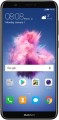 |  |
|---|---|---|
| Huawei P Smart 32 GB | Honor 9 Lite 32 GB | |
| Compare prices 4 | Compare prices 2 | |
| User reviews | ||
| TOP sellers | ||
There are modifications: 32 GB of internal memory and 3 GB or 64 GB of internal memory and 4 GB of RAM. | ||
| Operating system | Android 8.0 | Android 8.0 |
Display | ||
| Main display | 5.65 " 2160x1080 (18:9) 427 ppi IPS | 5.65 " 2160x1080 (18:9) 427 ppi IPS 60 Hz |
| Display-to-body ratio | 76 % | 76 % |
Hardware | ||
| CPU frequency | 2.36 GHz | 2.36 GHz |
| CPU cores | 8 | 8 |
| RAM | 3 GB | 3 GB |
| Memory storage | 32 GB | 32 GB |
| Memory card slot | microSD | microSD |
| Max. memory card storage | 256 GB | 256 GB |
Test results | ||
| AnTuTu Benchmark Test | 83 000 points | 87 000 points |
| Geekbench Test | 3626 points | 847 points |
Main camera | ||
| Lenses | 2 modules | 2 modules |
| Main lens | 13 MP f/2.2 | 13 MP f/2.2 |
| Auxiliary lens |  | |
| Full HD (1080p) | + | + |
| Flash | | |
Front camera | ||
| Lenses | 2 modules | |
| Main selfie lens | 8 MP | 13 MP |
| Aperture | f/2.0 | f/2.0 |
| 2nd lens | 2 MP | |
| Full HD (1080p) | + | |
Connections and communication | ||
| Cellular technology | 4G (LTE) | 4G (LTE) |
| SIM card type | nano-SIM | nano-SIM |
| SIM slots | SIM + SIM/microSD | SIM + SIM/microSD |
| Connectivity technology | Wi-Fi 4 (802.11n) Bluetooth v4.2 NFC | Wi-Fi 4 (802.11n) Bluetooth v4.2 NFC |
| Inputs & outputs | microUSB mini-jack (3.5 mm) | microUSB mini-Jack (3.5 mm) bottom |
Features and navigation | ||
| Features | rear fingerprint scanner FM receiver noise cancellation gyroscope light sensor | rear fingerprint scanner FM receiver noise cancellation gyroscope light sensor |
| Navigation | aGPS GPS module GLONASS digital compass | aGPS GPS module GLONASS digital compass |
Power supply | ||
| Battery capacity | 3000 mAh | 3000 mAh |
| Battery type | Li-ion (graphite) | Li-ion (graphite) |
| Battery life (PCMark) | 7.25 h | |
General | ||
| Bezel/back cover material | metal/metal | glass/glass |
| Dimensions (HxWxD) | 150x72x7.45 mm | 151x71.9x7.6 mm |
| Weight | 143 g | 149 g |
| Added to E-Catalog | january 2018 | december 2017 |

Compare Huawei P Smart and Honor 9 Lite
Price comparison
You may be interested in
Huawei P Smart often compared


Honor 9 Lite often compared


Glossary
Main display
Characteristics of the main (and most often the only) display installed in the device.
In addition to the basic properties - such as size, resolution (according to it, screens are conventionally divided into HD, Full HD, 2K and more), sensor type (most often IPS, OLED, AMOLED, Super AMOLED, Dynamic AMOLED,), this list can more specific features. Among them are the shape of the surface ( flat or curved), the presence and version of the Gorilla Glass coating (including the top v6 and Victus), HDR support and the refresh rate (a frequency on top 60 Hz is considered high, namely 90 Hz, 120 Hz and 144 Hz) . Here is a more detailed description of the characteristics relevant to modern displays:
- Size. Traditionally, the screen size is indicated in inches. A larger display is more convenient to use: more information is placed on i...t, and the image itself is better readable. The downside of increasing the size is an increase in the dimensions of the device. Today, smartphones with screens of 5" or less are considered small. 5.6 - 6" and up to 6.5" is already a medium format. Also, many modern models have a size of 6.5". Classic phones without touch screens do not need a large size - in them it usually does not exceed 3".
- Permission. Screen resolution is specified based on its vertical and horizontal dimensions in dots (pixels). The larger these dimensions (with the same size) - the more detailed and smoothed the picture looks and the less individual pixels are visible on it. On the other hand, increasing the resolution increases both the cost of the display itself and the requirements for the phone's hardware. It is also worth noting that the same resolution on screens of different sizes looks different; so when evaluating detail, it is worth considering not only this parameter, but also the PPI number (see below).
— PPI. The density of dots (pixels) on the screen of the device. It is indicated by the number of dots per " (points per ") - the number of pixels for each horizontal or vertical segment of 1 ". This indicator depends both on the size and resolution, but in the end it is the PPI number that determines how smooth and detailed the image on the display is. For comparison, we note that at a distance of about 25 - 30 cm from the eyes, a density of 300 PPI or more makes individual pixels almost invisible to a person with normal vision, the picture is perceived as a complete one; at greater distances, a similar effect is noticeable at a lower point density.
— Matrix type. The technology by which the screen sensor is made. This parameter is indicated only for relatively advanced displays that are superior in performance to the simplest LCD screens of push-button phones. The most widespread in our time are the following types of matrices:
HDR. A technology that allows you to expand the dynamic range of the screen. In this case, the range of brightness is implied - simply put, the presence of HDR allows the screen to display brighter whites and darker blacks than on displays without support for this technology. In practice, this gives a noticeable improvement in image quality: the saturation and reliability of the transmission of various colors improves, and the details in very light or very dark areas of the frame do not “sink” in white or black. However, all these advantages become noticeable only on the condition that the content being played is originally recorded in HDR. Nowadays, several varieties of this technology are used, here are their features:
- DC Dimming support. Literally from English, Direct Current Dimming is translated as direct current dimming. This technology is designed to minimize flicker in OLED and AMOLED screens, which, in turn, reduces the load on the user's visual apparatus and protects eyesight. The “flicker-free” effect is achieved by directly controlling the brightness of the backlight LEDs by changing the voltage applied to them. Due to this, a decrease in the intensity of the glow of the screen is ensured.
- Curved screen. A screen that has curved edges to which the displayed image extends. In other words, in this case, not only glass is curved, but also part of the active sensor. Displays where both edges are curved are sometimes referred to as "2.5D glass" as well; also there are devices where the screen is bent only on one side. In any case, this feature gives the smartphone an interesting appearance and improves the visibility of the image from some angles, but it significantly affects the cost and can create inconvenience when holding (especially without a case). So before buying a model with such equipment, ideally, you should hold the device in your hand and make sure that it is comfortable enough.
- Gorilla Glass. Special high-strength glass used as a display cover. It is characterized by endurance and resistance to scratches, many times superior to ordinary glass in these indicators. It is widely used in smartphones, where large screen sizes put forward increased requirements for coverage reliability. Modern phones may have different versions of this glass, here are the features of different options:
In addition to the basic properties - such as size, resolution (according to it, screens are conventionally divided into HD, Full HD, 2K and more), sensor type (most often IPS, OLED, AMOLED, Super AMOLED, Dynamic AMOLED,), this list can more specific features. Among them are the shape of the surface ( flat or curved), the presence and version of the Gorilla Glass coating (including the top v6 and Victus), HDR support and the refresh rate (a frequency on top 60 Hz is considered high, namely 90 Hz, 120 Hz and 144 Hz) . Here is a more detailed description of the characteristics relevant to modern displays:
- Size. Traditionally, the screen size is indicated in inches. A larger display is more convenient to use: more information is placed on i...t, and the image itself is better readable. The downside of increasing the size is an increase in the dimensions of the device. Today, smartphones with screens of 5" or less are considered small. 5.6 - 6" and up to 6.5" is already a medium format. Also, many modern models have a size of 6.5". Classic phones without touch screens do not need a large size - in them it usually does not exceed 3".
- Permission. Screen resolution is specified based on its vertical and horizontal dimensions in dots (pixels). The larger these dimensions (with the same size) - the more detailed and smoothed the picture looks and the less individual pixels are visible on it. On the other hand, increasing the resolution increases both the cost of the display itself and the requirements for the phone's hardware. It is also worth noting that the same resolution on screens of different sizes looks different; so when evaluating detail, it is worth considering not only this parameter, but also the PPI number (see below).
— PPI. The density of dots (pixels) on the screen of the device. It is indicated by the number of dots per " (points per ") - the number of pixels for each horizontal or vertical segment of 1 ". This indicator depends both on the size and resolution, but in the end it is the PPI number that determines how smooth and detailed the image on the display is. For comparison, we note that at a distance of about 25 - 30 cm from the eyes, a density of 300 PPI or more makes individual pixels almost invisible to a person with normal vision, the picture is perceived as a complete one; at greater distances, a similar effect is noticeable at a lower point density.
— Matrix type. The technology by which the screen sensor is made. This parameter is indicated only for relatively advanced displays that are superior in performance to the simplest LCD screens of push-button phones. The most widespread in our time are the following types of matrices:
- IPS. The most popular technology for the screens of modern smartphones. It provides a very decent image quality, viewing angles and response speed, although it is somewhat inferior in these parameters to many more advanced options (see below). On the other hand, IPS also has important advantages: durability, uniform wear, and also a rather low cost. Thanks to this, such screens can be found in all categories of smartphones - from low-cost to top-end.
- AMOLED. Organic light-emitting diode (OLED) sensor technology developed by Samsung. One of the key differences between such matrices and more traditional displays is that they do not require external illumination: each pixel is its own light source. Because of this, the power consumption of such a screen depends on the characteristics of the displayed image, but in general it turns out to be quite low. In addition, AMOLED matrices are distinguished by wide viewing angles, excellent brightness and contrast ratios, high color reproduction quality and fast response time. Due to this, such screens continue to be used in modern smartphones, despite the emergence of more advanced technologies; they can be found even in top-end models. The main disadvantage of this technology is the relatively high cost and uneven wear of the pixels: dots that work longer and more often at high brightness burn out faster. However, usually this effect becomes noticeable only after several years of intensive use - a period comparable to the operational resource of the smartphone itself.
- AMOLED (LTPO). An advanced version of AMOLED panels with the ability to dynamically adjust the refresh rate depending on the tasks performed. The abbreviation LTPO stands for Low Temperature Polycrystalline Oxide. Behind this term is a combination of traditional LTPS technology and a thin layer of TFT oxide film with the addition of hybrid-oxide polycrystalline silicon to drive the sweep switching circuits. AMOLED panels (LTPO) reduce the energy consumption of the gadget by an order of magnitude. So, when performing active actions, the device screen uses the maximum or high refresh rate, and while viewing pictures or reading text, the display reduces the rate to a minimum.
- Super AMOLED. An improved version of the AMOLED technology described on top One of the key improvements is that in Super AMOLED screens there is no air gap between the touch layer and the display located under it. This made it possible to further increase the brightness and image quality, increase the speed and reliability of the sensor response and at the same time reduce power consumption. The disadvantages of such matrices are the same as the original AMOLED. In general, they are quite widespread; most smartphones with similar screens belong to the middle and top categories, but there are also low-cost models.
- OLED. Various types of matrices based on the use of organic light emitting diodes; in fact - analogues of AMOLED and Super AMOLED, produced not by Samsung, but by other companies. The specific features of such screens may be different, but for the most part they are, on the one hand, more expensive than popular IPS, on the other hand, they provide higher image quality (including brightness, contrast, viewing angles and color fidelity), and also consume less energy and have small thickness. The main disadvantages of OLED screens are the high price (which, however, is constantly decreasing as the technology develops and improves), as well as the susceptibility of organic pixels to burn-in when broadcasting static images for a long time or images with static elements (notification panel, on-screen buttons, etc.). ).
- OLED (polymer). Organic Light-Emitting Diode (OLED) screens, which do not use glass as a base, but a transparent polymer material. We emphasize that we are talking about the basis of the sensor; from on top it is covered with the same glass as in other types of screens. However, this design offers a number of advantages over traditional "glass" matrices: it provides additional impact resistance and is great for creating curved displays. On the other hand, in terms of optical properties, plastic still falls short of glass; so screens of this type are often inferior in image quality to their “peers” made using traditional OLED technology, and with a similar picture quality, they are noticeably more expensive.
- OLED (LTPO). OLED-matrices with adaptive refresh rate, which can be changed in a wide range based on the tasks performed. In games, screens with LTPO technology automatically raise the refresh rate to the maximum values, while viewing static images, they reduce it to a minimum (from 1 Hz). At the heart of the technology is a traditional LTPS substrate with a thin TFT oxide film on top of the TFT base. The ability to control the flow of electrons provides dynamic control over the refresh rate. The competitive advantage of OLED (LTPO) is reduced power consumption.
- pls. A variation of IPS technology created by Samsung. In some respects - in particular, brightness, contrast and viewing angles - it surpasses the original, while it is cheaper to manufacture and allows you to create flexible displays. However, for a number of reasons, it is not particularly popular.
- Super AMOLED Plus. A further development of the Super AMOLED technology described on top. Allows you to create even brighter, more contrasting and at the same time thin and energy-efficient screens. However, most often such screens in our time are simply referred to as "Super AMOLED", without the "Plus" prefix.
- Dynamic AMOLED. Another AMOLED improvement introduced in 2019. The main features of such matrices are increased brightness without a significant increase in power consumption, as well as 100% coverage of the DCI-P3 color space and compatibility with HDR10 +; the last two points, in particular, make it possible to reproduce modern high-low-cost cinema on such screens with the highest quality. The main disadvantage of Dynamic AMOLED is traditional - the high price; so such matrices are found mainly in top models.
- Super Clear TFT. A joint development by Samsung and Sony, which appeared as a forced alternative to Super AMOLED matrices (the demand for them at one time significantly exceeded production capabilities). True, the image quality of Super Clear TFT is somewhat lower - but in production such matrices are noticeably simpler and cheaper, but in terms of performance they still surpass most IPS screens. However, in our time, this technology is rare, giving way to AMOLED in different versions.
- super LCD. Another alternative to various kinds of AMOLED technology; used mainly in HTC smartphones. Similar to Super AMOLED, such screens do not have an extra air gap, which has a positive effect on both image quality and the clarity of sensor responses. A notable advantage of the Super LCD is its good power efficiency, especially when displaying bright whites; but in terms of overall color saturation (including black), this technology is noticeably inferior to AMOLED.
- LTPS. An advanced type of TFT matrices, created on the basis of the so-called. low temperature polycrystalline silicon. It allows you to easily create screens with a very high pixel density (more than 500 PPI - see on top), achieving high resolutions even with a small size. In addition, part of the control electronics can be built directly into the sensor, reducing the overall thickness of the display. The main disadvantage of LTPS is the relatively high cost, but nowadays such screens can be found even in low-cost smartphones.
- S-PureLED. A technology developed by Sharp and used primarily in its smartphones. Actually, the technology of the matrices themselves in this case is called S-CG Silicon TFT, and S-PureLED is the name of a special layer used to increase transparency. S-CG Silicon TFT is positioned by the creators as a modification of the LTPS technology described on top, which allows to further increase the resolution of the display and at the same time build more control electronics into it (up to a whole “processor on glass”) without increasing the thickness. Of course, these screens are not cheap.
- e-ink. Matrices based on the so-called "electronic ink" - a technology common primarily in electronic books. The main feature of such a screen is that during its operation, energy is spent only on changing the image; a still picture does not require power and can remain on the display even in the absence of power. In addition, by default, E-Ink matrices do not glow on their own, but reflect outside light - so their own backlight is not necessary for them (although it can be provided for work at dusk and darkness). All this provides a solid energy savings; and for some users, such screens are purely subjectively more comfortable and less tiring than traditional matrices. On the other hand, E-Ink technology also has serious drawbacks - first of all, a long response time, as well as the complexity and high cost of color displays, combined with poor color reproduction quality on them. In light of this, in smartphones, such matrices are a very rare and exotic option.
HDR. A technology that allows you to expand the dynamic range of the screen. In this case, the range of brightness is implied - simply put, the presence of HDR allows the screen to display brighter whites and darker blacks than on displays without support for this technology. In practice, this gives a noticeable improvement in image quality: the saturation and reliability of the transmission of various colors improves, and the details in very light or very dark areas of the frame do not “sink” in white or black. However, all these advantages become noticeable only on the condition that the content being played is originally recorded in HDR. Nowadays, several varieties of this technology are used, here are their features:
- HDR10. Historically the first of the consumer HDR formats, it is extremely popular today: in particular, it is supported by almost all streaming services with HDR content and is standardly used for such content on Blu-ray discs. Provides a color depth of 10 bits (more than a billion shades). At the same time, HDR10+ format content (see below) can also be played on devices with this technology, except that its quality will be limited by the capabilities of the original HDR10.
- HDR10+. An improved version of HDR10. With the same color depth (10 bits), it uses the so-called dynamic metadata, which allows transmitting information about the color depth not only for groups of several frames, but also for individual frames. This results in an additional improvement in color reproduction.
- Dolby vision. An advanced standard used particularly in professional cinematography. It allows you to achieve a color depth of 12 bits (almost 69 billion shades), uses the dynamic metadata mentioned on top, and also makes it possible to transmit two image options at once in one video stream - HDR and normal (SDR). At the same time, Dolby Vision is based on the same technology as HDR10, so in modern electronics this format is often combined with HDR10 or HDR10 +.
- DC Dimming support. Literally from English, Direct Current Dimming is translated as direct current dimming. This technology is designed to minimize flicker in OLED and AMOLED screens, which, in turn, reduces the load on the user's visual apparatus and protects eyesight. The “flicker-free” effect is achieved by directly controlling the brightness of the backlight LEDs by changing the voltage applied to them. Due to this, a decrease in the intensity of the glow of the screen is ensured.
- Curved screen. A screen that has curved edges to which the displayed image extends. In other words, in this case, not only glass is curved, but also part of the active sensor. Displays where both edges are curved are sometimes referred to as "2.5D glass" as well; also there are devices where the screen is bent only on one side. In any case, this feature gives the smartphone an interesting appearance and improves the visibility of the image from some angles, but it significantly affects the cost and can create inconvenience when holding (especially without a case). So before buying a model with such equipment, ideally, you should hold the device in your hand and make sure that it is comfortable enough.
- Gorilla Glass. Special high-strength glass used as a display cover. It is characterized by endurance and resistance to scratches, many times superior to ordinary glass in these indicators. It is widely used in smartphones, where large screen sizes put forward increased requirements for coverage reliability. Modern phones may have different versions of this glass, here are the features of different options:
- Gorilla Glass v3. The oldest of the current versions is released in 2013; now found mainly among inexpensive or obsolete devices. However, this coating also has undoubted advantages: this is the first generation of Gorilla Glass, where the creators have made a noticeable emphasis on resistance to scratches from keys, coins and other objects that the phone can “collide” in a pocket or bag. In this respect, the v3 version remained unsurpassed until the release of Gorilla Glass Victus in 2020.
- Gorilla Glass v4. Version released in 2014. A key feature was that the development of this coating focused on impact resistance (whereas previous generations focused mainly on scratch resistance). As a result, the glass is twice as strong as in version 3, despite the fact that its thickness is only 0.4 mm. But here's the scratch resistance, compared with its predecessor, has decreased slightly.
- Gorilla Glass v5. A gorilla improvement released in 2016 to further improve impact resistance. According to the developers, the glass of the v5 version is 1.8 times stronger than its predecessor, remaining intact in 80% of drops from a height of 1.6 m "face down" on a rough surface (and guaranteed impact resistance is 1.2 m). Scratch resistance has also improved somewhat, but this material still falls short of v3 performance.
- Gorilla Glass v6. Version introduced in 2018. For this coating, a 2-fold increase in strength compared to its predecessors is claimed, as well as the ability to endure multiple drops on a hard surface (in tests, v6 glass successfully endured 15 drops from a height of 1 m). The maximum drop height (single) with guaranteed integrity is declared at 1.6 m. Scratch resistance has received practically no improvement.
- Gorilla Glass 7. Original name for Gorilla Glass Victus - see below.
- Gorilla Glass Victus. The "heir" of Gorilla Glass 6, released in the summer of 2020. In this coating, the creators paid attention not only to increasing the overall strength, but also to improving scratch resistance. According to the latter indicator, Victus surpasses even the v3 version, not to mention more sensitive materials (and compared to v6, scratch resistance is claimed to be twice as high). As for durability, it allows you to guarantee to endure single drops from a height of up to 2 m, as well as up to 20 consecutive drops from a height of 1 m.
Test results
The test results are specified either by a younger model in a line or a particular model, made for a better understanding performance of phone models if you compare phones against these parameters. For example, the 128 GB model has test results, and the 256 GB model has no information on the network, and in both models you will see the same value that will give an understanding of the overall performance of the device. But if the editorial office has information for each model individually, then each model will have its test results filled out, and the model with bigger RAM will have bigger values.
AnTuTu Benchmark Test
The result shown by a device when undergoing a performance test (benchmark) in AnTuTu Benchmark.
AnTuTu Benchmark is a comprehensive test designed specifically for mobile devices, primarily smartphones and tablets. It evaluates the efficiency of the processor, memory, graphics, and input/output systems, providing a clear impression of the system's capabilities. The higher the performance, the more points are awarded. Smartphones that score over 1.5M points are considered high-performance according to the AnTuTu ranking.
Like any benchmark, this test does not provide absolute precision: the same device can show different results, usually with deviations within 5-7%. These deviations depend on various factors unrelated to the system itself, such as the device's load from third-party programs and the ambient temperature during testing. Therefore, significant differences between two models can only be noted when the gap in their scores exceeds this margin of error.
AnTuTu Benchmark is a comprehensive test designed specifically for mobile devices, primarily smartphones and tablets. It evaluates the efficiency of the processor, memory, graphics, and input/output systems, providing a clear impression of the system's capabilities. The higher the performance, the more points are awarded. Smartphones that score over 1.5M points are considered high-performance according to the AnTuTu ranking.
Like any benchmark, this test does not provide absolute precision: the same device can show different results, usually with deviations within 5-7%. These deviations depend on various factors unrelated to the system itself, such as the device's load from third-party programs and the ambient temperature during testing. Therefore, significant differences between two models can only be noted when the gap in their scores exceeds this margin of error.
Geekbench Test
The result shown by a device when undergoing a performance test (benchmark) in Geekbench.
Geekbench is a specialized benchmark designed for processors. Since version 4.0, it also includes tests for graphics processors, and by the end of 2019, version 5 of the benchmark was released. Typically, the specifications for portable gadgets include data specifically for the CPU. During testing, Geekbench simulates workloads that occur during real-world tasks, evaluating both single-core performance and the efficiency of multi-core operations. This provides a solid overview of the processor's capabilities in everyday use. Additionally, Geekbench is cross-platform, allowing for comparisons between the CPUs of different devices (smartphones, tablets, laptops, PCs). In reference materials, only the multi-core test results for the processor are usually provided.
Geekbench is a specialized benchmark designed for processors. Since version 4.0, it also includes tests for graphics processors, and by the end of 2019, version 5 of the benchmark was released. Typically, the specifications for portable gadgets include data specifically for the CPU. During testing, Geekbench simulates workloads that occur during real-world tasks, evaluating both single-core performance and the efficiency of multi-core operations. This provides a solid overview of the processor's capabilities in everyday use. Additionally, Geekbench is cross-platform, allowing for comparisons between the CPUs of different devices (smartphones, tablets, laptops, PCs). In reference materials, only the multi-core test results for the processor are usually provided.
Lenses
The number of lenses provided in the front camera of the smartphone. The classic version is one lens, so this parameter is indicated if this number is more than one; usually such smartphones have two, less often three front lenses, each with its own sensor (that is, in fact, several separate front cameras). At the same time, we note that the IR camera for FaceID (see "Data input") is not considered the second (third) lens.
The point of using multiple lenses is to enhance the overall shooting experience and/or improve image quality. The specific implementation of these ideas in different smartphones may be different. For example, there are smartphones where the second lens has a very low resolution and a purely auxiliary function — it is used to obtain service information about the depth of field, which allows you to change the focus point even after shooting, on an already finished photo. Other options include optics for measuring colour depth (RGB-depth) and improving the colour reproduction of the main camera; an optional extra wide-angle lens that will be useful for selfies in tight spaces, etc.
It is also worth noting that a separate case is represented by three front cameras in devices of the “clamshell” or “foldable screen” type (see “Body Type”). In such devices, the lenses can be divided along the sides of the device — most often two lenses are...installed on the inside, and one on the outside. Thus, you can quickly take a selfie without opening the case, and for more advanced features, you can use the internal module.
The point of using multiple lenses is to enhance the overall shooting experience and/or improve image quality. The specific implementation of these ideas in different smartphones may be different. For example, there are smartphones where the second lens has a very low resolution and a purely auxiliary function — it is used to obtain service information about the depth of field, which allows you to change the focus point even after shooting, on an already finished photo. Other options include optics for measuring colour depth (RGB-depth) and improving the colour reproduction of the main camera; an optional extra wide-angle lens that will be useful for selfies in tight spaces, etc.
It is also worth noting that a separate case is represented by three front cameras in devices of the “clamshell” or “foldable screen” type (see “Body Type”). In such devices, the lenses can be divided along the sides of the device — most often two lenses are...installed on the inside, and one on the outside. Thus, you can quickly take a selfie without opening the case, and for more advanced features, you can use the internal module.
Main selfie lens
Resolution of the main lens of the front camera installed in the phone. For models with several lenses (see "Front camera" — "Number of lenses"), the main one is the one responsible for the main part of the shooting and does not have a pronounced specialization (auxiliary, ultra-wide-angle, etc.).
Initially, the front cameras were intended for video communication, but nowadays, for many users their only function is still taking a selfie. Therefore, although the resolution of such cameras is generally lower than that of the rear ones, however, among them there are also very solid indicators — 8 MP, 13 MP, and in specialized "selfie smartphones" — 16 MP, 20 MP, 24 MP, 32 MP and higher. Lower values — 5 MP, as well as 2 MP — are typical mainly for low cost and frankly outdated devices.
Keep in mind that the resolution of the sensor itself determines only the detail of the images and does not affect the overall quality of photos and videos; on the other hand, a higher number of megapixels often means a more advanced camera, with a number of technical features designed to provide high quality images. Therefore, on the one hand, it makes sense for lovers of high-quality selfies to look for...front modules with a higher resolution; on the other hand, cameras with the same resolution can differ significantly in the final quality of the photos and videos. So if the ability to take a selfie is crucial for you, you should look not only at the number of megapixels, but also at the actual examples of pictures from a particular camera (for example, in reviews).
Initially, the front cameras were intended for video communication, but nowadays, for many users their only function is still taking a selfie. Therefore, although the resolution of such cameras is generally lower than that of the rear ones, however, among them there are also very solid indicators — 8 MP, 13 MP, and in specialized "selfie smartphones" — 16 MP, 20 MP, 24 MP, 32 MP and higher. Lower values — 5 MP, as well as 2 MP — are typical mainly for low cost and frankly outdated devices.
Keep in mind that the resolution of the sensor itself determines only the detail of the images and does not affect the overall quality of photos and videos; on the other hand, a higher number of megapixels often means a more advanced camera, with a number of technical features designed to provide high quality images. Therefore, on the one hand, it makes sense for lovers of high-quality selfies to look for...front modules with a higher resolution; on the other hand, cameras with the same resolution can differ significantly in the final quality of the photos and videos. So if the ability to take a selfie is crucial for you, you should look not only at the number of megapixels, but also at the actual examples of pictures from a particular camera (for example, in reviews).
2nd lens
Resolution of the second front camera installed in the smartphone.
See "Number of lenses" above for details on dual cameras. As for the resolution of the second camera, it can be different in smartphones of a similar level, since additional cameras can have different purposes. For example, if the camera is responsible for processing service data about focus and depth of field (so that these parameters can be changed on the finished image), it does not need high resolution. And if the camera is used directly for shooting (for example, black and white, to increase aperture) — then the meaning of the resolution is the same as in the main camera, for more details, see "Main lens" above.
See "Number of lenses" above for details on dual cameras. As for the resolution of the second camera, it can be different in smartphones of a similar level, since additional cameras can have different purposes. For example, if the camera is responsible for processing service data about focus and depth of field (so that these parameters can be changed on the finished image), it does not need high resolution. And if the camera is used directly for shooting (for example, black and white, to increase aperture) — then the meaning of the resolution is the same as in the main camera, for more details, see "Main lens" above.
Full HD (1080p)
Front camera capabilities of shooting video in Full HD(1080p)
This paragraph indicates at least the resolution of the filming; theoretically, the Full HD format covers several resolutions, but in fact, among smartphones, there are no other options other than 1920x1080. Also, the maximum frame rate can be specified in the specs. In general, the higher it is, the smoother the video will look; an indicator of 30 fps in this sense is considered normal, 60 fps is very good. And if the device supports a shooting speed of 120 fps or more, this means that it is capable of shooting slow-motion videos.
This paragraph indicates at least the resolution of the filming; theoretically, the Full HD format covers several resolutions, but in fact, among smartphones, there are no other options other than 1920x1080. Also, the maximum frame rate can be specified in the specs. In general, the higher it is, the smoother the video will look; an indicator of 30 fps in this sense is considered normal, 60 fps is very good. And if the device supports a shooting speed of 120 fps or more, this means that it is capable of shooting slow-motion videos.
Inputs & outputs
Wired connectors provided in the phone design.
This section usually specifies the type of universal connector (most often USB-C) and the presence of a mini-jack (3.5 mm) socket (some devices are without this socket). Additionally, this section may indicate the USB-C port interface up to the high-speed third version (USB-C v 3), the location of the 3.5 mm connector (headphone output), and the presence of additional ports for more specific purposes.
Universal connectors are used primarily for battery charging, connecting various accessories to the phone, and connecting the phone itself to a computer via cable; the 3.5 mm port is mainly intended for headphones and other audio accessories, although other usage formats are possible. Here is a more detailed description of different types of connectors:
— USB-C. A kind of successor to microUSB, increasingly used in mobile devices. USB-C differs from its predecessor primarily by slightly larger size and convenient reversible design: thanks to this, it doesn't matter which way you insert the plug. In addition, this interface allows for more advanced functions than microUSB – in particular, some fast charging technologies were initially created specifically for USB-C. It is also worth noting that the characteristics may specify the USB standard supported by this type of...connector. Nowadays, the following options are found:
— microUSB. A universal connector that was extremely widely used in portable devices at one time (with the exception of Apple technology). It is less convenient and technically advanced than USB-C, so it is gradually losing popularity; nevertheless, many devices with microUSB are still available for sale.
— Lightning. A proprietary connector by Apple, used exclusively in iPhones among smartphones. It has a reversible design, allowing the plug to be connected either side up. In modern iPhones, it is used both as a universal connector and for headphones connection (in 2016, Apple removed the 3.5 mm audio output from these devices).
— Proprietary connector. Some universal connector that does not fall into the described types above. Such equipment is extremely rare nowadays—standard interfaces are more convenient and universal, as they allow the use of not only "native" accessories but also solutions from third-party manufacturers.
— Magnetic connector. A connector where a permanent magnet is used to hold the cable instead of the standard "plug-socket" system. Such devices are primarily used in water-protected devices (see "Water Resistance"), and most often for battery charging and in addition to standard universal connectors (usually microUSB or USB-C). The main convenience of a magnetic connector is that water protection does not require plugs. Thus, firstly, connecting and disconnecting the charger is simplified, and secondly, wear on the plugs of standard ports is minimized—they do not need to be opened and closed every time for charging. However, a magnetic connector only fits a special "native" cable; however, in case of loss or breakage of this cable, there may be a provision for charging in the usual way through a traditional universal connector.
— Mini-jack (3.5 mm). A connector mainly used for connecting wired headphones and other audio devices (e.g., portable speakers). Such a connection is extremely popular among audio accessories (not only of mobile purpose); thus, finding headphones, a headset, or speakers for this connector is usually not a problem. Additionally, the 3.5 mm socket may be used for more specific tasks, such as connecting a card reader or exchanging data with wearable fitness sensors and other specific equipment. However, these possibilities are rarely used and require the installation of special applications, whereas headphone connection is the primary function of such a connector, available by default. Therefore, the mini-jack connector is often referred to as a "headphone output."
— Location of the headphone output. The described 3.5 mm output in modern phones can be located on the top, bottom, or side edge of the device. However, the latter option is generally less convenient than the first two and is therefore rare. The choice on this indicator primarily depends on how exactly you plan to carry the phone and from which side it will be most convenient to connect headphones; for different situations, optimal options will also differ.
This section usually specifies the type of universal connector (most often USB-C) and the presence of a mini-jack (3.5 mm) socket (some devices are without this socket). Additionally, this section may indicate the USB-C port interface up to the high-speed third version (USB-C v 3), the location of the 3.5 mm connector (headphone output), and the presence of additional ports for more specific purposes.
Universal connectors are used primarily for battery charging, connecting various accessories to the phone, and connecting the phone itself to a computer via cable; the 3.5 mm port is mainly intended for headphones and other audio accessories, although other usage formats are possible. Here is a more detailed description of different types of connectors:
— USB-C. A kind of successor to microUSB, increasingly used in mobile devices. USB-C differs from its predecessor primarily by slightly larger size and convenient reversible design: thanks to this, it doesn't matter which way you insert the plug. In addition, this interface allows for more advanced functions than microUSB – in particular, some fast charging technologies were initially created specifically for USB-C. It is also worth noting that the characteristics may specify the USB standard supported by this type of...connector. Nowadays, the following options are found:
- USB-C 5Gbps. Standard, previously known as USB 3.0 and USB 3.2 gen1. Provides data transfer speeds up to 4.8 Gbps.
- USB-C 10Gbps. Modern name for the standard previously called USB 3.1, then USB 3.2 gen2. The connection speed through this interface can reach 10 Gbps.
- USB-C 20Gbps. Standard (formerly known as USB 3.2), providing twice the speed of USB-C 10Gbps – that is, up to 20 Gbps.
— microUSB. A universal connector that was extremely widely used in portable devices at one time (with the exception of Apple technology). It is less convenient and technically advanced than USB-C, so it is gradually losing popularity; nevertheless, many devices with microUSB are still available for sale.
— Lightning. A proprietary connector by Apple, used exclusively in iPhones among smartphones. It has a reversible design, allowing the plug to be connected either side up. In modern iPhones, it is used both as a universal connector and for headphones connection (in 2016, Apple removed the 3.5 mm audio output from these devices).
— Proprietary connector. Some universal connector that does not fall into the described types above. Such equipment is extremely rare nowadays—standard interfaces are more convenient and universal, as they allow the use of not only "native" accessories but also solutions from third-party manufacturers.
— Magnetic connector. A connector where a permanent magnet is used to hold the cable instead of the standard "plug-socket" system. Such devices are primarily used in water-protected devices (see "Water Resistance"), and most often for battery charging and in addition to standard universal connectors (usually microUSB or USB-C). The main convenience of a magnetic connector is that water protection does not require plugs. Thus, firstly, connecting and disconnecting the charger is simplified, and secondly, wear on the plugs of standard ports is minimized—they do not need to be opened and closed every time for charging. However, a magnetic connector only fits a special "native" cable; however, in case of loss or breakage of this cable, there may be a provision for charging in the usual way through a traditional universal connector.
— Mini-jack (3.5 mm). A connector mainly used for connecting wired headphones and other audio devices (e.g., portable speakers). Such a connection is extremely popular among audio accessories (not only of mobile purpose); thus, finding headphones, a headset, or speakers for this connector is usually not a problem. Additionally, the 3.5 mm socket may be used for more specific tasks, such as connecting a card reader or exchanging data with wearable fitness sensors and other specific equipment. However, these possibilities are rarely used and require the installation of special applications, whereas headphone connection is the primary function of such a connector, available by default. Therefore, the mini-jack connector is often referred to as a "headphone output."
— Location of the headphone output. The described 3.5 mm output in modern phones can be located on the top, bottom, or side edge of the device. However, the latter option is generally less convenient than the first two and is therefore rare. The choice on this indicator primarily depends on how exactly you plan to carry the phone and from which side it will be most convenient to connect headphones; for different situations, optimal options will also differ.