
Comparison be quiet! Dark Power Pro 13 BN331 vs be quiet! Dark Power 13 BN335
Add to comparison | 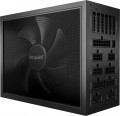 | 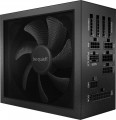 |
|---|---|---|
| be quiet! Dark Power Pro 13 BN331 | be quiet! Dark Power 13 BN335 | |
from $479.99 | Compare prices 1 | |
| TOP sellers | ||
Digital control with "Full Bridge + LLC + SR + DC/DC" topology provides high voltage stability, 135mm Silent Wings fan with hydrodynamic bearing. 10 year manufacturer's warranty. The "Overclocking Key" switch allows you to combine six independent +12 V lines into one heavy duty one. The device is made in an aluminium case 200 mm long. | ||
| Power | 1300 W | 1000 W |
| Form factor | ATX | ATX |
Specs | ||
| PFC | active | active |
| Efficiency | 92 % | 95 % |
| Cooling system | semi-passive | active |
| Fan size | 135 mm | 135 mm |
| Fan bearing | hydrodynamic | hydrodynamic |
| Certification | 80+ Titanium | 80+ Titanium |
| Cybenetics Efficiency | Titanium | |
| Cybenetics Noise | A + | |
| ATX12V version | 3 | 3 |
| EPS12V version | 2.92 | 2.92 |
Power connectors | ||
| MB/CPU power supply | 24+8+8(4+4) pin | 24+8+8(4+4) pin |
| SATA | 16 | 13 |
| MOLEX | 5 | 2 |
| PCIe 8pin (6+2) | 6 | 4 |
| PCIe 16pin | 2 pcs | 1 pcs |
| Cable system | modular | modular |
| Braided wires |  |  |
Cable length | ||
| MB | 600 mm | 600 mm |
| CPU | 700 mm | 700 mm |
| SATA | 600 mm | 750 mm |
| MOLEX | 600 mm | 900 mm |
| PCIe | 600 mm | 600 mm |
Max. power | ||
| +3.3V | 25 А | 25 А |
| +5V | 25 А | 25 А |
| +12V1 | 35 А | 32 А |
| +12V2 | 35 А | 32 А |
| +12V3 | 40 А | 40 А |
| +12V4 | 40 А | 40 А |
| -12V | 0.5 А | 0.5 А |
| +5Vsb | 3.5 А | 3 А |
| +12V | 1300 W | 996 W |
| +3.3V +5V | 150 W | 125 W |
General | ||
| Over voltage protection (OVP) | | |
| Over power protection (OPP) | | |
| Short circuit protection (SCP) | | |
| Protection | OTP, OCP, UVP, SIP | OTP, OCP, UVP, SIP |
| Noise level | 23 dB | 26 dB |
| Manufacturer's warranty | 10 years | 10 years |
| Dimensions (HxWxD) | 86x150x200 mm | 86x150x170 mm |
| Weight | 2.41 kg | 2.03 kg |
| Added to E-Catalog | july 2023 | february 2023 |



Compare be quiet! Dark Power Pro 13 and Dark Power 13
Price comparison
You may be interested in
be quiet! Dark Power Pro 13 often compared

be quiet! Dark Power 13 often compared


Glossary
Power
The output power of the power supply, in other words, is the maximum power that it is capable of delivering to the system. For the computer to operate efficiently, the power supply must be greater than the total power consumption of the system at maximum load. The latter can be calculated by summing the power of individual components, however, in general, for office configurations , about 400 W — 450 W is considered sufficient, for medium gaming — about 600 W( 500 W, 550 W, 650 W, 700 W, 750 W), and for the top ones — power of 800 W and above ( 850 W, 1000 W and even more than 1 kW).
Efficiency
Efficiency, in this case — the ratio of the power of the power supply (see "Power") to its power consumption. The higher the efficiency, the more efficient the power supply, the less energy it consumes from the network at the same output power, and the cheaper it is to operate. Efficiency may differ depending on the load; the characteristics can indicate both the minimum efficiency and its value at an average load (50%).
It should be noted that compliance with one or another level of 80PLUS efficiency directly depends on this indicator (for more details, see "Certificate").
It should be noted that compliance with one or another level of 80PLUS efficiency directly depends on this indicator (for more details, see "Certificate").
Cooling system
— Active cooling system. Uses a fan that constantly operates to remove heat from internal components. Unlike passive cooling, the active system provides better heat dissipation and stability under high loads, preventing overheating. However, it creates noise. To eliminate this, fans in such power supplies can have dynamic speed control (AFC – Automatic Fan Control), reducing speed at low power consumption.
— Semi-passive. Active cooling systems with automatic fan shutdown in situations where the load on the power supply is low and heat generation is reduced. Let us remind you that systems of this type are more efficient than passive ones, but they consume additional energy and create noise during operation. Accordingly, at low loads, when intensive cooling is not required, it is wiser to turn off the fans — this saves energy and reduces the noise level.
— Passive(radiators). Compared to fans, radiators have a number of advantages: for example, they do not create any noise and do not require their own power supply (thus reducing overall energy consumption). On the other hand, they are significantly less efficient, as a result — the power of power supplies with passive cooling does not exceed 600 W. In addition, such power supplies are quite expensive.
— Semi-passive. Active cooling systems with automatic fan shutdown in situations where the load on the power supply is low and heat generation is reduced. Let us remind you that systems of this type are more efficient than passive ones, but they consume additional energy and create noise during operation. Accordingly, at low loads, when intensive cooling is not required, it is wiser to turn off the fans — this saves energy and reduces the noise level.
— Passive(radiators). Compared to fans, radiators have a number of advantages: for example, they do not create any noise and do not require their own power supply (thus reducing overall energy consumption). On the other hand, they are significantly less efficient, as a result — the power of power supplies with passive cooling does not exceed 600 W. In addition, such power supplies are quite expensive.
Cybenetics Efficiency
Cybenetics Efficiency is a power supply unit (PSU) energy efficiency certification system that serves as an alternative to the 80 PLUS standard. It is more accurate as it considers efficiency at various load levels (10%, 20%, 50%, 100%) and at different input voltages (115V, 230V). The labeling of this system is identical to 80 PLUS:
Bronze — overall efficiency from 82% to 85% at 115V input voltage and from 84% to 87% at 230V;
Silver — 85 – 87% and 87 – 89% respectively;
Gold — from 87% to 89% (115V) and from 89% to 91% (230V);
Platinum — 89 – 91% at 115V and 91 – 93% at 230V;
Titanium — 91 – 93% (115V) and 93 – 95% (230V);
Diamond — ≥ 93/95%.
Bronze — overall efficiency from 82% to 85% at 115V input voltage and from 84% to 87% at 230V;
Silver — 85 – 87% and 87 – 89% respectively;
Gold — from 87% to 89% (115V) and from 89% to 91% (230V);
Platinum — 89 – 91% at 115V and 91 – 93% at 230V;
Titanium — 91 – 93% (115V) and 93 – 95% (230V);
Diamond — ≥ 93/95%.
Cybenetics Noise
The Cybenetics Lambda Certification System evaluates the noise levels of power supply units (PSUs), providing consumers with information about their acoustic characteristics. As a result, you can rely not only on the efficiency of the PSU but also on its noise level. Cybenetics Lambda certification levels include:
Standard — from 40 dB(A) to 45 dB(A) – noticeable noise;
Standard+ — from 35 dB(A) to 40 dB(A) – noticeable noise;
Standard++ — from 30 dB(A) to 35 dB(A) – moderate noise;
A- — from 25 dB(A) to 30 dB(A) – moderately quiet;
A — from 20 dB(A) to 25 dB(A) – quiet;
A+ — from 15 dB(A) to 20 dB(A) – very quiet;
A++ — less than 15 dB(A) – nearly silent.
Standard — from 40 dB(A) to 45 dB(A) – noticeable noise;
Standard+ — from 35 dB(A) to 40 dB(A) – noticeable noise;
Standard++ — from 30 dB(A) to 35 dB(A) – moderate noise;
A- — from 25 dB(A) to 30 dB(A) – moderately quiet;
A — from 20 dB(A) to 25 dB(A) – quiet;
A+ — from 15 dB(A) to 20 dB(A) – very quiet;
A++ — less than 15 dB(A) – nearly silent.
SATA
The number of SATA power connectors provided in the PSU.
Nowadays, SATA is the standard interface for connecting internal hard drives, and it is also found in other types of drives (SSD, SSHD, etc.). Such an interface consists of a data connector connected to the motherboard, and a power connector connected to the PSU. Accordingly, in this paragraph we are talking about the number of SATA power plugs provided in the PSU. This number corresponds to the number of SATA drives that can be simultaneously powered from this model.
Nowadays, SATA is the standard interface for connecting internal hard drives, and it is also found in other types of drives (SSD, SSHD, etc.). Such an interface consists of a data connector connected to the motherboard, and a power connector connected to the PSU. Accordingly, in this paragraph we are talking about the number of SATA power plugs provided in the PSU. This number corresponds to the number of SATA drives that can be simultaneously powered from this model.
MOLEX
The number of Molex (IDE) connectors provided in the design of the power supply.
Initially, such a connector was intended to power peripherals for the IDE interface, primarily hard drives. And although the IDE itself is completely obsolete today and is not used in new components, however, the Molex power connector continues to be installed in power supplies, and almost without fail. Almost any modern PSU has at least 1 – 2 of these connectors, and in high-end models this number can be 7 or more. This situation is due to the fact that Molex IDE is a fairly universal standard, and with the help of the simplest adapters, components with a different power interface can be powered from it. For example, there are Molex - SATA adapters for drives, Molex - 6 pin for video cards, etc.
Initially, such a connector was intended to power peripherals for the IDE interface, primarily hard drives. And although the IDE itself is completely obsolete today and is not used in new components, however, the Molex power connector continues to be installed in power supplies, and almost without fail. Almost any modern PSU has at least 1 – 2 of these connectors, and in high-end models this number can be 7 or more. This situation is due to the fact that Molex IDE is a fairly universal standard, and with the help of the simplest adapters, components with a different power interface can be powered from it. For example, there are Molex - SATA adapters for drives, Molex - 6 pin for video cards, etc.
PCIe 8pin (6+2)
Number of 8-pin PCIe power connectors (6+2) provided in the PSU design.
Additional PCIe power connectors (of all formats) are used for additional power to types of internal peripherals that require more than the 75W supplied directly through the PCIe slot on the motherboard (a typical example is graphics cards). In PC components, there are two types of such connectors — 6-pin, providing up to 75W of additional power, and 8-pin, giving up to 150W. The 8-pin (6+2) connectors used in power supplies are universal: they can work with both 6-pin and 8-pin connectors on the expansion board. Therefore, this type of connector is the most popular in modern PSUs.
As for the quantity, there are models on sale with 1 PCIe 8-pin (6+2) connector, 2 such connectors, 3 connectors, 4 connectors, and in some cases — 6 or more. Several of these connectors can be useful, for example, when connecting multiple graphics cards — or for a powerful high-performance video adapter equipped with multiple additional PCIe power connectors.
Additional PCIe power connectors (of all formats) are used for additional power to types of internal peripherals that require more than the 75W supplied directly through the PCIe slot on the motherboard (a typical example is graphics cards). In PC components, there are two types of such connectors — 6-pin, providing up to 75W of additional power, and 8-pin, giving up to 150W. The 8-pin (6+2) connectors used in power supplies are universal: they can work with both 6-pin and 8-pin connectors on the expansion board. Therefore, this type of connector is the most popular in modern PSUs.
As for the quantity, there are models on sale with 1 PCIe 8-pin (6+2) connector, 2 such connectors, 3 connectors, 4 connectors, and in some cases — 6 or more. Several of these connectors can be useful, for example, when connecting multiple graphics cards — or for a powerful high-performance video adapter equipped with multiple additional PCIe power connectors.
PCIe 16pin
The 16-pin PCIe power connector is designed to replace the existing 8-pin counterparts. It consists of twelve lines for current supply and four more for data transmission. The connector provides up to 600 watts of additional power, which is a fourfold increase in power compared to the 8-pin versions of the interface. Additional PCIe connectors of all formats are used to power those types of internal peripherals that no longer have enough with the 75 watts delivered directly through the PCIe slot on the motherboard.