
Comparison Deepcool LE520 Black vs Deepcool LE500
Add to comparison | 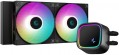 | 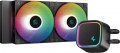 |
|---|---|---|
| Deepcool LE520 Black | Deepcool LE500 | |
from $99.99 | Outdated Product | |
| User reviews | ||
| TOP sellers | ||
Main specs | ||
| Features | for CPU | for CPU |
| Product type | liquid cooling | liquid cooling |
Fan | ||
| Number of fans | 2 | 2 |
| Fan size | 120 mm | 120 mm |
| Bearing | hydrodynamic | hydrodynamic |
| Min. RPM | 500 rpm | 500 rpm |
| Max. RPM | 2250 rpm | 2250 rpm |
| Speed controller | auto (PWM) | auto (PWM) |
| Max. air flow | 85.85 CFM | 85.85 CFM |
| Static pressure | 3.27 mm H2O | 3.27 mm H2O |
| replaceable |  | |
| Noise level | 33 dB | 33 dB |
| Power source | 4-pin | 4-pin |
Radiator | ||
| Heatsink material | aluminum | aluminum |
| Plate material | copper | copper |
| Socket | AMD AM4 AMD AM5 Intel 1150 Intel 1155/1156 Intel 1151 / 1151 v2 Intel 1200 Intel 1700 / 1851 | AMD AM4 AMD AM5 Intel 1150 Intel 1155/1156 Intel 1151 / 1151 v2 Intel 1200 Intel 1700 / 1851 |
Liquid cooling | ||
| Heatsink size | 240 mm | 240 mm |
| Pump size | 91x80x52 mm | 91x80x52 mm |
| Pump rotation speed | 2400 rpm | 2400 rpm |
| Pipe length | 410 mm | 410 mm |
| Pump power source | 3-pin | 3-pin |
General | ||
| Lighting | | |
| Lighting colour | ARGB | |
| Lighting sync | multi compatibility | |
| Mount type | bilateral (backplate) | bilateral (backplate) |
| Manufacturer's warranty | 3 years | 3 years |
| Dimensions | 282x120x27 mm | 282x120x27 mm |
| Weight | 1238 g | 1238 g |
| Added to E-Catalog | august 2023 | november 2022 |


Compare Deepcool LE520 Black and LE500
Comparing Deepcool LE520 Black and Deepcool LE500, it can be noted that both devices are designed for processors and have the same water cooling design with two 120mm fans. Both coolers use hydrodynamic bearings and provide a maximum airflow of 85.85 CFM at a noise level of 33 dB. However, the LE520 Black stands out with the presence of ARGB lighting, which may be important for users striving for aesthetic assembly. Otherwise, the characteristics of the radiator, including materials and dimensions, are identical, making the choice between them mainly a matter of design.
You may be interested in
My comparisons
Deepcool LE520 Black often compared


Deepcool LE500 often compared
Glossary
Lighting colour
The colour of the backlight installed in the cooling system.
See above for more details on the backlight itself. Also note here that in the illumination of modern cooling systems there is both one colour (most often red or blue, less often green, yellow, white or purple), and multi-colour systems such as RGB and ARGB. The choice of a single-colour backlight depends mainly on aesthetic preferences, but the last two varieties should be touched upon separately.
The basic principle of operation of both RGB and ARGB systems is the same: the design provides for a set of LEDs of three basic colours — red (Red), green (Green) and blue (Blue), and by changing the number and brightness of the included LEDs, you can not only intensity, but and tint of light. The difference between these options differs in functionality: RGB systems support a limited set of colours (usually up to one and a half dozen, or even less), while ARGB allows you to choose almost any shade from the entire available colour range. At the same time, both of them can support backlight synchronization (see below); in general, this function is not required for RGB and ARGB systems, but it is used almost exclusively in them.
See above for more details on the backlight itself. Also note here that in the illumination of modern cooling systems there is both one colour (most often red or blue, less often green, yellow, white or purple), and multi-colour systems such as RGB and ARGB. The choice of a single-colour backlight depends mainly on aesthetic preferences, but the last two varieties should be touched upon separately.
The basic principle of operation of both RGB and ARGB systems is the same: the design provides for a set of LEDs of three basic colours — red (Red), green (Green) and blue (Blue), and by changing the number and brightness of the included LEDs, you can not only intensity, but and tint of light. The difference between these options differs in functionality: RGB systems support a limited set of colours (usually up to one and a half dozen, or even less), while ARGB allows you to choose almost any shade from the entire available colour range. At the same time, both of them can support backlight synchronization (see below); in general, this function is not required for RGB and ARGB systems, but it is used almost exclusively in them.
Lighting sync
Backlight synchronization technology, provided in the cooling system with built-in lighting (see above).
Synchronization itself allows you to "match" the cooling backlight with the backlight of other system components — the motherboard, processor, graphics card, case, keyboard, mouse, etc. Thanks to this matching, all components can change colour synchronously, turn on / off at the same time, etc. The specific features of the operation of such a backlight depend on the synchronization technology used, and, usually, each manufacturer has its own (Aura Sync for Asus, RGB Fusion for Gigabyte, etc.). The compatibility of the components also depends on this: they must all support the same technology. So the easiest way to achieve backlight compatibility is to collect components from the same manufacturer. However, among the cooling systems there are solutions of the multi compatibility format — compatible with several synchronization technologies at once; a specific compatibility list is usually indicated in the detailed specifications of such models.
Synchronization itself allows you to "match" the cooling backlight with the backlight of other system components — the motherboard, processor, graphics card, case, keyboard, mouse, etc. Thanks to this matching, all components can change colour synchronously, turn on / off at the same time, etc. The specific features of the operation of such a backlight depend on the synchronization technology used, and, usually, each manufacturer has its own (Aura Sync for Asus, RGB Fusion for Gigabyte, etc.). The compatibility of the components also depends on this: they must all support the same technology. So the easiest way to achieve backlight compatibility is to collect components from the same manufacturer. However, among the cooling systems there are solutions of the multi compatibility format — compatible with several synchronization technologies at once; a specific compatibility list is usually indicated in the detailed specifications of such models.