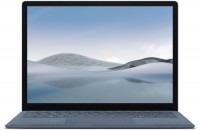
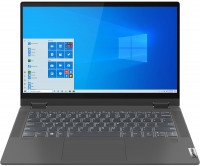
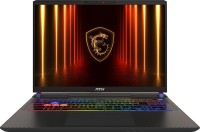
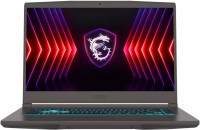
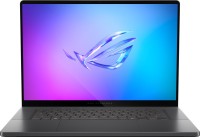
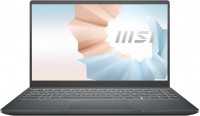
MSI Modern 14 B11MOU
 |

| B11MOU-1024US | Core i5 | 1155G7 | 8 GB | Iris Xe Graphics G7 80EUs | 512 GB | Win 11 Home | $799.00 .. $988.00 | Compare prices 2 | ||
| B11MOU-1025US | Core i7 | 1195G7 | 8 GB | Iris Xe Graphics G7 96EUs | 512 GB | Win 11 Home | $899.00 | Officedepot.com | ||
| B11MOU-494US | Core i7 | 1195G7 | 8 GB | Iris Xe Graphics G7 96EUs | 512 GB | Win 11 Home | $899.00 | Officedepot.com |
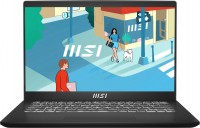
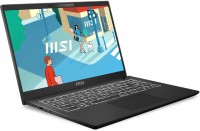
MSI's Modern 14 family of lightweight (1.3 kg) and thin (17 mm) laptops combines solutions designed for business and creative professionals. And their compactness will not be superfluous with frequent wear, traveling and traveling. All models of the line received a 14-inch display with IPS-matrix, Full HD resolution, anti-reflective matte finish and thin bezels. These ultrabooks can be attributed to solutions at the junction of the initial and middle price segments.
Among the distinguishing features against the background of younger devices, it is worth highlighting an all-aluminium case with high impact resistance (complies with the MIL-STD-810 protection standard), as well as popular equipment chips, including keyboard backlight, the presence of a Wi-Fi 6 wireless module and a webcam with HD resolution. All MSI Modern 14 B11MOU laptops are based on the Intel Core platform with 11th generation 2- or 4-core processors and integrated HD Graphics or Iris Xe Graphics. This hardware works in conjunction with DDR4 RAM (up to 16 GB in maximum configurations) and fast M.2 SSDs (from 256 to 512 GB). Such a "stuffing" will make it possible to effectively solve various tasks in the field of business, study, office work, including decent performance in various specialized programs.



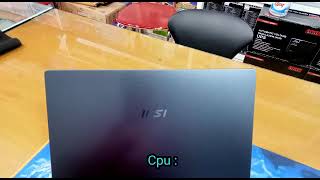









Bought a laptop in 2021 for studying, initially everything was fine, but after upgrading the router to a newer one with 5GHz support, it turned out that the laptop does not want to connect to this network in any way. Tried all the methods found on the internet, but nothing changed. The problem is not with the router, as phones and another laptop work smoothly on 5GHz without any issues. CPU fatigue, bad screen, keyboard input, windows 11 support program for keruvannya laptop in the middle of the virobnik, bios of other surroundings  Alerix: use MSI Modern 14 B11MOU more than year Alerix: use MSI Modern 14 B11MOU more than year |