
Canon PIXMA TS302 (2321C002)
 | Compare prices 2 → When you make a purchase through links on our site, we may receive a affiliate commission.
|

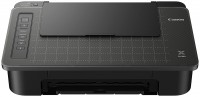
Canon PIXMA TS302
Type:colour, inkjet
Format:A4
Connection:Wi-Fi, USB type B, Bluetooth
Print Resolution:4800x1200 dpi
B/W printing:8 ppm
Colour print:4 ppm
Number of cartridges:2
A white grid is applied to the printer cover for easy creation of an electronic version of a document using a smartphone.
All specifications
Specifications PIXMA TS302
|
| ||||||||||||||||||||||||||||||||||||||||||||||||||||||||||||||||||||||||||||||

The information in the model description is for reference purposes.
Always clarify the specifications and configuration of the product with the online store manager before purchasing.
Catalog Canon 2026 - new arrivals, bestsellers, and the most relevant models Canon.
Always clarify the specifications and configuration of the product with the online store manager before purchasing.
Catalog Canon 2026 - new arrivals, bestsellers, and the most relevant models Canon.
Series Canon PIXMA TS (inkjet, photo)
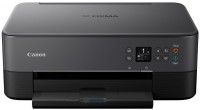
colour, flowers 4, inkjet, A4, printing 4800x1200 dpi, 2-side print, photo print, scanning 1200х2400 dpi, Wi-Fi Direct, AirPrint, low noise
colour, flowers 4, inkjet, A4, 4800x1200 dpi, b/w 8 ppm, color 4 ppm, Bluetooth, AirPrint
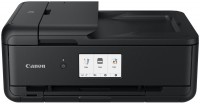
colour, flowers 6, inkjet, A3, printing 4800x1200 dpi, 2-side print, photo print, scanning 1200х2400 dpi, autoscan, LAN, Wi-Fi Direct, AirPrint, Bluetooth, card reader
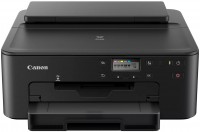
colour, flowers 4, inkjet, A4, 4800x1200 dpi, b/w 15 ppm, color 10 ppm, Wi-Fi Direct, AirPrint
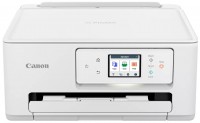
colour, flowers 4, inkjet, A4, printing 1200х1200 dpi, 2-side print, scanning 1200х2400 dpi, Wi-Fi Direct, AirPrint
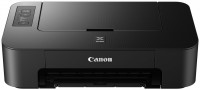
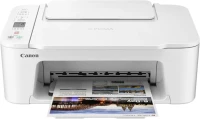
colour, flowers 4, inkjet, A4, printing 4800x1200 dpi, photo print, scanning 600х1200 dpi, Wi-Fi Direct, AirPrint

colour, flowers 5, inkjet, A4, printing 4800x1200 dpi, scanning 2400x4800 dpi, Wi-Fi Direct, AirPrint, low noise

colour, flowers 4, inkjet, A4, printing 1200х1200 dpi, 2-side print, photo print, scanning 1200х2400 dpi, 2-side scanning, Wi-Fi Direct, AirPrint

colour, flowers 4, inkjet, A4, printing 1200х1200 dpi, 2-side print, photo print, scanning 1200х1200 dpi, Wi-Fi Direct, AirPrint

colour, flowers 4, inkjet, A4, printing 4800x1200 dpi, 2-side print, photo print, scanning 2400x4800 dpi, LAN, AirPrint, Bluetooth, card reader
AccessoriesAll accessories for Canon PIXMA TS302 →
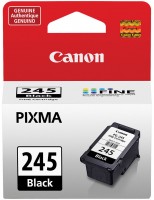
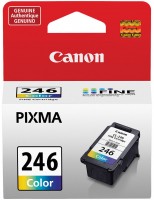
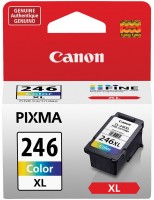
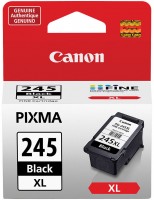
Video reviews
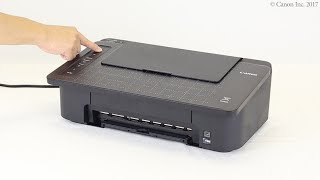
Preparing for installation (TS300 series)
5 June 201859 142 view

Wireless Setup for Canon PIXMA TS300 TS302 TS304 TS305 TS307 E304 series
16 December 202296 338 view

Canon TS302 Unboxing
16 March 20215 739 view
Smartphone Copy Feature
With the Smartphone Copy feature (in the Canon PRINT app), you can photograph any document with your smartphone, convert it to PDF format, and then save, send, or print it. To do this, place the document on the printer lid with the embossed white grid. Even if the document was taken at an angle, the app will straighten it.
With the Smartphone Copy feature (in the Canon PRINT app), you can photograph any document with your smartphone, convert it to PDF format, and then save, send, or print it. To do this, place the document on the printer lid with the embossed white grid. Even if the document was taken at an angle, the app will straighten it.
We recommendCompare using chart →
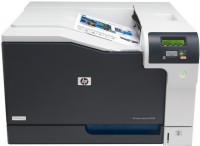
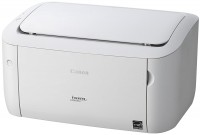
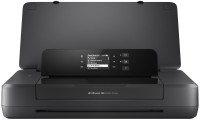
movable, colour, flowers 4, inkjet, A4, 4800x1200 dpi, b/w 10 ppm, color 7 ppm, Wi-Fi Direct, AirPrint
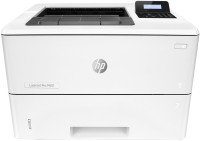
colour, flowers 4, laser, A4, 600x600 dpi, b/w 33 ppm, color 33 ppm, Wi-Fi Direct, AirPrint