
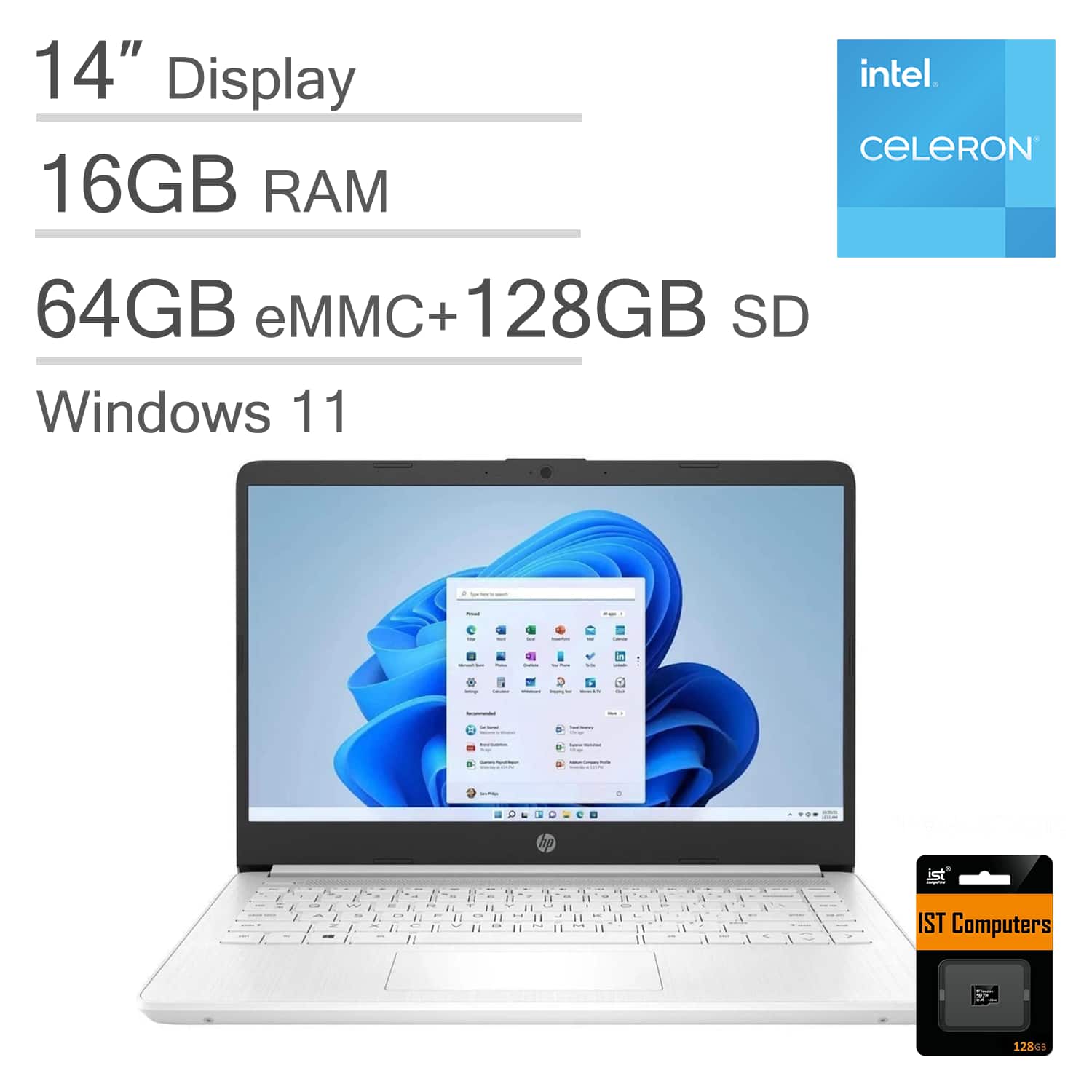
HP Upgraded - 14 14" HD Laptop - Intel Celeron with 16GB Memory - 192GB Storage - IST SDCard - Win 11 Home in S Mode - Whi
 | When you make a purchase through links on our site, we may receive a affiliate commission. Buy! HP - Upgraded - 14 14" HD Laptop - Intel Celeron with 16GB Memory - 192GB Storage - IST SDCard - Win 11 Home in S Mode - WhiBestBuy.comDelivery: in USA Report |
Buy HP Upgraded - 14 14" HD Laptop - Intel Celeron with 16GB Memory - 192GB Storage - IST SDCard - Win 11 Home in S Mode - Whi
When you make a purchase through links on our site, we may receive a affiliate commission.
| $499.99 | | ||||
At IST Computers, we offer computers with professionally customized and upgraded configurations designed to maximize performance. To complete these enhancements, our certified technicians carefully open the manufacturer’s sealed packaging for inspection, testing, and precise installation according to the advertised specifications. All systems and components are brand new. Warranty service is handled directly by IST Computers, not the manufacturer. The HP 14 Laptop boasts a thin and light design crafted for everyday multitasking and productivity on the go—weighing only 3.2 lbs, it comes with up to 11.5 hours of battery life and fast-charge technology to let you power through your day without burden, while you can enjoy a complimentary one-year Microsoft 365 subscription that includes full access to Excel, Word, PowerPoint, OneNote, Access, and 1TB of OneDrive storage to bring your ideas to life; it is powered by a high-performance Intel Celeron N4120 paired with Intel UHD Graphics, along with 16GB DDR4 RAM and 192GB storage (64GB eMMC + 128GB SD Card), delivering fast boot times, responsive performance, reliable multitasking, and stable flash storage; it is equipped with a 14" micro-edge display coupled with anti-glare technology for comfortable viewing, supports expanding the workspace with 2 external monitors via HDMI or USB-C (max resolution up to FHD (1920x1080) @60Hz without a docking station), and a 720p webcam meets daily video chat or conference needs; for rich connectivity options, it features USB-C 3.1 Gen 1, 2x USB-A 3.1 Gen 1, HDMI 1.4b, a headphone/microphone combo jack, an AC Smart Pin, and an SD Card Reader for expanded storage, plus Wi-Fi 5 and Bluetooth 5 for ultra-fast, stable wireless connectivity; it runs on Windows 11 Home in S mode, which provides a fast, safe, and secure, Chromebook-like experience—you can switch to Windows 11 Home from S mode (but cannot switch back from Home to S mode), and it is always recommended to check the requirements and compatibility of any software you will install on your new computer before purchase, making it ideal for family entertainment, school education, daily productivity, casual gaming, streaming, online classes, remote learning, Zoom meetings, video conferences, and more.
The product description is generated based on data from online stores. Before purchasing be sure to verify all information directly with the seller.

Gorilla Glass Generations Compared: Differences and Which One Is BestComplete analysis of Gorilla Glass — how the generations differ, which glass offers better protection against drops and scratches.
Best 34-inch Curved Gaming MonitorsA large ultra-wide screen provides full immersion in virtual gaming worlds.
How to place an order?How to add store?
Remember that the online store is responsible for the accuracy of information regarding price, warranty, and delivery!
You may be interested in