
OWC USB-C Adapter to Dual HDMI 4K with DisplayLink - Supports 2 4K Monitors at 60Hz - Compatible with Mac M1/M2/M3/M4 - Si
 | Expecting restock E-Catalog uses affiliate links compensated by our partners. |


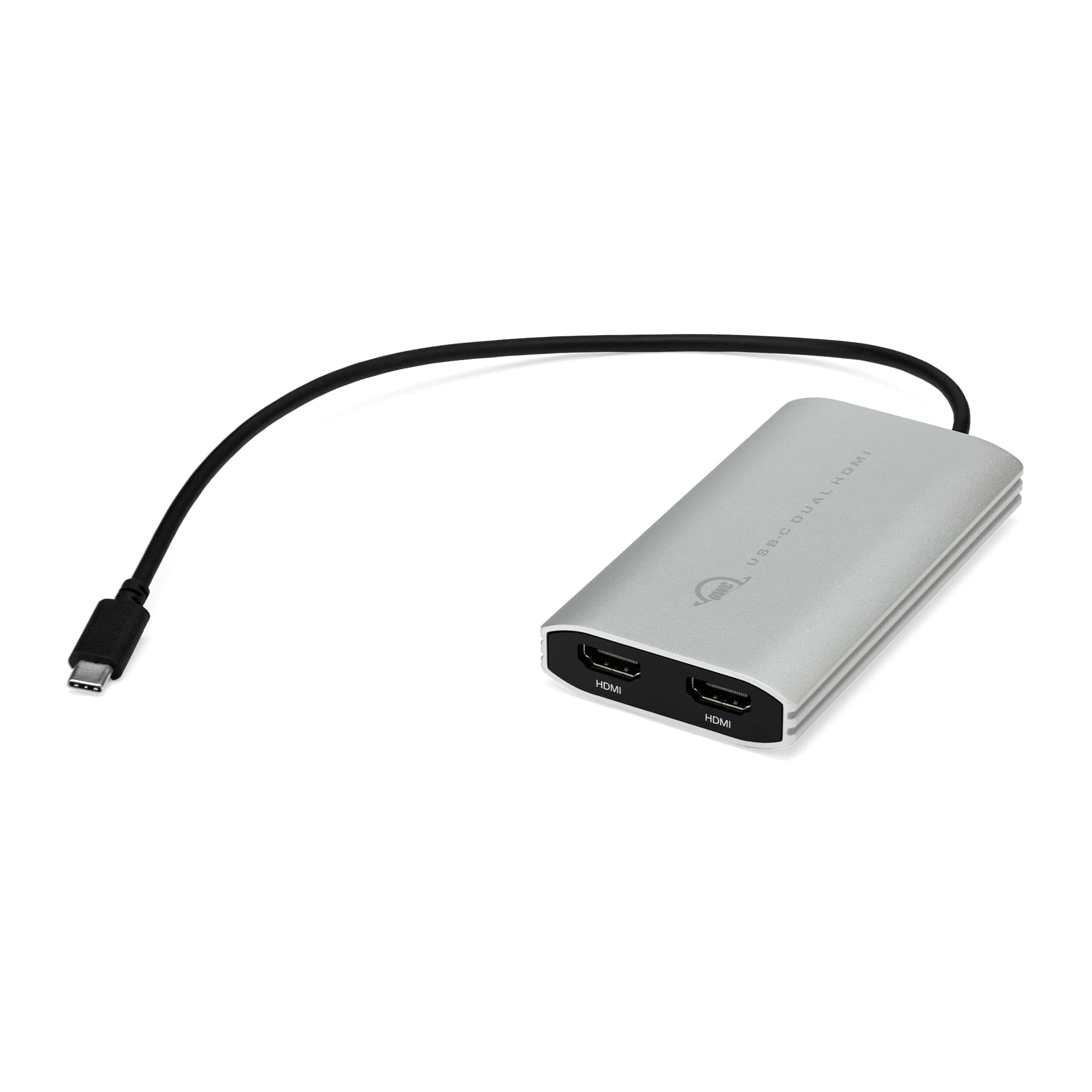
The OWC USB-C Dual HDMI Adapter is a single integrated cable solution allows you to use two 4K external displays through one USB-C port on your Mac, Windows PC, Chromebook, or Android device. Powered by DisplayLink technology, it solves the problem of how to use two or more external displays with Macs that natively support only one external display over Thunderbolt (USB-C). Now you can enjoy dramatic productivity gains by viewing different content on multiple screens. Plus, it’s backward compatible so you can use any HDMI display at its maximum resolution. Increase your work productivity up to 35% and gain precious personal free time by adding two 4K displays to your Mac or Windows PC with the OWC USB-C Dual HDMI Adapter. With two external displays, you can simultaneously use landscape and portrait displays for easier, more natural viewing of page layouts, spreadsheets, videos, and web pages. Powered by DisplayLink technology, the OWC USB-C Dual HDMI Adapter is the ideal solution for adding up to five external displays to Macs that are natively limited in support to just one external display over Thunderbolt (USB-C). With its compact size and bus-powered convenience, this handy adapter makes it easy for you to always be ready to wow an audience with a multi-display presentation.
The product description is generated based on data from online stores. Before purchasing be sure to verify all information directly with the seller.
New USB Labels: How to Avoid Confusion in Speeds, Cables, and ConnectorsThe USB-IF organization has finally updated the USB port labels. Let's figure out what has changed.
How to Choose the Right Cable for Your Smartphone, Tablet, and LaptopConnectors, power, bandwidth and other criteria for choosing a cable for gadgets
You may be interested in