
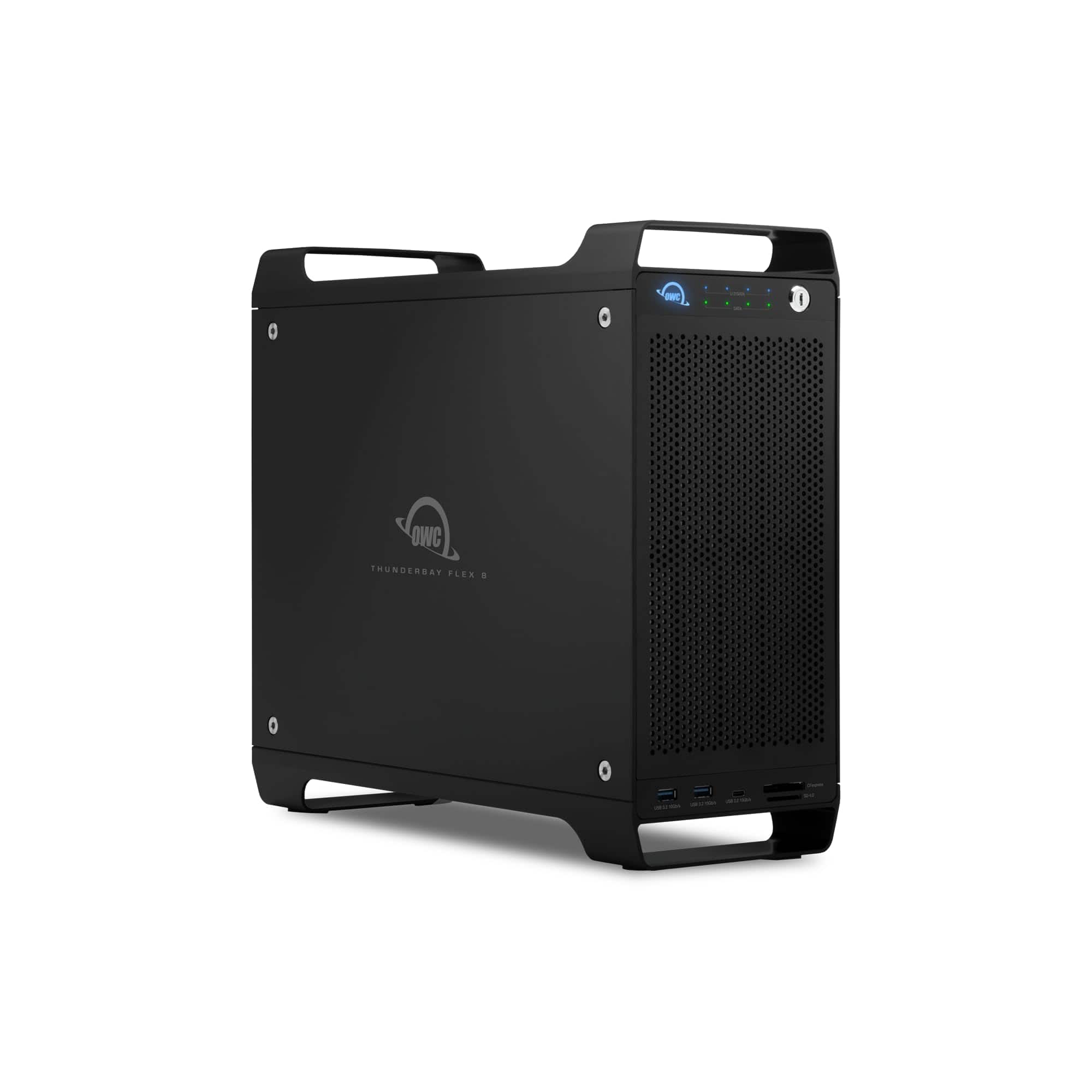
OWC Thunderbay Flex 8 Thunderbolt 3 Storage Docking Station w/PCIe Capabilities - Black TB3F80C000
 | When you make a purchase through links on our site, we may receive a affiliate commission. Buy! OWC - Thunderbay Flex 8 Thunderbolt 3 Storage Docking Station w/PCIe Capabilities - Black TB3F80C000BestBuy.comDelivery: in USA Report |
Buy OWC Thunderbay Flex 8 Thunderbolt 3 Storage Docking Station w/PCIe Capabilities - Black TB3F80C000
When you make a purchase through links on our site, we may receive a affiliate commission.
OWC - Thunderbay Flex 8 Thunderbolt 3 Storage Docking Station w/PCIe Capabilities - Black TB3F80C000 | $1,299.99 | | |||
Arrives pre-set with RAID 5 speed and protection. ThunderBay Flex 8 offers eight drive bays that support a mix of SATA/SAS1 and U.2/M.22 NVMe drives for virtually limitless storage capacity. Next, there’s a plethora of ports including two Thunderbolt 3, one USB-C, and two USB-A for device docking and charging. Ingest hi-res images and video via front-side SD 4.0 and CFexpress card readers. All eight bays are configured with SATA 6Gb/s 3.5-inch HDDs. With real-world read/write speeds of 2750MB/s. Power your notebook with up to 85W power delivery while capturing multi-stream hi-res footage. Connect audio and video mixers via one USB-C and two USB-A 10Gb/s ports. Ingest and work with 4/8K RAW video and RAW photo files immediately at speeds up to 985MB/s with frontside SD 4.0 and CFexpress card readers. By removing the enclosure’s side panel, you can expand your capabilities by installing a half-length, full-height, single-width expansion card in the PCIe x16 connector/x4 lanes slot. Add a 4K video capture card for direct ingest of multi-stream high-res footage. Record high-quality tracks with an audio card and then edit and archive tracks. Create a powerful file server with a high-speed networking card. By replacing the built-in SATA drive controller with a SATA or SAS RAID card, you can turn ThunderBay Flex 8 into a hardware RAID storage solution while keeping a PCIe slot open for other cards. Create RAID 0, 1, 4, 5, 1+0 (10) volumes (RAID 6, 6+ coming soon). By installing an OWC U.2 NVMe Interchange System carrier tray (sold separately) with a built-in U.2 connector into a ThunderBay Flex 8 drive tray, you can protect the U.2 SSD drive’s connector from repeated install/removal wear for improved drive longevity and investment. RAID 4/5/1+0 (10) is available for Mac only at this time
The product description is generated based on data from online stores. Before purchasing be sure to verify all information directly with the seller.
New USB Labels: How to Avoid Confusion in Speeds, Cables, and ConnectorsThe USB-IF organization has finally updated the USB port labels. Let's figure out what has changed.
How to Choose the Right Cable for Your Smartphone, Tablet, and LaptopConnectors, power, bandwidth and other criteria for choosing a cable for gadgets
How to place an order?How to add store?
Remember that the online store is responsible for the accuracy of information regarding price, warranty, and delivery!
You may be interested in