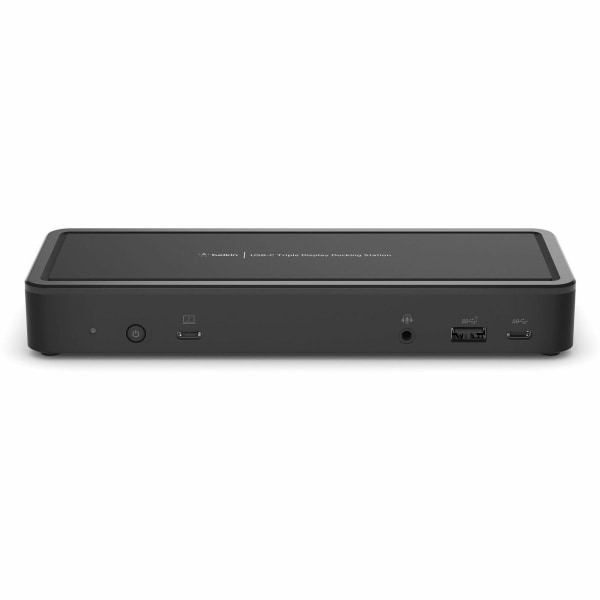
Belkin Universal USB-C Triple Display Laptop Docking Station - Chrome OS & Windows - 85W - USB Type C - Wired INC003TTBK
 |
Buy Belkin Universal USB-C Triple Display Laptop Docking Station - Chrome OS & Windows - 85W - USB Type C - Wired INC003TTBK
When you make a purchase through links on our site, we may receive a affiliate commission.
Belkin 14-Port USB-C Docking Station with 65W PD 78016818 | $179.99 |  | |||
Belkin - INC003TTBK Triple Display Docking Station - 1 x DisplayPort 1.4 / 1 x HDMI 2.0 / 1 x VGA - 65 Watts Power - USB - B | $190.49 |  | |||
| $200.68 |  | ||||
Belkin Universal USB-C Triple Display Laptop Docking Station - Chrome OS & Windows - 85W - USB Type C - Wired INC003TTBK | $249.99 |  | |||
Belkin 14-Port USB-C Docking Station, 65W, Black INC003ttBK | $149.99 |  | |||
Belkin INC003TTBK Belkin 14-Ports USB-C Docking Station with 65W Power Delivery Chromebook Refurbished INC003TTBK | $382.58 |  | |||
Belkin INC003TTBK | 14-Ports USB-C Docking Station with 65W Power Delivery Chromebook Refurbished INC003TTBK | $395.00 |  | |||
Package Includes:. USB-C Docking Station 14-Port 135W PSU USB-C to USB-C Cable (1M) At a Glance. Connect your laptop to multiple monitors,* supports resolution up to 4K Works With Chromebook Not recommended for Mac users. 65W Pass-Through USB-C Power Delivery Ports: 2x HDMI 2.0, 2x DisplayPort 1.4, 1x USB-C (MFDP) port, 5x USB-A, 2x USB-C (1x upstream, 1x downstream), 1x Gigabit Ethernet 3.5mm combination in/out audio jack Connect up to 3 displays on select Windows host devices with MST capabilities Connections That You Need. Your essential devices can connect to a single docking station for power and ease of use. Ports include: Power button, Lane Mode Switch USB-C 3.1 Gen 2 10Gbps (connection to laptop) Audio In/Out USB-A 3.1 Gen 2 10Gbps port with BC 1.2 and Apple Charge 2.4A USB-C 3.1 Gen 2 10Gbps 2 x USB-A 480Mbps 5V/0.5A 2 x USB-A 3.1 Gen 2 10Gbps Gigabit Ethernet USB-C (MFDP) 10Gpbs 5V/1.5A 2 x DisplayPort 1.4 2 x HDMI 2.0 Power jack 65W of USB-C Power Delivery 3.0. Power Delivery 3.0 delivers an efficient, simultaneous pass-through charge up to 65W to your laptop and multiple accessories while working, streaming, or gaming. Plus, USB-C PD 3.0 technology keeps you connected to devices even when your power source becomes disconnected. Learn more about USB-C Power Delivery > Multiple Monitors, Multiple Ports. Create your workspace with a docking station that expands your connections for the office, home office, or classroom. Our USB-C docking station allows you to connect up to two extended monitors through HDMI or DisplayPort to your Chromebook. This 14-port docking station offers up to 65W of pass-through power and 10 Gbps data transfer speeds, giving you the ability to connect and work while charging your laptop. You can connect an external hard drive, mouse, keyboard, headphones, and other peripherals to the USB-C dock while reducing desktop clutter with a single cable connection to your USB-C laptop. It�s Works With Chromebook Certified, with the ability to install firmware updates directly through Chrome OS for an enhanced connectivity experience. Plus, it�s TAA compliant for use in a wide range of government applications. Works With Chromebook Certified**. This USB-C dock is part of our portfolio of Chrome-certified products. All our Works With Chromebook products have gone through extensive testing and are proven to meet Chromebook compatibility standards. You can be assured it�s a docking station that�ll work seamlessly with your Chromebook, with the ability to install any needed firmware updates directly. Not recommended for Mac users. Specs. 29mm / 1.14” 210mm / 8.27” 80mm / 3.15” Up to 4K Resolution. View everything in high definition and work on multiple applications across your screens. This USB-C dock allows your laptop to
The product description is generated based on data from online stores. Before purchasing be sure to verify all information directly with the seller.
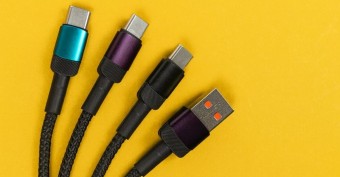
New USB Labels: How to Avoid Confusion in Speeds, Cables, and ConnectorsThe USB-IF organization has finally updated the USB port labels. Let's figure out what has changed.
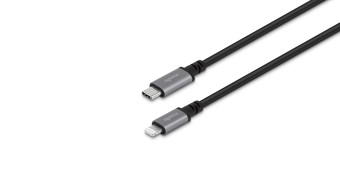
All about USB-C interfaceExploring the possibilities of USB-C: from universal charging and high-speed data transfer to image streaming
How to place an order?How to add store?
Remember that the online store is responsible for the accuracy of information regarding price, warranty, and delivery!
We recommendCompare using chart →
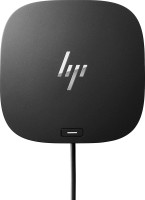
USB hub, connection USB-C, 5Gbps, ports: USB-A 4 pcs, USB-C 1 pcs, HDMI, DisplayPort, LAN, functions: external power supply, Power Delivery
USB hub, connection USB-C, 5Gbps, ports: USB-A 5 pcs, USB-C 2 pcs, HDMI, DisplayPort, LAN, functions: external power supply, Power Delivery
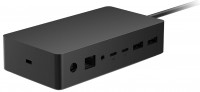

USB hub, connection USB-C, USB4 40Gbps / Thunderbolt 4, ports: USB-A 5 pcs, USB-C 3 pcs, HDMI, DisplayPort, LAN, functions: external power supply, Alt Mode
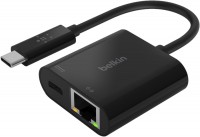

USB hub, connection USB-C, USB4 40Gbps / Thunderbolt 4, ports: USB-A 5 pcs, USB-C 3 pcs, HDMI, DisplayPort, LAN, functions: external power supply, Alt Mode
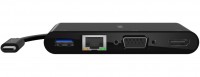
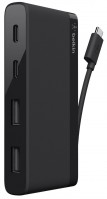
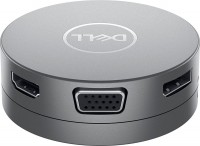
USB hub, connection USB-C, 5Gbps, ports: USB-A 2 pcs, USB-C 1 pcs, HDMI, DisplayPort, VGA, LAN, functions: Power Delivery