
Comparison AOC C27G2ZE 27 " black vs AOC C27G2ZU 27 " black
Add to comparison | 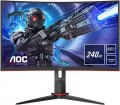 | 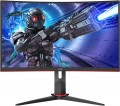 |
|---|---|---|
| AOC C27G2ZE 27 " black | AOC C27G2ZU 27 " black | |
from $227.00 | from $320.00 | |
| User reviews | ||
| TOP sellers | ||
| Product type | gaming | gaming |
| Size | 27 " | 27 " |
Screen | ||
| Curved screen | + | + |
| Panel type | *VA | *VA |
| Surface treatment | anti-glare | anti-glare |
| Resolution | 1920x1080 (16:9) | 1920x1080 (16:9) |
| FPS | 240 Hz | 240 Hz |
| Pixel size | 0.31 mm | 0.31 mm |
| Response time (GtG) | 4 ms | 4 ms |
| Vertical viewing angle | 178 ° | 178 ° |
| Horizontal viewing angle | 178 ° | 178 ° |
| Brightness | 300 cd/m² | 300 cd/m² |
| Static contrast | 3 000:1 | 3 000:1 |
| Dynamic Contrast | 80 000 000:1 | 80 000 000:1 |
| Colour depth | 8-bit (16.7M Colors) | 6-bit + FRC (16.7M Colors) |
| Colour space (sRGB) | 120 % | 120 % |
| Colour space (Adobe RGB) | 89 % | 89 % |
Connection | ||
| Video transmission | DisplayPort v1.2 2xHDMI v2.0 | DisplayPort v1.2 2xHDMI v2.0 |
| USB-A hub | 4x5Gbps | |
| Fast charge |  |  |
| Connectors (optional) | mini-Jack output (3.5 mm) | mini-Jack output (3.5 mm) |
Features | ||
| Features | Flicker-Free AMD FreeSync Premium | Flicker-Free AMD FreeSync Premium |
| Screen swivel | | |
| Height adjustment | | |
| Speakers | | |
| Sound power | 2x2 W | |
General | ||
| Wall mount | VESA 100x100mm | VESA 100x100mm |
| Power consumption | 36 W | 31 W |
| Energy class | B | B |
| Dimensions (WxHxD) | 612x529x227 mm | 612x367x73 mm |
| Weight | 5.5 kg | 5.5 kg |
| Color | ||
| Added to E-Catalog | august 2020 | july 2020 |


Compare AOC C27G2ZE and C27G2ZU
You may be interested in
My comparisons
AOC C27G2ZE often compared

Glossary
Colour depth
The colour depth supported by the monitor.
This parameter characterizes the number of shades that the screen can display. And here it is worth recalling that the image in modern monitors is based on 3 basic colours — red, green, blue (RGB scheme). And the number of bits is indicated not for the entire screen, but for each base colour. For example, 6 bits (the minimum colour depth for modern monitors) means that the screen is capable of producing 2 ^ 6, that is, 64 shades of red, green and blue; the total number of shades will be 64 * 64 * 64 = 262,144 (0.26 million). An 8-bit colour depth (256 shades for each base colour) already gives a total of 16.7 million colours; and the most advanced modern monitors support 10-bit colour, allowing you to work with more than a billion shades.
Screens with support for FRC technology are worth a special mention; nowadays, you can find models marked " 6 bit + FRC " and " 8 bit + FRC ". This technology was developed to improve picture quality in situations where the incoming video signal has a greater colour depth than the screen, such as when 10-bit video is fed to an 8-bit matrix. If such a screen supports FRC, the picture on it will be noticeably better than on a regular 8-bit monitor (although somewhat worse than on a full-fledged 10-bit monitor, but “8 bit + FRC” screens are much...cheaper).
High colour depth is important primarily for professional graphics and other tasks that require high colour fidelity. On the other hand, such features significantly affect the cost of the monitor. In addition, it is worth remembering that the quality of colour reproduction depends not only on the colour depth, but also on other parameters — in particular, colour gamut (see below).
This parameter characterizes the number of shades that the screen can display. And here it is worth recalling that the image in modern monitors is based on 3 basic colours — red, green, blue (RGB scheme). And the number of bits is indicated not for the entire screen, but for each base colour. For example, 6 bits (the minimum colour depth for modern monitors) means that the screen is capable of producing 2 ^ 6, that is, 64 shades of red, green and blue; the total number of shades will be 64 * 64 * 64 = 262,144 (0.26 million). An 8-bit colour depth (256 shades for each base colour) already gives a total of 16.7 million colours; and the most advanced modern monitors support 10-bit colour, allowing you to work with more than a billion shades.
Screens with support for FRC technology are worth a special mention; nowadays, you can find models marked " 6 bit + FRC " and " 8 bit + FRC ". This technology was developed to improve picture quality in situations where the incoming video signal has a greater colour depth than the screen, such as when 10-bit video is fed to an 8-bit matrix. If such a screen supports FRC, the picture on it will be noticeably better than on a regular 8-bit monitor (although somewhat worse than on a full-fledged 10-bit monitor, but “8 bit + FRC” screens are much...cheaper).
High colour depth is important primarily for professional graphics and other tasks that require high colour fidelity. On the other hand, such features significantly affect the cost of the monitor. In addition, it is worth remembering that the quality of colour reproduction depends not only on the colour depth, but also on other parameters — in particular, colour gamut (see below).
USB-A hub
The availability of additional USB-A ports on the monitor casing, which can be used to connect various peripherals (provided the monitor is connected to the computer's USB port with a special cable). This setup performs two useful functions. First, the hub increases the number of ports available for connection. Second, these ports are in close proximity to the user, literally within arm's reach. This is especially useful when working with classic PCs, where the system unit may be located under the desk or in another hard-to-reach place, making it inconvenient to reach out every time in search of USB ports.
As for the versions, monitors can feature USB 2.0 (low speed, making it more relevant for connecting peripherals — keyboards, mice, etc.), 5Gbps (3.2 gen1), 10Gbps (3.2 gen2) (high-speed ports for fast data transfer, optimal for flash drives and hard drives).
As for the versions, monitors can feature USB 2.0 (low speed, making it more relevant for connecting peripherals — keyboards, mice, etc.), 5Gbps (3.2 gen1), 10Gbps (3.2 gen2) (high-speed ports for fast data transfer, optimal for flash drives and hard drives).
Fast charge
Availability in the monitor USB port with function of fast charging. This connector is used to charge batteries in various gadgets (smartphones, tablets, etc.). It differs from conventional USB ports in increased power supply; in addition, this connector may not support any other functions at all, except for charging.
Note that in modern technology various special technologies can be used to speed up the charging process. So before buying a monitor with this feature, it doesn't hurt to check if it supports any of these technologies and whether they will be compatible with devices that you plan to charge.
Note that in modern technology various special technologies can be used to speed up the charging process. So before buying a monitor with this feature, it doesn't hurt to check if it supports any of these technologies and whether they will be compatible with devices that you plan to charge.
Screen swivel
The presence of a swivel stand in the design of the monitor allows you to change not only the angle of the screen (of course everyone has it), but also its rotation to the right and left. The angle of rotation depends on the model, but anyway, even a slight deviation allows you to quickly adjust the position of the monitor to your needs.
Speakers
The presence of the monitor's own built-in speakers. Such models, in fact, combine a screen and speakers, which can save the user from having to purchase separate acoustics. And for models with a TV tuner (see above), this function is almost mandatory. However note that the power of such speakers and the quality of their sound are relatively low, so such a system is hardly suitable for demanding listeners. Nevertheless, built-in acoustics usually sound at least as good as inexpensive external speakers, and take up much less space.
Sound power
Rated power of the speakers installed in the monitor (see "Built-in speakers"). The higher the power, the louder the acoustics can sound, the easier it is to cover a vast space. However, in most cases, the user is directly in front of the monitor, and high volume is not required for normal hearing. So this parameter is critical mainly for plasma and LCD panels (see "Type").
Power consumption
Rated power consumption of the monitor. Usually, this item indicates the maximum power that the device can consume during normal operation — that is, the energy consumption at maximum brightness, the highest volume of the built-in acoustics, etc. Actual power consumption can be noticeably lower, however, when choosing, it is still best to focus on the value stated in the specifications.
In general, the lower the power consumption, the more economical the device in terms of electricity consumption (ceteris paribus). In addition, this characteristic can be useful when selecting an uninterruptible power supply for a PC and in other specific situations when it is necessary to accurately determine the power consumption of equipment.
In general, the lower the power consumption, the more economical the device in terms of electricity consumption (ceteris paribus). In addition, this characteristic can be useful when selecting an uninterruptible power supply for a PC and in other specific situations when it is necessary to accurately determine the power consumption of equipment.