
Comparison Teclast M40 Plus 128 GB vs Teclast M40 Air 128 GB
Add to comparison | 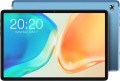 | 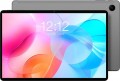 |
|---|---|---|
| Teclast M40 Plus 128 GB | Teclast M40 Air 128 GB | |
from $89.99 | from $149.00 | |
| TOP sellers | ||
The sampling rate of the sensor layer is 120 Hz. Dual microphone with noise reduction. | ||
| Operating system | Android 12 | Android 11 |
Screen | ||
| Screen | 10.1 " 1920x1200 px 224 ppi IPS 60 Hz | 10.1 " 1920x1200 px 224 ppi IPS 60 Hz |
| Brightness | 300 nit | |
Hardware | ||
| Processor (graphics) | Kompanio 500 (Mali-G72) | |
| CPU speed | 2 GHz | 2 GHz |
| CPU cores | 8 | 8 |
| RAM | 8 GB | 4 GB |
| RAM type | LPDDR4X | |
| Storage capacity | 128 GB | 128 GB |
| Storage type | UFS 2.1 | UFS 2.1 |
| Card reader |  | |
| Max. memory card storage | 1024 GB | |
Communication | ||
| SIM card | not supported | x2 nano-SIM |
| Communication standard | 4G (LTE) | |
| Wi-Fi | Wi-Fi 5 (802.11aс) | Wi-Fi 5 (802.11aс) |
| Bluetooth | v5.0 | v5.0 |
| Connections | USB-C mini-Jack (3.5 mm) | USB-C |
Navigation | ||
| aGPS |  | |
| GPS | | |
| GLONASS | | |
| Galileo support | | |
Camera | ||
| Main | 8 MP autofocus flash | 8 MP autofocus flash |
| Full HD filming (1080p) | 1920x1080 px 30 fps | |
| Camera (front) | 5 MP | 5 MP |
Features | ||
| More features | gyroscope | |
| Acoustics | stereo | stereo |
Power source | ||
| Battery capacity | 7000 mAh | 6000 mAh |
| Fast charging | Power Delivery | |
| Charger power | 18 W | |
General | ||
| Material | metal | metal |
| Size | 240x160x7.8 mm | |
| Weight | 420 g | 430 g |
| Color | ||
| Added to E-Catalog | february 2023 | february 2023 |


Compare Teclast M40 Plus and M40 Air
You may be interested in
Teclast M40 Plus often compared


Glossary
Operating system
The operating system (OS) that the tablet runs on.
The most popular operating systems in modern tablets are such operating systems as Android of different versions,iPadOS (modern version of iOS), as well as Windows 10 and Windows 11. Here is a more detailed description of the different options:
— Android. Free open source OS from Google. Used by almost all modern manufacturers except Apple. Presented on the market in many versions — in particular, Android 10 Q, Android 10 Go Edition, Android 11 R, 11 Go Edition, Android 12, Android 12 Go Edition, Android 13, Android 13 Go Edition, Android 14, Android 15. It is worth considering that at the time of the release of the device, one version of the OS could be installed, and at the time of sale it could be updated to a more modern one. Functionally, this OS is notable primarily for its full-fledged multitasking and an extensive set of available applications - in both of these points it surpasses both iOS and Windows. On the...other hand, in general, the quality of Android applications is somewhat lower than in iOS, and the system itself is designed mainly for entertainment use (unlike Windows). Initially, Android has tight integration with Google services - the Google Play app and content store, Gmail mail, Google Drive cloud storage, etc.; however, exceptions to this rule are possible. Note that the latest versions of this OS can be found on the market both in its original form and in one of two specific editions:
— Windows. The operating system developed by Microsoft, originally created for PCs and laptops, but nowadays also used in tablets. Such tablets are considered mainly professional and business-class devices, they are well suited, in particular, for study and regular work with documents. The 11th revision of the operating system from Microsoft, which debuted in 2021, is now considered relevant. Of the qualitative improvements in the system, the taskbar has been redesigned, which is now located in the centre of the bottom edge of the desktop, new widget menus have been introduced, window resizing and position changes (Snap), and the operating system has become friends with Android applications. The system remains the prerogative of tablets for work and study with support for office and specialized programs written under Windows.
— HarmonyOS. Huawei's Universal Operating System, also known as Hongmeng. Provides operation of a wide range of devices: appliances from the smart home ecosystem, smartwatches, smartphones and tablets. Specifically, in the tablet league of gadgets, the Harmony OS system is a kind of add-on on top of Android without Google services. The app store for Harmony OS devices is called AppGallery.
In modern tablets, you can find other operating systems, in addition to those described above. However, these are very rare and specific systems that have not received significant distribution.
The most popular operating systems in modern tablets are such operating systems as Android of different versions,iPadOS (modern version of iOS), as well as Windows 10 and Windows 11. Here is a more detailed description of the different options:
— Android. Free open source OS from Google. Used by almost all modern manufacturers except Apple. Presented on the market in many versions — in particular, Android 10 Q, Android 10 Go Edition, Android 11 R, 11 Go Edition, Android 12, Android 12 Go Edition, Android 13, Android 13 Go Edition, Android 14, Android 15. It is worth considering that at the time of the release of the device, one version of the OS could be installed, and at the time of sale it could be updated to a more modern one. Functionally, this OS is notable primarily for its full-fledged multitasking and an extensive set of available applications - in both of these points it surpasses both iOS and Windows. On the...other hand, in general, the quality of Android applications is somewhat lower than in iOS, and the system itself is designed mainly for entertainment use (unlike Windows). Initially, Android has tight integration with Google services - the Google Play app and content store, Gmail mail, Google Drive cloud storage, etc.; however, exceptions to this rule are possible. Note that the latest versions of this OS can be found on the market both in its original form and in one of two specific editions:
- Go Edition. Modification of Android, designed for inexpensive gadgets with "weak" hardware. Both the OS itself and standard applications (Assistant, Gmail, etc.) have been redesigned in this edition in such a way as to ensure reliable operation even with low computing power. At the same time, the developers tried to preserve the functionality of full-fledged Android as much as possible — however, some specific functions in the Go Edition were still not available (for example, standard maps do not support turn-by-turn navigation).
- HMS. Edition of Android without Google services, used in devices from Huawei. Due to US sanctions against China, this company cannot fully cooperate with Google — in particular, use Google services (Google Mobile Services — GMS) in its Android gadgets. As a replacement, HMS — Huawei Mobile Services were introduced. These services include Huawei ID, AppGallery, branded equivalents of Google's core services (assistant, browser, cloud storage, music/video, etc.), and app developer tools.
- 7.0. Released in August 2016. In this version, for the first time, a multi-window mode appeared — the ability to display two windows with two different applications on the same screen — as well as a virtual reality mode.
- 7.1. Update version 7.0, released at the end of 2016. Introduced a number of minor improvements related to appearance and usability.
- 8.0. A major update that was released at the end of the summer of 2017. Among the most notable innovations are picture-in-picture multitasking when watching videos, compatibility with Bluetooth 5, support for applications for VoIP (Internet telephony) at the system level, the ability to group notifications into “channels”. It is also the first version of Android to feature a Go edition (see above).
- 8.1. An update released at the end of 2017. From the user's point of view, this version is almost the same as the original 8.0, the main innovations are related to minor improvements and bug fixes.
- 9.0. Update introduced in August 2018. One of the most notable changes was the look, with a redesigned design and more customization options. In addition, instead of the three standard buttons in the navigation bar, only one (Home) button is displayed by default, the Back button appears only when it is relevant, and the list of open applications is displayed by moving the Home button to the right. Other important innovations include optimization of background power consumption based on the actual frequency of use of applications, compatibility with additional types of biometric authorization (in addition to a fingerprint), and the ability to simultaneously use several cameras at once with one application.
- 10. Version released in September 2019. This version introduced an expanded set of full-screen gestures (with the possibility of optimization in individual applications — in particular, disabling gestures on certain areas of the screen to avoid conflicts), a "dark" display mode at the system level, a number of important security updates (including a separate encryption standard for weak devices that do not support the AES format at the hardware level), full support for 5G communications and improved capabilities for working with augmented reality. In addition, a number of solutions have been introduced to optimize work on foldable gadgets with a flexible screen.
- 11.The next major Anroid update, released in the fall of 2020. The most noticeable innovations in this version are related to messages and notifications. So, a separate section "Conversations" for messages was created in notifications, it also became possible to display various correspondence in the form of a "bubble" on top of any running application (Bubbles function). The functionality of the Do Not Disturb mode has been expanded — now you can add exceptions for individual correspondence to it. Other important innovations include a system tool for recording video from the screen (including fixing touch points), a single control centre for smart home components, quick switching between playback devices (phone speaker, wireless headphones, Smart TV, etc.) , built-in support for Android Auto, as well as advanced options for managing the access of individual applications to certain data.
— Windows. The operating system developed by Microsoft, originally created for PCs and laptops, but nowadays also used in tablets. Such tablets are considered mainly professional and business-class devices, they are well suited, in particular, for study and regular work with documents. The 11th revision of the operating system from Microsoft, which debuted in 2021, is now considered relevant. Of the qualitative improvements in the system, the taskbar has been redesigned, which is now located in the centre of the bottom edge of the desktop, new widget menus have been introduced, window resizing and position changes (Snap), and the operating system has become friends with Android applications. The system remains the prerogative of tablets for work and study with support for office and specialized programs written under Windows.
— HarmonyOS. Huawei's Universal Operating System, also known as Hongmeng. Provides operation of a wide range of devices: appliances from the smart home ecosystem, smartwatches, smartphones and tablets. Specifically, in the tablet league of gadgets, the Harmony OS system is a kind of add-on on top of Android without Google services. The app store for Harmony OS devices is called AppGallery.
In modern tablets, you can find other operating systems, in addition to those described above. However, these are very rare and specific systems that have not received significant distribution.
Brightness
The maximum brightness in nits provided by the tablet screen.
The brighter the display, the more readable the picture remains on it under intense ambient light. Also, high brightness is important for the correct display of HDR content. However, a large margin for this indicator affects the cost and power consumption of the screen. Manufacturers can specify standard, maximum, and peak brightness values. At the same time, an equal sign cannot be put between the maximum and peak brightness. The first indicates the ability of the screen to produce the specified brightness over its entire area, while the peak one - in a limited area and for a short time (mainly for HDR content).
The brighter the display, the more readable the picture remains on it under intense ambient light. Also, high brightness is important for the correct display of HDR content. However, a large margin for this indicator affects the cost and power consumption of the screen. Manufacturers can specify standard, maximum, and peak brightness values. At the same time, an equal sign cannot be put between the maximum and peak brightness. The first indicates the ability of the screen to produce the specified brightness over its entire area, while the peak one - in a limited area and for a short time (mainly for HDR content).
Processor (graphics)
The processor is the "heart" of the device. It is responsible for performing all computing operations necessary for the normal functioning of the tablet and largely determines its overall performance. By knowing the specific model name of the processor, you can easily find detailed information about it, including comparisons with other models.
Nowadays, the most popular chips are Qualcomm's Snapdragon (especially top solutions like the Snapdragon series 7 and Snapdragon series 8), MediaTek (budget and "mid-range" processors such as MediaTek Helio and the advanced chipset line MediaTek Dimensity with 5G support), Unisoc. Among Windows tablets, Intel processors are common (mostly from the Intel Core family). And we must not forget about Apple's powerful processors M3, M4, M5.
The model of the graphics card installed in the tablet is indicated in parentheses. In such devices, the graphics card is not a separate unit but part of the processor; nevertheless, it still has a clear specialization and is responsible for graphics.
Accordingly, the graphics capabilities of the tablet directly de...pend on the characteristics of the graphics accelerator. In theory, by knowing the name, you can find detailed specifications of the graphics card, reviews, test results, and other information to assess how well it suits your needs. At the same time, in most cases, delving into such details is unnecessary— all system components, including the graphics card, are usually selected to fit the overall class of the tablet and the necessary capabilities for that class.
Nowadays, the most popular chips are Qualcomm's Snapdragon (especially top solutions like the Snapdragon series 7 and Snapdragon series 8), MediaTek (budget and "mid-range" processors such as MediaTek Helio and the advanced chipset line MediaTek Dimensity with 5G support), Unisoc. Among Windows tablets, Intel processors are common (mostly from the Intel Core family). And we must not forget about Apple's powerful processors M3, M4, M5.
The model of the graphics card installed in the tablet is indicated in parentheses. In such devices, the graphics card is not a separate unit but part of the processor; nevertheless, it still has a clear specialization and is responsible for graphics.
Accordingly, the graphics capabilities of the tablet directly de...pend on the characteristics of the graphics accelerator. In theory, by knowing the name, you can find detailed specifications of the graphics card, reviews, test results, and other information to assess how well it suits your needs. At the same time, in most cases, delving into such details is unnecessary— all system components, including the graphics card, are usually selected to fit the overall class of the tablet and the necessary capabilities for that class.
RAM
The amount of random access memory (RAM) installed in the tablet. This memory is used for direct data processing, and therefore its volume is one of the main indicators of system speed and power. However note that the optimal amount of RAM strongly depends on the OS used — different systems and even different versions of the same "OS" can vary greatly in terms of consumed resources. But models on the same OS can be compared with each other in terms of the amount of RAM.
As for specific values, indicators in 1 GB or less in our time are definitely a sign of a weak tablet. 2 GB and 3 GB can be called the entry level, 4 GB and 6 GB are middle class, and in the most advanced models, 8 GB, or even 16 GB can be installed (or even more) RAM.
As for specific values, indicators in 1 GB or less in our time are definitely a sign of a weak tablet. 2 GB and 3 GB can be called the entry level, 4 GB and 6 GB are middle class, and in the most advanced models, 8 GB, or even 16 GB can be installed (or even more) RAM.
RAM type
The type of random access memory (RAM) installed in the tablet.
All modern devices use LPDDR format RAM ( LPDDR4, LPDDR4x, LPDDR5, LPDDR5x). In addition to its miniature size, it differs from regular computer RAM by supporting special data transfer formats (16- and 32-bit memory buses). But the versions of such memory can be different:
— LPDDR3. The earliest generation of LPDDR of the current ones — presented in 2012, implemented in devices since 2013. Standardly operates at speeds up to 1600 MT/s (megatransactions per second) and a frequency of up to 933 MHz; the “enhanced” version supports speeds up to 2133 MT/s. Nowadays, this standard is rare, mainly among outdated devices.
— LPDDR4. The successor to LPDDR3, officially presented in August 2014 (although the first hardware developments were released back in late 2013). The operating speed, compared to its predecessor, has doubled — up to 3200 MT/s; the frequency has grown to 1600 MHz; and the power consumption has decreased by 40%. In addition, the data transfer format has changed — in particular, two 16-bit buses are used instead of one 32-bit, and some security improvements have been introduced into the standard. — LPDDR4x. An improved version of LPDDR4 with reduced power consumption — the standard uses a voltage of 0.6 V instead of 1.1 V. In addition, this type...of RAM has some improvements aimed at increasing the speed (it reaches 4266 MT/s) and general optimization of operation — for example, a single-channel mode has appeared for undemanding applications. Thanks to such characteristics, this version of memory has become much more widespread than the original LPDDR4.
— LPDDR5. Further development of "mobile" RAM, officially announced in early 2019. The operating speed in this version has been increased to 6400 MT/s, a differential signal format has been introduced to improve resistance to interference and errors, and dynamic frequency and voltage control has been implemented to reduce power consumption.
— LPDDR5x. A more energy-efficient and faster version of LPDDR5 RAM. Its data transfer rate has been increased to 8533 MT/s, and the peak throughput indicator has been increased to 8.5 Gbps. The number of memory banks per channel in LPDDR5x is always 16.
All modern devices use LPDDR format RAM ( LPDDR4, LPDDR4x, LPDDR5, LPDDR5x). In addition to its miniature size, it differs from regular computer RAM by supporting special data transfer formats (16- and 32-bit memory buses). But the versions of such memory can be different:
— LPDDR3. The earliest generation of LPDDR of the current ones — presented in 2012, implemented in devices since 2013. Standardly operates at speeds up to 1600 MT/s (megatransactions per second) and a frequency of up to 933 MHz; the “enhanced” version supports speeds up to 2133 MT/s. Nowadays, this standard is rare, mainly among outdated devices.
— LPDDR4. The successor to LPDDR3, officially presented in August 2014 (although the first hardware developments were released back in late 2013). The operating speed, compared to its predecessor, has doubled — up to 3200 MT/s; the frequency has grown to 1600 MHz; and the power consumption has decreased by 40%. In addition, the data transfer format has changed — in particular, two 16-bit buses are used instead of one 32-bit, and some security improvements have been introduced into the standard. — LPDDR4x. An improved version of LPDDR4 with reduced power consumption — the standard uses a voltage of 0.6 V instead of 1.1 V. In addition, this type...of RAM has some improvements aimed at increasing the speed (it reaches 4266 MT/s) and general optimization of operation — for example, a single-channel mode has appeared for undemanding applications. Thanks to such characteristics, this version of memory has become much more widespread than the original LPDDR4.
— LPDDR5. Further development of "mobile" RAM, officially announced in early 2019. The operating speed in this version has been increased to 6400 MT/s, a differential signal format has been introduced to improve resistance to interference and errors, and dynamic frequency and voltage control has been implemented to reduce power consumption.
— LPDDR5x. A more energy-efficient and faster version of LPDDR5 RAM. Its data transfer rate has been increased to 8533 MT/s, and the peak throughput indicator has been increased to 8.5 Gbps. The number of memory banks per channel in LPDDR5x is always 16.
Max. memory card storage
The largest amount of memory card with which the tablet is able to work correctly. For more information about the cards themselves, see "Memory Card Slot"; here we note that capacious media often use advanced technologies that are not supported by early models, and sometimes tablets simply do not have enough power to process large amounts of data. Therefore, for the convenience of choosing in our catalog, the maximum supported volume is indicated.
In fact, there are cases when some devices may exceed the claimed characteristics — for example, work with 8 GB of media with the claimed 4 GB of maximum capacity. However, it is worth focus on official data, because. if they are exceeded, normal operation with the card is not guaranteed.
In fact, there are cases when some devices may exceed the claimed characteristics — for example, work with 8 GB of media with the claimed 4 GB of maximum capacity. However, it is worth focus on official data, because. if they are exceeded, normal operation with the card is not guaranteed.
SIM card
The tablet's support for SIM cards means that it supports mobile networks (3G, LTE or even 5G - depending on the model). At a minimum, installing a card allows you to connect to the Internet to always stay connected. Note that modern tablets can use several different types of SIM cards. Before choosing a SIM card, you need to check what size card is suitable for the device.
- micro-SIM. The largest type of SIM card widely used in modern devices: it has a size of 15x12 mm. It was introduced back in 2010; nowadays it is being replaced by more compact and advanced nano-SIM and eSIM. Note that, as a last resort, a card for the microSIM slot can be made by simply cutting a larger mini-SIM to the required dimensions. However, such an operation is associated with a certain risk and requires care, so it is better to contact your mobile operator to replace the SIM card with a suitable one.
- nano-SIM. The smallest form factor of classic (replaceable) SIM cards is 12x9 mm. In such cards, the frames are cut almost “to fit the chip itself,” so there is essentially nowhere to further reduce traditional SIM cards. This standard appeared back in 2012, but it is still extremely widespread.
- e-SIM. A SIM card of this type is an electronic module built directly into the device and cannot be replaced. To authorize in the mobile operator’s network, you need to make the appropriate settings in t...he e-SIM; Moreover, such modules are able to save several sets of settings at once, which allows you to easily switch between different operators - no need to bother with physically replacing the SIM card, just change the profile in the settings. Another advantage of such modules is their compactness. However, before buying a phone with e-SIM, it doesn’t hurt to check whether this technology is supported by your mobile operator - even nowadays, not every network is compatible with such modules.
At the same time, the tablet is not always limited to one card slot. There are also options for two slots - this allows you to use two numbers at the same time in one device. The main convenience here is that to choose between two connection options, you don’t have to change the card in your tablet every time (and also risk losing the unused one). And the ability to choose may not be superfluous, given that different operators offer different communication standards, coverage areas and payment terms.
- micro-SIM. The largest type of SIM card widely used in modern devices: it has a size of 15x12 mm. It was introduced back in 2010; nowadays it is being replaced by more compact and advanced nano-SIM and eSIM. Note that, as a last resort, a card for the microSIM slot can be made by simply cutting a larger mini-SIM to the required dimensions. However, such an operation is associated with a certain risk and requires care, so it is better to contact your mobile operator to replace the SIM card with a suitable one.
- nano-SIM. The smallest form factor of classic (replaceable) SIM cards is 12x9 mm. In such cards, the frames are cut almost “to fit the chip itself,” so there is essentially nowhere to further reduce traditional SIM cards. This standard appeared back in 2012, but it is still extremely widespread.
- e-SIM. A SIM card of this type is an electronic module built directly into the device and cannot be replaced. To authorize in the mobile operator’s network, you need to make the appropriate settings in t...he e-SIM; Moreover, such modules are able to save several sets of settings at once, which allows you to easily switch between different operators - no need to bother with physically replacing the SIM card, just change the profile in the settings. Another advantage of such modules is their compactness. However, before buying a phone with e-SIM, it doesn’t hurt to check whether this technology is supported by your mobile operator - even nowadays, not every network is compatible with such modules.
At the same time, the tablet is not always limited to one card slot. There are also options for two slots - this allows you to use two numbers at the same time in one device. The main convenience here is that to choose between two connection options, you don’t have to change the card in your tablet every time (and also risk losing the unused one). And the ability to choose may not be superfluous, given that different operators offer different communication standards, coverage areas and payment terms.
Communication standard
— 3G. Support for third-generation mobile networks (3G) by the modem. Usually it means work in UMTS networks (development of the GSM standard); Depending on the data transfer technologies supported by the network and the tablet itself, the maximum connection speed can vary from 2 to 70 Mbps. This is comparable to the speed of terrestrial Internet connection channels, so 3G connection can be comfortably used for web surfing, downloading files, watching streaming video, video calling, etc. In many models, classic voice calls to mobile and landline numbers are also available; most often these are devices with a small diagonal, which allows you to hold the tablet to your ear like a regular phone.
— 4G (LTE). Tablet support for 4th generation mobile communications — 4G(LTE). Such a connection provides data transfer speeds up to 173 Mbps according to the official specification (1 Gbps in the future), which gives even more comfort when surfing the Internet and other similar tasks than in 3G networks. In many LTE-tablets, classic voice calls to mobile and landline numbers are also available; most often these are devices with a small diagonal, which allows you to hold the tablet to your ear like a regular phone.
Note that the implementation of LTE in different countries and even regions is uneven, so before buying a tablet with such a module, it's ok to clarify the availability of coverage.
<...br> — 5G. Further, after 4G, the development of mobile communication standards. In the official specifications of this generation, a peak speed of 20 Gbps for reception and 10 Gbps for transmission, guaranteed reception and transmission speeds (at high network load) of 100 and 50 Mbps, respectively, as well as a number of solutions aimed at increasing reliability and overall communication quality. A set of such solutions includes, in particular, multi-element antenna arrays (Massive MIMO) and beamforming technologies (Beamforming) at base stations, as well as the possibility of direct communication between subscriber devices. With all this, this standard allows to reduce energy consumption in comparison with its predecessors.
Separately, it is worth touching on rumors about the dangers of 5G communications for health. According to modern scientific data, such a connection does not pose a danger to the human body, and the rumors mentioned are conspiracy theories that are not supported by any weighty arguments.
— 4G (LTE). Tablet support for 4th generation mobile communications — 4G(LTE). Such a connection provides data transfer speeds up to 173 Mbps according to the official specification (1 Gbps in the future), which gives even more comfort when surfing the Internet and other similar tasks than in 3G networks. In many LTE-tablets, classic voice calls to mobile and landline numbers are also available; most often these are devices with a small diagonal, which allows you to hold the tablet to your ear like a regular phone.
Note that the implementation of LTE in different countries and even regions is uneven, so before buying a tablet with such a module, it's ok to clarify the availability of coverage.
<...br> — 5G. Further, after 4G, the development of mobile communication standards. In the official specifications of this generation, a peak speed of 20 Gbps for reception and 10 Gbps for transmission, guaranteed reception and transmission speeds (at high network load) of 100 and 50 Mbps, respectively, as well as a number of solutions aimed at increasing reliability and overall communication quality. A set of such solutions includes, in particular, multi-element antenna arrays (Massive MIMO) and beamforming technologies (Beamforming) at base stations, as well as the possibility of direct communication between subscriber devices. With all this, this standard allows to reduce energy consumption in comparison with its predecessors.
Separately, it is worth touching on rumors about the dangers of 5G communications for health. According to modern scientific data, such a connection does not pose a danger to the human body, and the rumors mentioned are conspiracy theories that are not supported by any weighty arguments.
Connections
— microUSB. A smaller version of the USB connector, widely used in modern tablets as a universal interface. MicroUSB is mainly used for charging the battery and connecting the device to a computer, and with USB OTG support, flash drives and other accessories can also be connected (of course, an adapter will be required to work with a full-sized USB plug in such cases). This connector is gradually being replaced by the more convenient and advanced USB-C (see below), but it is still a long way from completely disappearing.
— USB-C. It has similar dimensions to microUSB (see above) and has replaced it, but differs in connector design—it is symmetrical, allowing the plug to be connected either way. In terms of application, this interface is also similar to microUSB, with the caveat that USB-C often features support for the advanced standard of 10Gbps, which provides speeds up to 10 Gbps. Moreover, implementing fast charging through such a connector is easier—some fast charging technologies were initially created for USB-C.
— USB4. A high-speed revision of the USB interface introduced in 2019. It only uses symmetrical USB-C type connectors and does not have its own data format—instead, such a connection is used to transmit information across multiple standards: USB 20Gbps and DisplayPort as mandatory, and PCI-E as an option. Anoth...er feature is that USB4 is based on the Thunderbolt protocol. It should also be noted that this USB revision allows for "daisy chain" device connections and by default supports Power Delivery technology, optimizing the charging process of external gadgets (provided that they also implement this technology).
The maximum data transfer speed for such a connector should not be less than 10 Gbps, but variants with speeds of 20 Gbps and even 40 Gbps are often found (depending on the technologies and standards supported by the specific port). Meanwhile, USB4 ports are fully compatible with USB-C interface peripherals.
— DisplayPort Alt Mode. A function that allows transmitting video signals through a USB-C port. This means that a tablet can be connected to an external display (monitor, TV, etc.) directly via a USB-C cable, without the need for additional adapters or converters. For using DisplayPort Alt Mode, support is required on both the gadget and the connected device (monitor, TV), as well as a suitable USB-C cable capable of transmitting video. Note that this capability is often implemented in tablets with two USB-C ports, where one supplies power and the other outputs a signal to an additional monitor.
— USB-A 2.0. A full-sized USB port that complies with version 2.0. This port allows connecting standard USB peripherals to a tablet, such as flash drives or keyboards; however, due to its large size, it is rarely found, mainly in business models and "hybrids" equipped with docking stations (in such cases, the port may be located on the docking station). Version 2.0 supports data transfer speeds up to 480 Mbps.
— USB-A 5Gbps. A version of USB previously known as USB 3.2 gen1 or USB 3.0. It uses the traditional full-sized USB connector and provides operation speeds up to 4.8 Gbps—10 times higher than the previous 2.0 version—as well as higher power capacity. Additionally, USB-A 2.0 peripherals can also be connected to these connectors.
— HDMI. A digital interface specifically created for transmitting HD content: high-definition video and multi-channel sound. It is very popular in video equipment, particularly used in almost all modern TVs and often found in projectors, media players, and so on. Therefore, HDMI support will be very useful if you plan to stream video from your tablet to an external screen. In portable devices, a reduced miniHDMI or microHDMI connector is usually used; however, finding a cable for such a port is not problematic.
— Mini-jack (3.5 mm). A standard 3.5 mm mini-Jack socket. This plug is used by the vast majority of modern wired headphones, headsets, and portable speakers, which is why the 3.5 mm port typically plays the role of an audio jack in most tablets. While there are generally no issues with headphones and speakers, it doesn't hurt to check separately for compatibility with headsets—these devices have their own connection specifics. It should also be noted that there are tablets without a 3.5 mm jack—they are usually designed for specialized accessories connected via a proprietary connector or for wireless Bluetooth audio equipment.
— USB-C. It has similar dimensions to microUSB (see above) and has replaced it, but differs in connector design—it is symmetrical, allowing the plug to be connected either way. In terms of application, this interface is also similar to microUSB, with the caveat that USB-C often features support for the advanced standard of 10Gbps, which provides speeds up to 10 Gbps. Moreover, implementing fast charging through such a connector is easier—some fast charging technologies were initially created for USB-C.
— USB4. A high-speed revision of the USB interface introduced in 2019. It only uses symmetrical USB-C type connectors and does not have its own data format—instead, such a connection is used to transmit information across multiple standards: USB 20Gbps and DisplayPort as mandatory, and PCI-E as an option. Anoth...er feature is that USB4 is based on the Thunderbolt protocol. It should also be noted that this USB revision allows for "daisy chain" device connections and by default supports Power Delivery technology, optimizing the charging process of external gadgets (provided that they also implement this technology).
The maximum data transfer speed for such a connector should not be less than 10 Gbps, but variants with speeds of 20 Gbps and even 40 Gbps are often found (depending on the technologies and standards supported by the specific port). Meanwhile, USB4 ports are fully compatible with USB-C interface peripherals.
— DisplayPort Alt Mode. A function that allows transmitting video signals through a USB-C port. This means that a tablet can be connected to an external display (monitor, TV, etc.) directly via a USB-C cable, without the need for additional adapters or converters. For using DisplayPort Alt Mode, support is required on both the gadget and the connected device (monitor, TV), as well as a suitable USB-C cable capable of transmitting video. Note that this capability is often implemented in tablets with two USB-C ports, where one supplies power and the other outputs a signal to an additional monitor.
— USB-A 2.0. A full-sized USB port that complies with version 2.0. This port allows connecting standard USB peripherals to a tablet, such as flash drives or keyboards; however, due to its large size, it is rarely found, mainly in business models and "hybrids" equipped with docking stations (in such cases, the port may be located on the docking station). Version 2.0 supports data transfer speeds up to 480 Mbps.
— USB-A 5Gbps. A version of USB previously known as USB 3.2 gen1 or USB 3.0. It uses the traditional full-sized USB connector and provides operation speeds up to 4.8 Gbps—10 times higher than the previous 2.0 version—as well as higher power capacity. Additionally, USB-A 2.0 peripherals can also be connected to these connectors.
— HDMI. A digital interface specifically created for transmitting HD content: high-definition video and multi-channel sound. It is very popular in video equipment, particularly used in almost all modern TVs and often found in projectors, media players, and so on. Therefore, HDMI support will be very useful if you plan to stream video from your tablet to an external screen. In portable devices, a reduced miniHDMI or microHDMI connector is usually used; however, finding a cable for such a port is not problematic.
— Mini-jack (3.5 mm). A standard 3.5 mm mini-Jack socket. This plug is used by the vast majority of modern wired headphones, headsets, and portable speakers, which is why the 3.5 mm port typically plays the role of an audio jack in most tablets. While there are generally no issues with headphones and speakers, it doesn't hurt to check separately for compatibility with headsets—these devices have their own connection specifics. It should also be noted that there are tablets without a 3.5 mm jack—they are usually designed for specialized accessories connected via a proprietary connector or for wireless Bluetooth audio equipment.