
Comparison M-AUDIO Keystation 49 MK III vs Alesis V49
Add to comparison | 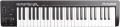 | 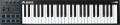 |
|---|---|---|
| M-AUDIO Keystation 49 MK III | Alesis V49 | |
| Compare prices 1 | from $299.00 | |
| TOP sellers | ||
| Keys | 49 шт | 49 шт |
| Key size | full size | full size |
| Mechanics | active (dynamic) | active (dynamic) |
| Rigidity | semi-weighted | unweighted |
Control | ||
| Pitch controller |  | |
| Modulation controller | | |
| Octave shift | | |
| Transport control | |  |
| Pads | 8 | |
| Faders | 1 | |
| Regulators (encoders) | 4 | |
Connections | ||
| USB to host (type B) | | |
| Connectable pedals | 1 шт | 1 шт |
General | ||
| Programming function | | |
| Dimensions (WxHxD) | 955x114x244 mm | |
| Weight | 4.3 kg | |
| Color | ||
| Added to E-Catalog | november 2019 | february 2018 |



Compare M-AUDIO Keystation 49 MK III and Alesis V49
Price comparison
You may be interested in
My comparisons
M-AUDIO Keystation 49 MK III often compared


Alesis V49 often compared


Glossary
Rigidity
The hardness of the keys on a keyboard is the amount of resistance they provide when pressed.
— Unweighted. Very low rigidity: the keys literally "fail" under the fingers. Found mostly in entry-level keyboards; this is due to the fact that unweighted mechanics are inexpensive, but the low pressure resistance makes it difficult to select the optimal pressure and control the dynamics of the sound.
— Semi- weighted. Keyboards with medium resistance — not as high as on weighted keys, but noticeably higher than on unweighted ones. This option is considered optimal for active keyboards (see "Mechanics"): at a low cost, it gives quite good responsiveness and, with a minimum skill, allows you to accurately control the pressing force.
— Weighted. Keyboards with high resistance, which is comparable to the resistance of classical piano keys. Note that high effort in this case is an advantage: it allows you to bring the response of the keyboard as close as possible to the response of a classical piano and makes it easier to control the pressure and dynamics of the sound. Actually, by definition, all hammer-action models are made weighted (see "Mechanics"), but among active keyboards this option is rare — due to complexity and high cost.
— Unweighted. Very low rigidity: the keys literally "fail" under the fingers. Found mostly in entry-level keyboards; this is due to the fact that unweighted mechanics are inexpensive, but the low pressure resistance makes it difficult to select the optimal pressure and control the dynamics of the sound.
— Semi- weighted. Keyboards with medium resistance — not as high as on weighted keys, but noticeably higher than on unweighted ones. This option is considered optimal for active keyboards (see "Mechanics"): at a low cost, it gives quite good responsiveness and, with a minimum skill, allows you to accurately control the pressing force.
— Weighted. Keyboards with high resistance, which is comparable to the resistance of classical piano keys. Note that high effort in this case is an advantage: it allows you to bring the response of the keyboard as close as possible to the response of a classical piano and makes it easier to control the pressure and dynamics of the sound. Actually, by definition, all hammer-action models are made weighted (see "Mechanics"), but among active keyboards this option is rare — due to complexity and high cost.
Transport control
The presence in the keyboard of the transport control function.
In this case, we are usually talking about support for the MIDI Machine Control standard, designed to control external recording and playback equipment. Such support actually turns the keyboard into an external remote control, allowing you to give commands from it to "Play", "Stop", "Pause", "Rewind" (forward and backward) and "Record". To do this, the design provides a separate panel with a set of appropriate buttons.
In this case, we are usually talking about support for the MIDI Machine Control standard, designed to control external recording and playback equipment. Such support actually turns the keyboard into an external remote control, allowing you to give commands from it to "Play", "Stop", "Pause", "Rewind" (forward and backward) and "Record". To do this, the design provides a separate panel with a set of appropriate buttons.
Pads
The number of pads provided in the design of the keyboard.
Pads are auxiliary controls in the form of characteristic pads, usually square. The pads respond to touch, each of them can be tied to a specific sound or even a sequence of sounds. One of the most popular ways to use pads is to play drums or other rhythmic instruments.
Pads are auxiliary controls in the form of characteristic pads, usually square. The pads respond to touch, each of them can be tied to a specific sound or even a sequence of sounds. One of the most popular ways to use pads is to play drums or other rhythmic instruments.
Faders
The number of faders provided in the design of the keyboard.
A fader is a slider control. The simplest kind of such controls is the volume setting; if there is one fader in the design, most likely it is responsible for the volume. If there are more controls, other functions can be tied to them, respectively — in particular, changing the settings in the recording programme on the computer to which the keyboard is connected.
A fader is a slider control. The simplest kind of such controls is the volume setting; if there is one fader in the design, most likely it is responsible for the volume. If there are more controls, other functions can be tied to them, respectively — in particular, changing the settings in the recording programme on the computer to which the keyboard is connected.
Regulators (encoders)
The number of encoder controlsprovided in the design of the keyboard.
Such a knob looks like a rotary knob, with which you can control various functions of the device to which the keyboard is connected — for example, turn the virtual knobs in the programme for recording and sound processing. At the same time, we note that a full-fledged encoder is capable of rotating 360 ° and turning to any angle in any direction, however, keyboards can also contain knobs with a limited rotation sector — they can also be called encoders. None of these options has a clear advantage: in some cases, an unlimited turning sector is more convenient, in others, a limited one.
Such a knob looks like a rotary knob, with which you can control various functions of the device to which the keyboard is connected — for example, turn the virtual knobs in the programme for recording and sound processing. At the same time, we note that a full-fledged encoder is capable of rotating 360 ° and turning to any angle in any direction, however, keyboards can also contain knobs with a limited rotation sector — they can also be called encoders. None of these options has a clear advantage: in some cases, an unlimited turning sector is more convenient, in others, a limited one.