
Comparison Chieftec Core BBS-700S vs Chieftec Proton BDF-650C
Add to comparison | 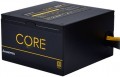 | 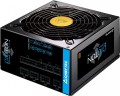 |
|---|---|---|
| Chieftec Core BBS-700S | Chieftec Proton BDF-650C | |
from $117.18 | from $229.00 | |
| User reviews | ||
| TOP sellers | ||
Certified 80 PLUS Gold. CWT platform. Wide input voltage range. | ||
| Power | 700 W | 650 W |
| Form factor | ATX | ATX |
Specs | ||
| PFC | active | active |
| Efficiency | 85 % | 85 % |
| Cooling system | active | active |
| Fan size | 120 mm | 140 mm |
| Fan bearing | sliding | sliding |
| Certification | 80+ Gold | 80+ Bronze |
| ATX12V version | 2.3 | 2.3 |
Power connectors | ||
| MB/CPU power supply | 24+8 (4+4) pin | 24+8 (4+4) pin |
| SATA | 6 | 6 |
| MOLEX | 3 | 3 |
| PCIe 8pin (6+2) | 4 | 4 |
| Floppy |  | |
| Cable system | non-modular | modular |
| Braided wires | |  |
Cable length | ||
| MB | 650 mm | 450 mm |
| CPU | 650 mm | 550 mm |
| SATA | 500 mm | 400 mm |
| MOLEX | 500 mm | 400 mm |
| PCIe | 500 mm | 450 mm |
Max. power | ||
| +3.3V | 22 А | 22 А |
| +5V | 22 А | 22 А |
| +12V1 | 58 А | 52.4 А |
| -12V | 0.3 А | 0.3 А |
| +5Vsb | 2.5 А | 2.5 А |
| +12V | 696 W | 650 W |
| +3.3V +5V | 120 W | 120 W |
| -12V | 3.6 W | 3.6 W |
| +5Vsb | 12.5 W | 12.5 W |
General | ||
| Over voltage protection (OVP) | | |
| Over power protection (OPP) | | |
| Short circuit protection (SCP) | | |
| Protection | SIP, UVP, OCP, OTP, AFC | |
| Manufacturer's warranty | 2 years | 2 years |
| Dimensions (HxWxD) | 87x150x140 mm | 87x150x160 mm |
| Weight | 1.72 kg | 1.6 kg |
| Added to E-Catalog | april 2019 | october 2017 |


Compare Chieftec Core and Proton
You may be interested in
My comparisons
Chieftec Core often compared


Chieftec Proton often compared


Glossary
Power
The output power of the power supply, in other words, is the maximum power that it is capable of delivering to the system. For the computer to operate efficiently, the power supply must be greater than the total power consumption of the system at maximum load. The latter can be calculated by summing the power of individual components, however, in general, for office configurations , about 400 W — 450 W is considered sufficient, for medium gaming — about 600 W( 500 W, 550 W, 650 W, 700 W, 750 W), and for the top ones — power of 800 W and above ( 850 W, 1000 W and even more than 1 kW).
Fan size
The diameter of the fan(s) in the power supply cooling system.
The large diameter allows to achieve good efficiency at relatively low RPMs, which in turn reduces noise and power consumption. On the other hand, large fans are more expensive than small ones and take up a lot of space, which affects the dimensions of the entire PSU. We also emphasize that a small fan is not yet a sign of a cheap power supply — quite advanced models can also have such equipment, in order to reduce dimensions.
As for specific diameters, the smallest value that can be found in modern consumer-grade PSUs is 80 mm. The most popular option is 120 mm, this size gives good efficiency and a relatively low noise level at a reasonable price and dimensions. Larger diameters are somewhat less common — 135 mm and 140 mm.
The large diameter allows to achieve good efficiency at relatively low RPMs, which in turn reduces noise and power consumption. On the other hand, large fans are more expensive than small ones and take up a lot of space, which affects the dimensions of the entire PSU. We also emphasize that a small fan is not yet a sign of a cheap power supply — quite advanced models can also have such equipment, in order to reduce dimensions.
As for specific diameters, the smallest value that can be found in modern consumer-grade PSUs is 80 mm. The most popular option is 120 mm, this size gives good efficiency and a relatively low noise level at a reasonable price and dimensions. Larger diameters are somewhat less common — 135 mm and 140 mm.
Certification
The presence or absence of an 80+ certificate for the power supply. This certificate indicates high energy efficiency: to obtain it, the efficiency (see above) must be at least 80%, and in different modes (20%, 50% and 100% of the maximum load). There are several degrees of 80+:
— 80+. The original version of the certificate, assuming an efficiency of at least 82% (at least 85% for 50% load).
— 80+ White. The second name of the original 80+ certificate (see above).
— 80+ Bronze — efficiency not less than 85% (for half load — 88%).
— 80+ Silver — respectively 87% (90% for half load).
— 80+ Gold — 89% (92% for half load)
— 80+ Platinum — 90% (94% for half load).
— 80+ Titanium — 94% (96% for half load).
The power factor (see "PFC Type") must be at least 0.9 for the lower levels and at least 0.95 for the Platinum level. Also note that for redundant power used in server systems, the efficiency requirements are somewhat lower.
— 80+. The original version of the certificate, assuming an efficiency of at least 82% (at least 85% for 50% load).
— 80+ White. The second name of the original 80+ certificate (see above).
— 80+ Bronze — efficiency not less than 85% (for half load — 88%).
— 80+ Silver — respectively 87% (90% for half load).
— 80+ Gold — 89% (92% for half load)
— 80+ Platinum — 90% (94% for half load).
— 80+ Titanium — 94% (96% for half load).
The power factor (see "PFC Type") must be at least 0.9 for the lower levels and at least 0.95 for the Platinum level. Also note that for redundant power used in server systems, the efficiency requirements are somewhat lower.
Cable system
The cable system used in the power supply. According to this parameter, modular, semi- modular and non-modular devices are distinguished, here are their features:
— Not modular. The classic version of the design, used in computer power supplies from the very beginning and not losing popularity to this day. The wires in such systems have a non-detachable design, and additional cables are not provided for connection. As a result, the user has to deal with only those cables that the manufacturer provided, without the ability to remove or replace them (the only modifications available are the installation of additional accessories such as an extension cord or splitter). Because of this, such PSUs are less convenient than modular and semi-modular ones: their wires are often excessively long, and some of them are not used at all, while such an “economy” further clutters up the case, worsening air circulation and cooling efficiency. On the other hand, these shortcomings can be reduced to almost zero with careful selection of the PSU and careful wiring; and non-modular systems themselves are distinguished by reliability and at the same time low cost. It is because of these features that they are most common nowadays.
— Modular. Systems in which each cable is made detachable; special sockets are used for fastening wires. Thanks to this design, you can optimally organize the space inside the PC —...for example, remove unnecessary wires so that they do not interfere with air circulation in the system unit; replace a cable that is too long with a shorter wire (or vice versa); swap cables, etc. At the same time, modular systems are noticeably more expensive than non-modular ones, while they are considered somewhat less reliable due to the presence of "weak points" in the form of removable cable mounts.
— Semi-modular. A kind of compromise between the options described above: some of the wires in such power supplies are made non-removable, some are equipped with modular mounts. This makes it possible to partially combine the advantages and compensate for the disadvantages of the two systems: semi-modular PSUs are less expensive and more reliable than modular ones, and at the same time more convenient than non-modular ones. Usually, in systems of this type, the most important wires have a non-removable design, which are almost guaranteed to be used when assembling a PC, and secondary cables are equipped with removable mounts and can be removed if not needed. However, the specific features of a semi-modular PSU should be specified separately.
— Not modular. The classic version of the design, used in computer power supplies from the very beginning and not losing popularity to this day. The wires in such systems have a non-detachable design, and additional cables are not provided for connection. As a result, the user has to deal with only those cables that the manufacturer provided, without the ability to remove or replace them (the only modifications available are the installation of additional accessories such as an extension cord or splitter). Because of this, such PSUs are less convenient than modular and semi-modular ones: their wires are often excessively long, and some of them are not used at all, while such an “economy” further clutters up the case, worsening air circulation and cooling efficiency. On the other hand, these shortcomings can be reduced to almost zero with careful selection of the PSU and careful wiring; and non-modular systems themselves are distinguished by reliability and at the same time low cost. It is because of these features that they are most common nowadays.
— Modular. Systems in which each cable is made detachable; special sockets are used for fastening wires. Thanks to this design, you can optimally organize the space inside the PC —...for example, remove unnecessary wires so that they do not interfere with air circulation in the system unit; replace a cable that is too long with a shorter wire (or vice versa); swap cables, etc. At the same time, modular systems are noticeably more expensive than non-modular ones, while they are considered somewhat less reliable due to the presence of "weak points" in the form of removable cable mounts.
— Semi-modular. A kind of compromise between the options described above: some of the wires in such power supplies are made non-removable, some are equipped with modular mounts. This makes it possible to partially combine the advantages and compensate for the disadvantages of the two systems: semi-modular PSUs are less expensive and more reliable than modular ones, and at the same time more convenient than non-modular ones. Usually, in systems of this type, the most important wires have a non-removable design, which are almost guaranteed to be used when assembling a PC, and secondary cables are equipped with removable mounts and can be removed if not needed. However, the specific features of a semi-modular PSU should be specified separately.
Braided wires
The presence of a braid in the complete wires of the system unit — for all or at least for some.
This feature has a positive effect on reliability, making the wire as resistant as possible to bending, abrasion, strong pressure and other similar influences; it also provides additional protection against accidental contact with sharp objects (for example, when repairing a PC). The disadvantages of braided wires, in addition to increased cost, are also increased thickness and greater rigidity than similar cables in conventional insulation. This can create some difficulties in organizing space inside the system unit.
This feature has a positive effect on reliability, making the wire as resistant as possible to bending, abrasion, strong pressure and other similar influences; it also provides additional protection against accidental contact with sharp objects (for example, when repairing a PC). The disadvantages of braided wires, in addition to increased cost, are also increased thickness and greater rigidity than similar cables in conventional insulation. This can create some difficulties in organizing space inside the system unit.
+12V1
The maximum current the PSU can deliver on the first +12V power line.
For more information on power lines in general, see the "+3.3V" section. Here, it is worth mentioning that 12V is the most popular voltage among computer power connectors. It is used in almost all such connectors (with few exceptions), and some plugs (for example, additional PCI-E power with 6 or 8 connectors) use only 12-volt lines — specifically in the +12V format. The division of +12V power into several separate lines is done for safety reasons — to reduce the current going through each individual wire and thus prevent excessive load and overheating of the wiring. However, some manufacturers do not specify the maximum current for individual +12V lines and provide only the overall value in the specifications; in such cases, this number is indicated in this section.
For more information on power lines in general, see the "+3.3V" section. Here, it is worth mentioning that 12V is the most popular voltage among computer power connectors. It is used in almost all such connectors (with few exceptions), and some plugs (for example, additional PCI-E power with 6 or 8 connectors) use only 12-volt lines — specifically in the +12V format. The division of +12V power into several separate lines is done for safety reasons — to reduce the current going through each individual wire and thus prevent excessive load and overheating of the wiring. However, some manufacturers do not specify the maximum current for individual +12V lines and provide only the overall value in the specifications; in such cases, this number is indicated in this section.
+12V
The maximum power that the PSU can deliver to the +12V power rail.
For more details on power rails in general, see "Maximum current and power." Here, it should be noted that 12V is the most popular voltage among computer power connectors. It is used in nearly all such connectors (with few exceptions), and some plugs (such as the additional PCI-E power for 6 or 8 connectors) use only 12-volt rails, specifically in the +12V format. Therefore, this indicator is one of the most important characteristics of any PSU.
It is worth noting that many PSUs have multiple separate +12V power rails. In such cases, the total power is indicated here, which is usually divided equally among the rails.
For more details on power rails in general, see "Maximum current and power." Here, it should be noted that 12V is the most popular voltage among computer power connectors. It is used in nearly all such connectors (with few exceptions), and some plugs (such as the additional PCI-E power for 6 or 8 connectors) use only 12-volt rails, specifically in the +12V format. Therefore, this indicator is one of the most important characteristics of any PSU.
It is worth noting that many PSUs have multiple separate +12V power rails. In such cases, the total power is indicated here, which is usually divided equally among the rails.
Protection
Protection schemes provided in the power supply unit. In addition to the aforementioned OVP (Over Voltage Protection), OPP (Over Power Protection), and SCP (Short Circuit Protection), modern PSUs may include the following safety functions:
— OCP. OCP in power supplies monitors the current on power lines and shuts down the PSU if consumption becomes dangerously high, to prevent overheating wires, connectors, and power elements inside the unit, and to avoid affecting components. Unlike OPP, which triggers based on the total power of the whole unit, OCP often catches a localized issue on a specific line or group of outputs. Compared to SCP, it's an "earlier" protection: it reacts before a full short circuit forms when resistance is not zero but current is already risky. Real-life examples include an unsuccessful graphics card overclock, a damaged GPU power cable, or the rare but unpleasant case of connector bending/melting: OCP will shut down the unit faster than you'll notice the smell of plastic.
— UVP. UVP monitors the voltage drop on the power supply's outputs and shuts it down when the values become too low for stable operation to avoid freezes, data writing errors, and "half-dead" modes, which are especially unpleasant for the motherboard and drives. Paired with OVP, these protections work like "frames": OVP catches dangerous spikes, UVP catches dangerous drops, while SIP often tries to smooth out the power issue at the input. A typical ex...ample would be an overloaded weak PSU, poor grid, or turning on powerful appliances at home: instead of unstable operation and strange reboots, UVP prefers to shut down the system predictably.
— OTP. OTP monitors the temperature inside the power supply and shuts it down when the heat becomes critical, protecting the transformer, power switches, and capacitors from accelerated wear and accidents. This is a "harsher" safety net than AFC: automatic fan control tries to prevent overheating, while OTP kicks in when cooling no longer suffices— for example, if the case is clogged with dust, the fan stops, the PSU is in a cramped compartment, or the PC runs under heavy load for a long time in summer. In real life, OTP often saves the day when a user inadvertently blocks the air intake or the fan starts failing: instead of smoke and component degradation, the unit simply turns off.
— SIP. SIP in power supplies is designed for "dirty" power conditions: transient surges, drops, and inrush currents that occur when a fridge compressor, pump, or air conditioner starts up at home, or when the network is unstable. Conceptually, it aligns closer to smoothing out input problems than to OVP/UVP, which already monitor the output and simply shut down the PSU at dangerous values; SIP aims to enhance system resilience to everyday voltage drops and spikes but does not replace a full external stabilizer or robust power protection if the grid is truly bad. A typical example would be a private house or old housing stock: SIP helps endure minor network "nudges" without sudden reboots.
— NLO (No-Load Operation). The ability of a power supply to correctly start and operate even with zero or very low load on the outputs, without "floating" voltages and instability. Unlike protections like OVP/OCP/SCP that respond to emergencies (overvoltage, overload, short circuit) and often shut down the PSU, NLO focuses on stability when consumption is minimal, or the load is temporarily absent, reducing the risk of odd malfunctions during testing or in energy-saving scenarios. In practice, NLO is useful when testing the unit on a bench without a connected PC, when the system starts with a minimal set of components, and when the computer spends most of the time idling, reducing consumption to a "trivial" level.
— AFC. AFC in power supplies manages fan speed based on temperature and load: it rotates slower and quieter when idle, and speeds up as consumption increases to dissipate heat in time. This is not "emergency" protection like OTP, which shuts down the unit during overheating, but a preventative measure: AFC helps maintain temperature at a normal level, thereby indirectly prolonging the lifespan of PSU components. A real-life example is that at night, in a quiet room, the PC doesn't hum under low load, and during gaming, the cooling automatically intensifies, preventing OTP from triggering.
— OCP. OCP in power supplies monitors the current on power lines and shuts down the PSU if consumption becomes dangerously high, to prevent overheating wires, connectors, and power elements inside the unit, and to avoid affecting components. Unlike OPP, which triggers based on the total power of the whole unit, OCP often catches a localized issue on a specific line or group of outputs. Compared to SCP, it's an "earlier" protection: it reacts before a full short circuit forms when resistance is not zero but current is already risky. Real-life examples include an unsuccessful graphics card overclock, a damaged GPU power cable, or the rare but unpleasant case of connector bending/melting: OCP will shut down the unit faster than you'll notice the smell of plastic.
— UVP. UVP monitors the voltage drop on the power supply's outputs and shuts it down when the values become too low for stable operation to avoid freezes, data writing errors, and "half-dead" modes, which are especially unpleasant for the motherboard and drives. Paired with OVP, these protections work like "frames": OVP catches dangerous spikes, UVP catches dangerous drops, while SIP often tries to smooth out the power issue at the input. A typical ex...ample would be an overloaded weak PSU, poor grid, or turning on powerful appliances at home: instead of unstable operation and strange reboots, UVP prefers to shut down the system predictably.
— OTP. OTP monitors the temperature inside the power supply and shuts it down when the heat becomes critical, protecting the transformer, power switches, and capacitors from accelerated wear and accidents. This is a "harsher" safety net than AFC: automatic fan control tries to prevent overheating, while OTP kicks in when cooling no longer suffices— for example, if the case is clogged with dust, the fan stops, the PSU is in a cramped compartment, or the PC runs under heavy load for a long time in summer. In real life, OTP often saves the day when a user inadvertently blocks the air intake or the fan starts failing: instead of smoke and component degradation, the unit simply turns off.
— SIP. SIP in power supplies is designed for "dirty" power conditions: transient surges, drops, and inrush currents that occur when a fridge compressor, pump, or air conditioner starts up at home, or when the network is unstable. Conceptually, it aligns closer to smoothing out input problems than to OVP/UVP, which already monitor the output and simply shut down the PSU at dangerous values; SIP aims to enhance system resilience to everyday voltage drops and spikes but does not replace a full external stabilizer or robust power protection if the grid is truly bad. A typical example would be a private house or old housing stock: SIP helps endure minor network "nudges" without sudden reboots.
— NLO (No-Load Operation). The ability of a power supply to correctly start and operate even with zero or very low load on the outputs, without "floating" voltages and instability. Unlike protections like OVP/OCP/SCP that respond to emergencies (overvoltage, overload, short circuit) and often shut down the PSU, NLO focuses on stability when consumption is minimal, or the load is temporarily absent, reducing the risk of odd malfunctions during testing or in energy-saving scenarios. In practice, NLO is useful when testing the unit on a bench without a connected PC, when the system starts with a minimal set of components, and when the computer spends most of the time idling, reducing consumption to a "trivial" level.
— AFC. AFC in power supplies manages fan speed based on temperature and load: it rotates slower and quieter when idle, and speeds up as consumption increases to dissipate heat in time. This is not "emergency" protection like OTP, which shuts down the unit during overheating, but a preventative measure: AFC helps maintain temperature at a normal level, thereby indirectly prolonging the lifespan of PSU components. A real-life example is that at night, in a quiet room, the PC doesn't hum under low load, and during gaming, the cooling automatically intensifies, preventing OTP from triggering.
Dimensions (HxWxD)
PC PSU dimensions are defined by the form factor (most often ATX 150×86 mm), and the key factor in compatibility is depth — the PSU case length. “Universal” ATX units are usually 140, 150 mm, while quiet, high-power models with large heatsinks and a 135/140‑mm fan range from 160 to 200+ mm; compact builds use SFX/SFX-L (depth ~100 and ~125 mm with an adapter bracket). The greater the depth, the higher the risk of hitting drive cages, the PSU shroud, cable management, or a front LCS radiator, and modular connectors plus cable bend radius require another 20 – 40 mm of real clearance.