
Comparison Apple MacBook Pro 15 2014 [MGXC2] vs Apple MacBook Pro 15 2013 [ME294]
Add to comparison | 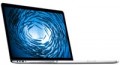 | 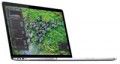 |
|---|---|---|
| Apple MacBook Pro 15 2014 [MGXC2] | Apple MacBook Pro 15 2013 [ME294] | |
from $275.39 | from $537.52 | |
| TOP sellers | ||
| Type | laptop | laptop |
Screen | ||
| Screen size | 15.4 " | 15.4 " |
| Screen type | IPS | IPS |
| Surface treatment | glossy | glossy |
| Screen resolution | 2880x1800 (16:10) | 2880x1800 (16:10) |
| Refresh rate | 60 Hz | 60 Hz |
| Light sensor |  | |
CPU | ||
| Series | Core i7 | Core i7 |
| Model | 4850HQ | |
| Processor cores | 4 | 4 |
| CPU speed | 2.5 GHz | 2.3 GHz |
RAM | ||
| RAM | 16 GB | 16 GB |
| Maximum installed RAM capacity | 16 GB | |
| RAM type | DDR3 | DDR3 |
| RAM memory frequency | 1600 MHz | 1600 MHz |
Graphics card | ||
| Graphics card type | dedicated | dedicated |
| Graphics card series | NVIDIA GeForce | NVIDIA GeForce |
| Graphics card model | GT 750M | GT 750M |
| Video memory | 2 GB | 2 GB |
| Video card memory type | GDDR5 | GDDR5 |
| Test 3DMark06 | 13670 points | 13745 points |
| Test 3DMark Vantage P | 9618 points | 9632 points |
Storage | ||
| Drive type | SSD | SSD |
Connections | ||
| Connection ports | HDMI miniDisplayPort | HDMI |
| Card reader | | |
| USB-A 5Gbps | 2 pcs | 2 pcs |
| Thunderbolt interface | x2 v2 | x2 v1 |
| Alternate Mode |  | |
| Wi-Fi | Wi-Fi 5 (802.11ac) | Wi-Fi 5 (802.11ac) |
Multimedia | ||
| Webcam | 1280x720 (HD) | 1280x720 (HD) |
| Camera shutter | | |
| Speakers | 2 pcs | 2 pcs |
| Security | kensington / Noble lock | kensington / Noble lock |
Keyboard | ||
| Backlight | in absent | in absent |
| Key design | island type | island type |
| Num block | | |
| Input device | touchpad | touchpad |
Battery | ||
| Battery capacity | 8600 mAh | 8600 mAh |
| Battery capacity | 95 W*h | 95 W*h |
| Operating time | 8 h | 8 h |
| Power Delivery via USB-C | | |
| Fast charge | | |
General | ||
| Preinstalled OS | MacOS | MacOS |
| Material | aluminum | aluminum |
| Dimensions (WxDxT) | 358.9x247.1x18 mm | 358.9x247.1x18 mm |
| Weight | 2.02 kg | 2.02 kg |
| Color | ||
| Added to E-Catalog | august 2014 | october 2013 |


Compare Apple MacBook Pro 15 (2014) and MacBook Pro 15 (2013)
You may be interested in
My comparisons
Apple MacBook Pro 15 (2014) often compared


Apple MacBook Pro 15 (2013) often compared
Glossary
Model
The specific model of the processor installed in the laptop, or rather, the processor index within its series (see above). Knowing the full name of the processor (series and model), you can find detailed information on it (up to practical reviews) and clarify its capabilities.
CPU speed
The clock speed of the processor installed in the laptop (for multi-core processors, the frequency of each individual core).
Theoretically, a higher clock speed has a positive effect on performance, as it allows the processor to perform more operations per unit of time. However, in fact, the capabilities of the CPU depend on a number of other characteristics — primarily on the series to which it belongs (see above). It even happens that of the two chips, the more performant in the overall result is the slower one. With this in mind, it makes sense to compare by clock frequency only processors of the same series, and ideally, also of the same generation; and the laptop as a whole should be judged by the complex characteristics of the system, as well as by the results of tests (see below).
Theoretically, a higher clock speed has a positive effect on performance, as it allows the processor to perform more operations per unit of time. However, in fact, the capabilities of the CPU depend on a number of other characteristics — primarily on the series to which it belongs (see above). It even happens that of the two chips, the more performant in the overall result is the slower one. With this in mind, it makes sense to compare by clock frequency only processors of the same series, and ideally, also of the same generation; and the laptop as a whole should be judged by the complex characteristics of the system, as well as by the results of tests (see below).
Maximum installed RAM capacity
The maximum amount of RAM that can be installed on a laptop. It depends, in particular, on the type of memory modules used, as well as on the number of slots for them. Paying attention to this parameter makes sense, first of all, if the laptop is bought with the expectation of and the amount of actually installed memory in it is noticeably less than the maximum available. So laptops can be upgraded in RAM to 16 GB, 24 GB a>, 32 GB, 48 GB, 64 GB and even more - 128 GB.
Test 3DMark06
The result shown by the laptop's graphics card in the 3DMark06 test.
This test primarily determines how well the graphics card handles intensive loads, particularly with detailed 3D graphics. The test result is indicated in points; the more points, the higher the performance of the video adapter. High results in 3DMark06 are especially important for gaming laptops and advanced workstations. However, their reliability is questionable because measurements are taken on graphics cards with different TDP and an averaged score is given. Thus, your laptop may have a higher or lower result than indicated — it all depends on the TDP of the installed graphics card.
This test primarily determines how well the graphics card handles intensive loads, particularly with detailed 3D graphics. The test result is indicated in points; the more points, the higher the performance of the video adapter. High results in 3DMark06 are especially important for gaming laptops and advanced workstations. However, their reliability is questionable because measurements are taken on graphics cards with different TDP and an averaged score is given. Thus, your laptop may have a higher or lower result than indicated — it all depends on the TDP of the installed graphics card.
Test 3DMark Vantage P
The result shown by the laptop's graphics card in the 3DMark Vantage P test.
Vantage P is one of the variations of the popular 3DMark test, specifically the next version of this test after 3DMark06 (see above). Like all similar tests, it is designed to assess graphics performance under high loads and presents results in points; the more points, the more powerful and efficient the graphics card is. High results in 3DMark Vantage P are especially important if the laptop is intended for demanding games. However, it's difficult to call them reliable since measurements are taken on graphics cards with different TDPs, and an overall averaged score is given. Thus, your laptop may have a result either greater than or less than the specified one, all depending on the TDP of the installed graphics card.
Vantage P is one of the variations of the popular 3DMark test, specifically the next version of this test after 3DMark06 (see above). Like all similar tests, it is designed to assess graphics performance under high loads and presents results in points; the more points, the more powerful and efficient the graphics card is. High results in 3DMark Vantage P are especially important if the laptop is intended for demanding games. However, it's difficult to call them reliable since measurements are taken on graphics cards with different TDPs, and an overall averaged score is given. Thus, your laptop may have a result either greater than or less than the specified one, all depending on the TDP of the installed graphics card.
Connection ports
Connection connectors provided in the design of the laptop.
This paragraph mainly indicates data on video outputs: VGA, HDMI(versions 1.4, 2.0, 2.1 and their varieties), miniHDMI / microHDMI, DisplayPort, miniDisplayPort). In addition, the presence of other types of connectors can be specified here: audio S / P-DIF, service COM port. But information about interfaces such as full-sized USB, USB-C, Thunderbolt and LAN is provided in separate paragraphs (see below).
— VGA. Analogue video output, also known as D-Sub 15 pin. Technically considered obsolete: it has low noise immunity, does not provide sound transmission, and the maximum supported resolution in fact does not exceed 1280x1024. However, VGA inputs are still quite common in monitors today, and are also found in other types of video equipment — in particular, projectors. Therefore, some modern laptops, mainly for multimedia purposes, are equipped with similar outputs — counting on connection to the mentioned video devices.
— HDMI. The most popular modern interface for working with HD content. Uses digital data transmission, allows you to transmit high-def...inition video and multi-channel audio over one cable at the same time. Most modern monitors, TVs, projectors, and other HD-enabled video equipment have at least one HDMI input; so outputs of this type are extremely common in modern laptops.
— microHDMI and miniHDMI. Reduced varieties of the HDMI described above: they are completely similar in functionality and differ only in the size of the connector. They are installed mainly in the thinnest and most compact laptops, for which full-size HDMI is too cumbersome.
The HDMI and mini/microHDMI ports on modern laptops may correspond to different versions:
— miniDisplayPort. A smaller version of the DisplayPort described above, designed to make the connector more compact; except for the dimensions, it is no different from the original interface. Some time ago it was a regular video connector for Apple laptops; and even the Thunderbolt interface that replaced it, in versions 1 and 2 (see below), uses a connector identical to the miniDisplayPort connector.
Both full-size DisplayPort and its smaller version may be different versions. Here are the most popular options today:
— S/PDIF. Output for digital audio transmission, including multi-channel. It has two varieties — optical and electrical; the first is absolutely insensitive to interference, but uses rather delicate cables, the second does not require special care in handling, but can be subject to pickups (although the wires are usually made shielded). Laptops use mainly optical S/PDIF, while for compactness this connector is combined with a mini-Jack jack for connecting headphones. However, anyway, it's ok to clarify the specific features of this interface separately.
— COM port. Universal interface for connecting various external devices — in particular, dial-up modems — as well as for direct connection between two computers. Also known as RS-232 (after the connector). Nowadays it is considered obsolete due to the spread of more compact, faster and more functional interfaces, primarily USB. However, many types of equipment, including specialized ones, use the COM port as a control interface. Such equipment includes uninterruptibles, satellite receivers and communication devices, security and alarm systems, etc. Thus, COM ports, although almost never used in consumer-level laptops, are still found in some specialized models.
This paragraph mainly indicates data on video outputs: VGA, HDMI(versions 1.4, 2.0, 2.1 and their varieties), miniHDMI / microHDMI, DisplayPort, miniDisplayPort). In addition, the presence of other types of connectors can be specified here: audio S / P-DIF, service COM port. But information about interfaces such as full-sized USB, USB-C, Thunderbolt and LAN is provided in separate paragraphs (see below).
— VGA. Analogue video output, also known as D-Sub 15 pin. Technically considered obsolete: it has low noise immunity, does not provide sound transmission, and the maximum supported resolution in fact does not exceed 1280x1024. However, VGA inputs are still quite common in monitors today, and are also found in other types of video equipment — in particular, projectors. Therefore, some modern laptops, mainly for multimedia purposes, are equipped with similar outputs — counting on connection to the mentioned video devices.
— HDMI. The most popular modern interface for working with HD content. Uses digital data transmission, allows you to transmit high-def...inition video and multi-channel audio over one cable at the same time. Most modern monitors, TVs, projectors, and other HD-enabled video equipment have at least one HDMI input; so outputs of this type are extremely common in modern laptops.
— microHDMI and miniHDMI. Reduced varieties of the HDMI described above: they are completely similar in functionality and differ only in the size of the connector. They are installed mainly in the thinnest and most compact laptops, for which full-size HDMI is too cumbersome.
The HDMI and mini/microHDMI ports on modern laptops may correspond to different versions:
- v 1.4. The earliest of the commonly used standards, released in 2009. Allows you to transmit a signal in resolutions up to 4096x2160 at a frame rate of 24 fps, and with Full HD resolution, the frame rate can reach 120 fps; 3D video transmission is also possible.
- v 1.4a. The first addition to version 1.4, in which, in particular, two additional 3D video formats were added.
- v 1.4b. The second update of the HDMI 1.4 standard, which introduced only minor clarifications and additions to the v 1.4a specifications.
- v2.0. Global HDMI update introduced in 2013. Also known as HDMI UHD, it allows you to stream 4K video at frame rates up to 60 fps. The number of audio channels can reach 32, and up to 4 audio streams can be broadcast simultaneously. In addition, support for the 21:9 aspect ratio and some improvements regarding 3D content have been introduced.
- v2.0a. First HDMI 2.0 update. A key innovation was compatibility with HDR content (see "HDR support").
- v2.0b. Second update of version 2.0. Key innovations have affected mainly work with HDR — in particular, support for HDR10 and HLG has been added.
- v2.1. One of the newest versions, released in the fall of 2017. Further increases in bandwidth have made it possible to support 4K and even 8K video at frame rates up to 120 fps. In addition, key improvements include enhanced HDR capabilities. Note that to use the full capabilities of HDMI v2.1, HDMI Ultra High Speed cables are required, although basic functions are available with regular cables.
— miniDisplayPort. A smaller version of the DisplayPort described above, designed to make the connector more compact; except for the dimensions, it is no different from the original interface. Some time ago it was a regular video connector for Apple laptops; and even the Thunderbolt interface that replaced it, in versions 1 and 2 (see below), uses a connector identical to the miniDisplayPort connector.
Both full-size DisplayPort and its smaller version may be different versions. Here are the most popular options today:
- v 1.2. The earliest version common in laptops, released in 2010. Among the most important innovations presented in this version are 3D support, the ability to work simultaneously with several video streams for serial connection of screens (daisy chain), as well as the ability to work through the miniDisplayPort connector. Bandwidth v 1.2 is enough to fully support 5K video at 30 frames per second and 8K video — with certain limitations.
- v 1.2a. Update version 1.2, released in 2013. One of the most noticeable innovations is the ability to work with AMD FreeSync (see above). Bandwidth and supported resolutions remain unchanged.
- v 1.3. DisplayPort version released in 2014. Compared to the previous version, the throughput has been increased by 1.5 times for 1 line and almost 2 times for the whole connector (8.1 Gbps and 32.4 Gbps, respectively). This, among other things, made it possible to provide full support for 8K video at 30 fps, as well as increase the maximum frame rate in 4K and 5K standards to 120 and 60 fps, respectively. In daisy chain mode, this standard makes it possible to work with two 4K UHD (3840x2160) screens at a frame rate of 60 Hz, or with four 2560x1600 screens at the same frequency. In addition, Dual-mode support was introduced in this version, providing compatibility with HDMI and DVI interfaces through the simplest passive adapters.
- v 1.4. Version introduced in March 2016. Bandwidth, compared to the previous standard, remained unchanged, but some important features were added — in particular, support for Display Stream Compression 1.2 compression, HDR10 standard and Rec. 2020, and the maximum number of supported audio channels has increased to 32.
- v 1.4a. An update released in 2018 "quietly" — without even an official press release. The main innovation was the update of Display Stream Compression technology from version 1.2 to version 1.2a.
— S/PDIF. Output for digital audio transmission, including multi-channel. It has two varieties — optical and electrical; the first is absolutely insensitive to interference, but uses rather delicate cables, the second does not require special care in handling, but can be subject to pickups (although the wires are usually made shielded). Laptops use mainly optical S/PDIF, while for compactness this connector is combined with a mini-Jack jack for connecting headphones. However, anyway, it's ok to clarify the specific features of this interface separately.
— COM port. Universal interface for connecting various external devices — in particular, dial-up modems — as well as for direct connection between two computers. Also known as RS-232 (after the connector). Nowadays it is considered obsolete due to the spread of more compact, faster and more functional interfaces, primarily USB. However, many types of equipment, including specialized ones, use the COM port as a control interface. Such equipment includes uninterruptibles, satellite receivers and communication devices, security and alarm systems, etc. Thus, COM ports, although almost never used in consumer-level laptops, are still found in some specialized models.
Thunderbolt interface
The number of Thunderbolt connectors, as well as their version ( Thunderbolt v3, Thunderbolt v4, Thunderbolt v5
Thunderbolt is a universal high-speed interface primarily known from Apple laptops, but used by other manufacturers as well. Such a connection actually combines several interfaces — at least PCI-E for peripherals and DisplayPort for outputting video (and audio) to external screens, and others in recent versions. Thanks to this, Thunderbolt can be used both as a peripheral connector and as a video output. Even greater versatility of this interface is provided by the daisy chain function — serial connection of several devices (up to 6) to one port; moreover, it can be both monitors and other peripherals, and in Apple technology, other “apple” computers. Thus, a small number of connectors can be compensated by serial connection.
— Thunderbolt 3. Version introduced in 2015. In this generation, developers abandoned the DisplayPort connector in favor of the more versatile USB-C. Thus, the Thunderbolt v3 connection in laptops is often implemented not as a separate connector, but as a special mode of operation of the regular USB-C port (see "Alternate Mode"). And outputs and devices for USB4 (see above) can be initially made compatible with this interface as well (although this is no...t strictly required). Also optional, but a very common feature is Power Delivery support, which allows you to supply connected devices with power up to 100 watts over the same cable. Data transfer rates can reach up to 40 Gbps, but keep in mind that if the wire length is more than 0.5 m, a special active cable may be required to maintain this speed. However, conventional passive USB-C cables are also suitable for working with Thunderbolt v3 — except that the speed may be noticeably lower than the maximum possible (albeit above 20 Gbps, which runs USB 3.2 gen2).
Thunderbolt v4. The latest (at the end of 2020) version of this interface, presented in the summer of the same year. It also uses a USB-C connector. Formally, the maximum throughput remains the same as its predecessor — 40 Gbps; however, a number of improvements have significantly increased the actual connectivity. Thus, Thunderbolt v4 allows you to broadcast a signal simultaneously to two 4K monitors (at least) and provides a data transfer rate according to the PCI-E standard of at least 32 Gbps (against 16 Gbps in the previous version). In addition, this interface is mutually compatible with USB4 by default, and the daisy chain function is supplemented by the ability to connect hubs with up to 4 Thunderbolt v4 ports. Other features include protection against DMA (direct memory access) attacks.
— Thunderbolt v5. In the fifth edition, Thunderbolt continues to rely on the USB C connector. In the default configuration, it provides bidirectional throughput of up to 80 Gbps, and Bandwidth Boost technology allows for speeds up to 120 Gbps. Thunderbolt v5 supports multiple 8K monitors, three 4K monitors with 144Hz refresh rate, or one external display with the fastest refresh rate of 540Hz. In addition, PCIe Gen 4 support ensures sufficient bandwidth for external graphics cards (up to 64 Gbps), which opens up new possibilities for using AI and machine learning. Through the Thunderbolt v5 interface, charging power of up to 240 W is transmitted using USB Power Delivery 3.1 technology - the most powerful and energy-hungry laptops can be safely charged via the USB port.
Thunderbolt is a universal high-speed interface primarily known from Apple laptops, but used by other manufacturers as well. Such a connection actually combines several interfaces — at least PCI-E for peripherals and DisplayPort for outputting video (and audio) to external screens, and others in recent versions. Thanks to this, Thunderbolt can be used both as a peripheral connector and as a video output. Even greater versatility of this interface is provided by the daisy chain function — serial connection of several devices (up to 6) to one port; moreover, it can be both monitors and other peripherals, and in Apple technology, other “apple” computers. Thus, a small number of connectors can be compensated by serial connection.
— Thunderbolt 3. Version introduced in 2015. In this generation, developers abandoned the DisplayPort connector in favor of the more versatile USB-C. Thus, the Thunderbolt v3 connection in laptops is often implemented not as a separate connector, but as a special mode of operation of the regular USB-C port (see "Alternate Mode"). And outputs and devices for USB4 (see above) can be initially made compatible with this interface as well (although this is no...t strictly required). Also optional, but a very common feature is Power Delivery support, which allows you to supply connected devices with power up to 100 watts over the same cable. Data transfer rates can reach up to 40 Gbps, but keep in mind that if the wire length is more than 0.5 m, a special active cable may be required to maintain this speed. However, conventional passive USB-C cables are also suitable for working with Thunderbolt v3 — except that the speed may be noticeably lower than the maximum possible (albeit above 20 Gbps, which runs USB 3.2 gen2).
Thunderbolt v4. The latest (at the end of 2020) version of this interface, presented in the summer of the same year. It also uses a USB-C connector. Formally, the maximum throughput remains the same as its predecessor — 40 Gbps; however, a number of improvements have significantly increased the actual connectivity. Thus, Thunderbolt v4 allows you to broadcast a signal simultaneously to two 4K monitors (at least) and provides a data transfer rate according to the PCI-E standard of at least 32 Gbps (against 16 Gbps in the previous version). In addition, this interface is mutually compatible with USB4 by default, and the daisy chain function is supplemented by the ability to connect hubs with up to 4 Thunderbolt v4 ports. Other features include protection against DMA (direct memory access) attacks.
— Thunderbolt v5. In the fifth edition, Thunderbolt continues to rely on the USB C connector. In the default configuration, it provides bidirectional throughput of up to 80 Gbps, and Bandwidth Boost technology allows for speeds up to 120 Gbps. Thunderbolt v5 supports multiple 8K monitors, three 4K monitors with 144Hz refresh rate, or one external display with the fastest refresh rate of 540Hz. In addition, PCIe Gen 4 support ensures sufficient bandwidth for external graphics cards (up to 64 Gbps), which opens up new possibilities for using AI and machine learning. Through the Thunderbolt v5 interface, charging power of up to 240 W is transmitted using USB Power Delivery 3.1 technology - the most powerful and energy-hungry laptops can be safely charged via the USB port.