
Comparison XGIMI H2 vs LG PF1500
Add to comparison | 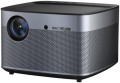 | 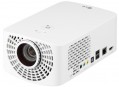 |
|---|---|---|
| XGIMI H2 | LG PF1500 | |
from $899.00 | from $965.44 up to $1,052.00 | |
| TOP sellers | ||
Harman/Kardon sound, HDR10 support. Advanced smart functionality. Motorized autofocus drive. Extensive wireless connectivity options. Automatic lens shutter. The main differences from the H1 model are: increased brightness of 1350 lm instead of 900, glass optics instead of plastic in H1, automatic lens shutter. It also has HDR support. | Support for playing 3D content. Optical zoom. Multifunctional remote control Magic Remote. Compact dimensions. The Magic Remote is not always included. | |
| Main function | home | home |
| Operating system | Android 6.0 | |
Lamp and image | ||
| Lamp type | LED | LED |
| Service life | 30000 h | |
| Brightness | 1350 lm | 1400 lm |
| Dynamic contrast | 10 000:1 | 150 000:1 |
| Colour rendering | 1.07 billion colours | |
| Colour space | 120 % | |
Projection system | ||
| Technology | DLP | DLP |
| Size | 0.47" | |
| Real resolution | 1920x1080 px | 1920x1080 px |
| Image format support | 4:3, 16:9, 16:10 | 4:3, 16:9 |
| HDR support | + | |
Projecting | ||
| Throw distance, min | 1.22 m | 0.91 m |
| Throw distance, max | 9.14 m | 3.7 m |
| Image size | 40 – 300 " | 27 – 120 " |
| Throw ratio | 1.2: | |
| Optical zoom | 1.1 x | 1.1 x |
| Zoom and focus | motorized (remote-controlled) | manual |
| Autofocus |  |  |
| Auto keystone correction | | |
| Keystone correction (vert), ± | 45 ° | |
| Keystone correction (horizontal), ± | 45 ° | |
Features | ||
| Features | DLNA support MHL support 3D support | MHL support 3D support |
| Bluetooth | v 4.0 | v 3.0 |
| Wi-Fi | Wi-Fi 5 (802.11ac) | Wi-Fi 4 (802.11n) |
Hardware | ||
| CPU | Mstar 6A838 Cortex-A53 | |
| RAM | 2 GB | |
| Built-in memory | 16 GB | |
| USB-A 2.0 | 2 pcs | 2 pcs |
| Speaker system | Harman Kardon | |
| Number of speakers | 2 | 2 |
| Subwoofer | | |
| Sound power | 16 W | 6 W |
| Video connectors | VGA component | |
| HDMI inputs | 2 | 2 |
| Audio connectors | 3.5 mm output (mini-Jack) optical | 3.5 mm output (mini-Jack) |
| Service connectors | LAN (RJ-45) | LAN (RJ-45) |
General | ||
| Noise level (nominal) | 30 dB | 30 dB |
| Power source | mains | mains |
| Power consumption | 130 W | 90 W |
| Size (HxWxD) | 128x200x200 mm | 84x132x220 mm |
| Weight | 2.1 kg | 1.5 kg |
| Color | ||
| Added to E-Catalog | january 2019 | october 2015 |


Compare XGIMI H2 and LG PF1500
The XGIMI H2 and LG PF1500 projectors are designed for home theater use and have similar features, but there are noticeable differences. The XGIMI H2 offers a brightness of 1350 lm and a dynamic contrast ratio of 10,000:1, while the LG PF1500 has a brightness of 1400 lm and a significantly higher contrast ratio of 150,000:1, which can provide deeper black tones. Both projectors support a resolution of 1920x1080 and 3D content, but the XGIMI H2 stands out with HDR support and broader wireless connectivity options. In terms of projection, the XGIMI H2 can project an image with a diagonal of up to 300 inches from a distance of up to 9.1 m, whereas the LG PF1500 is limited to 120 inches at a distance of up to 3.7 m. Additionally, the XGIMI H2 features more powerful acoustics (16 W compared to LG PF1500's 6 W). As a result, the XGIMI H2 is suitable for larger and higher-quality projections, while the LG PF1500 may be a more convenient option for compact spaces.
You may be interested in
My comparisons
XGIMI H2 often compared


LG PF1500 often compared


Glossary
Operating system
— Smart TV (proprietary system). The operating system of the projector is represented by the proprietary software shell of the manufacturer. Usually such operating systems have an attractive and convenient menu, similar to a traditional Smart TV. A proprietary operating system is developed by the manufacturer for the hardware resources of a particular projector model or a whole line. But, as practice shows, compared to the classic Smart TV, the functionality of proprietary system often has significant limitations, and the system itself, in fact, is a stripped-down version of a full-fledged Smart TV.
— Smart TV (Android AOSP). This type of operating system is a modification of the popular Android OS, mainly notable for being open source. It is a versatile operating system that gives the user much more freedom to create changes and customizations within the system. At the same time, the installation and work stability of certain applications on this platform are not guaranteed, and the overall system management was not specially “tailored” for large screens, which may cause some inconvenience. First of all, such solutions will will generate interest among users who understand the features of the Android OS, like to customize and control everything, and have time for this.
— Android TV. This type of projector has full-fledged Android TV software, spec...ially adapted to work on large screens. In accordance with the name, it is a type of Android OS, specially designed for projectors/TVs, etc. In addition to the common features of all “Androids” (such as the ability to install additional applications, including even games), it has a number of special features: optimized interface, integration with smartphones (including the ability to use them as a remote control), voice search, etc. Thanks to this, TVs with this feature are significantly superior in functionality to models with a Smart TV. Of course, a dedicated processor, graphics subsystem and memory are provided for the operation of a multifunctional OS, and the presence of such hardware resources is reflected in the total cost of the projector. Given the same optical design, models with Android TV will cost more than classic projectors with a simple multi-line menu.
Service life
Minimum projector lamp life as stated by the manufacturer. Specified by the total time of continuous operation. Note that if the projector was operated without violations, then upon reaching this time, the lamp will not necessarily fail — on the contrary, it can work for quite a long time. However, when evaluating durability, it is best to focus on the claimed service life.
Brightness
The brightness of the image produced by the projector at maximum backlight brightness. Usually, the average brightness of the screen, derived from a special formula, is indicated. The higher it is, the less the image depends on ambient light: a bright projector can provide a clearly visible image even in daylight, but a dim one will require dimming. On the other hand, increasing brightness reduces contrast and accuracy of colour reproduction.
Accordingly, when choosing this parameter, you need to consider the conditions in which you plan to use the projector. So, for office or school/university use, a brightness of at least 3000 lm is desirable — this allows you to get normal visibility without obscuring the room. In turn, among the top models a very low brightness can be found, because. such projectors are usually installed in rooms specially designed for them with good darkness level. And in ultra-compact devices it is impossible to achieve high brightness for technical reasons.
Detailed recommendations on the optimal brightness for certain conditions can be found in special sources. Here we note that anyway, it is worth choosing according to this indicator with some margin. As mentioned above, as brightness increases, contrast and colour quality decrease, and you may need to use the projector at a reduced brightness to achieve the desired picture quality.
Accordingly, when choosing this parameter, you need to consider the conditions in which you plan to use the projector. So, for office or school/university use, a brightness of at least 3000 lm is desirable — this allows you to get normal visibility without obscuring the room. In turn, among the top models a very low brightness can be found, because. such projectors are usually installed in rooms specially designed for them with good darkness level. And in ultra-compact devices it is impossible to achieve high brightness for technical reasons.
Detailed recommendations on the optimal brightness for certain conditions can be found in special sources. Here we note that anyway, it is worth choosing according to this indicator with some margin. As mentioned above, as brightness increases, contrast and colour quality decrease, and you may need to use the projector at a reduced brightness to achieve the desired picture quality.
Dynamic contrast
The dynamic image contrast provided by the projector.
Dynamic contrast ratio is the ratio between the brightest white and darkest black colour that a projector can produce. Recall that the quality of colour reproduction and detailing depend on contrast, the higher this indicator, the lower the likelihood that details will be indistinguishable in bright or dark areas. However, dynamic contrast is a rather specific parameter. The fact is that when it is calculated, the brightest white at the maximum brightness settings and the darkest black at the minimum are taken into account. As a result, the figures in this column can be very impressive, but it is impossible to achieve such a contrast within one frame.
By introducing this parameter, the manufacturers went to a certain trick. However, this is not to say that dynamic contrast has nothing to do with image quality at all. Projectors can use automatic brightness control, in which the overall brightness, depending on the "picture" on the screen, can increase or decrease. This format of work is based on the fact that the human eye does not need too bright areas on a general dark background and very dark areas on a bright one, the image is normally perceived even without it. The maximum brightness difference achievable in this mode of operation is exactly what described by dynamic contrast.
Dynamic contrast ratio is the ratio between the brightest white and darkest black colour that a projector can produce. Recall that the quality of colour reproduction and detailing depend on contrast, the higher this indicator, the lower the likelihood that details will be indistinguishable in bright or dark areas. However, dynamic contrast is a rather specific parameter. The fact is that when it is calculated, the brightest white at the maximum brightness settings and the darkest black at the minimum are taken into account. As a result, the figures in this column can be very impressive, but it is impossible to achieve such a contrast within one frame.
By introducing this parameter, the manufacturers went to a certain trick. However, this is not to say that dynamic contrast has nothing to do with image quality at all. Projectors can use automatic brightness control, in which the overall brightness, depending on the "picture" on the screen, can increase or decrease. This format of work is based on the fact that the human eye does not need too bright areas on a general dark background and very dark areas on a bright one, the image is normally perceived even without it. The maximum brightness difference achievable in this mode of operation is exactly what described by dynamic contrast.
Colour rendering
The number of individual colour shades that the projector is capable of displaying.
The minimum indicator for modern projection technology is actually 16 million colours (more precisely, 16.7 million is a standard number associated with the features of digital image processing). In the most advanced models, this value can exceed 1 billion. However, two nuances should be taken into account here: firstly, the human eye is able to recognize only about 10 million colour shades, and secondly, not a single modern image output device (projectors, monitors, etc.) cannot cover the entire spectrum of colours visible to the human eye. Therefore, impressive colour performance is more of a marketing ploy than a real indicator of image quality, and in fact it makes sense to pay attention to other characteristics — primarily brightness and contrast (see above), as well as specific data like a colour gamut chart.
The minimum indicator for modern projection technology is actually 16 million colours (more precisely, 16.7 million is a standard number associated with the features of digital image processing). In the most advanced models, this value can exceed 1 billion. However, two nuances should be taken into account here: firstly, the human eye is able to recognize only about 10 million colour shades, and secondly, not a single modern image output device (projectors, monitors, etc.) cannot cover the entire spectrum of colours visible to the human eye. Therefore, impressive colour performance is more of a marketing ploy than a real indicator of image quality, and in fact it makes sense to pay attention to other characteristics — primarily brightness and contrast (see above), as well as specific data like a colour gamut chart.
Colour space
The color gamut characterizes the range of colors that a projector can reproduce.
This parameter is specified in percentages, but not relative to the entire variety of visible colors, rather to a specific color space (color model). This is because no modern screen can display all the colors visible to the human eye. The projector's specifications may specify which color model the gamut is based on. The larger the color gamut (100% and above), the more accurately the colors will match those originally intended. A too small color gamut results in a dull, faded image, while a too large one results in unnatural and oversaturated colors. However, in practice, values from 90% to 110% are considered quite acceptable for most cases and do not lead to noticeable image degradation.
This parameter is specified in percentages, but not relative to the entire variety of visible colors, rather to a specific color space (color model). This is because no modern screen can display all the colors visible to the human eye. The projector's specifications may specify which color model the gamut is based on. The larger the color gamut (100% and above), the more accurately the colors will match those originally intended. A too small color gamut results in a dull, faded image, while a too large one results in unnatural and oversaturated colors. However, in practice, values from 90% to 110% are considered quite acceptable for most cases and do not lead to noticeable image degradation.
Size
The size of the panel/chip affects the depth and final quality of the image. The larger the panel/chip, the more light it is able to process, which means the picture will be clearer and more structured. The average projector has a sensor of 0.5-0.7″, advanced projectors use sensors of 1.2-1.5″ and more.
Image format support
Image formats supported by the projector.
In this case, format means the aspect ratio of the image. The general rule in this case is that the projector must support the same format in which the original content is recorded. Otherwise, the image will either be stretched in height or width, or with black stripes on the sides or top-bottom. Specifically, the formats can be divided into three main categories:
— Traditional, or rectangular. Classic formats in which the height of the picture is not much less than the width. The most popular options are 4:3, widely used in analogue TV, and 5:4, common in computer technology. Traditional formats are well suited for presentations, working with documents and graphics, and other similar tasks.
— Widescreen — formats in which the frame width is significantly (more than 1.5 times) greater than the height. The most popular of these standards are 16:9 and 16:10. These aspect ratios are well suited for games and movies; in particular, most high-definition content (HD 720p and above) is recorded in widescreen format.
— Extra wide. The formats are even wider than the widescreen ones described above — for example, 21:9. Mainly used in cinematography.
It is worth noting that many modern projectors are able to work with several types of formats at once — for example, with classic 4:3 and...wide-angle 16:9.
In this case, format means the aspect ratio of the image. The general rule in this case is that the projector must support the same format in which the original content is recorded. Otherwise, the image will either be stretched in height or width, or with black stripes on the sides or top-bottom. Specifically, the formats can be divided into three main categories:
— Traditional, or rectangular. Classic formats in which the height of the picture is not much less than the width. The most popular options are 4:3, widely used in analogue TV, and 5:4, common in computer technology. Traditional formats are well suited for presentations, working with documents and graphics, and other similar tasks.
— Widescreen — formats in which the frame width is significantly (more than 1.5 times) greater than the height. The most popular of these standards are 16:9 and 16:10. These aspect ratios are well suited for games and movies; in particular, most high-definition content (HD 720p and above) is recorded in widescreen format.
— Extra wide. The formats are even wider than the widescreen ones described above — for example, 21:9. Mainly used in cinematography.
It is worth noting that many modern projectors are able to work with several types of formats at once — for example, with classic 4:3 and...wide-angle 16:9.
HDR support
Support for HDR technology — expanded dynamic range — by the projector.
This technology allows for extending the brightness range displayed within a single frame — in simpler terms, it enables displaying both very bright and very dark colors on screen simultaneously. This significantly improves color reproduction; furthermore, small details on very bright or very dark parts of the frame that would be invisible on a regular image remain visible. However, it's worth noting that all the advantages of HDR become noticeable only on a high-quality screen with maximum dimming. Additionally, this function significantly affects the cost of the projector, and the content being played back must initially be recorded in HDR — using exactly the technology supported by the projector (this detail can be clarified in the manual). In light of this, HDR support is mainly found among high-end models for home theaters. It should also be noted that there are several different HDR technologies that are not compatible with each other. Therefore, when purchasing a projector with this function, it's crucial to clarify which exact version of HDR it supports. The following are available:
— HDR10. Historically the first of the consumer HDR formats, less advanced than the options described below but extremely widespread. In particular, HDR10 is supported by virtually all streaming services that provide HDR content at all, and it's also standard for...Blu-ray discs. It allows for working with a color depth of 10 bits (hence the name). At the same time, devices with this format are compatible with HDR10+ content, although its quality will be limited by the capabilities of the original HDR10.
— HDR10+. An enhanced version of HDR10. With the same color depth (10 bits), it uses so-called dynamic metadata, which allows transmitting information about color depth not only for groups of several frames but also for individual frames. This leads to further improvement in color reproduction.
— Dolby Vision. An advanced standard used, for example, in professional filmmaking. It achieves a color depth of 12 bits, uses the aforementioned dynamic metadata, and also allows transmitting two image variants simultaneously in one video stream — HDR and regular (SDR). Dolby Vision is based on the same technology as HDR10, so in modern video equipment, this format is usually combined with HDR10 or HDR10+.
— HLG. An HDR format initially designed for TV broadcasting and live transmissions; hence, it is designed for "working without metadata" and is easier to transfer between different sources. Unlike HDR10, which uses static metadata, and particularly HDR10+ / Dolby Vision, which can dynamically adjust the picture frame by frame, HLG often provides a more universal and predictable HDR signal, although not as precisely tuned for a specific display. However, HLG has a strong point — excellent compatibility: the same stream can appear acceptable even on devices that are not fully HDR-capable, which is crucial for broadcast/satellite content. An example of use is viewing HDR broadcasts and TV content from a set-top box/tuner or streaming where HLG is encountered: the projector will correctly receive the signal and display the extended brightness range and more vibrant colors without manual tweaking of settings.
This technology allows for extending the brightness range displayed within a single frame — in simpler terms, it enables displaying both very bright and very dark colors on screen simultaneously. This significantly improves color reproduction; furthermore, small details on very bright or very dark parts of the frame that would be invisible on a regular image remain visible. However, it's worth noting that all the advantages of HDR become noticeable only on a high-quality screen with maximum dimming. Additionally, this function significantly affects the cost of the projector, and the content being played back must initially be recorded in HDR — using exactly the technology supported by the projector (this detail can be clarified in the manual). In light of this, HDR support is mainly found among high-end models for home theaters. It should also be noted that there are several different HDR technologies that are not compatible with each other. Therefore, when purchasing a projector with this function, it's crucial to clarify which exact version of HDR it supports. The following are available:
— HDR10. Historically the first of the consumer HDR formats, less advanced than the options described below but extremely widespread. In particular, HDR10 is supported by virtually all streaming services that provide HDR content at all, and it's also standard for...Blu-ray discs. It allows for working with a color depth of 10 bits (hence the name). At the same time, devices with this format are compatible with HDR10+ content, although its quality will be limited by the capabilities of the original HDR10.
— HDR10+. An enhanced version of HDR10. With the same color depth (10 bits), it uses so-called dynamic metadata, which allows transmitting information about color depth not only for groups of several frames but also for individual frames. This leads to further improvement in color reproduction.
— Dolby Vision. An advanced standard used, for example, in professional filmmaking. It achieves a color depth of 12 bits, uses the aforementioned dynamic metadata, and also allows transmitting two image variants simultaneously in one video stream — HDR and regular (SDR). Dolby Vision is based on the same technology as HDR10, so in modern video equipment, this format is usually combined with HDR10 or HDR10+.
— HLG. An HDR format initially designed for TV broadcasting and live transmissions; hence, it is designed for "working without metadata" and is easier to transfer between different sources. Unlike HDR10, which uses static metadata, and particularly HDR10+ / Dolby Vision, which can dynamically adjust the picture frame by frame, HLG often provides a more universal and predictable HDR signal, although not as precisely tuned for a specific display. However, HLG has a strong point — excellent compatibility: the same stream can appear acceptable even on devices that are not fully HDR-capable, which is crucial for broadcast/satellite content. An example of use is viewing HDR broadcasts and TV content from a set-top box/tuner or streaming where HLG is encountered: the projector will correctly receive the signal and display the extended brightness range and more vibrant colors without manual tweaking of settings.