
Comparison Esperanza Warrior vs Defender Omega
Add to comparison | 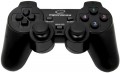 | 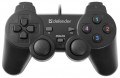 |
|---|---|---|
| Esperanza Warrior | Defender Omega | |
from $19.00 | from $6.00 | |
| TOP sellers | ||
| Product type | gamepad | gamepad |
Connection | ||
| Platform | PC (Windows) | PC (Windows) |
| Interface | wired | wired |
| Wired interface | USB-A | USB-A |
| Cable length | 1.8 m | 1.8 m |
Control | ||
| Number of buttons | 11 pcs | 11 pcs |
| Switch type | membrane | |
| Feedback | vibration | vibration |
| D-pad | 4 position | 4 position |
| Sticks | 2 both from below | 2 both from below |
| Bumpers (shifts) | 4 pcs | 4 pcs |
Power supply | ||
| Power source | USB port | USB port |
General | ||
| Material | plastic | plastic |
| Weight | 190 g | |
| Color | ||
| Added to E-Catalog | june 2016 | june 2016 |


Compare Esperanza Warrior and Defender Omega
You may be interested in
Esperanza Warrior often compared


Defender Omega often compared

Glossary
Switch type
The type of switches indicates the mechanism under the buttons of a gamepad or controller and how exactly the device registers pressing. This affects the click feel, response speed, noise, durability, and accuracy of repeated presses.
— Membrane. Under the button is a flexible rubber or silicone membrane that gets pressed to close the contact. These switches are usually quieter, softer, and cheaper but can lose elasticity over time and do not match mechanical solutions in terms of response precision.
— Mechanical. In mechanical switches, each press is handled by an individual mechanism with a spring and more pronounced tactile feedback. These buttons feel better to the fingers, return to the starting position faster, and are well-suited for fighting games, arcade games, and frequent commands.
— Optical. An optical switch registers the button's movement by interrupting or changing a light beam, rather than through regular contact. Compared to mechanical solutions, it can respond faster and wear less in the contact zone, making them a good choice for active gaming and esports.
— Membrane. Under the button is a flexible rubber or silicone membrane that gets pressed to close the contact. These switches are usually quieter, softer, and cheaper but can lose elasticity over time and do not match mechanical solutions in terms of response precision.
— Mechanical. In mechanical switches, each press is handled by an individual mechanism with a spring and more pronounced tactile feedback. These buttons feel better to the fingers, return to the starting position faster, and are well-suited for fighting games, arcade games, and frequent commands.
— Optical. An optical switch registers the button's movement by interrupting or changing a light beam, rather than through regular contact. Compared to mechanical solutions, it can respond faster and wear less in the contact zone, making them a good choice for active gaming and esports.