
Comparison Brazzers BR-830S vs Defender Omega
Add to comparison |  | 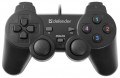 |
|---|---|---|
| Brazzers BR-830S | Defender Omega | |
| Outdated Product | from $6.00 | |
| TOP sellers | ||
| Product type | gamepad | gamepad |
Connection | ||
| Platform | PC (Windows) | PC (Windows) |
| Interface | wired | wired |
| Wired interface | USB-A | USB-A |
| Cable length | 1.8 m | |
Control | ||
| Number of buttons | 11 pcs | 11 pcs |
| Switch type | membrane | |
| Feedback | vibration | |
| D-pad | 4 position | 4 position |
| Sticks | 2 both from below | 2 both from below |
| Bumpers (shifts) | 2 pcs | 4 pcs |
| Triggers | 2 pcs | |
Power supply | ||
| Power source | USB port | USB port |
General | ||
| Material | plastic | |
| Weight | 190 g | |
| Color | ||
| Added to E-Catalog | november 2024 | june 2016 |


Compare Brazzers BR-830S and Defender Omega
You may be interested in
My comparisons
Brazzers BR-830S often compared

Defender Omega often compared

Glossary
Cable length
The length of the cable provided in the design or delivery set of the wired or combined controller (see "Connection").
In general, the meaning of this parameter is obvious: a longer cable gives more freedom of movement, but can create inconvenience at short distances. In fact, the length of the wire is important mainly in cases where a wired connection is used to play on a large screen: for comfortable viewing, it is desirable to be at a fairly large distance from such a screen. However, even in this case, a relatively short cable can be compensated for by the length of the wires going from the console (or other gaming device) to the screen, or even by connecting the set-top box to the screen wirelessly (many modern models have this capability). If the controller is used for a computer, this parameter can be ignored: the system unit or laptop is usually located in close proximity to the user, and even a fairly short wire is enough to connect.
In general, the meaning of this parameter is obvious: a longer cable gives more freedom of movement, but can create inconvenience at short distances. In fact, the length of the wire is important mainly in cases where a wired connection is used to play on a large screen: for comfortable viewing, it is desirable to be at a fairly large distance from such a screen. However, even in this case, a relatively short cable can be compensated for by the length of the wires going from the console (or other gaming device) to the screen, or even by connecting the set-top box to the screen wirelessly (many modern models have this capability). If the controller is used for a computer, this parameter can be ignored: the system unit or laptop is usually located in close proximity to the user, and even a fairly short wire is enough to connect.
Switch type
The type of switches indicates the mechanism under the buttons of a gamepad or controller and how exactly the device registers pressing. This affects the click feel, response speed, noise, durability, and accuracy of repeated presses.
— Membrane. Under the button is a flexible rubber or silicone membrane that gets pressed to close the contact. These switches are usually quieter, softer, and cheaper but can lose elasticity over time and do not match mechanical solutions in terms of response precision.
— Mechanical. In mechanical switches, each press is handled by an individual mechanism with a spring and more pronounced tactile feedback. These buttons feel better to the fingers, return to the starting position faster, and are well-suited for fighting games, arcade games, and frequent commands.
— Optical. An optical switch registers the button's movement by interrupting or changing a light beam, rather than through regular contact. Compared to mechanical solutions, it can respond faster and wear less in the contact zone, making them a good choice for active gaming and esports.
— Membrane. Under the button is a flexible rubber or silicone membrane that gets pressed to close the contact. These switches are usually quieter, softer, and cheaper but can lose elasticity over time and do not match mechanical solutions in terms of response precision.
— Mechanical. In mechanical switches, each press is handled by an individual mechanism with a spring and more pronounced tactile feedback. These buttons feel better to the fingers, return to the starting position faster, and are well-suited for fighting games, arcade games, and frequent commands.
— Optical. An optical switch registers the button's movement by interrupting or changing a light beam, rather than through regular contact. Compared to mechanical solutions, it can respond faster and wear less in the contact zone, making them a good choice for active gaming and esports.
Feedback
The type of feedback provided in the design of the manipulator (if any).
Feedback is the reaction of the manipulator to certain events occurring in the game. This reaction enhances the "immersion effect", giving the player the impression that he is holding on to a real airplane handle, car steering wheel, etc. It can be like this:
— Vibration. Feedback in the form of vibration allows you to simulate, for example, shaking from off-road driving, aircraft trembling when firing from airborne weapons or entering a turbulence zone, etc.
— Power. Force feedback controllers are able to create some resistance to the efforts of the player — for example, to simulate the difficulty in turning the steering wheel when the wheels are stuck in the mud.
— Vibration / power. Controllers that support both types of feedback described above. This option is the most advanced and at the same time the most expensive.
Feedback is the reaction of the manipulator to certain events occurring in the game. This reaction enhances the "immersion effect", giving the player the impression that he is holding on to a real airplane handle, car steering wheel, etc. It can be like this:
— Vibration. Feedback in the form of vibration allows you to simulate, for example, shaking from off-road driving, aircraft trembling when firing from airborne weapons or entering a turbulence zone, etc.
— Power. Force feedback controllers are able to create some resistance to the efforts of the player — for example, to simulate the difficulty in turning the steering wheel when the wheels are stuck in the mud.
— Vibration / power. Controllers that support both types of feedback described above. This option is the most advanced and at the same time the most expensive.
Bumpers (shifts)
Bumpers or Shifts are buttons located on the top of gaming controllers. They are intended for assigning various actions in games, and are also used for user interaction with menu interfaces and applications on gaming consoles or computers.
Such control elements are characteristic of gamepads (see "Type") and are rarely found in other types of gaming controllers. Shifts are usually pressed with the index fingers while holding the gamepad. Often, bumper buttons can perform different functions depending on the game (for example, switching weapons, running mode, etc.), and they are also used for navigating between sections of the user interface. In any case, bumpers provide additional control options for the player.
Such control elements are characteristic of gamepads (see "Type") and are rarely found in other types of gaming controllers. Shifts are usually pressed with the index fingers while holding the gamepad. Often, bumper buttons can perform different functions depending on the game (for example, switching weapons, running mode, etc.), and they are also used for navigating between sections of the user interface. In any case, bumpers provide additional control options for the player.
Triggers
Auxiliary controls located on the top of the gamepad at the back of the body. The triggers are pressed by the player's index or middle fingers.
In classic gamepads and joysticks, triggers are used to control various actions in games (for example, accelerating a car in racing games, shooting in shooters, etc.). Some models allow the trigger to be pressed halfway for aiming in the game or fully for firing at enemies. Such buttons may also feature a vibration feedback function. In the vast majority of cases, triggers are based on potentiometers (variable resistors), less frequently on Hall sensors, which track changes in the magnetic field fluctuations and lack frictional parts in their construction (though they are more expensive).
Triggers are arranged somewhat differently in clip-on gamepads for smartphones (see "Type"). Often these controls are equipped with lever-type mechanisms and sensitive contacts to the touchscreen layer, which touch a specific area of the display when the levers are pressed. Depending on the game layout, various control functions (shooting, aiming, crouching, or jumping, etc.) are typically assigned to the triggers.
In classic gamepads and joysticks, triggers are used to control various actions in games (for example, accelerating a car in racing games, shooting in shooters, etc.). Some models allow the trigger to be pressed halfway for aiming in the game or fully for firing at enemies. Such buttons may also feature a vibration feedback function. In the vast majority of cases, triggers are based on potentiometers (variable resistors), less frequently on Hall sensors, which track changes in the magnetic field fluctuations and lack frictional parts in their construction (though they are more expensive).
Triggers are arranged somewhat differently in clip-on gamepads for smartphones (see "Type"). Often these controls are equipped with lever-type mechanisms and sensitive contacts to the touchscreen layer, which touch a specific area of the display when the levers are pressed. Depending on the game layout, various control functions (shooting, aiming, crouching, or jumping, etc.) are typically assigned to the triggers.
Material
The main material(s) used in the design of the manipulator.
Usually, both the body of the device and the control elements — buttons, levers, joystick handle, etc. are made from the material specified in this paragraph. steering wheel ”(see above), the type of coverage is often specified.
Here are the main materials relevant for today:
— Plastic. It is used in the vast majority of modern game controllers — from low-cost to high-end; at the same time, even in inexpensive devices, sufficiently high-quality grades of plastic can be used. In general, this material combines low cost, practicality and ease of design: plastic elements can easily be given complex shapes, as well as any shades and patterns. Of the shortcomings of this option, one can only note a certain tendency to scratches; however, this is a purely aesthetic moment, having almost no practical significance.
— Rubber cover. An additional coating commonly used on plastic devices. Rubber is soft and flexible, and less slippery than a smooth plastic surface. This provides a more comfortable and secure hold in the hands. In addition, scratches are less noticeable on such material. The reverse side of these advantages is a slight increase in the cost and dimensions of the controller (the latter, however, can be compensated by reducing the size of the plastic base).
— Soft touch. A special kind of plastic, a kind of transitional option between traditional smooth pl...astic and rubber. The surface of this material has a special texture, due to which it feels soft to the touch (hence the name), besides, it practically does not slip in the hands. However for a number of reasons, such material has not received much popularity in game controllers.
— Rubberized plastic, rubberized coating. These terms may mean different materials in different models: in some cases it is plastic with a full-fledged rubber coating, in others it is a soft-touch surface. For more on both, see above; and what exactly is at stake — it is worth specifying separately.
— Rubber. The word "rubber" in this case, it is customary to denote individual elements made of this material — primarily buttons and additional inserts. Such elements are usually combined with a body base made of plastic (see above). And rubber is used for additional convenience: fingers do not slip off such buttons as much as with plastic ones, while inserts prevent the controller itself from slipping in your hand.
— Metal. In the case of game controllers, metal is a premium material: it is durable, looks solid, but it is not cheap. And in some types of manipulators — for example, gamepads (see "Device type") — the use of this material is not justified from a practical point of view. As a result, metal is mainly used for individual high-end rudders, joysticks / helms and aircraft instruments, designed both for functionality and for realism in appearance and user experience. At the same time, even if only metal is indicated in the characteristics, the design, usually, still includes individual elements from other materials: for example, the pad on the joystick lever can be made of rubber or plastic, for additional comfort and reliability.
— Aluminium. One of the types of metal described above — with all the characteristic features. Aluminium is often perceived as an advanced and expensive material (in particular, it is widely used in aviation); therefore, sometimes in the characteristics this name is specified for advertising purposes.
Usually, both the body of the device and the control elements — buttons, levers, joystick handle, etc. are made from the material specified in this paragraph. steering wheel ”(see above), the type of coverage is often specified.
Here are the main materials relevant for today:
— Plastic. It is used in the vast majority of modern game controllers — from low-cost to high-end; at the same time, even in inexpensive devices, sufficiently high-quality grades of plastic can be used. In general, this material combines low cost, practicality and ease of design: plastic elements can easily be given complex shapes, as well as any shades and patterns. Of the shortcomings of this option, one can only note a certain tendency to scratches; however, this is a purely aesthetic moment, having almost no practical significance.
— Rubber cover. An additional coating commonly used on plastic devices. Rubber is soft and flexible, and less slippery than a smooth plastic surface. This provides a more comfortable and secure hold in the hands. In addition, scratches are less noticeable on such material. The reverse side of these advantages is a slight increase in the cost and dimensions of the controller (the latter, however, can be compensated by reducing the size of the plastic base).
— Soft touch. A special kind of plastic, a kind of transitional option between traditional smooth pl...astic and rubber. The surface of this material has a special texture, due to which it feels soft to the touch (hence the name), besides, it practically does not slip in the hands. However for a number of reasons, such material has not received much popularity in game controllers.
— Rubberized plastic, rubberized coating. These terms may mean different materials in different models: in some cases it is plastic with a full-fledged rubber coating, in others it is a soft-touch surface. For more on both, see above; and what exactly is at stake — it is worth specifying separately.
— Rubber. The word "rubber" in this case, it is customary to denote individual elements made of this material — primarily buttons and additional inserts. Such elements are usually combined with a body base made of plastic (see above). And rubber is used for additional convenience: fingers do not slip off such buttons as much as with plastic ones, while inserts prevent the controller itself from slipping in your hand.
— Metal. In the case of game controllers, metal is a premium material: it is durable, looks solid, but it is not cheap. And in some types of manipulators — for example, gamepads (see "Device type") — the use of this material is not justified from a practical point of view. As a result, metal is mainly used for individual high-end rudders, joysticks / helms and aircraft instruments, designed both for functionality and for realism in appearance and user experience. At the same time, even if only metal is indicated in the characteristics, the design, usually, still includes individual elements from other materials: for example, the pad on the joystick lever can be made of rubber or plastic, for additional comfort and reliability.
— Aluminium. One of the types of metal described above — with all the characteristic features. Aluminium is often perceived as an advanced and expensive material (in particular, it is widely used in aviation); therefore, sometimes in the characteristics this name is specified for advertising purposes.