
Comparison MSI B450 TOMAHAWK MAX vs MSI B450 TOMAHAWK
Add to comparison | 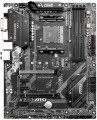 | 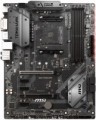 |
|---|---|---|
| MSI B450 TOMAHAWK MAX | MSI B450 TOMAHAWK | |
from $279.00 | Compare prices 2 | |
| User reviews | ||
| TOP sellers | ||
MSI MAX motherboards support Ryzen Matisse processors out of the box | MSI MAX motherboards support Ryzen Matisse processors out of the box | |
| Features | gaming for overclocking | gaming for overclocking |
| Socket | AM4 | AM4 |
| Form factor | ATX | ATX |
| Power phases | 6 | 6 |
| VRM heatsink |  | |
| LED lighting | | |
| Lighting sync | MSI Mystic Light Sync | MSI Mystic Light Sync |
| Size (HxW) | 305x244 mm | 305x244 mm |
Chipset | ||
| Chipset | AMD B450 | AMD B450 |
| BIOS | Ami | Ami |
| UEFI BIOS | | |
RAM | ||
| DDR4 | 4 slot(s) | 4 slot(s) |
| Memory module | DIMM | DIMM |
| Operation mode | 2 channel | 2 channel |
| Max. clock frequency | 4133 MHz | 3466 MHz |
| Max. memory | 64 GB | 64 GB |
Drive interface | ||
| SATA 3 (6Gbps) | 6 | 6 |
| M.2 connector | 1 | 1 |
| M.2 | 1xSATA/PCIe 4x | 1xSATA/PCIe 4x |
| Integrated RAID controller | | |
Expansion slots | ||
| 1x PCIe slots | 3 pcs | 3 pcs |
| PCIe 16x slots | 2 pcs | 2 pcs |
| PCIe modes | 16x/4x | 16x/4x |
| PCIe support | 3.0 | 3.0 |
| CrossFire (AMD) | | |
| Steel PCIe connectors | | |
Internal connections | ||
| USB-A 2.0 | 2 pcs | 2 pcs |
| USB-A 5Gbps | 1 pcs | 1 pcs |
| RGB LED strip | 2 | |
| More features | Clear CMOS, Chassis Intrusion | |
Video outputs | ||
| DVI output | DVI-D | DVI-D |
| HDMI output | | |
Integrated audio | ||
| Audiochip | Realtek ALC892 | Realtek ALC892 |
| Sound (channels) | 7.1 | 7.1 |
Network interfaces | ||
| LAN (RJ-45) | 1 Gbps | 1 Gbps |
| LAN ports | 1 | 1 |
| LAN controller | Realtek 8111H | Realtek 8111H |
External connections | ||
| USB-A 2.0 | 2 pcs | 2 pcs |
| USB-A 5Gbps | 2 pcs | 2 pcs |
| USB-A 10Gbps | 1 pcs | 1 pcs |
| USB-C 10Gbps | 1 pcs | 1 pcs |
| PS/2 | 1 | 1 |
| BIOS FlashBack | |  |
Power connectors | ||
| Main power socket | 24-pin | 24-pin |
| CPU power | 8-pin | 8-pin |
| Fan power connectors | 6 | 6 |
| CPU Fan 4-pin | 1 | |
| CPU/Water Pump Fan 4-pin | 1 | |
| Chassis/Water Pump Fan 4-pin | 4 | |
| Added to E-Catalog | july 2019 | july 2018 |




Compare MSI B450 TOMAHAWK MAX and B450 TOMAHAWK
Price comparison
You may be interested in
My comparisons
MSI B450 TOMAHAWK MAX often compared


MSI B450 TOMAHAWK often compared
Glossary
Max. clock frequency
The maximum RAM clock speed supported by the motherboard. The actual clock frequency of the installed RAM modules should not exceed this indicator — otherwise, malfunctions are possible, and the capabilities of the “RAM” cannot be used to the fullest.
For modern PCs, a RAM frequency of 1500 – 2000 MHz or less is considered very low, 2000 – 2500 MHz is modest, 2500 – 3000 MHz is average, 3000 – 3500 MHz is above average, and the most advanced boards can support frequencies of 3500 – 4000 MHz and even more than 4000 MHz.
For modern PCs, a RAM frequency of 1500 – 2000 MHz or less is considered very low, 2000 – 2500 MHz is modest, 2500 – 3000 MHz is average, 3000 – 3500 MHz is above average, and the most advanced boards can support frequencies of 3500 – 4000 MHz and even more than 4000 MHz.
RGB LED strip
Connector for connecting a decorative LED strip and other devices with LED indication. Allows you to control the backlight of the case through the motherboard and customize the glow for your tasks, including synchronize it with other components.
BIOS FlashBack
Motherboards that support BIOS FlashBack provide the ability to flash or restore the BIOS without a processor, video card or memory. The main purpose of the function is to provide users with the ability to update the BIOS in cases where the current version is incompatible with the installed processor or other computer components, which may lead to the inability to start the system. As a rule, the motherboard provides for this a USB connector for a flash drive and a special button (usually labeled BIOS Flashback) - pressing it initiates the update process.
On a separate line, we note that the BIOS FlashBack function can be called differently depending on the manufacturer: in motherboards from ASRock and Asus - BIOS FlashBack, from Gigabyte - Q-Flash Plus, from MSI - Flash BIOS, etc.
On a separate line, we note that the BIOS FlashBack function can be called differently depending on the manufacturer: in motherboards from ASRock and Asus - BIOS FlashBack, from Gigabyte - Q-Flash Plus, from MSI - Flash BIOS, etc.
CPU Fan 4-pin
A four-pin connector used to connect a processor cooling fan. The first contact in it corresponds to the black wire of the cooler — it is the "ground" or minus of the power supply. The second contact is the plus of the power supply (yellow or red cooler wire). The third one is involved in measuring the rotation speed of the impeller (green or yellow fan wire). The fourth pin, corresponding to the blue wire, receives control signals from the PWM controller to adjust the cooler rotation speed depending on the temperature of the processor.
CPU/Water Pump Fan 4-pin
A four-pin connector for connecting a water cooling pump fan. It can also be used to turn on an additional CPU cooler.
Chassis/Water Pump Fan 4-pin
A connector responsible for connecting additional coolers for the benefit of better cooling of components inside the system unit. Most often it is located on the edges of the motherboard — closer to the front side and the ceiling of the "system unit". It is made according to the four-contact scheme.