
Comparison Epson EcoTank L7180 vs Epson EcoTank L7160
Add to comparison | 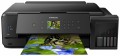 | 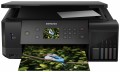 |
|---|---|---|
| Epson EcoTank L7180 | Epson EcoTank L7160 | |
| Outdated Product | Outdated Product | |
| User reviews | ||
| TOP sellers | ||
| Paper size | A3 | A4 |
| Print Type | inkjet | inkjet |
| Output Type | colour | colour |
| Number of colors | 5 | |
Printing and copying | ||
| Max resolution | 5760x1440 dpi | 5760x1440 dpi |
| B/W printing | 28 ppm | 32 ppm |
| Colour printing | 28 ppm | 32 ppm |
| Photo printing | 20 sec/page | 20 sec/page |
| Double-side printing |  | |
Printing Supplies | ||
| Black Ink Page Yield | 8000 pages | 8000 pages |
| Colour Ink Page Yield | 5000 pages | 5000 pages |
| Built-in CISS | | |
| Ink Type | pigmented / water soluble | pigmented / water soluble |
Features | ||
| Data transfer | PC connection (USB) network connection (LAN) Wi-Fi 4 (802.11n) USB (for flash drives) card reader Wi-Fi Direct AirPrint | PC connection (USB) network connection (LAN) Wi-Fi 4 (802.11n) USB (for flash drives) card reader Wi-Fi Direct AirPrint |
| Cloud printing | Mopria, Epson iPrint, Epson Email Print | Mopria, Epson iPrint, Epson Email Print |
| Display | colour | colour |
| Diagonal | 2.7 " | 2.7 " |
| More Features | disc label printing | disc label printing |
Hardware | ||
| Grammage (min) | 64 g/m² | 64 g/m² |
| Grammage (max) | 300 g/m² | 300 g/m² |
| Scan resolution | 1200х2400 dpi | 1200х2400 dpi |
General | ||
| Feed tray | 100 sheets | 100 sheets |
| Output Tray | 50 sheets | 50 sheets |
| Noise level | 37 dB | 37 dB |
| Power consumption | 13 W | 16 W |
| Dimensions (WxDxH) | 526x415x168 mm | 425x359x161 mm |
| Weight | 10.5 kg | 8 kg |
| Color | ||
| Added to E-Catalog | october 2018 | october 2018 |


Compare Epson EcoTank L7180 and L7160
You may be interested in
My comparisons
Epson EcoTank L7180 often compared


Epson EcoTank L7160 often compared
Glossary
Paper size
The largest paper size that the MFP can work with. Most often, the formats are marked from A0 to A10; it is from here that the famous “A4” is taken, denoting a standard landscape sheet. The main formats used in modern MFPs:
A3 — 297x420 mm (2 times larger than the landscape sheet). They are commonly used in offices for printing large forms, brochures, announcements, posters, copying large-format printed materials, etc.
A4 — 210x297 mm, standard landscape sheet. The most common paper size for home and office use — usually this size is sufficient for non-specialized printing.
A separate category are the large-size models for A0 format. The standard size of such a sheet is 1189x841, however, MFPs of this format, usually, are industrial-grade devices that work with media on rolls.
A3 — 297x420 mm (2 times larger than the landscape sheet). They are commonly used in offices for printing large forms, brochures, announcements, posters, copying large-format printed materials, etc.
A4 — 210x297 mm, standard landscape sheet. The most common paper size for home and office use — usually this size is sufficient for non-specialized printing.
A separate category are the large-size models for A0 format. The standard size of such a sheet is 1189x841, however, MFPs of this format, usually, are industrial-grade devices that work with media on rolls.
Number of colors
The color palette that a printer or MFP can print. A large number of colors is required for high-quality photo printing and obtaining color prints with many shades. As a standard, for a color MFP, 4 colors are provided.
B/W printing
The number of pages the printer can produce per minute in black and white mode. Typically indicated for low print quality, higher print quality takes longer. This setting is important if you need to frequently print text documents.
Colour printing
The number of pages the printer can proceed per minute in colour mode. As like b/w printing, the print speed is usually indicated in the worst quality (at maximum speed), in higher quality the print speed is lower. This setting is worth paying attention to if you need to print colour graphic materials frequently.
Power consumption
The maximum power consumed by the MFP during operation. The lower this indicator, the more energy-efficient the device is.