
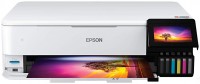
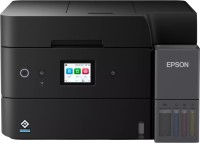
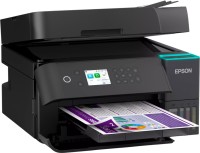
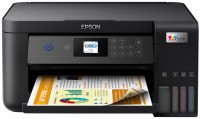
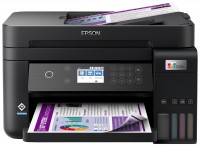
Epson EcoTank L7160 (C11CG15404)
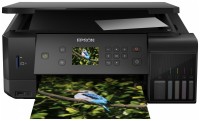 | Outdated Product Multifunctional inkjet photo centre from one of the leading manufacturers of such equipment, the Japanese company Epson. It is a device that can fully perform the functions of a high-quality photo printer, copier with support for fast copying of colour images and a modern CIS scanner. Equipped with standard pigment ink supply system with five containers and convenient front maintenance. Moreover, black ink tanks are enough for 8,000 pages (5% coverage), and colour containers — for 5,000 pages. from smartphones / laptops without an access point or router. Can deliver high speed monochrome (up to 13 ppm standard quality) and high speed colour printing (up to 10 ppm). A standard 10x15 cm photograph is printed on photographic paper in just 20 seconds. Detailed colour copying with a resolution...of 1200x2400 dpi and printing from memory cards such as SD/SDHC/SDXC are supported. Can apply colour images to CD/DVDs. There are multiple paper feed trays, ie. A user who has printed A4 documents will not have to take out office paper to output photos. The printer will simply take the photo media from the appropriate built-in tray. E-Catalog uses affiliate links compensated by our partners. |


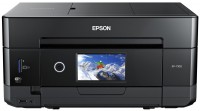
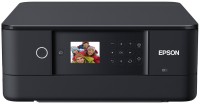
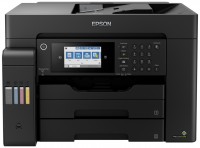
Multifunctional inkjet photo centre from one of the leading manufacturers of such equipment, the Japanese company Epson. It is a device that can fully perform the functions of a high-quality photo printer, copier with support for fast copying of colour images and a modern CIS scanner. Equipped with standard pigment ink supply system with five containers and convenient front maintenance.
Moreover, black ink tanks are enough for 8,000 pages (5% coverage), and colour containers — for 5,000 pages. from smartphones / laptops without an access point or router. Can deliver high speed monochrome (up to 13 ppm standard quality) and high speed colour printing (up to 10 ppm). A standard 10x15 cm photograph is printed on photographic paper in just 20 seconds. Detailed colour copying with a resolution of 1200x2400 dpi and printing from memory cards such as SD/SDHC/SDXC are supported. Can apply colour images to CD/DVDs. There are multiple paper feed trays, ie. A user who has printed A4 documents will not have to take out office paper to output photos. The printer will simply take the photo media from the appropriate built-in tray.
|
| ||||||||||||||||||||||||||||||||||||||||||||||||||||||||||||||||||||||||||||||||||||||||


Always clarify the specifications and configuration of the product with the online store manager before purchasing.
Catalog Epson 2026 - new arrivals, bestsellers, and the most relevant models Epson.
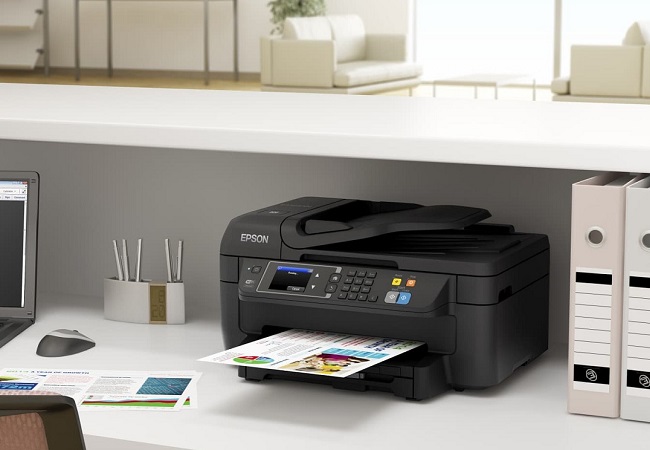
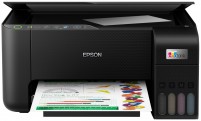
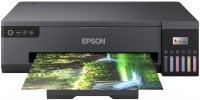
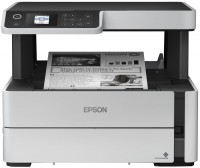

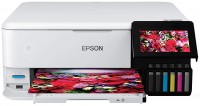


- the rear tray accepts even very dense paper. - there is no automatic feed into the scanner, but, again, it’s not critical for me.  Filipp: use Epson EcoTank L7160 more than year Filipp: use Epson EcoTank L7160 more than year |
The price is too high for the available functionality. I chose based on functionality on this site (e-catalog). According to my requirements: 1. CISS 2. Duplex (automatic double-sided) printing 3. Network connection (Network MFP) 4. Color inkjet printing 5. A4 format As of early March 2020, there are 8 MFPs. 7 Epsons and one Canon G6040. USB connection was not used, as a network MFP was specifically required. It can share an SD card or USB flash drive over the network, acting as a samba server, but only with a password. It refuses to work without a password. And only in read-only mode. The purpose of this is unclear. This functionality with more flexible settings is present in every second home router. Or you can always do the same thing on a computer. Why not the other way around, a samba client for storing scanned documents over the network? This gives reason to consider the developers of this MFP as inadequate people. I tried to pour the ink carefully, but still a couple of drops fell past. As a network printer, it's fine, but as a network MFP (scanner) - everything is very bad. There is a duplex. Local network printing is available. There is CISS. Printing by sending a document to an email like *@print.epsonconnect.com. But you still have to run to the MFP, open the trays, lift the control panel, and if you print a lot, then add clean paper and pick up the printed paper. The capacity of the trays is small. Pale scan. The test page printed by the native software at the top features the beauty of a gradient blend of different colors. Pale blue and pale violet colors are missing from the scan. There is no scan over the local network. My laptop with Windows 10 doesn't see WDS mode. It doesn't scan to local folders (Samba)! Such functionality doesn't exist. And when attempting to select the "Scan to Computer (PDF/JPEG)" option, it mockingly displays a submenu with only one item: "USB Connection." Scanning via email is done through Epson clouds. You cannot set up sending through your own email account! As a result, I am firmly convinced that the statement on the official website that this MFP is suitable for both home and office is a lie for the latter. It should not be taken for an office unless you are consciously willing to compromise. You can only scan "through the cloud" to pre-specified email addresses in your Epson personal account. And if Roskomnadzor in another bout of "prohibit and restrict" accidentally affects Epson, then this makeshift solution of cloud scanning will stop working. Printing only works with the trays extended and the control panel lifted. The web interface is poor. There are almost no settings, except for network settings (IP address, DNS...) and cloud settings: Epson Connect, Google Cloud Print, AirPrint. No printing settings are available through the native printer driver in Windows. The entire Network Scan setup consists of a checkbox labeled Enable scanning. Vladimir: use Epson EcoTank L7160 less than month |

- Printing without ink cartridges (built-in ink tanks)
- ability to print photos
- CISS (previously had a printer with non-native CISS. A lot of savings, even more hassle)
- scanner (automatic feed is desirable, but not critical)
Despite "for home", sometimes I print a lot. I'm into photography. After struggling with a printer with a "non-native" CISS and eventually wrecking it, I bought this model. What I liked from the reviews was the photo quality.
And let me tell you - I'm as happy as a clam! Filling the ink is convenient. The print quality is very pleasing.
The only thing, it's not very suitable for a large office - the small capacity of the paper tray will have you constantly refilling it.