
Comparison Onkyo TX-NR575 vs Onkyo TX-NR616
Add to comparison | 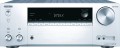 | 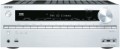 |
|---|---|---|
| Onkyo TX-NR575 | Onkyo TX-NR616 | |
from $648.00 | from $758.00 | |
| User reviews | ||
| TOP sellers | ||
DAA Dynamic Sound Amplification System. Extensive wireless connectivity. | ||
| Device type | AV Receiver | AV Receiver |
CPU | ||
| DAC frequency | 384 kHz | 192 kHz |
| Audio DAC | 32 bit | 24 bit |
| Auto sound calibration |  | |
| Auto level | | |
| Surround sound in headphones | | |
| Ultra HD | 4K | |
| Upscaling | Ultra HD (4K) | Ultra HD (4K) |
| HDR | HDR10, Dolby Vision | |
| 3D | | |
| Multi Zone | | |
Tech specs | ||
| Number of channels | 7.2 | 7.2 |
| Power per channel | 135 W | 165 W |
| Signal to noise ratio | 106 dB | 106 dB |
| Acceptable acoustic impedance | 4 Ohm | 6 Ohm |
| Frequency range | 10 – 100000 Hz | 5 – 100000 Hz |
| Bi/Tri-amping | |  |
Media player and tuner | ||
| Tuner and playback | AM/FM radio USB drive network streaming audio internet radio | AM/FM radio USB drive network streaming audio internet radio |
| Playable formats | MP3, WMA, WMA Lossless, FLAC, WAV, Ogg Vorbis, AAC, LPCM | MP3, WMA, WMA Lossless, FLAC, WAV, Ogg Vorbis, AAC, LPCM |
Communications (interface) | ||
| Interfaces | AirPlay Google cast (Chromecast) Wi-Fi Bluetooth LAN Remote control negotiation | Wi-Fi LAN MHL DLNA Remote control negotiation |
Decoder support | ||
| Decoders | Dolby Atmos Dolby Digital Dolby Digital Plus Dolby TrueHD DTS DTS Express DTS 96/24 DTS-HD High Resolution Audio DTS-HD Master Audio DTS ES Matrix 6.1 DTS ES Discrete 6.1 DTS Neural:X DTS X | Dolby Digital Dolby Digital Plus Dolby TrueHD Dolby Pro Logic II Dolby Pro Logic IIx Dolby Pro Logic IIz Dolby Digital EX DTS DTS Express DTS 96/24 DTS-HD High Resolution Audio DTS-HD Master Audio DTS ES Matrix 6.1 DTS ES Discrete 6.1 DTS Neo:6 |
Inputs | ||
| RCA | 3 pairs | 6 pairs |
| Coaxial S/PDIF | 1 pcs | 2 pcs |
| Optical | 2 шт | 2 шт |
| HDMI | 4 шт | 8 шт |
| HDMI version | v 2.1 | |
| Composite | 2 шт | 5 шт |
| Component | 1 шт | |
| Phono | | |
Outputs | ||
| RCA | 1 pairs | 2 pairs |
| HDMI | 1 шт | 2 шт |
| Composite | 1 шт | |
| Component | 1 шт | |
| On headphones | 6.35 mm (Jack) | 6.35 mm (Jack) |
Front panel | ||
| Headphone output | | |
| USB port | | |
| HDMI input | | |
| Linear | | |
| Composite | | |
General | ||
| Power consumption | 480 W | |
| Standby consumption | 0.15 W | |
| Smartphone control | | |
| Dimensions (WxDxH) | 435x329x174 mm | 435x328x174 mm |
| Weight | 9 kg | 11 kg |
| Color | ||
| Added to E-Catalog | march 2017 | december 2013 |


Compare Onkyo TX-NR575 and TX-NR616
You may be interested in
My comparisons
Onkyo TX-NR575 often compared


Onkyo TX-NR616 often compared

Glossary
DAC frequency
A digital-to-analogue converter (DAC) is an indispensable element of any system designed to reproduce digital sound. The DAC is an electronic module that translates sound information into pulses that are sent to the speakers. The technical features of such a conversion are such that the higher the sampling frequency, the better the signal at the output of the DAC, the less it is distorted during conversion. The most popular option in receivers today is 192 kHz — it corresponds to a very high sound quality (DVD-Audio) and at the same time avoids unnecessary increase in the cost of devices.
Audio DAC
Another indicator that determines the overall quality of the digital-to-analogue audio converter. For details on the converter, see "Audio DAC Sampling Rate"; here we note that the bit depth is standardly expressed in bits, and the higher it is, the more accurately the signal at the output of the DAC corresponds to the original signal and the less distortion is introduced into it. Today, it is believed that a 16-bit indicator provides quite acceptable signal quality, and 24-bit DACs are suitable even for premium-level equipment.
Ultra HD
The ability of the receiver to work with a video signal of ultra-high definition - Ultra HD. Various versions are available. The most popular are 4K and 8K. The resolution of such video is 4 and 8 times higher than that of Full HD, respectively, which allows you to achieve even greater image clarity and degree of detail (compared to FullHD). However, you will also need a 4K or 8K TV/projector to view it. And the cost of such systems (in particular 8K) can be expensive.
HDR
Receiver support for HDR technology; this clause may also specify the specific supported HDR format.
HDR stands for High Dynamic Range. This technology allows you to expand the range of brightness reproduced simultaneously on the screen; to put it simply, the viewer will see brighter whites and darker blacks. In practice, this means a significant improvement in color quality: colors are more vibrant and at the same time more faithful than without HDR. However, to use this function, in addition to the receiver, a TV/projector that supports the appropriate HDR format and content recorded in this format is required.
In terms of specific formats, the most popular options these days are basic HDR10, advanced HDR10+, and high-end Dolby Vision. Here are their features:
- HDR10. Historically the first of the consumer HDR formats, less advanced than the options described below but extremely widespread. In particular, HDR10 is supported by almost all streaming services that provide HDR content at all, and it is also common for Blu-ray discs. Allows you to work with a color depth of 10 bits (hence the name). At the same time, devices of this format are also compatible with content in HDR10 +, although its quality will be limited by the capabilities of the original HDR10.
- HDR10+. Improved version of HDR10. With the same color depth (10 bits), it uses the so-called dynamic metadata,...which allows transmitting information about the color depth not only for groups of several frames, but also for individual frames. This results in an additional improvement in color reproduction.
Dolby Vision. An advanced standard used particularly in professional cinematography. Allows you to achieve a color depth of 12 bits, uses the dynamic metadata described above, and also makes it possible to transmit two image options at once in one video stream - HDR and normal (SDR). At the same time, Dolby Vision is based on the same technology as HDR10, so in modern video technology this format is usually combined with HDR10 or HDR10+.
HDR stands for High Dynamic Range. This technology allows you to expand the range of brightness reproduced simultaneously on the screen; to put it simply, the viewer will see brighter whites and darker blacks. In practice, this means a significant improvement in color quality: colors are more vibrant and at the same time more faithful than without HDR. However, to use this function, in addition to the receiver, a TV/projector that supports the appropriate HDR format and content recorded in this format is required.
In terms of specific formats, the most popular options these days are basic HDR10, advanced HDR10+, and high-end Dolby Vision. Here are their features:
- HDR10. Historically the first of the consumer HDR formats, less advanced than the options described below but extremely widespread. In particular, HDR10 is supported by almost all streaming services that provide HDR content at all, and it is also common for Blu-ray discs. Allows you to work with a color depth of 10 bits (hence the name). At the same time, devices of this format are also compatible with content in HDR10 +, although its quality will be limited by the capabilities of the original HDR10.
- HDR10+. Improved version of HDR10. With the same color depth (10 bits), it uses the so-called dynamic metadata,...which allows transmitting information about the color depth not only for groups of several frames, but also for individual frames. This results in an additional improvement in color reproduction.
Dolby Vision. An advanced standard used particularly in professional cinematography. Allows you to achieve a color depth of 12 bits, uses the dynamic metadata described above, and also makes it possible to transmit two image options at once in one video stream - HDR and normal (SDR). At the same time, Dolby Vision is based on the same technology as HDR10, so in modern video technology this format is usually combined with HDR10 or HDR10+.
Power per channel
the maximum sound power that can be delivered by the power amplifier (if the receiver has one, see "Type") per speaker channel. It is worth noting here that in this case it is customary to indicate the so-called RMS (Rated Maximum Sinusoidal), or rated power. Rated is considered the highest power that the amplifier is guaranteed to be able to produce without interruption for an hour without any failures or breakdowns. Short-term jumps in the signal level can significantly exceed this value, but the main indicator is still the rated power.
The power of the amplifier largely determines the sound volume of the speaker system connected to the device. In fact, the loudness also depends on the characteristics of the speakers — sensitivity, impedance, etc.; however, other things being equal, the same acoustics on a more powerful amplifier will sound louder. In addition, this parameter also affects the compatibility of the speakers and the amplifier — it is believed that the difference in the nominal powers of these components should not exceed 10-15% (and ideally, the powers should generally match). And since different rooms require speakers of different power, this also affects the choice of amplifier for a particular environment; specific recommendations on the ratio of room characteristics and acoustic power can be found in special sources.
Also note that if the amplifier can operate with a load of different resistance (see..."Permissible acoustic impedance"), then for different options the power per channel will be different — the lower the resistance, the higher the power. In the characteristics, in this case, the maximum value of this parameter is usually indicated — that is, the power at the minimum allowable resistance.
The power of the amplifier largely determines the sound volume of the speaker system connected to the device. In fact, the loudness also depends on the characteristics of the speakers — sensitivity, impedance, etc.; however, other things being equal, the same acoustics on a more powerful amplifier will sound louder. In addition, this parameter also affects the compatibility of the speakers and the amplifier — it is believed that the difference in the nominal powers of these components should not exceed 10-15% (and ideally, the powers should generally match). And since different rooms require speakers of different power, this also affects the choice of amplifier for a particular environment; specific recommendations on the ratio of room characteristics and acoustic power can be found in special sources.
Also note that if the amplifier can operate with a load of different resistance (see..."Permissible acoustic impedance"), then for different options the power per channel will be different — the lower the resistance, the higher the power. In the characteristics, in this case, the maximum value of this parameter is usually indicated — that is, the power at the minimum allowable resistance.
Acceptable acoustic impedance
The lowest impedance of the loudspeakers of the speaker system, with which the amplifier is able to work normally. The nominal impedance of the speakers, also referred to as the term "impedance", is one of the key parameters in the selection of audio system components: for normal operation, it is necessary that the speaker impedance match the characteristics of the amplifier. If the speaker impedance is greater, the sound volume will decrease significantly, if it is less, distortion will appear in it, and in the worst case, even overloads and breakdowns are possible. Therefore, in the characteristics of receivers, it is usually the minimum resistance that is indicated — after all, connecting a load of too low impedance is fraught with more serious consequences than too high.
Frequency range
The range of sound frequencies that the receiver is capable of outputting (this parameter can also be specified for models without their own amplifier, see “Number of channels” for more details). The completeness of the transmitted sound depends on this parameter; of course, the sound quality in general is highly dependent on a number of other factors (for example, frequency response), but the wider the frequency range, the less risk that the amplifier will completely “cut off” some part of the sound. On the other hand, it should be taken into account here that the normal hearing range of the human ear is approximately 16 – 20,000 Hz, and deviations from these limits are rather small. And although many modern receivers provide a much wider frequency range, however, this is more of a marketing ploy than a really significant indicator (or some kind of "side defect" in the design of a high-quality amplifier).
It is also worth considering that in order to reproduce the full frequency of the amplifier, you will need speakers with the appropriate characteristics.
It is also worth considering that in order to reproduce the full frequency of the amplifier, you will need speakers with the appropriate characteristics.
Bi/Tri-amping
The ability of the receiver to work in Bi-amping and/or Tri-amping mode.
The basic principle of both of these modes is that the audio signal is divided into several frequency bands (LF and HF for Bi-amping, in the case of Tri-amping, mid frequencies are separated separately), and each band is processed by its own amplifier and output to its own specialized set of speakers. . In this way, a noticeable improvement in sound quality can be achieved. However, note that the specific implementation of this function in AV receivers may be different. The simplest option involves two or three built-in power amplifiers, each of which outputs the entire audio range to its own set of connectors. To such a device, you need to connect an external crossover (frequency filter) or speakers with built-in filters for each frequency band. More advanced receivers may have their own built-in crossovers, in which case only part of the frequency range is output to each amplifier with a set of connectors; this eliminates the need for external frequency filters. However, anyway, to use Bi/Tri-amping, you will need speakers that support this connection format.
The basic principle of both of these modes is that the audio signal is divided into several frequency bands (LF and HF for Bi-amping, in the case of Tri-amping, mid frequencies are separated separately), and each band is processed by its own amplifier and output to its own specialized set of speakers. . In this way, a noticeable improvement in sound quality can be achieved. However, note that the specific implementation of this function in AV receivers may be different. The simplest option involves two or three built-in power amplifiers, each of which outputs the entire audio range to its own set of connectors. To such a device, you need to connect an external crossover (frequency filter) or speakers with built-in filters for each frequency band. More advanced receivers may have their own built-in crossovers, in which case only part of the frequency range is output to each amplifier with a set of connectors; this eliminates the need for external frequency filters. However, anyway, to use Bi/Tri-amping, you will need speakers that support this connection format.
Interfaces
- AirPlay. Technology for transmitting multimedia data via a wireless connection ( Wi-Fi). Developed by Apple, it is intended mainly for broadcasting content from various Apple devices (primarily portable gadgets) to compatible external devices. Allows you to transfer audio files (in audio streaming mode, see “Tuner and playback” for more details), as well as images, text data and even video. The presence of AirPlay in the receiver will allow you to connect Apple equipment with support for this technology to it for direct playback, as well as display information about files on an external screen (for example, a TV) - song name, artist name, etc.
- AirPlay 2. The second version of the AirPlay technology described above, released in 2018. One of the main innovations introduced in this update was support for the multi-room format - the ability to simultaneously broadcast several separate audio signals to different compatible devices installed in different locations. Thus, you can, for example, turn on the next episode of your favorite series from your iPhone on the TV in the living room, and relaxing music from your iPod in the kitchen, etc. In addition, AirPlay 2 received a number of other improvements - improved buffering, the ability to stream to stereo acoustics, as well as support for voice control via Siri.
- Chromecast.... Original name: Google Cast. Technology for broadcasting content to external devices, developed by Google. Allows you to transmit video and audio from a PC or mobile device to the AV receiver; broadcasting is usually carried out via Wi-Fi, while the receiver and the signal source must be on the same Wi-Fi network (with the exception of Chromecast media players). Chromecast technology supports two modes - actual broadcasting through special applications (available for Windows, macOS, Android and iOS) and “mirroring” content opened in the Google Chrome browser on an external screen.
- Wi-Fi. A wireless interface used primarily for building computer networks. Accordingly, AV receivers may need its presence primarily to implement network functions - streaming audio, Internet radio (see “Tuner and playback”), AirPlay (see above), DLNA (see below). Connecting to computer networks can also be done through a wired LAN interface(see below), but Wi-Fi is more convenient due to the absence of wires and the ability to work through obstacles (including walls) at a distance of several tens of meters. In addition, in some models, this technology can also be used to communicate directly with other devices - for example, to use a smartphone or tablet as a remote control, or to broadcast live video using Miracast technology or another similar format.
— Bluetooth. Direct wireless communication technology between various electronic devices; operates at a range of about 10 m, although some specific operating formats provide a longer range. Technically, it can be used for different purposes, depending on the protocols supported by a particular device; In AV receivers, two protocols are most often found - A2DP for wireless broadcasting of audio signals and AVRCP for remote control. In the first case, we are usually talking about transmitting a signal from an external device (smartphone, laptop, etc.) to the receiver; theoretically, the opposite option is also possible - broadcasting sound to Bluetooth headphones or acoustics, however, for a number of reasons, this format of operation is almost never found in AV receivers. AVRCP, in turn, allows you to use an external gadget (for example, the same smartphone) as a remote control.
- LAN. A standard interface for wired connection of various equipment (including AV receivers) to computer networks, incl. to access the Internet. Due to the presence of a wire, it is less convenient to connect than the Wi-Fi described above. On the other hand, a LAN connection wins in terms of connection reliability and actual data transfer speed - especially if there are many wireless devices on the network and Wi-Fi channels are busy (which is often the case, since Wi-Fi modules are very popular in modern electronics ). Therefore, for working with large volumes of data - for example, watching high-definition video via DLNA (see below) - LAN is better suited.
— RS-232. A wired interface that originally appeared in computer technology. In AV receivers, it can be called a service connector: content is not transmitted through this connector, but through it you can connect the device to a computer and remotely change settings, as well as update the firmware.
— MHL. High-speed wired interface for transmitting multimedia data (video and audio) from mobile devices to external screens. The bandwidth allows you to work with high or even ultra-high resolution images, as well as multi-channel audio. Also, when connected, the gadget can be charged. In mobile devices, the MHL signal is output via a standard microUSB port; and the role of the input in AV receivers (and other stationary equipment) is played by the HDMI connector (see below) - however, not every connector, but only one that is initially compatible with MHL and has the appropriate marking. Adapters are available for connecting to regular HDMI, but additional functions (like charging) may not be available with this connection.
- DLNA. A technology used to connect various electronic devices into a single digital network with the ability to directly exchange content. Devices for which support for this standard is declared are able to communicate effectively regardless of the manufacturer. An AV receiver with DLNA can, for example, play a movie directly from the hard drive of a computer in the next room, or transfer photos from a smartphone to the TV. Connecting to the Network can be done either wired (LAN) or wirelessly (Wi-Fi, see above).
- Roon Tested. Roon Tested accreditation means the AV receiver is compatible with the popular audiophile music streaming platform Roon. Certified models have undergone a series of tests and meet the quality standards required to operate Roon flawlessly. This ensures convenient management and organization of content within the platform.
— Coordination of Remote control. A function that allows you to connect the AV receiver to another device (for example, a Blu-ray player or external amplifier) and control both devices with one remote control. When purchasing equipment with such a function, it is necessary to clarify compatibility - as a rule, only equipment from one manufacturer can work in such a “bundle”, and even in such cases, their own nuances are possible upon agreement.
— Voice assistant. Receiver support for voice assistant. The most popular assistants these days are:
- AirPlay 2. The second version of the AirPlay technology described above, released in 2018. One of the main innovations introduced in this update was support for the multi-room format - the ability to simultaneously broadcast several separate audio signals to different compatible devices installed in different locations. Thus, you can, for example, turn on the next episode of your favorite series from your iPhone on the TV in the living room, and relaxing music from your iPod in the kitchen, etc. In addition, AirPlay 2 received a number of other improvements - improved buffering, the ability to stream to stereo acoustics, as well as support for voice control via Siri.
- Chromecast.... Original name: Google Cast. Technology for broadcasting content to external devices, developed by Google. Allows you to transmit video and audio from a PC or mobile device to the AV receiver; broadcasting is usually carried out via Wi-Fi, while the receiver and the signal source must be on the same Wi-Fi network (with the exception of Chromecast media players). Chromecast technology supports two modes - actual broadcasting through special applications (available for Windows, macOS, Android and iOS) and “mirroring” content opened in the Google Chrome browser on an external screen.
- Wi-Fi. A wireless interface used primarily for building computer networks. Accordingly, AV receivers may need its presence primarily to implement network functions - streaming audio, Internet radio (see “Tuner and playback”), AirPlay (see above), DLNA (see below). Connecting to computer networks can also be done through a wired LAN interface(see below), but Wi-Fi is more convenient due to the absence of wires and the ability to work through obstacles (including walls) at a distance of several tens of meters. In addition, in some models, this technology can also be used to communicate directly with other devices - for example, to use a smartphone or tablet as a remote control, or to broadcast live video using Miracast technology or another similar format.
— Bluetooth. Direct wireless communication technology between various electronic devices; operates at a range of about 10 m, although some specific operating formats provide a longer range. Technically, it can be used for different purposes, depending on the protocols supported by a particular device; In AV receivers, two protocols are most often found - A2DP for wireless broadcasting of audio signals and AVRCP for remote control. In the first case, we are usually talking about transmitting a signal from an external device (smartphone, laptop, etc.) to the receiver; theoretically, the opposite option is also possible - broadcasting sound to Bluetooth headphones or acoustics, however, for a number of reasons, this format of operation is almost never found in AV receivers. AVRCP, in turn, allows you to use an external gadget (for example, the same smartphone) as a remote control.
- LAN. A standard interface for wired connection of various equipment (including AV receivers) to computer networks, incl. to access the Internet. Due to the presence of a wire, it is less convenient to connect than the Wi-Fi described above. On the other hand, a LAN connection wins in terms of connection reliability and actual data transfer speed - especially if there are many wireless devices on the network and Wi-Fi channels are busy (which is often the case, since Wi-Fi modules are very popular in modern electronics ). Therefore, for working with large volumes of data - for example, watching high-definition video via DLNA (see below) - LAN is better suited.
— RS-232. A wired interface that originally appeared in computer technology. In AV receivers, it can be called a service connector: content is not transmitted through this connector, but through it you can connect the device to a computer and remotely change settings, as well as update the firmware.
— MHL. High-speed wired interface for transmitting multimedia data (video and audio) from mobile devices to external screens. The bandwidth allows you to work with high or even ultra-high resolution images, as well as multi-channel audio. Also, when connected, the gadget can be charged. In mobile devices, the MHL signal is output via a standard microUSB port; and the role of the input in AV receivers (and other stationary equipment) is played by the HDMI connector (see below) - however, not every connector, but only one that is initially compatible with MHL and has the appropriate marking. Adapters are available for connecting to regular HDMI, but additional functions (like charging) may not be available with this connection.
- DLNA. A technology used to connect various electronic devices into a single digital network with the ability to directly exchange content. Devices for which support for this standard is declared are able to communicate effectively regardless of the manufacturer. An AV receiver with DLNA can, for example, play a movie directly from the hard drive of a computer in the next room, or transfer photos from a smartphone to the TV. Connecting to the Network can be done either wired (LAN) or wirelessly (Wi-Fi, see above).
- Roon Tested. Roon Tested accreditation means the AV receiver is compatible with the popular audiophile music streaming platform Roon. Certified models have undergone a series of tests and meet the quality standards required to operate Roon flawlessly. This ensures convenient management and organization of content within the platform.
— Coordination of Remote control. A function that allows you to connect the AV receiver to another device (for example, a Blu-ray player or external amplifier) and control both devices with one remote control. When purchasing equipment with such a function, it is necessary to clarify compatibility - as a rule, only equipment from one manufacturer can work in such a “bundle”, and even in such cases, their own nuances are possible upon agreement.
— Voice assistant. Receiver support for voice assistant. The most popular assistants these days are:
- Google Assistant
- Apple Siri
- Amazon Alexa