
Comparison Razer Lancehead Tournament Edition vs Razer Lancehead
Add to comparison | 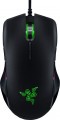 | 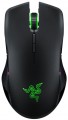 |
|---|---|---|
| Razer Lancehead Tournament Edition | Razer Lancehead | |
from $82.61 | from $169.00 | |
| User reviews | ||
| TOP sellers | ||
Polling rate: 1000 Hz. | ||
| Product type | mouse | mouse |
| Connection | wired | radio |
| Sensor | laser | laser |
| Type | for game | for game |
Sensor and control | ||
| Sensor | Razer 5G | |
| Sensor resolution | 16000 DPI | 16000 DPI |
| Max. acceleration | 50 G | 50 G |
| Max. speed | 450 ips | 210 ips |
| Number of buttons | 8 | 8 |
| Side buttons |  | |
| DPI-button | | |
| Switch type | mechanical | |
| Switches | Razer | |
| Scroll wheels | 1 | 1 |
Additional features | ||
| Optimal grip | palmar, finger | |
| Programmable buttons | | |
| Built-in memory | | |
| Lighting | RGB | RGB |
| Lighting effects | Razer Chroma | Razer Chroma |
Connection and power supply | ||
| Cable | USB-A braided | |
| Cable length | 2.1 m | |
| Power source | battery | |
General | ||
| Suitable for left-handers | | |
| Left handed |  | |
| In box | USB-A dongle | |
| Size (LxWxH) | 117x71x38 mm | 117x71x38 mm |
| Weight | 104 g | 111 g |
| Color | ||
| Added to E-Catalog | may 2017 | may 2017 |


Compare Razer Lancehead Tournament Edition and Lancehead
You may be interested in
My comparisons
Razer Lancehead Tournament Edition often compared


Razer Lancehead often compared


Glossary
Connection
The type of connection used by the mouse.
All types of mouse connection can be divided into wired and wireless. There are also combined models that allow both methods; however, for a number of reasons, they have not received much distribution.
Wired mice can vary in connector type; however, the universal standard nowadays is USB, other options are much less common (see "Cable" for them). Anyway, such mice are much cheaper than wireless counterparts, moreover, they do not require batteries / accumulators and have an almost unlimited lifespan. On the other hand, the wire restricts mobility and can be inconvenient when connecting, especially if the computer is located far away or in a hard-to-reach place.
Wireless devices, in turn, can connect via radio, Bluetooth, or Wi-Fi ; in some models, two options are combined — at the user's choice, (usually radio and Bluetooth). Regardless of the interface used, all such models are more convenient than wired ones due, in fact, to the absence of a cable; and their range is at least a few metres, so a wireless mouse can also work as a kind of remote control. At the same time, a wireless connection is more expensive than a wired connection, and besides, it requires autonomous power supply — as a result, the per...iod of continuous operation of the mouse is limited.
As for the different types of wireless connection, here are their features:
— Radio. To connect over the air, usually, a wireless adapter is used, which is connected to the USB port of the computer. This method is convenient in that it can be used with any computer, including systems that do not have built-in Bluetooth or Wi-Fi modules. The disadvantages of this option include the fact that the adapter requires a free connector; as a result, with a small number of USB ports, difficulties can arise. However, this moment, if necessary, can be easily corrected by connecting a USB hub; so it is this connection method that is most popular among modern wireless mice.
— Bluetooth. The main advantage of this connection method is that many modern devices — laptops, most monoblock computers, smart TVs, etc. — have built-in Bluetooth modules. Thus, you can connect the mouse to such equipment directly, without occupying hardware connectors. And for PCs not equipped with internal Bluetooth modules, appropriate adapters are available (which may even be included with the mouse). In addition, some advanced models with such a connection are able to remember several Bluetooth devices at the same time and switch between them literally “with the touch of a button”. The Bluetooth communication range is at least 10 m with line of sight.
— Wi-Fi. A rather specific option, which is extremely rare — in certain models of laptop mice (see "In the direction"). In many respects it is similar to Bluetooth — in particular, it is designed mainly to work with built-in modules and allows you to use a mouse without occupying hardware connectors. At the same time, the range of communication via Wi-Fi is much greater. On the other hand, this advantage is not of fundamental importance, and on the technical side, the creation of Wi-Fi mice is associated with certain difficulties. That is why this type of connection has not received distribution.
All types of mouse connection can be divided into wired and wireless. There are also combined models that allow both methods; however, for a number of reasons, they have not received much distribution.
Wired mice can vary in connector type; however, the universal standard nowadays is USB, other options are much less common (see "Cable" for them). Anyway, such mice are much cheaper than wireless counterparts, moreover, they do not require batteries / accumulators and have an almost unlimited lifespan. On the other hand, the wire restricts mobility and can be inconvenient when connecting, especially if the computer is located far away or in a hard-to-reach place.
Wireless devices, in turn, can connect via radio, Bluetooth, or Wi-Fi ; in some models, two options are combined — at the user's choice, (usually radio and Bluetooth). Regardless of the interface used, all such models are more convenient than wired ones due, in fact, to the absence of a cable; and their range is at least a few metres, so a wireless mouse can also work as a kind of remote control. At the same time, a wireless connection is more expensive than a wired connection, and besides, it requires autonomous power supply — as a result, the per...iod of continuous operation of the mouse is limited.
As for the different types of wireless connection, here are their features:
— Radio. To connect over the air, usually, a wireless adapter is used, which is connected to the USB port of the computer. This method is convenient in that it can be used with any computer, including systems that do not have built-in Bluetooth or Wi-Fi modules. The disadvantages of this option include the fact that the adapter requires a free connector; as a result, with a small number of USB ports, difficulties can arise. However, this moment, if necessary, can be easily corrected by connecting a USB hub; so it is this connection method that is most popular among modern wireless mice.
— Bluetooth. The main advantage of this connection method is that many modern devices — laptops, most monoblock computers, smart TVs, etc. — have built-in Bluetooth modules. Thus, you can connect the mouse to such equipment directly, without occupying hardware connectors. And for PCs not equipped with internal Bluetooth modules, appropriate adapters are available (which may even be included with the mouse). In addition, some advanced models with such a connection are able to remember several Bluetooth devices at the same time and switch between them literally “with the touch of a button”. The Bluetooth communication range is at least 10 m with line of sight.
— Wi-Fi. A rather specific option, which is extremely rare — in certain models of laptop mice (see "In the direction"). In many respects it is similar to Bluetooth — in particular, it is designed mainly to work with built-in modules and allows you to use a mouse without occupying hardware connectors. At the same time, the range of communication via Wi-Fi is much greater. On the other hand, this advantage is not of fundamental importance, and on the technical side, the creation of Wi-Fi mice is associated with certain difficulties. That is why this type of connection has not received distribution.
Sensor
The model of the sensor installed in the mouse. This information is indicated mainly for models equipped with high-end sensors, which are significantly superior in their capabilities to simpler solutions. Such characteristics are important primarily for gaming mice, so most of the devices for which the sensor model is specified belong to this category.
Knowing the name, you can find detailed data on the sensor and evaluate its capabilities. Note that one of the most popular brands nowadays, under which advanced sensors are produced, is PixArt ; on the market are often found, in particular, sensors PixArt 3212, PixArt 3325, PixArt 3327, PixArt 3335, PixArt 3360, PixArt 3389, PixArt 3395, PixArt 3950.
Knowing the name, you can find detailed data on the sensor and evaluate its capabilities. Note that one of the most popular brands nowadays, under which advanced sensors are produced, is PixArt ; on the market are often found, in particular, sensors PixArt 3212, PixArt 3325, PixArt 3327, PixArt 3335, PixArt 3360, PixArt 3389, PixArt 3395, PixArt 3950.
Max. speed
The ips (inches per second) parameter is the linear speed of mouse movement, expressed in inches per second, at which the manipulator's sensor is able to read the surface. In top models, the maximum mouse movement speed often reaches 400-600 ips, but devices with ips in the region of 200 are more common.
Switch type
The type of switches in a mouse indicates the mechanism used under the main buttons to register a click. It affects the feel when pressing, actuation speed, lifespan, and resistance to accidental double clicks.
— Optical. Button mechanisms where the press is registered not by closing metal contacts but by interrupting a light beam. This makes them faster, less prone to wear, and almost unaffected by accidental double-click issues.
These switches are especially valued in gaming mice, where response speed and stability after a large number of clicks are crucial. For example, in shooters or MOBA games, they help achieve clear feedback without delay and contact bouncing.
— Mechanical. Classic button mechanisms where a click is registered due to the closing of metal contacts. They provide a familiar tactile feel, a well-audible click, and are widely used in both office and gaming models.
Compared to optical switches, mechanical ones are usually simpler and cheaper, but over time the contacts may wear out. For example, with active gaming or daily work, after a few years, a double click might occur instead of a single press.
— Optical. Button mechanisms where the press is registered not by closing metal contacts but by interrupting a light beam. This makes them faster, less prone to wear, and almost unaffected by accidental double-click issues.
These switches are especially valued in gaming mice, where response speed and stability after a large number of clicks are crucial. For example, in shooters or MOBA games, they help achieve clear feedback without delay and contact bouncing.
— Mechanical. Classic button mechanisms where a click is registered due to the closing of metal contacts. They provide a familiar tactile feel, a well-audible click, and are widely used in both office and gaming models.
Compared to optical switches, mechanical ones are usually simpler and cheaper, but over time the contacts may wear out. For example, with active gaming or daily work, after a few years, a double click might occur instead of a single press.
Switches
The switches in a mouse indicate which specific switches are installed under the main buttons, such as Omron, Huano, Kailh, TTC, or proprietary solutions from the manufacturer. These determine the click characteristics, actuation force, click volume, lifespan, and the likelihood of double-clicking over time.
Unlike the general switch type, which refers to the working principle—mechanical or optical—the brand and model provide a more precise understanding of the performance level. For example, two mice with mechanical switches might feel different when clicked: some may be softer and quieter, while others could be stiffer, louder, and feel more "gaming-like."
Unlike the general switch type, which refers to the working principle—mechanical or optical—the brand and model provide a more precise understanding of the performance level. For example, two mice with mechanical switches might feel different when clicked: some may be softer and quieter, while others could be stiffer, louder, and feel more "gaming-like."
Optimal grip
Grip — a way of holding in the hand — for which this model is best suited.
Grip types are divided according to the position of the hand on the mouse. This parameter is relevant primarily in games: for maximum efficiency, the player needs a mouse that matches the usual type of grip. This is especially important for professional eSports, where any little thing can be the key to victory or defeat. Therefore, the types of grip are indicated mainly for gaming mice (see "By Direction"). At the same time, one can come across statements that certain types of grip are best suited for certain genres of games, but this is not entirely true: the main selection criterion is the user's personal preferences and characteristics. For example, some players quite successfully use a "slow" palm grip in dynamic shooters, compensating for the reduced speed with a good reaction; and others, even in quests, prefer a "quick" claw or finger hold.
Here is a more detailed description of the most popular grip options:
— Palmar. A holding method in which the mice touch both the entire fingers and most of the palm. In other words, with such a grip, the palm with fingers rests on the mouse, making maximum contact with it. It is under this option that most of the "rodents" are initially made, it is also popular in gaming models. Most models, specialized specifically for the palm grip, have a large length, as well as a characteristic asymmetrical design with protrusions...and depressions on the body — for maximum ergonomics; although there are exceptions. Anyway, the main advantages of this method of holding the mouse are the minimum strain on the wrist, as well as good smoothness and accuracy of movements. On the other hand, the speed of moving the mouse may be somewhat slower than with other types of grip.
— Claw. A claw grip is a grip in which the user's hand forms an arc and touches the mouse only with the lower part of the palm and fingertips. At the same time, the classic claw grip assumes an almost perpendicular arrangement of the fingertips relative to the buttons, but this requirement is not strictly necessary — the fingers can also lie at a slight angle. Anyway, due to the reduction of the contact area and the greater degree of freedom for the hand, such a hold provides more speed than the palm hold, and at the same time it is easier to master than the finger hold. Therefore, many gamers consider the claw grip to be the best option for shooters, action games and real-time strategies where reaction speed is important. Specialized mice for this method of holding are usually somewhat shorter than traditional "palm mice", and they often have a characteristic "hump" in the back of the case.
— Finger. A grip where the user only touches the mouse with their fingertips, with no hand contact with the mouse (but the wrist remains stationary). This type of grip allows you to achieve a high reaction rate, but it is quite difficult to master and does not differ in accuracy, especially if you are not used to it. However, many users use this method of retention intuitively, without thinking; the finger grip is specially mastered mainly by professional players and enthusiastic enthusiasts. Mice of this format usually have a small weight with a centre of gravity shifted closer to the front, and the body is made relatively short, most often symmetrical, and the “hump” (protrusion) is located closer to the centre of the body, or even absent (based on the fact that the palm still does not touch the mouse).
Note that there are models that combine several grip options — up to all three at once. The design of such mice may provide adjustment for one or another method of retention, however, the presence of such an adjustment does not interfere with clarifying separately.
Grip types are divided according to the position of the hand on the mouse. This parameter is relevant primarily in games: for maximum efficiency, the player needs a mouse that matches the usual type of grip. This is especially important for professional eSports, where any little thing can be the key to victory or defeat. Therefore, the types of grip are indicated mainly for gaming mice (see "By Direction"). At the same time, one can come across statements that certain types of grip are best suited for certain genres of games, but this is not entirely true: the main selection criterion is the user's personal preferences and characteristics. For example, some players quite successfully use a "slow" palm grip in dynamic shooters, compensating for the reduced speed with a good reaction; and others, even in quests, prefer a "quick" claw or finger hold.
Here is a more detailed description of the most popular grip options:
— Palmar. A holding method in which the mice touch both the entire fingers and most of the palm. In other words, with such a grip, the palm with fingers rests on the mouse, making maximum contact with it. It is under this option that most of the "rodents" are initially made, it is also popular in gaming models. Most models, specialized specifically for the palm grip, have a large length, as well as a characteristic asymmetrical design with protrusions...and depressions on the body — for maximum ergonomics; although there are exceptions. Anyway, the main advantages of this method of holding the mouse are the minimum strain on the wrist, as well as good smoothness and accuracy of movements. On the other hand, the speed of moving the mouse may be somewhat slower than with other types of grip.
— Claw. A claw grip is a grip in which the user's hand forms an arc and touches the mouse only with the lower part of the palm and fingertips. At the same time, the classic claw grip assumes an almost perpendicular arrangement of the fingertips relative to the buttons, but this requirement is not strictly necessary — the fingers can also lie at a slight angle. Anyway, due to the reduction of the contact area and the greater degree of freedom for the hand, such a hold provides more speed than the palm hold, and at the same time it is easier to master than the finger hold. Therefore, many gamers consider the claw grip to be the best option for shooters, action games and real-time strategies where reaction speed is important. Specialized mice for this method of holding are usually somewhat shorter than traditional "palm mice", and they often have a characteristic "hump" in the back of the case.
— Finger. A grip where the user only touches the mouse with their fingertips, with no hand contact with the mouse (but the wrist remains stationary). This type of grip allows you to achieve a high reaction rate, but it is quite difficult to master and does not differ in accuracy, especially if you are not used to it. However, many users use this method of retention intuitively, without thinking; the finger grip is specially mastered mainly by professional players and enthusiastic enthusiasts. Mice of this format usually have a small weight with a centre of gravity shifted closer to the front, and the body is made relatively short, most often symmetrical, and the “hump” (protrusion) is located closer to the centre of the body, or even absent (based on the fact that the palm still does not touch the mouse).
Note that there are models that combine several grip options — up to all three at once. The design of such mice may provide adjustment for one or another method of retention, however, the presence of such an adjustment does not interfere with clarifying separately.
Cable
Additional features of the cable that the mouse is equipped with.
These features may include a winding system, a detachable wire, and a braided wire(however, most modern mice still have a cable without a braid). Here is a more detailed description of all these features.
— Retractable. Wire equipped with a special coil for winding. This feature greatly simplifies transportation: during off-hours, the wire is as compact as possible and does not get tangled, and when used, it can be unwound to the desired length (usually the coil allows this possibility). All this is especially important for laptop mice (see "In direction") — in fact, most models with a wire reel fall into this category.
— Removable. Wire that can be detached from the mouse. Almost all mice with two connection options have this feature — wired and wireless: when working in a wireless format, the cable can be removed so that it does not interfere. However, there are also purely wired devices with such a cable — mostly laptop devices, where the wire is removed for ease of transportation. Also note that most often a universal connector like microUSB is used to connect the cable, so if necessary, the wire can be replaced with another one — for example, a longer one.
— In a braid. The presence of an additional braid on the mouse cable. This feature makes the wire more d...urable, reliable and resistant to bending. On the other hand, braid tends to accumulate dirt and fray when worn; because of this, the wire sheath loses its presentation faster than in mice without a braid. Yes, and such a wire is more expensive than a regular smooth one.
These features may include a winding system, a detachable wire, and a braided wire(however, most modern mice still have a cable without a braid). Here is a more detailed description of all these features.
— Retractable. Wire equipped with a special coil for winding. This feature greatly simplifies transportation: during off-hours, the wire is as compact as possible and does not get tangled, and when used, it can be unwound to the desired length (usually the coil allows this possibility). All this is especially important for laptop mice (see "In direction") — in fact, most models with a wire reel fall into this category.
— Removable. Wire that can be detached from the mouse. Almost all mice with two connection options have this feature — wired and wireless: when working in a wireless format, the cable can be removed so that it does not interfere. However, there are also purely wired devices with such a cable — mostly laptop devices, where the wire is removed for ease of transportation. Also note that most often a universal connector like microUSB is used to connect the cable, so if necessary, the wire can be replaced with another one — for example, a longer one.
— In a braid. The presence of an additional braid on the mouse cable. This feature makes the wire more d...urable, reliable and resistant to bending. On the other hand, braid tends to accumulate dirt and fray when worn; because of this, the wire sheath loses its presentation faster than in mice without a braid. Yes, and such a wire is more expensive than a regular smooth one.
Cable length
The length of the cable that is equipped with a mouse with the possibility of a wired connection (see "Type of connection").
When choosing this parameter, you should first of all take into account the distance from the manipulator to the connection port: a cable that is too short may simply not reach the connector, and a cable that is too long may get tangled at hand and create inconvenience. As for specific values, the most modest wire length in modern mice is 1 m or less ; such devices are intended mainly for laptops. Most desktop manipulators come with cables that are 1.1-1.5m or 1.6-2m long, with some models running longer than 2m.
When choosing this parameter, you should first of all take into account the distance from the manipulator to the connection port: a cable that is too short may simply not reach the connector, and a cable that is too long may get tangled at hand and create inconvenience. As for specific values, the most modest wire length in modern mice is 1 m or less ; such devices are intended mainly for laptops. Most desktop manipulators come with cables that are 1.1-1.5m or 1.6-2m long, with some models running longer than 2m.
Power source
The type of power used by the wireless mouse (see "Connection Type").
Modern mice can be powered by replaceable cells, by a built-in battery, or by a mousepad. The first option is good because dead batteries can be replaced with fresh ones in a matter of seconds, no need to waste time charging. At the same time, replaceable cells are sold both in the form of disposable batteries and in the form of rechargeable batteries, which gives the user a choice: to buy inexpensive batteries regularly or to spend money on a battery (s) with a charger once. Here are the main sizes of such elements found in modern mice:
— AA. Widely known "finger" batteries. A fairly common option, although less popular than the smaller AAA — in fact, because of the larger size, poorly suited for compact mice. On the other hand, AA cells have higher capacitance. The number of such batteries can be different, most often there are models for 1xAA or 2xAA.
— AAA. "Mini finger" or "little finger" batteries. More compact than AA, due to which they are widely used in modern mice. The capacity of such elements, however, is lower, however, mice do not consume so much energy, and even with 1xAAA power supply, battery life can be calculated not only for months, but for years. Also, there are often models on 2xAAA..., and extremely rarely on 3xAAA.
As for other ways of eating, their features are as follows:
— Accumulator. Own built-in battery is convenient primarily because it is initially included in the package, you do not need to buy it separately. And the further operation of such a mouse does not require additional expenses — it is enough to charge it from time to time. In addition, batteries can be made more compact than replacement cells. There are two main disadvantages of such a power supply, compared with the same batteries. Firstly, this is less battery life — in the most "long-playing" rechargeable mice, the battery life does not exceed 120 days (for batteries, this is a very limited indicator). The second point is the inability to quickly remove and replace the battery. This means that with a dead battery, there is only one option — charging, and it takes time; however, many mice allow use directly in the process of charging. But if the battery fails, at best, the device will have to be carried to the service, at worst, it will be changed entirely.
— From the rug. Quite a specific option: powered by a special pad that transmits energy to the mouse wirelessly. The pad needs to be connected to a computer port (usually USB), so such mice are very conditionally wireless. One of the advantages of such models is that they do not need to monitor the battery status. On the other hand, you can use the mouse only with the supplied mouse pad; if it is missing, the device becomes useless; and freedom of movement is limited by the length of the wire. Thus, mice with such a power supply do not actually have key advantages over wired models, and they are much more expensive. So nowadays, food from the rug is extremely rare.
Modern mice can be powered by replaceable cells, by a built-in battery, or by a mousepad. The first option is good because dead batteries can be replaced with fresh ones in a matter of seconds, no need to waste time charging. At the same time, replaceable cells are sold both in the form of disposable batteries and in the form of rechargeable batteries, which gives the user a choice: to buy inexpensive batteries regularly or to spend money on a battery (s) with a charger once. Here are the main sizes of such elements found in modern mice:
— AA. Widely known "finger" batteries. A fairly common option, although less popular than the smaller AAA — in fact, because of the larger size, poorly suited for compact mice. On the other hand, AA cells have higher capacitance. The number of such batteries can be different, most often there are models for 1xAA or 2xAA.
— AAA. "Mini finger" or "little finger" batteries. More compact than AA, due to which they are widely used in modern mice. The capacity of such elements, however, is lower, however, mice do not consume so much energy, and even with 1xAAA power supply, battery life can be calculated not only for months, but for years. Also, there are often models on 2xAAA..., and extremely rarely on 3xAAA.
As for other ways of eating, their features are as follows:
— Accumulator. Own built-in battery is convenient primarily because it is initially included in the package, you do not need to buy it separately. And the further operation of such a mouse does not require additional expenses — it is enough to charge it from time to time. In addition, batteries can be made more compact than replacement cells. There are two main disadvantages of such a power supply, compared with the same batteries. Firstly, this is less battery life — in the most "long-playing" rechargeable mice, the battery life does not exceed 120 days (for batteries, this is a very limited indicator). The second point is the inability to quickly remove and replace the battery. This means that with a dead battery, there is only one option — charging, and it takes time; however, many mice allow use directly in the process of charging. But if the battery fails, at best, the device will have to be carried to the service, at worst, it will be changed entirely.
— From the rug. Quite a specific option: powered by a special pad that transmits energy to the mouse wirelessly. The pad needs to be connected to a computer port (usually USB), so such mice are very conditionally wireless. One of the advantages of such models is that they do not need to monitor the battery status. On the other hand, you can use the mouse only with the supplied mouse pad; if it is missing, the device becomes useless; and freedom of movement is limited by the length of the wire. Thus, mice with such a power supply do not actually have key advantages over wired models, and they are much more expensive. So nowadays, food from the rug is extremely rare.