
Comparison Aerocool Cyberx Advance black vs Zalman N2 black
Add to comparison | 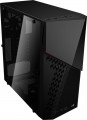 | 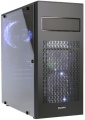 |
|---|---|---|
| Aerocool Cyberx Advance black | Zalman N2 black | |
| Outdated Product | Outdated Product | |
| TOP sellers | ||
It is possible to install a 240 mm radiator on the front panel (in case an optical drive is not installed) | ||
| Features | gaming | gaming |
| Form factor | Midi Tower | Midi Tower |
| Mount | vertical | vertical |
| Motherboard support | ATX | ATX |
| PSU form factor | ATX (regular) | ATX (regular) |
Computer case | ||
| Dimensions (HxWxD) | 424x205x434 mm | 425x197x446 mm |
| Graphics card max lenght | 335 mm | 360 mm |
| Fan max height | 165 mm | 155 mm |
| Weight | 4.3 kg | 4.4 kg |
| Material | steel | steel |
| Sidewall thickness | 0.6 mm | |
| Rubber feet |  | |
| Lighting type | backlit fan | backlit fan |
| Lighting colour | red | |
| Side panel | removable | removable |
Storage | ||
| PSU |  | |
| PSU mount | bottom | bottom |
| 5.25" bays | 1 | 1 |
| 3.5" bays | 2 | 2 |
| internal 2.5" compartments | 2 | 3 |
| Expansion slots | 7 | 9 |
| Screwless | | |
Cooling | ||
| Installed fans | 3 шт | 3 шт |
| Fans (back) | 1x120mm | 1x120mm |
| Fans (front) | 2x120mm | 2x120mm |
| Fan mounts total | 3 | 3 |
| Dust filter | + | + |
| Liquid cooling system support | | |
Liquid cooling system | ||
| Liquid cooling (front) | 240mm | |
| Liquid cooling mounts | 1 | |
Connectors and functions | ||
| Placement | on top of the case | on top of the case |
| USB-A 2.0 | 2 pcs | 2 pcs |
| USB-A 5Gbps | 1 pcs | 1 pcs |
| Audio (microphone/headphones) | | |
| Card reader | | |
More features | ||
| Front panel | lattice | lattice |
| Side panel window | + | + |
| More features | front panel CPU cooling mount window | hidden wiring CPU cooling mount window |
| Color | ||
| Added to E-Catalog | april 2018 | february 2018 |


Compare Aerocool Cyberx Advance and Zalman N2
You may be interested in
My comparisons
Aerocool Cyberx Advance often compared

Zalman N2 often compared


Glossary
Graphics card max lenght
The maximum length of a graphics card that can be installed in this case.
Modern mid-range and top-end video cards with high performance often differ in considerable length, which is why such a card can not fit into any case. So before collecting components, it is worth evaluating the length of the proposed graphics card and choosing a case in which it is guaranteed to fit. This forethought is useful anyway, but it's especially true if you're building a system that requires a powerful graphics adapter, such as a high-end gaming PC or 3D design workstation.
Modern mid-range and top-end video cards with high performance often differ in considerable length, which is why such a card can not fit into any case. So before collecting components, it is worth evaluating the length of the proposed graphics card and choosing a case in which it is guaranteed to fit. This forethought is useful anyway, but it's especially true if you're building a system that requires a powerful graphics adapter, such as a high-end gaming PC or 3D design workstation.
Fan max height
The highest cooler height allowed for this case.
In this case, we mean a cooler used to cool the processor — such a component is found in the vast majority of modern PCs. Height is measured relative to the motherboard.
In this case, we mean a cooler used to cool the processor — such a component is found in the vast majority of modern PCs. Height is measured relative to the motherboard.
Sidewall thickness
The thickness of the side walls used in the case. When choosing a thickness, manufacturers have to compromise between several points at once. On the one hand, thin walls are inexpensive and heat dissipates faster through them, which has a positive effect on cooling efficiency. On the other hand, powerful systems inevitably require thick walls, otherwise the case may simply not withstand the weight of advanced high-performance components. Thirdly, steel is a fairly durable material even with a relatively small thickness. In light of all this, in most models this indicator does not exceed 0.7 — 0.8 mm, and more often it is about 0.5 – 0.6 mm.
Lighting colour
For more on decorative lighting in general, see Light Type above. Here we note that it can have different shades, and sometimes several options are indicated in the characteristics at once. If these options are listed through "and" (for example, "red, blue and green") — this means that this model contains all the specified colours, and the user can switch between them at his discretion. If the shades are listed through “or” (for example, “red, blue or green”), this means that this model is available in several versions that differ in the colour of the backlight.
Special mention is the "RGB" option. This is the name of the most advanced backlight, the shade of which can be chosen at your discretion. However the original RGB backlighting is capable of simultaneously displaying only one of several basic colours (white, yellow, green, red, blue or purple); nevertheless, even these possibilities are enough to customize the appearance of the case and apply various effects (such as backlight synchronization — see below).
And relatively recently, an even more advanced type of adjustable systems has appeared — ARGB backlight. The key difference between ARGB and classic RGB is the possibility of simultaneous operation of diodes of different colours. In other words, classic RGB lighting can display only one colour at a time, while ARGB can display several colours, which provides additional effects. Also, ARGB lighting is connecte...d using a 3pin 5v connector, while regular RGB uses a 4pin 12v connection. It can be represented by various types of illumination. So, ARGB is often integrated into the cooling system, the front panel and magnetic LED strips, which the user can mount at his discretion. To control the backlight, a special controller is usually provided, and buttons or controls for switching the illumination operation modes are placed on the interface panel. In some cases, the backlight is controlled by the motherboard, through a special connector. Many ARGB systems support the ability to fine-tune through specialized software.
Special mention is the "RGB" option. This is the name of the most advanced backlight, the shade of which can be chosen at your discretion. However the original RGB backlighting is capable of simultaneously displaying only one of several basic colours (white, yellow, green, red, blue or purple); nevertheless, even these possibilities are enough to customize the appearance of the case and apply various effects (such as backlight synchronization — see below).
And relatively recently, an even more advanced type of adjustable systems has appeared — ARGB backlight. The key difference between ARGB and classic RGB is the possibility of simultaneous operation of diodes of different colours. In other words, classic RGB lighting can display only one colour at a time, while ARGB can display several colours, which provides additional effects. Also, ARGB lighting is connecte...d using a 3pin 5v connector, while regular RGB uses a 4pin 12v connection. It can be represented by various types of illumination. So, ARGB is often integrated into the cooling system, the front panel and magnetic LED strips, which the user can mount at his discretion. To control the backlight, a special controller is usually provided, and buttons or controls for switching the illumination operation modes are placed on the interface panel. In some cases, the backlight is controlled by the motherboard, through a special connector. Many ARGB systems support the ability to fine-tune through specialized software.
internal 2.5" compartments
The number of internal 2.5" bays provided in the case design.
Such bays are mainly used for installing internal hard drives and SSD modules; The 2.5" form factor was originally created as "laptop" form factor, but recently it has been increasingly used in components for full-size PCs. At the same time, when evaluating the number of these bays, note that drives are recommended to be installed through a slot; so in Ideally, the number of bays should be twice the planned number of drives.
Also note that some cases use combined bays: initially they have a size of 3.5", but if desired, they can be converted to 2.5". These bays count towards both 3.5-inch and 2.5-inch slots. In fact, this means that the total number of available slots is not always equal to the sum of the number of both. For example, a case with 10 3.5" bays and 6 2.5" bays can have 4 combined bays, and the total number of slots in this case will not be 16, but only 12.
Such bays are mainly used for installing internal hard drives and SSD modules; The 2.5" form factor was originally created as "laptop" form factor, but recently it has been increasingly used in components for full-size PCs. At the same time, when evaluating the number of these bays, note that drives are recommended to be installed through a slot; so in Ideally, the number of bays should be twice the planned number of drives.
Also note that some cases use combined bays: initially they have a size of 3.5", but if desired, they can be converted to 2.5". These bays count towards both 3.5-inch and 2.5-inch slots. In fact, this means that the total number of available slots is not always equal to the sum of the number of both. For example, a case with 10 3.5" bays and 6 2.5" bays can have 4 combined bays, and the total number of slots in this case will not be 16, but only 12.
Expansion slots
The number of slots for expansion cards located on the rear panel of the case.
The expansion card itself (graphics card, sound card, TV tuner, etc.) is installed in a slot on the motherboard, and an external panel of such a card with inputs and outputs is attached to the hole on the back of the case. The more holes are provided in the case, the more expansion cards can be installed in it. Note that some boards can occupy two or even three holes at once; this is especially common in powerful video cards. On the other hand, you have to pay attention to the number of holes mainly if you are building a powerful high-performance system. For an ordinary household PC, in most cases, one opening is enough for a graphics card; and in many configurations, the openings on the rear panel are not used at all.
The expansion card itself (graphics card, sound card, TV tuner, etc.) is installed in a slot on the motherboard, and an external panel of such a card with inputs and outputs is attached to the hole on the back of the case. The more holes are provided in the case, the more expansion cards can be installed in it. Note that some boards can occupy two or even three holes at once; this is especially common in powerful video cards. On the other hand, you have to pay attention to the number of holes mainly if you are building a powerful high-performance system. For an ordinary household PC, in most cases, one opening is enough for a graphics card; and in many configurations, the openings on the rear panel are not used at all.
Liquid cooling system support
This feature is indicated for housings that normally allow the installation of liquid cooling systems(LCS). Such systems are extremely efficient, but complex and expensive, so they are mainly used in high-performance PCs, for which traditional coolers are no longer enough. Note that theoretically, liquid cooling can be installed in almost any case; however, if support for such cooling is not initially provided in the design, this can be very difficult. So if you initially plan to use LSS, you should choose a case for which support for this function is directly claimed.
Liquid cooling (front)
The size of the mounting space for the liquid cooling system provided on the front side of the case.
In cases with support for LCS, water-cooling radiators are installed in the same slots as traditional fans. In other words, either a fan (or fans) or an LCS radiator can be installed in the same mounting space. The size of the mounting space for LCS is specified by a single number — the length (on the longer side); the width can be determined based on these data. The fact is that modern LCS radiators usually use fans of one of the standard sizes — either 120 mm or 140 mm; and if there are several such fans, they are arranged in a row. As a result, the radiator length is a multiple, and the width is equal to one of these numbers: for example, 280 mm is 2x140 mm with a width of 140 mm, and 360 mm is 3x120 mm with a width of 120 mm. Generally, a front radiator size of 240 mm or less is considered relatively small, 280 mm is medium, 360 mm is large, and in some models, it reaches 420 mm and even 480 mm.
Note that the same nuances apply here as for air cooling: a larger fan occupies more space and costs more, but it is considered more advanced because it can work efficiently at a lower speed — reducing noise and vibrations.
Liquid cooling mounts
The total number of spaces available for liquid cooling systems in the case, in other words, the maximum number of LCS radiators that can be installed in the case. These radiators are usually placed one per side of the case, so several radiators are often located on different sides: for example, 3 LCS spaces can be located at the rear, top, and front.
When evaluating the number of mounting slots (of all types), it's important to consider that fans and LCS radiators usually use the same mounting locations.
When evaluating the number of mounting slots (of all types), it's important to consider that fans and LCS radiators usually use the same mounting locations.