
Comparison Zalman Z11 Plus black vs Zalman Z11 black
Add to comparison | 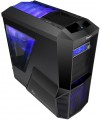 | 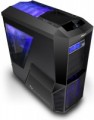 |
|---|---|---|
| Zalman Z11 Plus black | Zalman Z11 black | |
from $87.22 up to $104.48 | from $93.00 | |
| TOP sellers | ||
In the HF1 modification, complete fans with red illumination, and in the standard one with blue illumination. | ||
| Features | gaming | gaming |
| Form factor | Midi Tower | Midi Tower |
| Mount | vertical | vertical |
| Motherboard support | ATX | ATX |
| PSU form factor | ATX (regular) | ATX (regular) |
Computer case | ||
| Dimensions (HxWxD) | 498x260x525 mm | 498x260x525 mm |
| Graphics card max lenght | 295 mm | |
| Fan max height | 160 mm | 130 mm |
| Weight | 7.3 kg | 7.3 kg |
| Material | steel | steel |
| Rubber feet |  | |
| Lighting type | backlit fan | backlit fan |
| Lighting colour | blue | |
| Side panel | removable | removable |
Storage | ||
| PSU |  | |
| PSU mount | bottom | bottom |
| 5.25" bays | 4 | 4 |
| 3.5" external bays | 1 | 1 |
| 3.5" bays | 5 | 5 |
| Expansion slots | 7 | 7 |
| Screwless | | |
Cooling | ||
| Installed fans | 4 шт | 4 шт |
| Fans (back) | 1x120mm | 1x120mm |
| Fans (front) | 1x120/140mm | 1x120mm |
| Fans (side) | 2x80mm | 2x80mm |
| Fans (top) | 2x120/140mm | 2x120mm |
| Fans (bottom) | 1x120/140mm | 1x120mm |
| Fan mounts total | 7 | 7 |
| Dust filter | + | + |
| Liquid cooling system support | | |
Connectors and functions | ||
| Placement | on top of the case | on top of the case |
| Fan controler | | |
| USB-A 2.0 | 2 pcs | 4 pcs |
| USB-A 5Gbps | 2 pcs | |
| Audio (microphone/headphones) | | |
More features | ||
| Front panel | lattice | lattice |
| Side panel window | + | + |
| More features | hidden wiring CPU cooling mount window | front panel screen hidden wiring CPU cooling mount window |
| Color | ||
| Added to E-Catalog | february 2012 | february 2012 |


Compare Zalman Z11 Plus and Z11
You may be interested in
My comparisons
Zalman Z11 Plus often compared


Glossary
Graphics card max lenght
The maximum length of a graphics card that can be installed in this case.
Modern mid-range and top-end video cards with high performance often differ in considerable length, which is why such a card can not fit into any case. So before collecting components, it is worth evaluating the length of the proposed graphics card and choosing a case in which it is guaranteed to fit. This forethought is useful anyway, but it's especially true if you're building a system that requires a powerful graphics adapter, such as a high-end gaming PC or 3D design workstation.
Modern mid-range and top-end video cards with high performance often differ in considerable length, which is why such a card can not fit into any case. So before collecting components, it is worth evaluating the length of the proposed graphics card and choosing a case in which it is guaranteed to fit. This forethought is useful anyway, but it's especially true if you're building a system that requires a powerful graphics adapter, such as a high-end gaming PC or 3D design workstation.
Fan max height
The highest cooler height allowed for this case.
In this case, we mean a cooler used to cool the processor — such a component is found in the vast majority of modern PCs. Height is measured relative to the motherboard.
In this case, we mean a cooler used to cool the processor — such a component is found in the vast majority of modern PCs. Height is measured relative to the motherboard.
Lighting colour
For more on decorative lighting in general, see Light Type above. Here we note that it can have different shades, and sometimes several options are indicated in the characteristics at once. If these options are listed through "and" (for example, "red, blue and green") — this means that this model contains all the specified colours, and the user can switch between them at his discretion. If the shades are listed through “or” (for example, “red, blue or green”), this means that this model is available in several versions that differ in the colour of the backlight.
Special mention is the "RGB" option. This is the name of the most advanced backlight, the shade of which can be chosen at your discretion. However the original RGB backlighting is capable of simultaneously displaying only one of several basic colours (white, yellow, green, red, blue or purple); nevertheless, even these possibilities are enough to customize the appearance of the case and apply various effects (such as backlight synchronization — see below).
And relatively recently, an even more advanced type of adjustable systems has appeared — ARGB backlight. The key difference between ARGB and classic RGB is the possibility of simultaneous operation of diodes of different colours. In other words, classic RGB lighting can display only one colour at a time, while ARGB can display several colours, which provides additional effects. Also, ARGB lighting is connecte...d using a 3pin 5v connector, while regular RGB uses a 4pin 12v connection. It can be represented by various types of illumination. So, ARGB is often integrated into the cooling system, the front panel and magnetic LED strips, which the user can mount at his discretion. To control the backlight, a special controller is usually provided, and buttons or controls for switching the illumination operation modes are placed on the interface panel. In some cases, the backlight is controlled by the motherboard, through a special connector. Many ARGB systems support the ability to fine-tune through specialized software.
Special mention is the "RGB" option. This is the name of the most advanced backlight, the shade of which can be chosen at your discretion. However the original RGB backlighting is capable of simultaneously displaying only one of several basic colours (white, yellow, green, red, blue or purple); nevertheless, even these possibilities are enough to customize the appearance of the case and apply various effects (such as backlight synchronization — see below).
And relatively recently, an even more advanced type of adjustable systems has appeared — ARGB backlight. The key difference between ARGB and classic RGB is the possibility of simultaneous operation of diodes of different colours. In other words, classic RGB lighting can display only one colour at a time, while ARGB can display several colours, which provides additional effects. Also, ARGB lighting is connecte...d using a 3pin 5v connector, while regular RGB uses a 4pin 12v connection. It can be represented by various types of illumination. So, ARGB is often integrated into the cooling system, the front panel and magnetic LED strips, which the user can mount at his discretion. To control the backlight, a special controller is usually provided, and buttons or controls for switching the illumination operation modes are placed on the interface panel. In some cases, the backlight is controlled by the motherboard, through a special connector. Many ARGB systems support the ability to fine-tune through specialized software.
Fans (front)
The number of fan slots on the front of the case, and the size of the fans these slots are designed for. The presence of the fans themselves in the kit should be specified separately.
The larger the fan, the more advanced it is considered: a large diameter allows you to work efficiently at relatively low speeds, which reduces the noise level and energy consumption. Case fans are available in several standard diameters; specifically for the front panel, the size up to 92 mm is considered relatively small, 120 mm — medium, 140 mm — large, and in the most advanced solutions, fans of 180 mm or even more can be installed.
Also note that most often the holes for installing fans are designed for one specific size, however, there are also “multi-size” seats, for 2-3 options. Moreover, these options may differ both in diameter and in quantity: for example, it may be possible to install two 140 mm fans or three 120 mm fans.
The larger the fan, the more advanced it is considered: a large diameter allows you to work efficiently at relatively low speeds, which reduces the noise level and energy consumption. Case fans are available in several standard diameters; specifically for the front panel, the size up to 92 mm is considered relatively small, 120 mm — medium, 140 mm — large, and in the most advanced solutions, fans of 180 mm or even more can be installed.
Also note that most often the holes for installing fans are designed for one specific size, however, there are also “multi-size” seats, for 2-3 options. Moreover, these options may differ both in diameter and in quantity: for example, it may be possible to install two 140 mm fans or three 120 mm fans.
Fans (top)
The number of fan slots on the top side of the case, and the size of the fans these slots are designed for. The presence of the fans themselves in the kit should be specified separately.
The larger the fan, the more advanced it is considered: a large diameter allows you to work efficiently at relatively low speeds, which reduces the noise level and energy consumption. Case fans are available in several standard diameters, and the seats under them can be designed for both one and several sizes — for example, 120 / 140 mm. At the same time, in some models, the available number of seats also depends on the chosen size: for example, there are gaming cases where you can install either one 180 mm fan or four 120 mm fans at once.
The larger the fan, the more advanced it is considered: a large diameter allows you to work efficiently at relatively low speeds, which reduces the noise level and energy consumption. Case fans are available in several standard diameters, and the seats under them can be designed for both one and several sizes — for example, 120 / 140 mm. At the same time, in some models, the available number of seats also depends on the chosen size: for example, there are gaming cases where you can install either one 180 mm fan or four 120 mm fans at once.
Fans (bottom)
The number of fan slots on the underside of the case, as well as the size of the fans that these slots are designed for. The presence of the fans themselves in the kit should be specified separately.
The larger the fan, the more advanced it is considered: a large diameter allows you to work efficiently at relatively low speeds, which reduces the noise level and energy consumption. Case fans are available in several standard diameters, and the seats under them can be designed for both one and several sizes — for example, 120 / 140 mm. At the same time, in some models, the available number of seats also depends on the selected size: for example, it may be possible to install either one 180 mm fan or two 140 mm fans.
The larger the fan, the more advanced it is considered: a large diameter allows you to work efficiently at relatively low speeds, which reduces the noise level and energy consumption. Case fans are available in several standard diameters, and the seats under them can be designed for both one and several sizes — for example, 120 / 140 mm. At the same time, in some models, the available number of seats also depends on the selected size: for example, it may be possible to install either one 180 mm fan or two 140 mm fans.
USB-A 2.0
The number of built-in USB-A 2.0 ports provided in the case.
These ports are usually located on the front side. They are most convenient for peripherals that need to be frequently connected and disconnected, such as "flash drives" (for permanently connected devices, it's more convenient to use the motherboard ports located on the rear panel). Specifically, USB 2.0 is considered outdated these days: it provides a data transfer speed of only 480 Mbps and comparatively low power. Nevertheless, in many cases, this is quite sufficient, and USB-A 2.0 ports continue to be used, even in fairly advanced cases.
These ports are usually located on the front side. They are most convenient for peripherals that need to be frequently connected and disconnected, such as "flash drives" (for permanently connected devices, it's more convenient to use the motherboard ports located on the rear panel). Specifically, USB 2.0 is considered outdated these days: it provides a data transfer speed of only 480 Mbps and comparatively low power. Nevertheless, in many cases, this is quite sufficient, and USB-A 2.0 ports continue to be used, even in fairly advanced cases.
USB-A 5Gbps
Number of own USB-A 5Gbps ports (previously labeled as USB 3.2 gen1 and USB 3.0) provided in the case.
These ports are usually located at the front (see "Placement" for more details). They are most convenient for peripherals that need to be frequently connected and disconnected, like flash drives (for permanently connected devices, it is more convenient to use motherboard ports routed to the rear panel). Specifically, the 5Gbps standard replaced the above-mentioned USB 2.0, offering 10 times faster data transfer speeds (up to 4.8 Gbps) and higher power output, while USB 2.0 standard peripherals can also be connected to these ports.
It should be remembered that for proper port functioning, their quantity and versions must match the capabilities of the motherboard.
These ports are usually located at the front (see "Placement" for more details). They are most convenient for peripherals that need to be frequently connected and disconnected, like flash drives (for permanently connected devices, it is more convenient to use motherboard ports routed to the rear panel). Specifically, the 5Gbps standard replaced the above-mentioned USB 2.0, offering 10 times faster data transfer speeds (up to 4.8 Gbps) and higher power output, while USB 2.0 standard peripherals can also be connected to these ports.
It should be remembered that for proper port functioning, their quantity and versions must match the capabilities of the motherboard.
More features
— Front Cover. A flap cover that entirely or partially conceals the front panel. It gives the computer a neat appearance by hiding ports and external slots under a uniform surface and serves as childproof protection.
— Panel Display. A display on the front or side panel of the case used to show various service information: current CPU frequency, system temperature data, cooling mode, etc. Various important data can be displayed independently of what happens in the software part of the computer.
— Graphics Card Holder. A structural solution for supporting the graphics card inside the case. Specialized stands or holders prevent the graphics adapter from sagging over time and reduce the strain on the PCI-E slot of the motherboard. The fact is, many modern graphics card models have significantly increased in weight — holders are designed to compensate for their heaviness. Stands are available as built-in solutions or standalone accessories that can be installed inside the case independently.
— Side Panel Lock. A special lock on the removable side panel of the case. Such a lock prevents unauthorized access to the internal space of the system unit.
— Noise Insulation. The presence of additional noise insulation in the case. This can be a special coating on the interior sid...e or other, more specific solutions (e.g., damping systems on "mounting spots" for individual components, reducing the level of vibrations transmitted to the case). In any case, this feature helps reduce the noise level emitted by the system — sometimes quite significantly.
— Removable HDD Cage. The presence of a removable cage under the internal peripherals of 3.5" form factor (in most cases these are hard drives, hence the name) in the case design. This cage facilitates assembly because removing and installing a hard drive is much easier than securing it in a non-removable slot inside the case; this aspect is particularly useful if the system plans to install multiple hard drives.
— HDD Docking Station. Built-in docking station for quick connection of internal hard drives. In fact, this feature allows connecting an internal HDD as an external one: the docking station port is located outside the case and equipped with quick-connect fasteners for convenient connection.
— Hidden Cable Routing. The ability to route cables from the power supply on the reverse side of the motherboard (considering the main side where the processor and expansion card slots are located). Thus, the main "mobo" side is freed from cables, positively affecting cooling efficiency.
— Cooling System Installation Window (CS) for the processor. The presence of a separate window in the case opposite the CS mounts for the processor. The fastening system is located on the reverse side of the motherboard, and usually, replacing it requires removing the entire "mainboard"; the CS installation window frees the user from this necessity and significantly simplifies the installation and replacement of CS.
— Panel Display. A display on the front or side panel of the case used to show various service information: current CPU frequency, system temperature data, cooling mode, etc. Various important data can be displayed independently of what happens in the software part of the computer.
— Graphics Card Holder. A structural solution for supporting the graphics card inside the case. Specialized stands or holders prevent the graphics adapter from sagging over time and reduce the strain on the PCI-E slot of the motherboard. The fact is, many modern graphics card models have significantly increased in weight — holders are designed to compensate for their heaviness. Stands are available as built-in solutions or standalone accessories that can be installed inside the case independently.
— Side Panel Lock. A special lock on the removable side panel of the case. Such a lock prevents unauthorized access to the internal space of the system unit.
— Noise Insulation. The presence of additional noise insulation in the case. This can be a special coating on the interior sid...e or other, more specific solutions (e.g., damping systems on "mounting spots" for individual components, reducing the level of vibrations transmitted to the case). In any case, this feature helps reduce the noise level emitted by the system — sometimes quite significantly.
— Removable HDD Cage. The presence of a removable cage under the internal peripherals of 3.5" form factor (in most cases these are hard drives, hence the name) in the case design. This cage facilitates assembly because removing and installing a hard drive is much easier than securing it in a non-removable slot inside the case; this aspect is particularly useful if the system plans to install multiple hard drives.
— HDD Docking Station. Built-in docking station for quick connection of internal hard drives. In fact, this feature allows connecting an internal HDD as an external one: the docking station port is located outside the case and equipped with quick-connect fasteners for convenient connection.
— Hidden Cable Routing. The ability to route cables from the power supply on the reverse side of the motherboard (considering the main side where the processor and expansion card slots are located). Thus, the main "mobo" side is freed from cables, positively affecting cooling efficiency.
— Cooling System Installation Window (CS) for the processor. The presence of a separate window in the case opposite the CS mounts for the processor. The fastening system is located on the reverse side of the motherboard, and usually, replacing it requires removing the entire "mainboard"; the CS installation window frees the user from this necessity and significantly simplifies the installation and replacement of CS.