
Comparison Gosund SP6 vs Gosund SP112
Add to comparison |  | 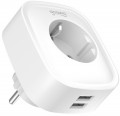 |
|---|---|---|
| Gosund SP6 | Gosund SP112 | |
| Outdated Product | Outdated Product | |
| User reviews | ||
| TOP sellers | ||
Support 20W fast charging via USB. | USB ports can also be enabled and disabled remotely. Energy consumption statistics are kept for two sockets in total. | |
| Device type | socket | socket |
| Number of sockets | 1 | 1 |
| Operating format | Master | Master |
| Kit | 1 | 1 |
| Control | from smartphone | from smartphone |
| Connection (protocol) | Wi-Fi / Bluetooth | Wi-Fi |
| Integration into a smart home system | Google Home | |
| Voice assistant | Amazon Alexa Google Assistant | Amazon Alexa Google Assistant |
Features | ||
| Features | timer scheduled work energy consumption statistics childproof curtains | timer scheduled work energy consumption statistics childproof curtains IFTTT (programmable) |
General | ||
| USB port | 2 | 2 |
| Maximum power | 3680 W | 3680 W |
| Maximum load | 16 А | 16 А |
| Size | 81x67x54 mm | 80x75x70 mm |
| Weight | 130 g | |
| Added to E-Catalog | november 2024 | march 2021 |


Compare Gosund SP6 and SP112
You may be interested in
Gosund SP112 often compared


Glossary
Connection (protocol)
Communication protocol (standard) used by the socket for connection with the control device.
Currently, among smart sockets, only wireless standards are used, which can be divided into two types. The first is the widespread technologies like Bluetooth, Wi-Fi, and GSM, used for connecting to a smartphone (see "Control"); the second includes specialized communication formats like Z-Wave, Zigbee, and Jeweller, intended for security/smart home systems and used when controlling via a control unit (see the same). Here is a more detailed description of each of these standards:
— Wi-Fi. The most popular communication protocol among sockets controlled via smartphone. Initially, this technology was mainly used for wireless access to local networks and the Internet, but nowadays direct connection of various devices via Wi-Fi is possible. Accordingly, the specific method of implementing such a connection can vary: some models connect to a router and are accessible through a "local" or even remotely via the Internet; others connect to a smartphone/tablet, and can only be controlled within direct connection range; while some allow both modes of operation. It’s worth specifying these details separately; however, in any case, it is precisely this versatility t...hat has largely contributed to the wide popularity of Wi-Fi sockets. The second advantage of this protocol is good transmission range: it is about several tens, or even hundreds, of meters (which, among other things, allows for reliable operation even through walls). It is also worth mentioning that Wi-Fi modules are inherently present in all modern smartphones and tablets; and some sockets allow control from other devices as well — for example, laptops and even desktop computers (including over networks).
The general disadvantages of this technology might include only a higher cost and lower energy efficiency compared to Bluetooth. However, the first point is often outweighed by the advantages, and the second is mainly relevant to controlling gadgets, since the sockets themselves are constantly powered by the network and have virtually unlimited autonomy. Additionally, it should be noted that some Wi-Fi sockets work only through a wireless router and do not support direct connection; however, considering the prevalence of Wi-Fi networks nowadays, this point can also not be considered critical.
— Bluetooth. Another technology used for connecting sockets to smartphones and tablets. It is encountered much less frequently than the aforementioned Wi-Fi, as it significantly falls short of this standard in capabilities. First, Bluetooth connections are only made directly between devices, so remote control is out of the question. Second, the actual range of such connections usually does not exceed 15-20 meters, and it may be significantly less if the walls are thick. As for the advantages of Bluetooth, they include primarily low cost and the ability to operate without routers or other intermediate equipment (whereas many Wi-Fi models work only with a wireless network available). Furthermore, such connections are characterized by low power consumption, but in the case of smart sockets, this aspect cannot be considered particularly significant. This is because the sockets themselves are constantly connected to the network and do not need to conserve energy; and the controlling gadget must be in close proximity to the sockets, and there are usually no problems with charging its battery.
— GSM. Connection via a mobile network; the term "GSM" in this case is rather conditional since such sockets can also operate in more modern 3G and 4G LTE networks. To use such a connection, you need to purchase a mobile operator's starter pack and install a SIM card in the smart socket. Generally, control via GSM is carried out using calls and/or SMS to the phone number assigned to the socket; there is often also the option to send response notifications (text or even voice), and to protect against unauthorized access, a list of allowed numbers is stored in the device's memory. The main advantage of this type of connection is the ability to access the socket settings from anywhere on the planet with mobile coverage. Moreover, calls and SMS can be made from any mobile phone; it does not necessarily have to be a smartphone. On the other hand, control via the mobile network offers considerably fewer options than other protocols, and the connection requires financial expenses. So it probably doesn't make sense to focus on such sockets if most of the time they will be managed "locally" from the same home or office where these devices are installed.
— Z-Wave. A wireless communication standard specially created for automation and control systems, including alarms and smart homes. Alongside the below-described Zigbee, it is one of the widely accepted protocols used in such systems; and in smart sockets controlled through a control unit, it is also the most popular. This is because such communication is simple and inexpensive to implement while being sufficiently functional and practical. It involves the transmission of maximum simple and short control commands, which promotes energy savings and operates in a range up to 1 GHz, making it not susceptible to interference from Wi-Fi and Bluetooth devices. Additionally, in Z-Wave-based networks, it is possible to use a MESH topology — where each individual device also acts as a full-fledged repeater for signals from other components of the system. Devices in such networks can choose any signal route through any number of intermediate nodes, depending on the situation. For example, if direct communication between two nodes is somehow impossible, the data will be sent "bypass" through other network devices, and the system will automatically determine the most optimal route. This allows organizing extensive networks with a large number of devices and wide coverage easily.
— Zigbee. Another communication protocol created for automation systems (including smart homes), alarms, industrial control, etc. In many respects, it is similar to the above-described Z-Wave: it allows transferring control signals with low energy consumption, as well as creating MESH networks with signal direction through several nodes and automatic selection of the optimal route considering the current network situation. The main differences of Zigbee from Z-Wave are high security of communication channels from hacking and the ability to ensure high triggering speed. The downside of these advantages is the higher cost of implementing this protocol, given that in smart sockets, speed, and security usually do not play key roles. Therefore, fewer devices are produced for this communication standard than for Z-Wave.
— Jeweller. A proprietary communication protocol developed by Ajax Systems. The company specializes in alarms, and this protocol was initially created with such systems in mind — hence its advanced features. Specifically, Jeweller provides a communication range of up to 2 km with very low energy consumption, features high-class protection against hacking, allows frequency changes when attempts are made to jam the operational range, and supports simultaneous connection of up to 150 devices on a gateway. On the other hand, for smart sockets, most of these features are redundant, although they significantly affect the cost. However, the main disadvantage of this protocol is that its use is limited to devices from one manufacturer. Therefore, it makes sense to purchase sockets with Jeweller support if an Ajax Systems security system is used (or planned to be used) in the house.
Currently, among smart sockets, only wireless standards are used, which can be divided into two types. The first is the widespread technologies like Bluetooth, Wi-Fi, and GSM, used for connecting to a smartphone (see "Control"); the second includes specialized communication formats like Z-Wave, Zigbee, and Jeweller, intended for security/smart home systems and used when controlling via a control unit (see the same). Here is a more detailed description of each of these standards:
— Wi-Fi. The most popular communication protocol among sockets controlled via smartphone. Initially, this technology was mainly used for wireless access to local networks and the Internet, but nowadays direct connection of various devices via Wi-Fi is possible. Accordingly, the specific method of implementing such a connection can vary: some models connect to a router and are accessible through a "local" or even remotely via the Internet; others connect to a smartphone/tablet, and can only be controlled within direct connection range; while some allow both modes of operation. It’s worth specifying these details separately; however, in any case, it is precisely this versatility t...hat has largely contributed to the wide popularity of Wi-Fi sockets. The second advantage of this protocol is good transmission range: it is about several tens, or even hundreds, of meters (which, among other things, allows for reliable operation even through walls). It is also worth mentioning that Wi-Fi modules are inherently present in all modern smartphones and tablets; and some sockets allow control from other devices as well — for example, laptops and even desktop computers (including over networks).
The general disadvantages of this technology might include only a higher cost and lower energy efficiency compared to Bluetooth. However, the first point is often outweighed by the advantages, and the second is mainly relevant to controlling gadgets, since the sockets themselves are constantly powered by the network and have virtually unlimited autonomy. Additionally, it should be noted that some Wi-Fi sockets work only through a wireless router and do not support direct connection; however, considering the prevalence of Wi-Fi networks nowadays, this point can also not be considered critical.
— Bluetooth. Another technology used for connecting sockets to smartphones and tablets. It is encountered much less frequently than the aforementioned Wi-Fi, as it significantly falls short of this standard in capabilities. First, Bluetooth connections are only made directly between devices, so remote control is out of the question. Second, the actual range of such connections usually does not exceed 15-20 meters, and it may be significantly less if the walls are thick. As for the advantages of Bluetooth, they include primarily low cost and the ability to operate without routers or other intermediate equipment (whereas many Wi-Fi models work only with a wireless network available). Furthermore, such connections are characterized by low power consumption, but in the case of smart sockets, this aspect cannot be considered particularly significant. This is because the sockets themselves are constantly connected to the network and do not need to conserve energy; and the controlling gadget must be in close proximity to the sockets, and there are usually no problems with charging its battery.
— GSM. Connection via a mobile network; the term "GSM" in this case is rather conditional since such sockets can also operate in more modern 3G and 4G LTE networks. To use such a connection, you need to purchase a mobile operator's starter pack and install a SIM card in the smart socket. Generally, control via GSM is carried out using calls and/or SMS to the phone number assigned to the socket; there is often also the option to send response notifications (text or even voice), and to protect against unauthorized access, a list of allowed numbers is stored in the device's memory. The main advantage of this type of connection is the ability to access the socket settings from anywhere on the planet with mobile coverage. Moreover, calls and SMS can be made from any mobile phone; it does not necessarily have to be a smartphone. On the other hand, control via the mobile network offers considerably fewer options than other protocols, and the connection requires financial expenses. So it probably doesn't make sense to focus on such sockets if most of the time they will be managed "locally" from the same home or office where these devices are installed.
— Z-Wave. A wireless communication standard specially created for automation and control systems, including alarms and smart homes. Alongside the below-described Zigbee, it is one of the widely accepted protocols used in such systems; and in smart sockets controlled through a control unit, it is also the most popular. This is because such communication is simple and inexpensive to implement while being sufficiently functional and practical. It involves the transmission of maximum simple and short control commands, which promotes energy savings and operates in a range up to 1 GHz, making it not susceptible to interference from Wi-Fi and Bluetooth devices. Additionally, in Z-Wave-based networks, it is possible to use a MESH topology — where each individual device also acts as a full-fledged repeater for signals from other components of the system. Devices in such networks can choose any signal route through any number of intermediate nodes, depending on the situation. For example, if direct communication between two nodes is somehow impossible, the data will be sent "bypass" through other network devices, and the system will automatically determine the most optimal route. This allows organizing extensive networks with a large number of devices and wide coverage easily.
— Zigbee. Another communication protocol created for automation systems (including smart homes), alarms, industrial control, etc. In many respects, it is similar to the above-described Z-Wave: it allows transferring control signals with low energy consumption, as well as creating MESH networks with signal direction through several nodes and automatic selection of the optimal route considering the current network situation. The main differences of Zigbee from Z-Wave are high security of communication channels from hacking and the ability to ensure high triggering speed. The downside of these advantages is the higher cost of implementing this protocol, given that in smart sockets, speed, and security usually do not play key roles. Therefore, fewer devices are produced for this communication standard than for Z-Wave.
— Jeweller. A proprietary communication protocol developed by Ajax Systems. The company specializes in alarms, and this protocol was initially created with such systems in mind — hence its advanced features. Specifically, Jeweller provides a communication range of up to 2 km with very low energy consumption, features high-class protection against hacking, allows frequency changes when attempts are made to jam the operational range, and supports simultaneous connection of up to 150 devices on a gateway. On the other hand, for smart sockets, most of these features are redundant, although they significantly affect the cost. However, the main disadvantage of this protocol is that its use is limited to devices from one manufacturer. Therefore, it makes sense to purchase sockets with Jeweller support if an Ajax Systems security system is used (or planned to be used) in the house.
Integration into a smart home system
Integration of lighting, climate control, outlets, locks, cameras, and sensors into a single ecosystem with a common app, scenes, and voice control, so the home responds to schedules, presence, and events, saving energy without unnecessary user actions. These ecosystems range from large universal platforms to solutions focused on device accessibility and ease of setup; among the popular ones are Apple HomeKit, Google Home, Xiaomi Home (Mi Home), as well as SmartThings, Tuya/Smart Life, and Home Assistant. For compatibility, the standard Matter and Thread network are increasingly used, along with familiar protocols like Zigbee, Z-Wave, Wi-Fi, and BLE Mesh; when choosing, it's important to consider support for the necessary devices, local automation, reliable notifications, and family access.
Features
Various functions and possibilities of a smart plug. These may be features related directly to power supply ( timer, scheduling, energy consumption statistics); features that facilitate connection and integration into "smart home" systems (connection of additional sockets, IFTTT programming); various sensors ( temperature sensor, including a thermostat, humidity sensor, motion sensor); safety features ( "baby" curtains, water protection, protection against power surges); and even specific equipment like a night light. Here is a more detailed description of the main options that are relevant for smart sockets nowadays:
— Timer. A function that allows you to turn off the power after a user-defined period of time. The timer is useful primarily in cases where the electricity needs to be turned off at a certain moment, but the user cannot do this manually — for example, if it is time to go to work and it will not work to wait for the turn off time. In addition, this function makes it easier to keep track of the operating time: instead of controlling the time by the clock, the user simply nee...ds to set the timer on the outlet.
— Scheduled work. Possibility to set the schedule of switching on and off of electricity. This is a more advanced feature than the timer described above: the timer must be restarted each time it fires, while the schedule only needs to be set once. In addition, the schedule allows you to manage not only shutdowns, but also inclusions. This feature provides many options for setting up the "smart home". For example, if you have a nightly electricity tariff, you can configure the outlet so that powerful appliances like boilers turn on only during the “grace” period. Also, you can “tie up” an automatic irrigation system, yard lighting, etc. to a smart socket with a schedule. Note that the specific capabilities of the programmer may be different; the simplest option is the ability to set a programme for a day, however, there are models with a schedule for the days of the week.
— Power consumption statistics. The ability to keep energy consumption statistics with the help of an outlet, in other words, to calculate electricity costs for a certain period. At the same time, the simplest models are only able to display the total flow, more advanced ones can determine at what time the flow was maximum / minimum and even build graphs. The information collected by the socket is transmitted to a smartphone or other gadget via Wi-Fi / Bluetooth or to the control unit of the smart home system (see "Control"); models with control via remote or telephone (GSM) do not have this function.
— Temperature sensor. A sensor that monitors the temperature of the air in the room. How to use this feature may vary depending on the model. So, some sockets with a similar sensor also have a thermostat for automatically maintaining the microclimate. In other devices, the temperature sensor is used only to transmit data to the user, and the person, if necessary, takes some action. There is also a simple fire alarm function — when the temperature rises above a critical level, the socket sends an emergency notification to the user (or control unit).
— Thermostat. An additional feature found on models with a temperature sensor (see above). Allows you to use a smart socket to automatically maintain a certain temperature in the room. To do this, you need to connect a heater or other similar device through such an outlet and set the desired temperature in the thermostat settings: when the air cools down, the thermostat will turn on the power to the heater, and when the set temperature is reached, turn off the heating.
We emphasize that thermostats in modern smart sockets are most often designed specifically for heating; the cooling mode in such regulators is almost never found. This is due to the fact that air conditioners used to lower the temperature, for the most part, have their own thermostats and are not designed to be controlled by turning on and off the external power supply.
— Humidity sensor. A sensor that monitors indoor air humidity. The ways of using such a sensor can be different: in some models, it only transmits data on humidity to the user, in more advanced sockets, automatic switching on or off when a certain level of humidity is reached. Anyway, it makes sense to pay attention to models with such a sensor if it is planned to connect humidity control equipment (humidifiers or dehumidifiers) through them. Such a need may arise, in particular, in a nursery for a newborn: dry air is undesirable for a baby, so humidifiers are often used in such rooms.
— Motion Sensor. A sensor that reacts to movement in the room. The specifics of the use of such a sensor in different models may be different. For example, some models can play the role of a security sensor or an automatic light switch: they send a signal to the security system or turn on the lamp as soon as the sensor detects movement in the field of view. Another option for using this function is automatic protection in case of user forgetfulness: for example, if he plugs an iron into a smart socket and leaves the room, the sensor will turn off the power some time after it stops detecting movement.
— Protective curtains from children. Shutters that cover the holes in the outlet from foreign objects — for example, pens or screwdrivers that a curious child can try to put into the outlet. At the same time, the curtains are arranged in such a way that they do not interfere with inserting a conventional plug.
— Water protection. The outlet has a reinforced protection against moisture. It is these devices that you should pay attention to if you plan to use the smart socket on the street or in a room with high humidity (bathroom, indoor pool, etc.). At the same time, it must be borne in mind that the level of water protection in different models may be different, it must be clarified before use.
— Nightlight. The ability to use a smart socket as a night light — a dim lamp for night lighting. To do this, the body of the device provides its own light sources, usually based on LEDs. The classic way to use a night light is in the children's room, so that pitch darkness does not frighten the baby. However, this function can also be useful for adults — in case you have to get up in the middle of the night (or early in the morning, it has not yet dawned): it is easier to get to the main switch even in the dim light of a nightlight than in complete darkness.
— Protection against voltage surges. Protective system that protects the load connected to the outlet from voltage fluctuations in the network. Usually, relatively small and short-term power surges are extinguished by the outlet itself; if the protection capabilities are not enough, the power is automatically turned off, protecting the load from damage. Such protection is especially important for sensitive electrical appliances such as televisions or audio equipment; it will not be able to replace a full-fledged voltage regulator, however, for more or less stable networks in which fluctuations rarely occur, it is usually quite enough.
— Connection of additional sockets. Possibility to connect additional slave sockets to a smart socket of Master type (see "Type"). It is worth choosing a model with this function if you want to build a system of several smart sockets controlled through one of them. In particular, this is the most convenient way to build networks with remote control over the Internet (see "Management"): a set of one master and several slave sockets will be easier to connect and cheaper than several separate Master sockets.
— IFTTT support. Support socket technology IFTTT. This technology is used to combine different types of devices within the "smart home" and other similar systems and organize the work of these components according to the principle "if (...) — then (...)". For example, if there is an opening sensor on the door, you can configure the smart socket so that it turns on its own night light when this sensor is triggered — and the person who enters does not have to look for the switch in complete darkness. It is also possible to create longer, multi-stage chains of commands (for example, "sensor triggered — lighting turned on — ventilation started — switching on a smart socket with a thermostat"). It is worth noting that these features may be available without IFTTT; however, this technology provides a number of advantages. Firstly, it allows you to organize interaction between devices from different manufacturers without any difficulties. Secondly, IFTTT has tight integration with a number of popular web services like Gmail. Facebook, Instagram, etc., as well as special applications, thanks to which such systems can also respond to very specific events — for example, receiving an e-mail from a specific addressee.
As for smart sockets specifically, IFTTT support in them primarily simplifies integration with other components of a smart home or automation system.
— Timer. A function that allows you to turn off the power after a user-defined period of time. The timer is useful primarily in cases where the electricity needs to be turned off at a certain moment, but the user cannot do this manually — for example, if it is time to go to work and it will not work to wait for the turn off time. In addition, this function makes it easier to keep track of the operating time: instead of controlling the time by the clock, the user simply nee...ds to set the timer on the outlet.
— Scheduled work. Possibility to set the schedule of switching on and off of electricity. This is a more advanced feature than the timer described above: the timer must be restarted each time it fires, while the schedule only needs to be set once. In addition, the schedule allows you to manage not only shutdowns, but also inclusions. This feature provides many options for setting up the "smart home". For example, if you have a nightly electricity tariff, you can configure the outlet so that powerful appliances like boilers turn on only during the “grace” period. Also, you can “tie up” an automatic irrigation system, yard lighting, etc. to a smart socket with a schedule. Note that the specific capabilities of the programmer may be different; the simplest option is the ability to set a programme for a day, however, there are models with a schedule for the days of the week.
— Power consumption statistics. The ability to keep energy consumption statistics with the help of an outlet, in other words, to calculate electricity costs for a certain period. At the same time, the simplest models are only able to display the total flow, more advanced ones can determine at what time the flow was maximum / minimum and even build graphs. The information collected by the socket is transmitted to a smartphone or other gadget via Wi-Fi / Bluetooth or to the control unit of the smart home system (see "Control"); models with control via remote or telephone (GSM) do not have this function.
— Temperature sensor. A sensor that monitors the temperature of the air in the room. How to use this feature may vary depending on the model. So, some sockets with a similar sensor also have a thermostat for automatically maintaining the microclimate. In other devices, the temperature sensor is used only to transmit data to the user, and the person, if necessary, takes some action. There is also a simple fire alarm function — when the temperature rises above a critical level, the socket sends an emergency notification to the user (or control unit).
— Thermostat. An additional feature found on models with a temperature sensor (see above). Allows you to use a smart socket to automatically maintain a certain temperature in the room. To do this, you need to connect a heater or other similar device through such an outlet and set the desired temperature in the thermostat settings: when the air cools down, the thermostat will turn on the power to the heater, and when the set temperature is reached, turn off the heating.
We emphasize that thermostats in modern smart sockets are most often designed specifically for heating; the cooling mode in such regulators is almost never found. This is due to the fact that air conditioners used to lower the temperature, for the most part, have their own thermostats and are not designed to be controlled by turning on and off the external power supply.
— Humidity sensor. A sensor that monitors indoor air humidity. The ways of using such a sensor can be different: in some models, it only transmits data on humidity to the user, in more advanced sockets, automatic switching on or off when a certain level of humidity is reached. Anyway, it makes sense to pay attention to models with such a sensor if it is planned to connect humidity control equipment (humidifiers or dehumidifiers) through them. Such a need may arise, in particular, in a nursery for a newborn: dry air is undesirable for a baby, so humidifiers are often used in such rooms.
— Motion Sensor. A sensor that reacts to movement in the room. The specifics of the use of such a sensor in different models may be different. For example, some models can play the role of a security sensor or an automatic light switch: they send a signal to the security system or turn on the lamp as soon as the sensor detects movement in the field of view. Another option for using this function is automatic protection in case of user forgetfulness: for example, if he plugs an iron into a smart socket and leaves the room, the sensor will turn off the power some time after it stops detecting movement.
— Protective curtains from children. Shutters that cover the holes in the outlet from foreign objects — for example, pens or screwdrivers that a curious child can try to put into the outlet. At the same time, the curtains are arranged in such a way that they do not interfere with inserting a conventional plug.
— Water protection. The outlet has a reinforced protection against moisture. It is these devices that you should pay attention to if you plan to use the smart socket on the street or in a room with high humidity (bathroom, indoor pool, etc.). At the same time, it must be borne in mind that the level of water protection in different models may be different, it must be clarified before use.
— Nightlight. The ability to use a smart socket as a night light — a dim lamp for night lighting. To do this, the body of the device provides its own light sources, usually based on LEDs. The classic way to use a night light is in the children's room, so that pitch darkness does not frighten the baby. However, this function can also be useful for adults — in case you have to get up in the middle of the night (or early in the morning, it has not yet dawned): it is easier to get to the main switch even in the dim light of a nightlight than in complete darkness.
— Protection against voltage surges. Protective system that protects the load connected to the outlet from voltage fluctuations in the network. Usually, relatively small and short-term power surges are extinguished by the outlet itself; if the protection capabilities are not enough, the power is automatically turned off, protecting the load from damage. Such protection is especially important for sensitive electrical appliances such as televisions or audio equipment; it will not be able to replace a full-fledged voltage regulator, however, for more or less stable networks in which fluctuations rarely occur, it is usually quite enough.
— Connection of additional sockets. Possibility to connect additional slave sockets to a smart socket of Master type (see "Type"). It is worth choosing a model with this function if you want to build a system of several smart sockets controlled through one of them. In particular, this is the most convenient way to build networks with remote control over the Internet (see "Management"): a set of one master and several slave sockets will be easier to connect and cheaper than several separate Master sockets.
— IFTTT support. Support socket technology IFTTT. This technology is used to combine different types of devices within the "smart home" and other similar systems and organize the work of these components according to the principle "if (...) — then (...)". For example, if there is an opening sensor on the door, you can configure the smart socket so that it turns on its own night light when this sensor is triggered — and the person who enters does not have to look for the switch in complete darkness. It is also possible to create longer, multi-stage chains of commands (for example, "sensor triggered — lighting turned on — ventilation started — switching on a smart socket with a thermostat"). It is worth noting that these features may be available without IFTTT; however, this technology provides a number of advantages. Firstly, it allows you to organize interaction between devices from different manufacturers without any difficulties. Secondly, IFTTT has tight integration with a number of popular web services like Gmail. Facebook, Instagram, etc., as well as special applications, thanks to which such systems can also respond to very specific events — for example, receiving an e-mail from a specific addressee.
As for smart sockets specifically, IFTTT support in them primarily simplifies integration with other components of a smart home or automation system.