
Comparison Garmin Edge 540 vs Garmin Edge Explore 820
Add to comparison | 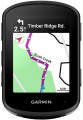 | 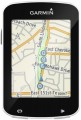 |
|---|---|---|
| Garmin Edge 540 | Garmin Edge Explore 820 | |
| Compare prices 7 | from $249.99 | |
| TOP sellers | ||
Smartphone notifications, weather, sound prompts. Compatible with Vector, with Varia headlights, display and radar, Shimano DI2 Synchro Shift Integration. Connect IQ, Garmin Connect, Virb, Find MY Edge, Inreach, ANT+ Electronic Shifting. Solar - solar charging function, Sensor Bundle - a set of cadence and heart rate sensors included. | Colour touch screen. Advanced GPS navigation capabilities. Wireless connection. Thermometer, altimeter and barometer. Pairing with a smartphone. Possibility to connect additional sensors. Water protection. Alarm indicator. | |
Basic parameters | ||
| Type | wireless | wireless |
| Indications | current speed average speed max. speed speed ratio current distance daily distance odometer current travel time tripmeter | current speed average speed max. speed speed ratio current distance daily distance odometer current travel time tripmeter |
Cadence functions | ||
| Cadence | cadence average cadence max. cadence | |
Display | ||
| Screen size | 2.6 " | 2.3 " |
| Output type | colour | colour |
| Touch screen |  |  |
| Backlight | | |
Sensors and communication | ||
| Sensors | GPS Bluetooth Wi-Fi thermometer altimeter barometer ANT+ | GPS thermometer altimeter heart rate monitor barometer |
More features | ||
| Functions | smartphone connection PC connection calorie calculation route planning automatic start-stop clock timer and stopwatch battery level non-volatile memory | smartphone connection PC connection calorie calculation route planning automatic start-stop clock timer and stopwatch battery level non-volatile memory |
General | ||
| Waterproof | IPX7 | + |
| Power source | rechargeable battery | rechargeable battery |
| Operating time | 26 h | 15 h |
| Dimensions | 58x85x20 mm | 49x73x21 mm |
| Material | plastic | plastic |
| Weight | 80 g | 68 g |
| Added to E-Catalog | may 2023 | september 2016 |





Compare Garmin Edge 540 and Edge Explore 820
Price comparison
You may be interested in
My comparisons
Garmin Edge 540 often compared


Garmin Edge Explore 820 often compared


Glossary
Cadence
Cadence display functions provided in this cycle computer. Note that these functions require the installation of a separate sensor, which is not always included in the package.
Cadence is called the frequency of pedaling (pedaling). This information can be useful, in particular, for choosing the optimal gear and for evaluating the overall effectiveness of the training. The cadence should not be too low (this increases the load and wears out the knee joints) nor too high (this leads to rapid fatigue). Its optimal values may be different, depending on specific conditions; information about this can be found in special sources.
In addition to displaying the current cadence, cycling computers may have a function to display the average cadence (usually for a trip) and the maximum cadence (for a particular period, depending on the model). This data can be used for a variety of purposes, mainly for professional athletes and keen enthusiasts.
Cadence is called the frequency of pedaling (pedaling). This information can be useful, in particular, for choosing the optimal gear and for evaluating the overall effectiveness of the training. The cadence should not be too low (this increases the load and wears out the knee joints) nor too high (this leads to rapid fatigue). Its optimal values may be different, depending on specific conditions; information about this can be found in special sources.
In addition to displaying the current cadence, cycling computers may have a function to display the average cadence (usually for a trip) and the maximum cadence (for a particular period, depending on the model). This data can be used for a variety of purposes, mainly for professional athletes and keen enthusiasts.
Touch screen
Touch screen — similar to those used in modern smartphones. Allows you to control the cycle computer by touching the image on the display.
Such control itself often turns out to be more convenient and visual than traditional buttons: you can display a variety of controls (lists, switches, sliders, etc.) on the screen, as well as explanations for them, which allows you to make the most of the device simple and intuitive. In addition, touch screens are extremely convenient for maps and navigation.
In general, it makes no sense to install touch screens in simple devices with basic capabilities, but they can be very useful for advanced models with extensive functionality. However, even among these models, touch displays are rare, due to a number of reasons. Firstly, for comfortable work, the screen must be quite large — however, even in the most advanced bike computers, its diagonal usually does not exceed 3.5", and in some it does not even reach 2.5". This is quite a bit for a touch screen. Secondly, it is almost impossible to work with the sensor by touch — unlike the buttons; and the probability of accidentally clicking “in the wrong place”, especially on the go, in this case is much higher. Thirdly, it is difficult to work with such devices in closed-type gloves (without cut off fingers): such gloves must have special inserts on the fingers, and the accuracy of pressing decreases noticeably — which can be critical, given the already mentioned small screen sizes.
Such control itself often turns out to be more convenient and visual than traditional buttons: you can display a variety of controls (lists, switches, sliders, etc.) on the screen, as well as explanations for them, which allows you to make the most of the device simple and intuitive. In addition, touch screens are extremely convenient for maps and navigation.
In general, it makes no sense to install touch screens in simple devices with basic capabilities, but they can be very useful for advanced models with extensive functionality. However, even among these models, touch displays are rare, due to a number of reasons. Firstly, for comfortable work, the screen must be quite large — however, even in the most advanced bike computers, its diagonal usually does not exceed 3.5", and in some it does not even reach 2.5". This is quite a bit for a touch screen. Secondly, it is almost impossible to work with the sensor by touch — unlike the buttons; and the probability of accidentally clicking “in the wrong place”, especially on the go, in this case is much higher. Thirdly, it is difficult to work with such devices in closed-type gloves (without cut off fingers): such gloves must have special inserts on the fingers, and the accuracy of pressing decreases noticeably — which can be critical, given the already mentioned small screen sizes.
Sensors
— GPS module. The built-in GPS satellite navigation module is responsible for determining the current geographic coordinates of the device. How this data is used can vary. With some models, using GPS, the accuracy of speed and/or distance measurements is increased, others are able to record tracks of the routes traveled, which can be viewed on an external device or even on the bike computer itself. GPS data can also use an altimeter. And in the most advanced models, even full-fledged navigation with built-in maps is supported.
— Bluetooth. A wireless communication technology used to connect directly between different devices. The most popular application for such a connection is to connect a wireless sensor (see "Type"); in this case, one of the advantages of Bluetooth is its excellent noise immunity and the almost zero chance of overlapping different signals one on another, even with an abundance of wireless devices nearby. In addition, Bluetooth can be used to connect to a smartphone / PC (see "Functions"), as well as for more specific purposes, such as connecting a wireless headset and receiving voice prompts from a GPS navigator.
— Thermometer. Sensor for determining the ambient temperature. It can be useful both for assessing the current situation (for example, if a cyclist gets into the saddle hot after a warm-up...and is not sure about his perception of temperature), and, in some cases, for predicting the weather.
— Altimeter. Sensor to determine the current altitude above sea level. Altitude can be determined by two main methods: barometer and GPS (see relevant paragraphs). In the first case, the pressure difference between the reference and current altitude is determined; in the second, a database is used about the height of the terrain with certain coordinates. The height designation format can also be defined: in some models it is indicated relative to sea level, in others it is relative to a conditional zero point specified by the user. Anyway, the information from the altimeter can be useful for assessing the elevation changes during the trip.
— Heart rate monitor. Ability to determine the current heart rate. The pulse is one of the most important parameters for more or less serious training; for different purposes (weight loss, keeping fit, gaining muscle mass), it is required to maintain different heart rates during exercise (its specific value can be determined using special methods). The heart rate monitor sensor is usually made remote and fixed on the body — this is due to the peculiarities of this type of measurement. Note that the mention of a heart rate monitor does not necessarily mean the presence of such a sensor in the kit — it may need to be purchased separately. Also note that the bike computer itself can support advanced heart rate monitor functions: maximum heart rate, average heart rate, signals about work in the optimal range, etc.
— Barometer. Sensor for determining the current atmospheric pressure. This information may be used for various purposes. So, in some models, the operation of the altimeter (see the relevant paragraph) is based on data from the barometer. And changes in atmospheric pressure can be a sign of certain changes in the weather — for example, a sharp "fall" in the barometer usually indicates the approach of rain.
— ANT+ support. Bike computer support for ANT+ data transfer technology. This technology has been specially developed for use with sports devices, including compact ones. It features good connection reliability and economical power consumption. In cycling computers, ANT+ can be used both to connect sensors and to connect the computer itself to a smartphone or other gadget that supports this technology. At the same time, ANT + devices are compatible with each other in terms of basic capabilities regardless of the manufacturer, which allows, for example, to supplement the bike computer with “non-native” wireless sensors if the standard ones are out of order.
— Bluetooth. A wireless communication technology used to connect directly between different devices. The most popular application for such a connection is to connect a wireless sensor (see "Type"); in this case, one of the advantages of Bluetooth is its excellent noise immunity and the almost zero chance of overlapping different signals one on another, even with an abundance of wireless devices nearby. In addition, Bluetooth can be used to connect to a smartphone / PC (see "Functions"), as well as for more specific purposes, such as connecting a wireless headset and receiving voice prompts from a GPS navigator.
— Thermometer. Sensor for determining the ambient temperature. It can be useful both for assessing the current situation (for example, if a cyclist gets into the saddle hot after a warm-up...and is not sure about his perception of temperature), and, in some cases, for predicting the weather.
— Altimeter. Sensor to determine the current altitude above sea level. Altitude can be determined by two main methods: barometer and GPS (see relevant paragraphs). In the first case, the pressure difference between the reference and current altitude is determined; in the second, a database is used about the height of the terrain with certain coordinates. The height designation format can also be defined: in some models it is indicated relative to sea level, in others it is relative to a conditional zero point specified by the user. Anyway, the information from the altimeter can be useful for assessing the elevation changes during the trip.
— Heart rate monitor. Ability to determine the current heart rate. The pulse is one of the most important parameters for more or less serious training; for different purposes (weight loss, keeping fit, gaining muscle mass), it is required to maintain different heart rates during exercise (its specific value can be determined using special methods). The heart rate monitor sensor is usually made remote and fixed on the body — this is due to the peculiarities of this type of measurement. Note that the mention of a heart rate monitor does not necessarily mean the presence of such a sensor in the kit — it may need to be purchased separately. Also note that the bike computer itself can support advanced heart rate monitor functions: maximum heart rate, average heart rate, signals about work in the optimal range, etc.
— Barometer. Sensor for determining the current atmospheric pressure. This information may be used for various purposes. So, in some models, the operation of the altimeter (see the relevant paragraph) is based on data from the barometer. And changes in atmospheric pressure can be a sign of certain changes in the weather — for example, a sharp "fall" in the barometer usually indicates the approach of rain.
— ANT+ support. Bike computer support for ANT+ data transfer technology. This technology has been specially developed for use with sports devices, including compact ones. It features good connection reliability and economical power consumption. In cycling computers, ANT+ can be used both to connect sensors and to connect the computer itself to a smartphone or other gadget that supports this technology. At the same time, ANT + devices are compatible with each other in terms of basic capabilities regardless of the manufacturer, which allows, for example, to supplement the bike computer with “non-native” wireless sensors if the standard ones are out of order.
Waterproof
The presence of water protection in the device and its level according to the IP standard. This feature usually means at least the ability to withstand exposure to rain without consequences, and often more advanced capabilities, up to full short-term immersion in water.
The parameter is usually designated by the letters IP and two numeric symbols after them (for example, IP54, or IP67). The numbers indicate a specific level of protection: the first - from foreign objects and dust (maximum 6), the second - from water (maximum 8). The maximum level of protection according to this standard is IP68, that is, complete waterproof.
Instead of one of the numbers, the letter X may be indicated - this means that certification for this indicator has not been carried out: for example, an IPX8 device has a moisture resistance of 8, but has not been tested for dust protection. However, a high degree of water protection automatically entails good dust resistance.
The parameter is usually designated by the letters IP and two numeric symbols after them (for example, IP54, or IP67). The numbers indicate a specific level of protection: the first - from foreign objects and dust (maximum 6), the second - from water (maximum 8). The maximum level of protection according to this standard is IP68, that is, complete waterproof.
Instead of one of the numbers, the letter X may be indicated - this means that certification for this indicator has not been carried out: for example, an IPX8 device has a moisture resistance of 8, but has not been tested for dust protection. However, a high degree of water protection automatically entails good dust resistance.