
Comparison Garmin Edge 840 vs Garmin Edge 540
Add to comparison | 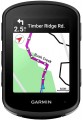 | 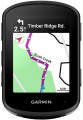 |
|---|---|---|
| Garmin Edge 840 | Garmin Edge 540 | |
| Compare prices 15 | Compare prices 8 | |
| TOP sellers | ||
Touch screen. Smartphone notifications, weather, sound prompts. Compatible with Vector, with Varia headlights, display and radar, Shimano DI2 Synchro Shift Integration. Connect IQ, Garmin Connect, Virb, Find MY Edge, Inreach, ANT+ Electronic Shifting. Solar - solar charging function, Sensor Bundle - a set of cadence and heart rate sensors included. | Smartphone notifications, weather, sound prompts. Compatible with Vector, with Varia headlights, display and radar, Shimano DI2 Synchro Shift Integration. Connect IQ, Garmin Connect, Virb, Find MY Edge, Inreach, ANT+ Electronic Shifting. Solar - solar charging function, Sensor Bundle - a set of cadence and heart rate sensors included. | |
Basic parameters | ||
| Type | wireless | wireless |
| Indications | current speed average speed max. speed speed ratio current distance daily distance odometer current travel time tripmeter | current speed average speed max. speed speed ratio current distance daily distance odometer current travel time tripmeter |
Display | ||
| Screen size | 2.6 " | 2.6 " |
| Output type | colour | colour |
| Touch screen |  |  |
| Backlight | | |
Sensors and communication | ||
| Sensors | GPS Bluetooth Wi-Fi thermometer altimeter barometer ANT+ | GPS Bluetooth Wi-Fi thermometer altimeter barometer ANT+ |
More features | ||
| Functions | smartphone connection PC connection calorie calculation route planning automatic start-stop clock timer and stopwatch battery level non-volatile memory | smartphone connection PC connection calorie calculation route planning automatic start-stop clock timer and stopwatch battery level non-volatile memory |
General | ||
| Waterproof | IPX7 | IPX7 |
| Power source | rechargeable battery | rechargeable battery |
| Operating time | 26 h | 26 h |
| Dimensions | 58x85x20 mm | 58x85x20 mm |
| Material | plastic | plastic |
| Weight | 80 g | 80 g |
| Added to E-Catalog | may 2023 | may 2023 |




Compare Garmin Edge 840 and Edge 540
Garmin Edge 840 and Garmin Edge 540 have similar features, but the key differences are the presence of a touchscreen in the 840 model, while the 540 is operated only by buttons. The 840 also offers 32 GB of memory compared to 16 GB in the 540, allowing for more maps to be loaded. The battery life for both models is 26 hours, but the 840 can last longer thanks to solar charging in the Solar version. The 540 does not support address search, which may be inconvenient for users. Both devices have IPX7 water resistance and are compatible with various sensors, but the 840 offers more advanced navigation and training features.
Price comparison
You may be interested in
My comparisons
Garmin Edge 840 often compared


Garmin Edge 540 often compared


Glossary
Touch screen
Touch screen — similar to those used in modern smartphones. Allows you to control the cycle computer by touching the image on the display.
Such control itself often turns out to be more convenient and visual than traditional buttons: you can display a variety of controls (lists, switches, sliders, etc.) on the screen, as well as explanations for them, which allows you to make the most of the device simple and intuitive. In addition, touch screens are extremely convenient for maps and navigation.
In general, it makes no sense to install touch screens in simple devices with basic capabilities, but they can be very useful for advanced models with extensive functionality. However, even among these models, touch displays are rare, due to a number of reasons. Firstly, for comfortable work, the screen must be quite large — however, even in the most advanced bike computers, its diagonal usually does not exceed 3.5", and in some it does not even reach 2.5". This is quite a bit for a touch screen. Secondly, it is almost impossible to work with the sensor by touch — unlike the buttons; and the probability of accidentally clicking “in the wrong place”, especially on the go, in this case is much higher. Thirdly, it is difficult to work with such devices in closed-type gloves (without cut off fingers): such gloves must have special inserts on the fingers, and the accuracy of pressing decreases noticeably — which can be critical, given the already mentioned small screen sizes.
Such control itself often turns out to be more convenient and visual than traditional buttons: you can display a variety of controls (lists, switches, sliders, etc.) on the screen, as well as explanations for them, which allows you to make the most of the device simple and intuitive. In addition, touch screens are extremely convenient for maps and navigation.
In general, it makes no sense to install touch screens in simple devices with basic capabilities, but they can be very useful for advanced models with extensive functionality. However, even among these models, touch displays are rare, due to a number of reasons. Firstly, for comfortable work, the screen must be quite large — however, even in the most advanced bike computers, its diagonal usually does not exceed 3.5", and in some it does not even reach 2.5". This is quite a bit for a touch screen. Secondly, it is almost impossible to work with the sensor by touch — unlike the buttons; and the probability of accidentally clicking “in the wrong place”, especially on the go, in this case is much higher. Thirdly, it is difficult to work with such devices in closed-type gloves (without cut off fingers): such gloves must have special inserts on the fingers, and the accuracy of pressing decreases noticeably — which can be critical, given the already mentioned small screen sizes.