
Comparison Korg B2 vs Korg D1
Add to comparison | 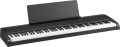 |  |
|---|---|---|
| Korg B2 | Korg D1 | |
| Compare prices 2 | Compare prices 2 | |
| TOP sellers | ||
| Body | portable | portable |
Keys | ||
| Number of keys | 88 шт | 88 шт |
| Size | full size | full size |
| Mechanics | malleus | malleus |
| Sensitivity adjustment |  |  |
| Rigidity | weighted | weighted |
Specs | ||
| Polyphony | 120 voices | 120 voices |
| Built-in timbres | 12 шт | 30 шт |
| Tempo change | 40 – 120 | |
| Metronome | | |
| Built-in compositions | | |
Effects and control | ||
| Reverberation | | |
| Chorus | | |
| Brightness | | |
| Transposition | | |
| Fine tuning | | |
| More features | scale selection | |
Connectors | ||
| Inputs | Mini-jack (linear) | MIDI in |
| Connectable pedals | 1 шт | 1 шт |
| Outputs | MIDI out | |
| Headphone outputs | 1 шт | 1 шт |
| Linear outputs | 1 шт | 2 шт |
General | ||
| Built-in acoustics | 30 W | |
| Number of bands | 1 | |
| Power consumption | 8 W | 2 W |
| Dimensions (WxHxD) | 1312x117x336 mm | 1327x128x263 mm |
| Weight | 11.4 kg | 16 kg |
| In box | music stand pedal PSU | pedal PSU rack |
| Color | ||
| Added to E-Catalog | november 2019 | february 2018 |


Compare Korg B2 and D1
You may be interested in
My comparisons
Korg B2 often compared


Korg D1 often compared


Glossary
Sensitivity adjustment
The ability to adjust the sensitivity of the digital piano keyboard.
The sensitivity level determines the volume and sharpness of the sound that the instrument will produce at a certain force and speed of pressing the key. High sensitivity allows you to achieve sharp, expressive sound with significant volume differences, low — relatively quiet, soft and smoothed. And some instruments even provide "zero" sensitivity — when all keys sound with the same volume and dynamics, regardless of the pressing force. This can be useful, for example, to imitate the sound of certain instruments (such as the harpsichord).
The sensitivity level determines the volume and sharpness of the sound that the instrument will produce at a certain force and speed of pressing the key. High sensitivity allows you to achieve sharp, expressive sound with significant volume differences, low — relatively quiet, soft and smoothed. And some instruments even provide "zero" sensitivity — when all keys sound with the same volume and dynamics, regardless of the pressing force. This can be useful, for example, to imitate the sound of certain instruments (such as the harpsichord).
Built-in timbres
The number of built-in sounds provided by the Digital Piano.
Despite the name, digital pianos are extremely rarely designed to imitate the sound of only a piano — the electronic hardware allows them to provide other timbres of sound. In addition, even the piano has its own varieties — for example, among the grand pianos there are 6 main classes, from large concert to miniature. So the built-in sounds can cover different kinds of pianos, as well as other instruments and sound effects.
The abundance and variety of timbres in digital pianos as a whole is not as great as in synthesizers, however, in this category there are very “charged” models, with a hundred timbres or more (in the most multifunctional, this number can exceed 900). However, it is worth specifically looking for a “multi-instrumental” model if you do not intend to be limited to the sound of the piano and would like to have more freedom of choice. It is worth remembering that a specific set of timbres can be different.
If the instrument is bought exclusively as a piano, then here, on the contrary, it is worth paying attention primarily to solutions with a small number of timbres. Such models are not only cheaper than "universals" — they can also sound better (due to the fact that there are few timbres and the manufacturer can carefully approach the sound quality of each built-in "instrument").
Despite the name, digital pianos are extremely rarely designed to imitate the sound of only a piano — the electronic hardware allows them to provide other timbres of sound. In addition, even the piano has its own varieties — for example, among the grand pianos there are 6 main classes, from large concert to miniature. So the built-in sounds can cover different kinds of pianos, as well as other instruments and sound effects.
The abundance and variety of timbres in digital pianos as a whole is not as great as in synthesizers, however, in this category there are very “charged” models, with a hundred timbres or more (in the most multifunctional, this number can exceed 900). However, it is worth specifically looking for a “multi-instrumental” model if you do not intend to be limited to the sound of the piano and would like to have more freedom of choice. It is worth remembering that a specific set of timbres can be different.
If the instrument is bought exclusively as a piano, then here, on the contrary, it is worth paying attention primarily to solutions with a small number of timbres. Such models are not only cheaper than "universals" — they can also sound better (due to the fact that there are few timbres and the manufacturer can carefully approach the sound quality of each built-in "instrument").
Tempo change
The range over which the tempo of the sound played by the instrument can change. It can be either a built-in melody or a part recorded on a sequencer, or an auto accompaniment, a tutorial or a metronome. For more information on all of these features, see the corresponding glossary entries. Here we note that a change in tempo is often required in fact — for example, to speed up an initially "sluggish" accompaniment or slow down a training programme that is difficult to master at the original tempo.
Tempo is traditionally indicated in beats per minute. The classical, "academic" range covers options from 40 bpm ("grave", "very slow") to 208 bpm ("prestissimo", "very fast"), however, in modern digital pianos, the working range of tempos is often significantly wider.
Tempo is traditionally indicated in beats per minute. The classical, "academic" range covers options from 40 bpm ("grave", "very slow") to 208 bpm ("prestissimo", "very fast"), however, in modern digital pianos, the working range of tempos is often significantly wider.
Brightness
The ability to change the brightness of the sound of certain timbres or tracks.
Brightness determines the overall colour of the sound — from soft, smoothed to sonorous, sharp. This feature allows the player to adjust this coloration to their preference, and thus further expands the possibilities for customizing the sound of the instrument.
Brightness determines the overall colour of the sound — from soft, smoothed to sonorous, sharp. This feature allows the player to adjust this coloration to their preference, and thus further expands the possibilities for customizing the sound of the instrument.
More features
Additional features and sound customization options provided by the instrument in addition to those listed above. In this paragraph, usually, various original proprietary technologies and solutions are indicated; the specific meaning of these functions is best specified in the documentation for the tool.
Inputs
— Mini-jack (linear). Any line input is designed to receive an audio signal in analogue format. Such an audio signal can be played back by the instrument itself through the built-in speakers, external speakers or headphones, switched to external equipment (for example, an amplifier or audio receiver), or recorded (if you have a sequencer, see above). In digital pianos, the most popular is the first option — playback; typically, the line-in sound either serves as an accompaniment to the main part or provides additional effects. As for the mini-Jack standard, this is a miniature plug, also called "3.5 mm" and known to many as a standard audio jack on a smartphone, laptop or computer. However, this standard is also very popular in digital pianos — among external signal sources, mini-Jack plugs are generally more common than full-size Jacks.
— Jack (linear). Line input using a Jack type connector (aka "6.35 mm"). In terms of purpose, such an input does not differ from the mini-Jack type input described above. As for the connector, it is almost 2 times larger than the mini-Jack in diameter — however, given the dimensions of digital pianos, this cannot be called a serious drawback. At the same time, the Jack socket provides a better and more reliable connection, with less likelihood of interference. At the same time, for a number of reasons, this type of connector is used somewhat less frequently in digital pianos.
— MIDI in. An...input that allows the Digital Piano to receive MIDI signals from external equipment. MIDI is a standard signal format in electronic musical instruments; such a signal (MIDI-event) is created for each keystroke and contains information about the note number, strength, speed and duration of pressing; these signals can then be recorded and/or played back in a specific tone. The ability to receive MIDI events from external devices can be useful, for example, when playing two keyboard instruments at once (to play all the music on one of them, with better sound quality), or to use the digital piano as an adapter for another instrument that does not having the desired tones. In addition, technically, a MIDI signal can be switched to other devices (see "Outputs — MIDI thru").
— USB to device (type A). USB connector that allows you to connect various external devices to the digital piano. However, most often the range of such devices is limited to "flash drives" and other drives. However, even this functionality can provide very extensive additional features: you can play backing melodies from a flash drive, update user timbres and auto-accompaniment styles (see above) or even instrument firmware, and copy materials recorded by a sequencer to a flash drive (or even write music directly). ), etc. Specific features in different models may be different, this point should be clarified separately.
— Card reader. A device for reading memory cards — usually, the popular SD format. By purpose, this function is similar to working with a USB flash drive (see above), adjusted for the fact that memory cards will be convenient primarily when exchanging data with a laptop — almost all modern laptops are equipped with card readers, which cannot be said about desktop PCs.
— Jack (linear). Line input using a Jack type connector (aka "6.35 mm"). In terms of purpose, such an input does not differ from the mini-Jack type input described above. As for the connector, it is almost 2 times larger than the mini-Jack in diameter — however, given the dimensions of digital pianos, this cannot be called a serious drawback. At the same time, the Jack socket provides a better and more reliable connection, with less likelihood of interference. At the same time, for a number of reasons, this type of connector is used somewhat less frequently in digital pianos.
— MIDI in. An...input that allows the Digital Piano to receive MIDI signals from external equipment. MIDI is a standard signal format in electronic musical instruments; such a signal (MIDI-event) is created for each keystroke and contains information about the note number, strength, speed and duration of pressing; these signals can then be recorded and/or played back in a specific tone. The ability to receive MIDI events from external devices can be useful, for example, when playing two keyboard instruments at once (to play all the music on one of them, with better sound quality), or to use the digital piano as an adapter for another instrument that does not having the desired tones. In addition, technically, a MIDI signal can be switched to other devices (see "Outputs — MIDI thru").
— USB to device (type A). USB connector that allows you to connect various external devices to the digital piano. However, most often the range of such devices is limited to "flash drives" and other drives. However, even this functionality can provide very extensive additional features: you can play backing melodies from a flash drive, update user timbres and auto-accompaniment styles (see above) or even instrument firmware, and copy materials recorded by a sequencer to a flash drive (or even write music directly). ), etc. Specific features in different models may be different, this point should be clarified separately.
— Card reader. A device for reading memory cards — usually, the popular SD format. By purpose, this function is similar to working with a USB flash drive (see above), adjusted for the fact that memory cards will be convenient primarily when exchanging data with a laptop — almost all modern laptops are equipped with card readers, which cannot be said about desktop PCs.
Outputs
— USB to host (type B). Connector for connecting a digital piano to a computer using the USB standard; in this case, the instrument plays the role of a peripheral device. The possibilities of such a connection can be different: recording live music, updating firmware, voices and auto accompaniment styles, using the digital piano as an external MIDI keyboard, fine-tuning the instrument and troubleshooting, etc.; specific functionality varies from model to model.
— MIDI out. An output that allows you to broadcast MIDI signals (MIDI events) from the Digital Piano to external devices. A MIDI signal is, in fact, a "preparation" of sound: a signal generated when a key is pressed and containing information about the note number, duration, and force of pressing. Based on this signal, the electronics of the instrument (or other device) generates the sound of a certain timbre. The MIDI output can be useful for connecting a digital piano to, for example, an external sequencer for recording, or to a synthesizer for playback in a tone that is not in the piano itself.
— MIDI thru. Output used for switching MIDI signals. The description of such signals is given above, but here we note that the MIDI thru output duplicates the signals received at the MIDI input of the digital piano. This function can be useful in some specific cases — for example, connecting several electr...onic instruments together.
— MIDI out. An output that allows you to broadcast MIDI signals (MIDI events) from the Digital Piano to external devices. A MIDI signal is, in fact, a "preparation" of sound: a signal generated when a key is pressed and containing information about the note number, duration, and force of pressing. Based on this signal, the electronics of the instrument (or other device) generates the sound of a certain timbre. The MIDI output can be useful for connecting a digital piano to, for example, an external sequencer for recording, or to a synthesizer for playback in a tone that is not in the piano itself.
— MIDI thru. Output used for switching MIDI signals. The description of such signals is given above, but here we note that the MIDI thru output duplicates the signals received at the MIDI input of the digital piano. This function can be useful in some specific cases — for example, connecting several electr...onic instruments together.
Linear outputs
The number of line outputs provided in the design of the digital piano.
The line output allows you to send the sound from the instrument to external audio equipment. In this case, the sound is transmitted in an analogue format, and to play it, it is enough to pass it through a power amplifier; and active acoustics can generally be connected directly to the line output. The outputs themselves can use different types of connectors, but most often they are 3.5 mm mini-Jack or 6.35 mm Jack, compatible with most audio equipment either directly or through the simplest adapters.
Multiple line outputs allow you to connect multiple signal receivers to the instrument at once — for example, speakers with an amplifier for playback and an external recorder for recording. However, digital pianos rarely have more than 2 line outputs — more, taking into account the specifics of the use of such instruments, is simply not required.
The line output allows you to send the sound from the instrument to external audio equipment. In this case, the sound is transmitted in an analogue format, and to play it, it is enough to pass it through a power amplifier; and active acoustics can generally be connected directly to the line output. The outputs themselves can use different types of connectors, but most often they are 3.5 mm mini-Jack or 6.35 mm Jack, compatible with most audio equipment either directly or through the simplest adapters.
Multiple line outputs allow you to connect multiple signal receivers to the instrument at once — for example, speakers with an amplifier for playback and an external recorder for recording. However, digital pianos rarely have more than 2 line outputs — more, taking into account the specifics of the use of such instruments, is simply not required.
Built-in acoustics
The power of the native acoustics installed in the Digital Piano.
This indicator directly affects the maximum volume that the instrument is able to produce "on its own", without connecting external speakers. At the same time, it is worth noting that many manufacturers go to the trick and indicate in the characteristics not the rated power (rms power when operating at full volume), but the peak power, which is the highest power that the acoustics can deliver at short “ups” of volume. Peak power values can be quite impressive — in the tens and hundreds of watts — but these figures have a very indirect relation to the actual capabilities of the speakers. Therefore, before choosing, it is worth clarifying what kind of power is mentioned in the characteristics. To do this, it is not necessary to look for detailed data on the instrument, it is enough to compare the power of the speakers with the power consumption (see below): if the claimed power of the acoustics is greater than the power consumption of the entire instrument, then the manufacturer indicated exactly the peak value.
This indicator directly affects the maximum volume that the instrument is able to produce "on its own", without connecting external speakers. At the same time, it is worth noting that many manufacturers go to the trick and indicate in the characteristics not the rated power (rms power when operating at full volume), but the peak power, which is the highest power that the acoustics can deliver at short “ups” of volume. Peak power values can be quite impressive — in the tens and hundreds of watts — but these figures have a very indirect relation to the actual capabilities of the speakers. Therefore, before choosing, it is worth clarifying what kind of power is mentioned in the characteristics. To do this, it is not necessary to look for detailed data on the instrument, it is enough to compare the power of the speakers with the power consumption (see below): if the claimed power of the acoustics is greater than the power consumption of the entire instrument, then the manufacturer indicated exactly the peak value.