
Comparison Chieftec Atmos CPX-750FC vs Chieftec Polaris PPS-650FC
Add to comparison | 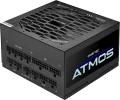 | 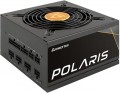 |
|---|---|---|
| Chieftec Atmos CPX-750FC | Chieftec Polaris PPS-650FC | |
| Outdated Product | Compare prices 1 | |
| User reviews | ||
| TOP sellers | ||
120mm fan Hong Hua HA1225H12F-Z. Nippon Chemi-Con input capacitor. Six transistors and an APW7159C controller. The IN1S429I-DCG chip is responsible for protection. | ||
| Power | 750 W | 650 W |
| Form factor | ATX | ATX |
Specs | ||
| PFC | active | active |
| Efficiency | 90 % | |
| Cooling system | semi-passive | active |
| Fan size | 120 mm | 120 mm |
| Fan bearing | hydrodynamic | hydrodynamic |
| Certification | 80+ Gold | 80+ Gold |
| ATX12V version | 3 | 2.4 |
Power connectors | ||
| MB/CPU power supply | 24+8+8(4+4) pin | 24+8+8(4+4) pin |
| SATA | 9 | 6 |
| MOLEX | 4 | 3 |
| PCIe 8pin (6+2) | 4 | 4 |
| PCIe 16pin | 1 pcs | |
| Cable system | modular | modular |
| Braided wires |  |  |
Cable length | ||
| MB | 600 mm | 650 mm |
| CPU | 700 mm | 650 mm |
| SATA | 550 mm | 450 mm |
| MOLEX | 550 mm | 450 mm |
| PCIe | 700 mm | 500 mm |
Max. power | ||
| +3.3V | 20 А | 22 А |
| +5V | 20 А | 22 А |
| +12V1 | 62.5 А | 54.2 А |
| -12V | 0.3 А | 0.3 А |
| +5Vsb | 3 А | 3 А |
| +12V | 750 W | 650 W |
| +3.3V +5V | 100 W | 120 W |
| -12V | 3.6 W | 3.6 W |
| +5Vsb | 15 W | 15 W |
General | ||
| Over voltage protection (OVP) | | |
| Over power protection (OPP) | | |
| Short circuit protection (SCP) | | |
| Protection | OTP, SIP, UVP, OCP | |
| Manufacturer's warranty | 5 years | 2 years |
| Dimensions (HxWxD) | 86x150x140 mm | 87x150x140 mm |
| Weight | 1.49 kg | 2.17 kg |
| Added to E-Catalog | november 2023 | october 2019 |



Compare Chieftec Atmos and Polaris
Price comparison
You may be interested in
My comparisons
Chieftec Atmos often compared


Chieftec Polaris often compared


Glossary
Power
The output power of the power supply, in other words, is the maximum power that it is capable of delivering to the system. For the computer to operate efficiently, the power supply must be greater than the total power consumption of the system at maximum load. The latter can be calculated by summing the power of individual components, however, in general, for office configurations , about 400 W — 450 W is considered sufficient, for medium gaming — about 600 W( 500 W, 550 W, 650 W, 700 W, 750 W), and for the top ones — power of 800 W and above ( 850 W, 1000 W and even more than 1 kW).
Efficiency
Efficiency, in this case — the ratio of the power of the power supply (see "Power") to its power consumption. The higher the efficiency, the more efficient the power supply, the less energy it consumes from the network at the same output power, and the cheaper it is to operate. Efficiency may differ depending on the load; the characteristics can indicate both the minimum efficiency and its value at an average load (50%).
It should be noted that compliance with one or another level of 80PLUS efficiency directly depends on this indicator (for more details, see "Certificate").
It should be noted that compliance with one or another level of 80PLUS efficiency directly depends on this indicator (for more details, see "Certificate").
Cooling system
— Active cooling system. Uses a fan that constantly operates to remove heat from internal components. Unlike passive cooling, the active system provides better heat dissipation and stability under high loads, preventing overheating. However, it creates noise. To eliminate this, fans in such power supplies can have dynamic speed control (AFC – Automatic Fan Control), reducing speed at low power consumption.
— Semi-passive. Active cooling systems with automatic fan shutdown in situations where the load on the power supply is low and heat generation is reduced. Let us remind you that systems of this type are more efficient than passive ones, but they consume additional energy and create noise during operation. Accordingly, at low loads, when intensive cooling is not required, it is wiser to turn off the fans — this saves energy and reduces the noise level.
— Passive(radiators). Compared to fans, radiators have a number of advantages: for example, they do not create any noise and do not require their own power supply (thus reducing overall energy consumption). On the other hand, they are significantly less efficient, as a result — the power of power supplies with passive cooling does not exceed 600 W. In addition, such power supplies are quite expensive.
— Semi-passive. Active cooling systems with automatic fan shutdown in situations where the load on the power supply is low and heat generation is reduced. Let us remind you that systems of this type are more efficient than passive ones, but they consume additional energy and create noise during operation. Accordingly, at low loads, when intensive cooling is not required, it is wiser to turn off the fans — this saves energy and reduces the noise level.
— Passive(radiators). Compared to fans, radiators have a number of advantages: for example, they do not create any noise and do not require their own power supply (thus reducing overall energy consumption). On the other hand, they are significantly less efficient, as a result — the power of power supplies with passive cooling does not exceed 600 W. In addition, such power supplies are quite expensive.
ATX12V version
A standard for power supplies that supplements the ATX specifications regarding power supply along the 12 V line. Introduced into use since the time of the Intel Pentium 4 processor. In the first series of the standard, the +5 V line was mainly used; from version 2.0, the +12 V line was introduced to fully power the components computer. Also in the second generation, a 24-pin power connector appeared, used in most modern motherboards.
SATA
The number of SATA power connectors provided in the PSU.
Nowadays, SATA is the standard interface for connecting internal hard drives, and it is also found in other types of drives (SSD, SSHD, etc.). Such an interface consists of a data connector connected to the motherboard, and a power connector connected to the PSU. Accordingly, in this paragraph we are talking about the number of SATA power plugs provided in the PSU. This number corresponds to the number of SATA drives that can be simultaneously powered from this model.
Nowadays, SATA is the standard interface for connecting internal hard drives, and it is also found in other types of drives (SSD, SSHD, etc.). Such an interface consists of a data connector connected to the motherboard, and a power connector connected to the PSU. Accordingly, in this paragraph we are talking about the number of SATA power plugs provided in the PSU. This number corresponds to the number of SATA drives that can be simultaneously powered from this model.
MOLEX
The number of Molex (IDE) connectors provided in the design of the power supply.
Initially, such a connector was intended to power peripherals for the IDE interface, primarily hard drives. And although the IDE itself is completely obsolete today and is not used in new components, however, the Molex power connector continues to be installed in power supplies, and almost without fail. Almost any modern PSU has at least 1 – 2 of these connectors, and in high-end models this number can be 7 or more. This situation is due to the fact that Molex IDE is a fairly universal standard, and with the help of the simplest adapters, components with a different power interface can be powered from it. For example, there are Molex - SATA adapters for drives, Molex - 6 pin for video cards, etc.
Initially, such a connector was intended to power peripherals for the IDE interface, primarily hard drives. And although the IDE itself is completely obsolete today and is not used in new components, however, the Molex power connector continues to be installed in power supplies, and almost without fail. Almost any modern PSU has at least 1 – 2 of these connectors, and in high-end models this number can be 7 or more. This situation is due to the fact that Molex IDE is a fairly universal standard, and with the help of the simplest adapters, components with a different power interface can be powered from it. For example, there are Molex - SATA adapters for drives, Molex - 6 pin for video cards, etc.
PCIe 16pin
The 16-pin PCIe power connector is designed to replace the existing 8-pin counterparts. It consists of twelve lines for current supply and four more for data transmission. The connector provides up to 600 watts of additional power, which is a fourfold increase in power compared to the 8-pin versions of the interface. Additional PCIe connectors of all formats are used to power those types of internal peripherals that no longer have enough with the 75 watts delivered directly through the PCIe slot on the motherboard.
Braided wires
The presence of a braid in the complete wires of the system unit — for all or at least for some.
This feature has a positive effect on reliability, making the wire as resistant as possible to bending, abrasion, strong pressure and other similar influences; it also provides additional protection against accidental contact with sharp objects (for example, when repairing a PC). The disadvantages of braided wires, in addition to increased cost, are also increased thickness and greater rigidity than similar cables in conventional insulation. This can create some difficulties in organizing space inside the system unit.
This feature has a positive effect on reliability, making the wire as resistant as possible to bending, abrasion, strong pressure and other similar influences; it also provides additional protection against accidental contact with sharp objects (for example, when repairing a PC). The disadvantages of braided wires, in addition to increased cost, are also increased thickness and greater rigidity than similar cables in conventional insulation. This can create some difficulties in organizing space inside the system unit.
+3.3V
The maximum values of current and power that the PSU can provide on individual power lines.
The power line can be simply described as a pair of contacts for connecting a particular load; one of these contacts is “ground” (with zero voltage), and the second has a certain voltage with a plus or minus sign, this voltage corresponds to the voltage of the power line. In this paragraph, it is + 3.3V (such power is present in 20- and 24-pin connectors for motherboards, in SATA power connectors and some other types of connectors).
In general, power and currents are rather specific parameters that the average user rarely needs — mainly when connecting high-power components such as video cards, as well as when starting a PSU without a computer to power other electronics (for example, amateur radio stations). It is also worth mentioning that the sum of the maximum powers on all lines can be higher than the total output power of the PSU — this means that all lines cannot operate at full power at the same time. Accordingly, when the PSU is fully loaded, some of them will produce less power than the maximum possible.
The power line can be simply described as a pair of contacts for connecting a particular load; one of these contacts is “ground” (with zero voltage), and the second has a certain voltage with a plus or minus sign, this voltage corresponds to the voltage of the power line. In this paragraph, it is + 3.3V (such power is present in 20- and 24-pin connectors for motherboards, in SATA power connectors and some other types of connectors).
In general, power and currents are rather specific parameters that the average user rarely needs — mainly when connecting high-power components such as video cards, as well as when starting a PSU without a computer to power other electronics (for example, amateur radio stations). It is also worth mentioning that the sum of the maximum powers on all lines can be higher than the total output power of the PSU — this means that all lines cannot operate at full power at the same time. Accordingly, when the PSU is fully loaded, some of them will produce less power than the maximum possible.