
Comparison Attack Shark R5 Ultra vs Attack Shark R2
Add to comparison |  | 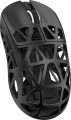 |
|---|---|---|
| Attack Shark R5 Ultra | Attack Shark R2 | |
| Compare prices 3 | from $444.54 | |
| User reviews | ||
| TOP sellers | ||
| Product type | mouse | mouse |
| Connection | radio / Bluetooth / wired | radio / Bluetooth / wired |
| Bluetooth version | v5.2 | |
| Multi-Device |  | |
| Sensor | optical | optical |
Sensor and control | ||
| Sensor | PixArt 3950 | PixArt 3950 |
| Sensor resolution | 42000 DPI | 800 – 42000 DPI |
| Max. acceleration | 50 G | 50 G |
| Max. speed | 750 ips | 750 ips |
| Max. polling rate | 8000 Hz (0.125 ms) | 8000 Hz (0.125 ms) |
| Number of buttons | 4 | 4 |
| Side buttons | | |
| DPI-button | | |
| Switch type | mechanical | mechanical |
| Switches | Omron | Huano Blue Shell Pink Dot |
| Switch resource | 100 mln | 100 mln |
| Scroll wheels | 1 | 1 |
Additional features | ||
| Suitable for left-handers | | |
| Perforated body | | |
| Programmable buttons | | |
Connection and power supply | ||
| Cable | USB-A removable braided | USB-A removable braided |
| Power source | battery | battery |
| Port on the device | USB-C | |
General | ||
| In box | USB-A dongle | USB-A dongle |
| Size (LxWxH) | 120x61x36 mm | 118x62x39 mm |
| Weight | 39 g | 45 g |
| Added to E-Catalog | april 2025 | september 2024 |




Compare Attack Shark R5 Ultra and R2
Price comparison
You may be interested in
My comparisons
Attack Shark R5 Ultra often compared


Attack Shark R2 often compared


Glossary
Bluetooth version
It is worth noting that any version of Bluetooth is able to pair devices with each other. And even if both devices have a different version, the connection will occur on the lowest of them — the protocols are interchangeable.
Sensor resolution
Resolution of the sensor responsible for tracking mouse movements on the work surface. Specified in DPI — dots per inch.
The physical meaning of DPI as a whole is as follows. The sensor of a modern mouse works on the same principle as the camera matrix, and consists of pixels. And DPI is the number of pixels that fall on 1 inch of the underlying surface (length or width), "visible" by the sensor.
It is believed that more DPI means a more advanced sensor and mouse in general; nowadays, models for 3500 – 5000 DPI, 12000 DPI, 16000 DPI even more are not uncommon. In a way, it is — high resolution contributes to accuracy. However, the only thing that is directly determined by this indicator is the speed at which the cursor moves across the screen: the higher the resolution of the sensor, the greater the number of pixels that the cursor will move when the mouse itself moves a certain distance. At the same time, it is worth recalling that too high a speed is even more undesirable than too low. So the real need for high DPI ( 1000 and above) arises mainly when working on large screens (4K resolution and more); for more modest displays (HD and Full HD), smaller values are often enough.
The physical meaning of DPI as a whole is as follows. The sensor of a modern mouse works on the same principle as the camera matrix, and consists of pixels. And DPI is the number of pixels that fall on 1 inch of the underlying surface (length or width), "visible" by the sensor.
It is believed that more DPI means a more advanced sensor and mouse in general; nowadays, models for 3500 – 5000 DPI, 12000 DPI, 16000 DPI even more are not uncommon. In a way, it is — high resolution contributes to accuracy. However, the only thing that is directly determined by this indicator is the speed at which the cursor moves across the screen: the higher the resolution of the sensor, the greater the number of pixels that the cursor will move when the mouse itself moves a certain distance. At the same time, it is worth recalling that too high a speed is even more undesirable than too low. So the real need for high DPI ( 1000 and above) arises mainly when working on large screens (4K resolution and more); for more modest displays (HD and Full HD), smaller values are often enough.
Switches
The switches in a mouse indicate which specific switches are installed under the main buttons, such as Omron, Huano, Kailh, TTC, or proprietary solutions from the manufacturer. These determine the click characteristics, actuation force, click volume, lifespan, and the likelihood of double-clicking over time.
Unlike the general switch type, which refers to the working principle—mechanical or optical—the brand and model provide a more precise understanding of the performance level. For example, two mice with mechanical switches might feel different when clicked: some may be softer and quieter, while others could be stiffer, louder, and feel more "gaming-like."
Unlike the general switch type, which refers to the working principle—mechanical or optical—the brand and model provide a more precise understanding of the performance level. For example, two mice with mechanical switches might feel different when clicked: some may be softer and quieter, while others could be stiffer, louder, and feel more "gaming-like."
Port on the device
Connector on the mouse body for detachable cable connection; it is found in both wired models and wireless ones with a battery, where through this port the mouse charges and, if necessary, operates "wired" without delays.
— microUSB. One of the miniature versions of the USB connector, still popular in gadgets despite the emergence of the more advanced USB-C. It has comparatively modest capabilities (specifically, it falls short of USB-C in terms of maximum possible charging power), however, this is rarely critical. Meanwhile, there are a plethora of cables and chargers for microUSB.
— USB-C. The latest (as of the end of 2025) type of USB connector. It is symmetrical, allowing the cable to be inserted either way, eliminating the possibility of incorrect connection. USB-C is more reliable, has an extended lifespan, and supports higher data transfer and charging speed. Additionally, it is compatible with modern devices and is gradually becoming a universal standard, making mice with such a connector more convenient and relevant for users.
— microUSB. One of the miniature versions of the USB connector, still popular in gadgets despite the emergence of the more advanced USB-C. It has comparatively modest capabilities (specifically, it falls short of USB-C in terms of maximum possible charging power), however, this is rarely critical. Meanwhile, there are a plethora of cables and chargers for microUSB.
— USB-C. The latest (as of the end of 2025) type of USB connector. It is symmetrical, allowing the cable to be inserted either way, eliminating the possibility of incorrect connection. USB-C is more reliable, has an extended lifespan, and supports higher data transfer and charging speed. Additionally, it is compatible with modern devices and is gradually becoming a universal standard, making mice with such a connector more convenient and relevant for users.
Weight
The total weight of the mouse. For models with a wired connection, usually, it is indicated without cable, and for devices with weight adjustment (see above) — without weights.
This parameter is important primarily for professional gaming applications, although it is often relevant for ordinary users. Theoretically, less weight promotes speed and reduces fatigue. At the same time, in fact, much depends on the personal habits and preferences of the user: a mouse that is too light may “not be felt in the hands” and not give familiar feedback. Therefore, although most mice have a lower weight limit of 60 – 80 g, however, even among professional gaming models there are much more massive devices — 120 – 140 g or more. The lightest variety of "rodents" is laptop (see "In the direction"), among them devices come across and less than 60 g.
Also note that the weight to some extent depends on the size and “tricked out” of the device, but there is no unambiguous dependence here: models similar in size and functionality can differ markedly in weight.
This parameter is important primarily for professional gaming applications, although it is often relevant for ordinary users. Theoretically, less weight promotes speed and reduces fatigue. At the same time, in fact, much depends on the personal habits and preferences of the user: a mouse that is too light may “not be felt in the hands” and not give familiar feedback. Therefore, although most mice have a lower weight limit of 60 – 80 g, however, even among professional gaming models there are much more massive devices — 120 – 140 g or more. The lightest variety of "rodents" is laptop (see "In the direction"), among them devices come across and less than 60 g.
Also note that the weight to some extent depends on the size and “tricked out” of the device, but there is no unambiguous dependence here: models similar in size and functionality can differ markedly in weight.