
Comparison OfficePro MA312B vs HiSmart HS083205
Add to comparison | 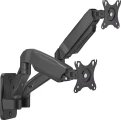 |  |
|---|---|---|
| OfficePro MA312B | HiSmart HS083205 | |
| Outdated Product | Expecting restock | |
| TOP sellers | ||
The mount is equipped with a quick-release VESA plate. | ||
| Type | wall mount | wall mount |
| Number of mounts | for 2 panels | for 2 panels |
Specs | ||
| Minimum size | 17 " | 17 " |
| Max. size | 32 " | 32 " |
| Max. weight | 9 kg | 9 kg |
| Adjustments | for curved TV tilt turn depth adjustment slide rotation height adjustment | tilt turn |
Angles and dimensions | ||
| Upward tilt angle | 90 ° | 90 ° |
| Downward tilt angle | 45 ° | 45 ° |
| Turn angle | 180 ° | 180 ° |
| Rotation angle | 360 ° | |
| VESA | 75x75mm 100x100 mm | 75x75mm 100x100 mm |
| Removable VESA plate |  |  |
General | ||
| Cable management | | |
| Color | ||
| Added to E-Catalog | september 2025 | january 2025 |


Compare OfficePro MA312B and HiSmart HS083205
You may be interested in
My comparisons
HiSmart HS083205 often compared


Glossary
Adjustments
The ability to change the position of the TV installed on the mount. Adjustments make it possible to optimally adjust the location of the screen; the more there are adjustments, the wider the customization options.
— For curved TVs. Stands designed for use with curved TVs. Such TVs are becoming increasingly popular — it is believed that the curved shape has a positive effect on the image quality. Note that the dimensions and curvature of such screens can be different, so the compatibility of the stand with a specific TV has to be clarified separately.
— Tilt. The ability to adjust the tilt of the installed TV forward and backward relative to the vertical position. It will be useful if the TV is not installed at eye level, and also if the height of the audience changes (for example, if you are sitting on the sofa, then on the floor, depending on your mood).
— Turn. The ability to turn the TV around a vertical axis, from side to side. This gives a certain freedom in moving around the room — by moving to another point, you can turn the TV in the right direction and watch comfortably.
— Depth adjustment. The ability to move the TV back and forth relative to the point of attachment to the wall without changing the angle of the screen. Can be used in combination with turn — for example, if at a selected...point in the room an object on the side of the TV is blocking it, the screen can be pulled out from behind the obstruction and turned for the optimal viewing angle.
— Slide. The ability to move the TV from side to side relative to the point of attachment to the wall without changing the angle of the screen. This can be useful, for example, when rearranging: by moving the TV to the side, you can install a piece of furniture next to it that did not fit there before, without rearranging the mount itself. It can also be used in conjunction with turn, similar to depth adjustment (see above).
— Rotation. The ability to rotate the installed monitor around the horizontal axis, in other words, the ability to rotate the screen from a horizontal position (“landscape” orientation) to a vertical (“portrait”) one. In everyday use, this function is practically not in demand, and therefore is rare. At the same time, it can be useful for specialized purposes — for example, if the screen is used as a monitor and you need to work with vertically stretched materials (graphics or texts).
— Height adjustment. The ability to adjust the height of the TV on the mount. Allows you to optimally adjust the position of the screen relative to eye level, surrounding objects, etc.
— For curved TVs. Stands designed for use with curved TVs. Such TVs are becoming increasingly popular — it is believed that the curved shape has a positive effect on the image quality. Note that the dimensions and curvature of such screens can be different, so the compatibility of the stand with a specific TV has to be clarified separately.
— Tilt. The ability to adjust the tilt of the installed TV forward and backward relative to the vertical position. It will be useful if the TV is not installed at eye level, and also if the height of the audience changes (for example, if you are sitting on the sofa, then on the floor, depending on your mood).
— Turn. The ability to turn the TV around a vertical axis, from side to side. This gives a certain freedom in moving around the room — by moving to another point, you can turn the TV in the right direction and watch comfortably.
— Depth adjustment. The ability to move the TV back and forth relative to the point of attachment to the wall without changing the angle of the screen. Can be used in combination with turn — for example, if at a selected...point in the room an object on the side of the TV is blocking it, the screen can be pulled out from behind the obstruction and turned for the optimal viewing angle.
— Slide. The ability to move the TV from side to side relative to the point of attachment to the wall without changing the angle of the screen. This can be useful, for example, when rearranging: by moving the TV to the side, you can install a piece of furniture next to it that did not fit there before, without rearranging the mount itself. It can also be used in conjunction with turn, similar to depth adjustment (see above).
— Rotation. The ability to rotate the installed monitor around the horizontal axis, in other words, the ability to rotate the screen from a horizontal position (“landscape” orientation) to a vertical (“portrait”) one. In everyday use, this function is practically not in demand, and therefore is rare. At the same time, it can be useful for specialized purposes — for example, if the screen is used as a monitor and you need to work with vertically stretched materials (graphics or texts).
— Height adjustment. The ability to adjust the height of the TV on the mount. Allows you to optimally adjust the position of the screen relative to eye level, surrounding objects, etc.
Rotation angle
The angle within which the screen installed on the mount can rotate. Rotation refers to turning around a horizontal axis perpendicular to the screen; see "Adjustments" for details. And the angle is usually indicated from one extreme position to another.
According to this parameter, two categories of mounts can be distinguished. In one of them, the rotation angle is small — about 10 – 15 ° — and this feature is mainly intended to compensate for inaccuracies made during the installation of the structure: even if the mount hangs slightly unevenly, rotation allows you to set the screen straight. The second variety is models with a rotation angle of 180° and above (up to 360°); they allow user to rotate the screen from landscape to portrait and vice versa.
According to this parameter, two categories of mounts can be distinguished. In one of them, the rotation angle is small — about 10 – 15 ° — and this feature is mainly intended to compensate for inaccuracies made during the installation of the structure: even if the mount hangs slightly unevenly, rotation allows you to set the screen straight. The second variety is models with a rotation angle of 180° and above (up to 360°); they allow user to rotate the screen from landscape to portrait and vice versa.
Removable VESA plate
"Quick-release" interface between TV/monitor and bracket: a thin plate is screwed to the screen according to the VESA standard (usually 75×75, 100×100, 200×200, and larger), then clicks into the base on the bracket with one motion and is fixed with a locking screw or latch. This solution speeds up installation and maintenance: you can hang a heavy monitor solo, quickly remove the TV for cable management or cleaning, and easily move the screen from wall mounting to a desktop arm. Compared to a fixed plate, it's more convenient and there's less risk of missing the holes; the downsides are a slight increase in extension and possible play in cheap mechanisms. Typical scenarios include an office with frequent monitor rotation, a digital menu and display service, and a home setup where the screen is periodically removed for port access.