
Comparison HiSmart HS083205 vs Gembird MA-DA2-05
Add to comparison |  | 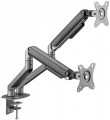 |
|---|---|---|
| HiSmart HS083205 | Gembird MA-DA2-05 | |
| Expecting restock | from $78.00 | |
| User reviews | ||
| TOP sellers | ||
| Type | wall mount | desktop mount |
| Number of mounts | for 2 panels | for 2 panels |
| Installation | universal | |
Specs | ||
| Minimum size | 17 " | 17 " |
| Max. size | 32 " | 32 " |
| Max. weight | 9 kg | 9 kg |
| Adjustments | tilt turn | tilt turn depth adjustment slide rotation height adjustment |
Angles and dimensions | ||
| Upward tilt angle | 90 ° | 55 ° |
| Downward tilt angle | 45 ° | 55 ° |
| Turn angle | 180 ° | 180 ° |
| Rotation angle | 180 ° | |
| VESA | 75x75mm 100x100 mm | 75x75mm 100x100 mm |
General | ||
| Cable management |  |  |
| Color | ||
| Added to E-Catalog | january 2025 | november 2023 |


Compare HiSmart HS083205 and Gembird MA-DA2-05
You may be interested in
My comparisons
HiSmart HS083205 often compared


Gembird MA-DA2-05 often compared


Glossary
Type
— Wall Mount. A device for mounting a TV on the wall; it attaches directly to the surface without additional items. Such installation is especially useful in small spaces where there's no room for a floor stand or cabinet. However, wall mounting requires some effort (for example, drilling a concrete wall).
— Ceiling Mount. A device for mounting a TV on the ceiling. Like the wall mount, it requires no additional equipment, furniture, etc., and saves space. However, installation comes with some complexities, and constantly watching TV with your head tilted up is uncomfortable. Therefore, these mounts are primarily designed for public places where it’s important to protect the equipment from theft and vandalism.
— Desktop Mount. A device for placing a screen on a desk or similar surface. The specific installation method may vary: among desktop models, there are stands without additional fixtures as well as devices with clamps and/or through-bolt mounting (see “Installation”). However, in any case, desktop models are mainly intended for monitors—when the built-in stand is either completely absent or unsuitable for some parameters.
— Floor Mount. A stand designed to be placed on the floor. It usually does not attach securely and can be moved if desired; there are even models with wheels. Unlike various cabinets (se...e below), it's primarily intended for placing a TV, and any additional shelves are more of an exception than a rule. The advantage of floor mounts is the ease of installation, while the disadvantage is the need for floor space.
— Cabinet. A cabinet in this context is a separate piece of furniture with one or more shelves, sometimes even with drawers. The TV is placed on the top shelf on its own stand, while other shelves can be used for additional equipment (e.g., DVD player or media center) or other items. Such stands are extremely easy to set up and use—they’re simply placed on the floor like regular tables. They also almost have no compatibility issues: the working area is a regular flat surface that fits any included stand (within certain size and weight limits, of course). The main drawback is the floor space they occupy, making cabinets unsuitable for tight spaces. Additionally, placing a TV on its own stand is slightly less secure than a mount, as there is a risk of tipping over (although very small).
— Cabinet with Mount. A type of cabinet (see above) equipped with its own TV mount. While retaining most of the advantages of traditional cabinets (ease of installation, additional shelves), this design offers increased security—the TV can only tip over along with the cabinet, which is nearly impossible to do accidentally. At the same time, the presence of a mount reduces versatility compared to regular cabinets—not every TV may fit.
— Monitor Stand. It is a stationary shelf designed to raise the screen to a comfortable height. It improves workspace ergonomics by reducing neck and back strain and also frees up desk space for storing a keyboard, mouse, or office supplies. These stands can be made of wood, metal, glass, or plastic, and may have additional compartments and drawers. Some models are designed for multiple monitors or equipped with ventilation for better equipment cooling.
— Ceiling Mount. A device for mounting a TV on the ceiling. Like the wall mount, it requires no additional equipment, furniture, etc., and saves space. However, installation comes with some complexities, and constantly watching TV with your head tilted up is uncomfortable. Therefore, these mounts are primarily designed for public places where it’s important to protect the equipment from theft and vandalism.
— Desktop Mount. A device for placing a screen on a desk or similar surface. The specific installation method may vary: among desktop models, there are stands without additional fixtures as well as devices with clamps and/or through-bolt mounting (see “Installation”). However, in any case, desktop models are mainly intended for monitors—when the built-in stand is either completely absent or unsuitable for some parameters.
— Floor Mount. A stand designed to be placed on the floor. It usually does not attach securely and can be moved if desired; there are even models with wheels. Unlike various cabinets (se...e below), it's primarily intended for placing a TV, and any additional shelves are more of an exception than a rule. The advantage of floor mounts is the ease of installation, while the disadvantage is the need for floor space.
— Cabinet. A cabinet in this context is a separate piece of furniture with one or more shelves, sometimes even with drawers. The TV is placed on the top shelf on its own stand, while other shelves can be used for additional equipment (e.g., DVD player or media center) or other items. Such stands are extremely easy to set up and use—they’re simply placed on the floor like regular tables. They also almost have no compatibility issues: the working area is a regular flat surface that fits any included stand (within certain size and weight limits, of course). The main drawback is the floor space they occupy, making cabinets unsuitable for tight spaces. Additionally, placing a TV on its own stand is slightly less secure than a mount, as there is a risk of tipping over (although very small).
— Cabinet with Mount. A type of cabinet (see above) equipped with its own TV mount. While retaining most of the advantages of traditional cabinets (ease of installation, additional shelves), this design offers increased security—the TV can only tip over along with the cabinet, which is nearly impossible to do accidentally. At the same time, the presence of a mount reduces versatility compared to regular cabinets—not every TV may fit.
— Monitor Stand. It is a stationary shelf designed to raise the screen to a comfortable height. It improves workspace ergonomics by reducing neck and back strain and also frees up desk space for storing a keyboard, mouse, or office supplies. These stands can be made of wood, metal, glass, or plastic, and may have additional compartments and drawers. Some models are designed for multiple monitors or equipped with ventilation for better equipment cooling.
Installation
Method of table mount installation (see "Type") to the tabletop.
This parameter is specified for those models that have additional devices for fixing on the table — a clamp, a platform for bolt-through mounting, or both. In addition, there are ordinary stands that do not have fixing devices; they are as simple as possible to install and move from place to place, but they are not very reliable.
As for the different installation methods, their features are as follows:
— Clamp. Fixation with a clamp attached to the edge of the table. Clamps are more limited in their choice of mounting location than bolts — such a mount cannot be installed in the middle of a countertop. At the same time, such installation is much easier both during the initial installation and when moving the structure from place to place: there is no need to drill a table, preparing a place for bolts. And the limited choice of location is often compensated by an abundance of adjustments that allow you to set the optimal position of the screen. Due to this, clamps are the most popular in desktop mounts.
— Bolt-through mounting. Mounting with bolts through holes in the countertop. The main advantages of this option are reliability, as well as the ability to choose the installation point almost anywhere on the countertop. On the other hand, the installation procedure itself is q...uite complicated and involves permanent placement in one place, without moving — after all, it is necessary to drill holes for the bolts. Therefore, such a method of installation in its pure form is extremely rare nowadays — universal mounts have become more common (see below).
— Universal. Mounts that allows two mounting options described above at once — using a clamp to the edge of the countertop or using bolts. This design allows you to choose the best option. At the same time, it is technically easy to provide both a clamp and the possibility of bolt-through installation in one mount; therefore, most mounts with the possibility of using bolts are universal.
This parameter is specified for those models that have additional devices for fixing on the table — a clamp, a platform for bolt-through mounting, or both. In addition, there are ordinary stands that do not have fixing devices; they are as simple as possible to install and move from place to place, but they are not very reliable.
As for the different installation methods, their features are as follows:
— Clamp. Fixation with a clamp attached to the edge of the table. Clamps are more limited in their choice of mounting location than bolts — such a mount cannot be installed in the middle of a countertop. At the same time, such installation is much easier both during the initial installation and when moving the structure from place to place: there is no need to drill a table, preparing a place for bolts. And the limited choice of location is often compensated by an abundance of adjustments that allow you to set the optimal position of the screen. Due to this, clamps are the most popular in desktop mounts.
— Bolt-through mounting. Mounting with bolts through holes in the countertop. The main advantages of this option are reliability, as well as the ability to choose the installation point almost anywhere on the countertop. On the other hand, the installation procedure itself is q...uite complicated and involves permanent placement in one place, without moving — after all, it is necessary to drill holes for the bolts. Therefore, such a method of installation in its pure form is extremely rare nowadays — universal mounts have become more common (see below).
— Universal. Mounts that allows two mounting options described above at once — using a clamp to the edge of the countertop or using bolts. This design allows you to choose the best option. At the same time, it is technically easy to provide both a clamp and the possibility of bolt-through installation in one mount; therefore, most mounts with the possibility of using bolts are universal.
Adjustments
The ability to change the position of the TV installed on the mount. Adjustments make it possible to optimally adjust the location of the screen; the more there are adjustments, the wider the customization options.
— For curved TVs. Stands designed for use with curved TVs. Such TVs are becoming increasingly popular — it is believed that the curved shape has a positive effect on the image quality. Note that the dimensions and curvature of such screens can be different, so the compatibility of the stand with a specific TV has to be clarified separately.
— Tilt. The ability to adjust the tilt of the installed TV forward and backward relative to the vertical position. It will be useful if the TV is not installed at eye level, and also if the height of the audience changes (for example, if you are sitting on the sofa, then on the floor, depending on your mood).
— Turn. The ability to turn the TV around a vertical axis, from side to side. This gives a certain freedom in moving around the room — by moving to another point, you can turn the TV in the right direction and watch comfortably.
— Depth adjustment. The ability to move the TV back and forth relative to the point of attachment to the wall without changing the angle of the screen. Can be used in combination with turn — for example, if at a selected...point in the room an object on the side of the TV is blocking it, the screen can be pulled out from behind the obstruction and turned for the optimal viewing angle.
— Slide. The ability to move the TV from side to side relative to the point of attachment to the wall without changing the angle of the screen. This can be useful, for example, when rearranging: by moving the TV to the side, you can install a piece of furniture next to it that did not fit there before, without rearranging the mount itself. It can also be used in conjunction with turn, similar to depth adjustment (see above).
— Rotation. The ability to rotate the installed monitor around the horizontal axis, in other words, the ability to rotate the screen from a horizontal position (“landscape” orientation) to a vertical (“portrait”) one. In everyday use, this function is practically not in demand, and therefore is rare. At the same time, it can be useful for specialized purposes — for example, if the screen is used as a monitor and you need to work with vertically stretched materials (graphics or texts).
— Height adjustment. The ability to adjust the height of the TV on the mount. Allows you to optimally adjust the position of the screen relative to eye level, surrounding objects, etc.
— For curved TVs. Stands designed for use with curved TVs. Such TVs are becoming increasingly popular — it is believed that the curved shape has a positive effect on the image quality. Note that the dimensions and curvature of such screens can be different, so the compatibility of the stand with a specific TV has to be clarified separately.
— Tilt. The ability to adjust the tilt of the installed TV forward and backward relative to the vertical position. It will be useful if the TV is not installed at eye level, and also if the height of the audience changes (for example, if you are sitting on the sofa, then on the floor, depending on your mood).
— Turn. The ability to turn the TV around a vertical axis, from side to side. This gives a certain freedom in moving around the room — by moving to another point, you can turn the TV in the right direction and watch comfortably.
— Depth adjustment. The ability to move the TV back and forth relative to the point of attachment to the wall without changing the angle of the screen. Can be used in combination with turn — for example, if at a selected...point in the room an object on the side of the TV is blocking it, the screen can be pulled out from behind the obstruction and turned for the optimal viewing angle.
— Slide. The ability to move the TV from side to side relative to the point of attachment to the wall without changing the angle of the screen. This can be useful, for example, when rearranging: by moving the TV to the side, you can install a piece of furniture next to it that did not fit there before, without rearranging the mount itself. It can also be used in conjunction with turn, similar to depth adjustment (see above).
— Rotation. The ability to rotate the installed monitor around the horizontal axis, in other words, the ability to rotate the screen from a horizontal position (“landscape” orientation) to a vertical (“portrait”) one. In everyday use, this function is practically not in demand, and therefore is rare. At the same time, it can be useful for specialized purposes — for example, if the screen is used as a monitor and you need to work with vertically stretched materials (graphics or texts).
— Height adjustment. The ability to adjust the height of the TV on the mount. Allows you to optimally adjust the position of the screen relative to eye level, surrounding objects, etc.
Upward tilt angle
The maximum upwards tilt angle from the vertical of the installed screen. The larger the tilt angle, the wider the adjustment possibilities, however, in fact, an angle of more than 5° is rarely required.
Downward tilt angle
The maximum downward tilt angle from the vertical for the installed screen. As with the upward tilt angle, the larger this angle, the wider the adjustment possibilities; however, downward tilt is usually required more frequently (the TV may be installed under the ceiling), and its angle can be as high as 15-20°.
Rotation angle
The angle within which the screen installed on the mount can rotate. Rotation refers to turning around a horizontal axis perpendicular to the screen; see "Adjustments" for details. And the angle is usually indicated from one extreme position to another.
According to this parameter, two categories of mounts can be distinguished. In one of them, the rotation angle is small — about 10 – 15 ° — and this feature is mainly intended to compensate for inaccuracies made during the installation of the structure: even if the mount hangs slightly unevenly, rotation allows you to set the screen straight. The second variety is models with a rotation angle of 180° and above (up to 360°); they allow user to rotate the screen from landscape to portrait and vice versa.
According to this parameter, two categories of mounts can be distinguished. In one of them, the rotation angle is small — about 10 – 15 ° — and this feature is mainly intended to compensate for inaccuracies made during the installation of the structure: even if the mount hangs slightly unevenly, rotation allows you to set the screen straight. The second variety is models with a rotation angle of 180° and above (up to 360°); they allow user to rotate the screen from landscape to portrait and vice versa.
Cable management
Possibility of placing the cables connected to the TV inside the rod or support of the mount(for ceiling and floor structures, respectively, see "Type"). This placement gives the whole structure a neat appearance, because cables, often of different sizes and colours, and even tangled with each other, are hidden from view and do not spoil the aesthetics.