
Comparison Wanbo X2 Max vs Wanbo T4
Add to comparison | 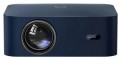 | 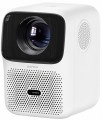 |
|---|---|---|
| Wanbo X2 Max | Wanbo T4 | |
| Outdated Product | from $202.15 | |
| TOP sellers | ||
| Main function | home | portable |
| Operating system | Android 9.0 | Android 9.0 |
Lamp and image | ||
| Lamp type | LED | LED |
| Service life | 20000 h | 20000 h |
| Service life (energy-saving) | 30000 h | |
| Brightness ANSI Lumens | 450 lm | 450 lm |
| Static contrast | 2 000:1 | 2 000:1 |
| Colour rendering | 16.7 million colours | 1.07 billion colours |
Projection system | ||
| Technology | LCD | LCD |
| Size | 1.55" | |
| Real resolution | 1920x1080 px | 1920x1080 px |
| Max. video resolution | 1920x1080 px | 3840x2160 px |
| Image format support | 4:3, 16:9 | 4:3, 16:9 |
| HDR support | HDR10+ | |
| Colour enhancement |  |  |
Projecting | ||
| Rear projection | | |
| Throw distance, min | 1.2 m | 1.11 m |
| Throw distance, max | 3.6 m | 2.53 m |
| Image size | 40 – 120 " | 40 – 100 " |
| Throw ratio | 1.35:1 | 1.25:1 |
| Autofocus | | |
| Auto keystone correction | | |
| Keystone correction (horizontal), ± | 40 ° | |
Features | ||
| Bluetooth | v 5.0 | v 5.0 |
| Wi-Fi | Wi-Fi 6 (802.11ax) | Wi-Fi 6 (802.11ax) |
| AirPlay | + | |
| Miracast | | |
Hardware | ||
| CPU | MTK9269 | |
| RAM | 1 GB | 1 GB |
| Built-in memory | 8 GB | 16 GB |
| USB-A 2.0 | 1 pcs | 1 pcs |
| Number of speakers | 2 | 2 |
| Sound power | 10 W | 6 W |
| Video connectors | composite AV-input | |
| HDMI inputs | 2 | 1 |
| Audio connectors | 3.5 mm output (mini-Jack) | 3.5 mm output (mini-Jack) |
General | ||
| Noise level (nominal) | 35 dB | 38 dB |
| Noise level (energy-saving / quiet) | 30 dB | |
| Power source | mains | mains |
| Power consumption | 60 W | 65 W |
| Size (HxWxD) | 94x225x177.6 mm | 187x125x150 mm |
| Weight | 1.24 kg | 1.19 kg |
| Color | ||
| Added to E-Catalog | april 2024 | february 2024 |


Compare Wanbo X2 Max and T4
You may be interested in
My comparisons
Wanbo X2 Max often compared


Wanbo T4 often compared


Glossary
Main function
The main function of the projector.
This parameter is rather conditional, it largely depends on how the device is positioned by the manufacturer; however, for the most comfortable use, it is best to follow exactly the stated purpose. The options here can be: multipurpose, for presentations, for home theater, professional, portable, gaming. Here is a more detailed description of each option:
— Multipurpose. The simplest kind of projectors, roughly speaking – all models that do not belong to any of the specializations described below. Most of them have non-interchangeable optics, a throw distance of 1-12 m, an image diagonal of about 1-7 m (see below), and a relatively low cost.
— For presentations. Projectors designed primarily for business use, such as presentations. Usually they have a small throw distance with a rather large diagonal, which allows them to be used in small rooms; capable of working with both widescreen and conventional image formats (see below), and also support resolutions typical for computer graphics cards — for example, 1280x800. In this case, the actual resolution itself (see below) can be quite low. In addition, an almost mandatory feature of this type of projectors (with a few exceptions) is the presence of a D-Sub...15 pin input (see "Connectors").
— For home theater. Projectors designed primarily for film viewing. The main criterion for classifying a particular model in this category is how the projector is positioned by the manufacturer itself (in other words, whether this purpose is indicated in the official documentation). However, there are some common features: cinematographic models usually support widescreen image formats, have a high real resolution (see below) that allows you to work with HD video, and are also equipped with the appropriate interfaces (see "Connectors").
— Professional. High-quality projectors with advanced parameters, an abundance of functions and, accordingly, a considerable price. They are characterized by high image contrast, support high-resolution video (including cinematic image formats), have optical zoom to scale the image without losing quality, provide the connection of multi-channel sound systems, and much more. The specific set of options in professional projectors may vary depending on the model, but in any case, these are the most charged devices with top-end characteristics.
— Portable projector. An ultra-compact variety of projectors: most models are pocket-sized. Such devices are intended primarily for improvised presentations. The format of work and power supply may be different. So, some models are made as separate devices with their own built-in storages and batteries (and sometimes even with a full-fledged mobile OS like Android on board). Others are similar in design to external cases or consoles and are put directly on the mobile phone during operation, using it as a source of signal and power. However, anyway, portable projectors, due to their small size, have rather low technical specifications — they have neither brightness nor high image contrast.. Battery life (in models with their own batteries) usually ranges from 40 minutes to one and a half hours. Also, this variety is characterized by cost-effective LED lamps (see below).
— Gaming. Specialized projectors designed for use in video games. Outwardly, they are often distinguished by a characteristic “aggressive” design, while the design can be done in the style of a certain line of gaming PCs or laptops. As for the specifications, they, in accordance with the name, are aimed primarily at providing a high-quality game "picture". To do this, projectors for this purpose provide, in particular, high real resolution (not lower than 1920x720, and more often 1920x1080 or more), colour reproduction at the level of 1 billion colours, support for frame rate (see below) up to 120 Hz, and also at least one HDMI input for receiving a digital signal from a computer graphics card. In addition, such models often provide support for 3D. The maximum image diagonal can reach 7.5 m or more; at the same time, ultra-wide-angle devices are also found in this category, capable of providing an image diagonal of about 3 m from a distance of about half a metre.
This parameter is rather conditional, it largely depends on how the device is positioned by the manufacturer; however, for the most comfortable use, it is best to follow exactly the stated purpose. The options here can be: multipurpose, for presentations, for home theater, professional, portable, gaming. Here is a more detailed description of each option:
— Multipurpose. The simplest kind of projectors, roughly speaking – all models that do not belong to any of the specializations described below. Most of them have non-interchangeable optics, a throw distance of 1-12 m, an image diagonal of about 1-7 m (see below), and a relatively low cost.
— For presentations. Projectors designed primarily for business use, such as presentations. Usually they have a small throw distance with a rather large diagonal, which allows them to be used in small rooms; capable of working with both widescreen and conventional image formats (see below), and also support resolutions typical for computer graphics cards — for example, 1280x800. In this case, the actual resolution itself (see below) can be quite low. In addition, an almost mandatory feature of this type of projectors (with a few exceptions) is the presence of a D-Sub...15 pin input (see "Connectors").
— For home theater. Projectors designed primarily for film viewing. The main criterion for classifying a particular model in this category is how the projector is positioned by the manufacturer itself (in other words, whether this purpose is indicated in the official documentation). However, there are some common features: cinematographic models usually support widescreen image formats, have a high real resolution (see below) that allows you to work with HD video, and are also equipped with the appropriate interfaces (see "Connectors").
— Professional. High-quality projectors with advanced parameters, an abundance of functions and, accordingly, a considerable price. They are characterized by high image contrast, support high-resolution video (including cinematic image formats), have optical zoom to scale the image without losing quality, provide the connection of multi-channel sound systems, and much more. The specific set of options in professional projectors may vary depending on the model, but in any case, these are the most charged devices with top-end characteristics.
— Portable projector. An ultra-compact variety of projectors: most models are pocket-sized. Such devices are intended primarily for improvised presentations. The format of work and power supply may be different. So, some models are made as separate devices with their own built-in storages and batteries (and sometimes even with a full-fledged mobile OS like Android on board). Others are similar in design to external cases or consoles and are put directly on the mobile phone during operation, using it as a source of signal and power. However, anyway, portable projectors, due to their small size, have rather low technical specifications — they have neither brightness nor high image contrast.. Battery life (in models with their own batteries) usually ranges from 40 minutes to one and a half hours. Also, this variety is characterized by cost-effective LED lamps (see below).
— Gaming. Specialized projectors designed for use in video games. Outwardly, they are often distinguished by a characteristic “aggressive” design, while the design can be done in the style of a certain line of gaming PCs or laptops. As for the specifications, they, in accordance with the name, are aimed primarily at providing a high-quality game "picture". To do this, projectors for this purpose provide, in particular, high real resolution (not lower than 1920x720, and more often 1920x1080 or more), colour reproduction at the level of 1 billion colours, support for frame rate (see below) up to 120 Hz, and also at least one HDMI input for receiving a digital signal from a computer graphics card. In addition, such models often provide support for 3D. The maximum image diagonal can reach 7.5 m or more; at the same time, ultra-wide-angle devices are also found in this category, capable of providing an image diagonal of about 3 m from a distance of about half a metre.
Service life (energy-saving)
When working in economy mode, the brightness of the backlight is noticeably reduced, on average by 30-50%. With a decrease in brightness, heat dissipation also decreases, which saves the working life of the illuminator, thereby increasing the lamp life. Thus, the ECO mode allows you to extend the lamp life by an average of 30%. If the typical projector lamp life is 4000 hours, regular use of the ECO mode will extend the backlight life to approximately 5500 hours.
Colour rendering
The number of individual colour shades that the projector is capable of displaying.
The minimum indicator for modern projection technology is actually 16 million colours (more precisely, 16.7 million is a standard number associated with the features of digital image processing). In the most advanced models, this value can exceed 1 billion. However, two nuances should be taken into account here: firstly, the human eye is able to recognize only about 10 million colour shades, and secondly, not a single modern image output device (projectors, monitors, etc.) cannot cover the entire spectrum of colours visible to the human eye. Therefore, impressive colour performance is more of a marketing ploy than a real indicator of image quality, and in fact it makes sense to pay attention to other characteristics — primarily brightness and contrast (see above), as well as specific data like a colour gamut chart.
The minimum indicator for modern projection technology is actually 16 million colours (more precisely, 16.7 million is a standard number associated with the features of digital image processing). In the most advanced models, this value can exceed 1 billion. However, two nuances should be taken into account here: firstly, the human eye is able to recognize only about 10 million colour shades, and secondly, not a single modern image output device (projectors, monitors, etc.) cannot cover the entire spectrum of colours visible to the human eye. Therefore, impressive colour performance is more of a marketing ploy than a real indicator of image quality, and in fact it makes sense to pay attention to other characteristics — primarily brightness and contrast (see above), as well as specific data like a colour gamut chart.
Size
The size of the panel/chip affects the depth and final quality of the image. The larger the panel/chip, the more light it is able to process, which means the picture will be clearer and more structured. The average projector has a sensor of 0.5-0.7″, advanced projectors use sensors of 1.2-1.5″ and more.
Max. video resolution
The actual maximum frame resolution that the projector is capable of processing and displaying.
Many models allow project images at a higher resolution than the actual resolution of the projector matrix (see above). For example, a 1920x1080 video can be displayed on a device with a frame size of 1024x768. However, the quality of such an image will be noticeably lower than on a projector, which initially has a resolution of 1920x1080.
The maximum resolution is closely related to both the overall picture quality and the size of the projection screen. The higher the resolution, the sharper the image details become. Of course, the screen size itself should be taken into account. The fact is that on a 40-50″ projection surface there will not be much difference between the Quad HD and 4K formats. A high-resolution picture will be able to show itself on a truly large screen.
Many models allow project images at a higher resolution than the actual resolution of the projector matrix (see above). For example, a 1920x1080 video can be displayed on a device with a frame size of 1024x768. However, the quality of such an image will be noticeably lower than on a projector, which initially has a resolution of 1920x1080.
The maximum resolution is closely related to both the overall picture quality and the size of the projection screen. The higher the resolution, the sharper the image details become. Of course, the screen size itself should be taken into account. The fact is that on a 40-50″ projection surface there will not be much difference between the Quad HD and 4K formats. A high-resolution picture will be able to show itself on a truly large screen.
HDR support
Support for HDR technology — expanded dynamic range — by the projector.
This technology allows for extending the brightness range displayed within a single frame — in simpler terms, it enables displaying both very bright and very dark colors on screen simultaneously. This significantly improves color reproduction; furthermore, small details on very bright or very dark parts of the frame that would be invisible on a regular image remain visible. However, it's worth noting that all the advantages of HDR become noticeable only on a high-quality screen with maximum dimming. Additionally, this function significantly affects the cost of the projector, and the content being played back must initially be recorded in HDR — using exactly the technology supported by the projector (this detail can be clarified in the manual). In light of this, HDR support is mainly found among high-end models for home theaters. It should also be noted that there are several different HDR technologies that are not compatible with each other. Therefore, when purchasing a projector with this function, it's crucial to clarify which exact version of HDR it supports. The following are available:
— HDR10. Historically the first of the consumer HDR formats, less advanced than the options described below but extremely widespread. In particular, HDR10 is supported by virtually all streaming services that provide HDR content at all, and it's also standard for...Blu-ray discs. It allows for working with a color depth of 10 bits (hence the name). At the same time, devices with this format are compatible with HDR10+ content, although its quality will be limited by the capabilities of the original HDR10.
— HDR10+. An enhanced version of HDR10. With the same color depth (10 bits), it uses so-called dynamic metadata, which allows transmitting information about color depth not only for groups of several frames but also for individual frames. This leads to further improvement in color reproduction.
— Dolby Vision. An advanced standard used, for example, in professional filmmaking. It achieves a color depth of 12 bits, uses the aforementioned dynamic metadata, and also allows transmitting two image variants simultaneously in one video stream — HDR and regular (SDR). Dolby Vision is based on the same technology as HDR10, so in modern video equipment, this format is usually combined with HDR10 or HDR10+.
— HLG. An HDR format initially designed for TV broadcasting and live transmissions; hence, it is designed for "working without metadata" and is easier to transfer between different sources. Unlike HDR10, which uses static metadata, and particularly HDR10+ / Dolby Vision, which can dynamically adjust the picture frame by frame, HLG often provides a more universal and predictable HDR signal, although not as precisely tuned for a specific display. However, HLG has a strong point — excellent compatibility: the same stream can appear acceptable even on devices that are not fully HDR-capable, which is crucial for broadcast/satellite content. An example of use is viewing HDR broadcasts and TV content from a set-top box/tuner or streaming where HLG is encountered: the projector will correctly receive the signal and display the extended brightness range and more vibrant colors without manual tweaking of settings.
This technology allows for extending the brightness range displayed within a single frame — in simpler terms, it enables displaying both very bright and very dark colors on screen simultaneously. This significantly improves color reproduction; furthermore, small details on very bright or very dark parts of the frame that would be invisible on a regular image remain visible. However, it's worth noting that all the advantages of HDR become noticeable only on a high-quality screen with maximum dimming. Additionally, this function significantly affects the cost of the projector, and the content being played back must initially be recorded in HDR — using exactly the technology supported by the projector (this detail can be clarified in the manual). In light of this, HDR support is mainly found among high-end models for home theaters. It should also be noted that there are several different HDR technologies that are not compatible with each other. Therefore, when purchasing a projector with this function, it's crucial to clarify which exact version of HDR it supports. The following are available:
— HDR10. Historically the first of the consumer HDR formats, less advanced than the options described below but extremely widespread. In particular, HDR10 is supported by virtually all streaming services that provide HDR content at all, and it's also standard for...Blu-ray discs. It allows for working with a color depth of 10 bits (hence the name). At the same time, devices with this format are compatible with HDR10+ content, although its quality will be limited by the capabilities of the original HDR10.
— HDR10+. An enhanced version of HDR10. With the same color depth (10 bits), it uses so-called dynamic metadata, which allows transmitting information about color depth not only for groups of several frames but also for individual frames. This leads to further improvement in color reproduction.
— Dolby Vision. An advanced standard used, for example, in professional filmmaking. It achieves a color depth of 12 bits, uses the aforementioned dynamic metadata, and also allows transmitting two image variants simultaneously in one video stream — HDR and regular (SDR). Dolby Vision is based on the same technology as HDR10, so in modern video equipment, this format is usually combined with HDR10 or HDR10+.
— HLG. An HDR format initially designed for TV broadcasting and live transmissions; hence, it is designed for "working without metadata" and is easier to transfer between different sources. Unlike HDR10, which uses static metadata, and particularly HDR10+ / Dolby Vision, which can dynamically adjust the picture frame by frame, HLG often provides a more universal and predictable HDR signal, although not as precisely tuned for a specific display. However, HLG has a strong point — excellent compatibility: the same stream can appear acceptable even on devices that are not fully HDR-capable, which is crucial for broadcast/satellite content. An example of use is viewing HDR broadcasts and TV content from a set-top box/tuner or streaming where HLG is encountered: the projector will correctly receive the signal and display the extended brightness range and more vibrant colors without manual tweaking of settings.
Colour enhancement
The projector supports a particular colour enhancement technology.
Such technologies usually involve software image processing to provide brighter and/or more accurate colours. Specific processing methods may be different, some manufacturers do not specify technical details at all, limiting themselves to advertising statements. The effect of using such technologies can also vary: in some cases it is clearly visible, in others it is almost absent, depending on the features of the picture.
Such technologies usually involve software image processing to provide brighter and/or more accurate colours. Specific processing methods may be different, some manufacturers do not specify technical details at all, limiting themselves to advertising statements. The effect of using such technologies can also vary: in some cases it is clearly visible, in others it is almost absent, depending on the features of the picture.
Rear projection
The ability of the projector to operate in the rear projection mode (“mirroring” the image).
There are two main types of rear projection. Most often, horizontal mirroring is found in projectors — it is used when installing the device behind a translucent screen. Vertical inversion, in turn, is used in projectors with fixed keystone correction — due to their design, when mounted under the ceiling, such devices must be turned upside down, which requires the corresponding correction of the displayed image.
There are two main types of rear projection. Most often, horizontal mirroring is found in projectors — it is used when installing the device behind a translucent screen. Vertical inversion, in turn, is used in projectors with fixed keystone correction — due to their design, when mounted under the ceiling, such devices must be turned upside down, which requires the corresponding correction of the displayed image.
Throw distance, min
The closest distance to the screen that the projector can be used on. Typically, this is the minimum distance at which the image from the projector remains in focus.
This parameter is especially important if the device is to be placed at a small distance from the screen (for example, in a cramped room). Some modern projectors are able to work normally at a distance of 10 – 20 cm. Also note that the throw distances are determined primarily by the lens, and if the initial range of these distances does not suit you, perhaps the situation can be solved by replacing the optics.
This parameter is especially important if the device is to be placed at a small distance from the screen (for example, in a cramped room). Some modern projectors are able to work normally at a distance of 10 – 20 cm. Also note that the throw distances are determined primarily by the lens, and if the initial range of these distances does not suit you, perhaps the situation can be solved by replacing the optics.