
Comparison Nintendo Switch 2 Pro Controller vs Nintendo Switch Pro Controller
Add to comparison |  | 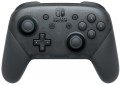 |
|---|---|---|
| Nintendo Switch 2 Pro Controller | Nintendo Switch Pro Controller | |
| Compare prices 6 | Compare prices 9 | |
| User reviews | ||
| TOP sellers | ||
Charging via USB Type-C port. Rubberized handles. Integration with PC and Switch. 40 hours of battery life. | ||
| Product type | gamepad | gamepad |
Connection | ||
| Platform | PC (Windows) Switch | PC (Windows) Switch |
| Interface | Bluetooth | Bluetooth |
| Bluetooth version | 3.0 | |
| Max. polling rate | 250 Hz (4 ms) | |
Control | ||
| Number of buttons | 15 pcs | 12 pcs |
| Switch type | membrane | membrane |
| Feedback | vibration | vibration |
| D-pad | 4 position | 4 position |
| Sticks | 2 asymmetrical | 2 asymmetrical |
| Bumpers (shifts) | 2 pcs | 2 pcs |
| Triggers | 2 pcs | 2 pcs |
| Rear buttons | 2 pcs | |
Features | ||
| Headphone output |  |  |
Power supply | ||
| Power source | battery | battery |
| Battery capacity | 1300 mAh | |
| Operating time | 40 h | |
| Port on the device | USB-C | USB-C |
General | ||
| Material | plastic | plastic |
| Color | ||
| Added to E-Catalog | may 2025 | march 2017 |





Compare Nintendo Switch 2 Pro Controller and Switch Pro Controller
Price comparison
You may be interested in
Nintendo Switch 2 Pro Controller often compared

Nintendo Switch Pro Controller often compared


Glossary
Bluetooth version
The version of Bluetooth indicates which generation of the wireless standard a gamepad or other controller uses to connect to a smartphone, tablet, laptop, or Smart TV. This directly affects the stability of the connection, response delay, range, and battery efficiency. The newer the version (such as Bluetooth 5.x compared to older 2.x–4.x), the more likely you are to have a more reliable connection in a "noisy" apartment with Wi-Fi and a lower risk of disconnections, as well as faster reconnections after the device wakes up. However, it's important to remember that the connection always operates at the "lowest common denominator" — if the phone only supports an older Bluetooth version, the controller will also operate in that mode.
Max. polling rate
The polling rate indicates how often the controller sends data about presses and movements to the system, usually measured in Hz, and it directly affects the sense of responsiveness. The higher the polling rate, the smaller the "time window" between your action and when it appears in the game, making control feel more precise, especially in shooters, fighting games, and rhythm games. However, the actual effect also depends on the type of connection: wired high frequency often provides more stable performance, while Bluetooth can be limited by protocol or power saving, so two identical game controllers may feel different in wired and wireless modes. Thus, if you play a competitive shooter, a higher polling rate helps "catch" micro-movements of the stick more accurately; for calm games, the difference might be barely noticeable.
Number of buttons
The total number of buttons provided in the design of the manipulator.
The more buttons — the more additional features you can "tie" to the manipulator, the lower the likelihood that during the game you will have to turn to other controls (for example, a PC keyboard). However, many game consoles (see "Platform Compatibility") provide a certain minimum number of buttons for a compatible gamepad — a smaller number simply would not allow full use of all the functions of the console. For example, the original PlayStation 4 controller has 11 buttons.
Note that the D-Pad (see below) is not included in this calculation: it is considered a specific control, although it is based on buttons.
The more buttons — the more additional features you can "tie" to the manipulator, the lower the likelihood that during the game you will have to turn to other controls (for example, a PC keyboard). However, many game consoles (see "Platform Compatibility") provide a certain minimum number of buttons for a compatible gamepad — a smaller number simply would not allow full use of all the functions of the console. For example, the original PlayStation 4 controller has 11 buttons.
Note that the D-Pad (see below) is not included in this calculation: it is considered a specific control, although it is based on buttons.
Rear buttons
Additional buttons located on the back panel of the gaming controller.
This feature is found exclusively among gamepads (see "Type"). As a rule, rear buttons are customizable and can be assigned to specific functions at the player's discretion or depending on the demands of a particular game. They are designed so that you can control the game without having to take your fingers off the main buttons or sticks. Rear panel additional buttons are particularly useful in first-person shooters and fighting games, where quick reactions and precise control play a crucial role in achieving success in the game.
This feature is found exclusively among gamepads (see "Type"). As a rule, rear buttons are customizable and can be assigned to specific functions at the player's discretion or depending on the demands of a particular game. They are designed so that you can control the game without having to take your fingers off the main buttons or sticks. Rear panel additional buttons are particularly useful in first-person shooters and fighting games, where quick reactions and precise control play a crucial role in achieving success in the game.
Headphone output
The presence of a headphone output in the design of the manipulator.
The purpose of this connector is obvious from the name: it allows you to connect wired headphones or a headset directly to the controller. This is especially convenient in light of the fact that the controller is in the hands of the user, while the gaming device itself (PC, console) can be located at a very significant distance. Also note that this function is very popular in wireless models (see “Connection”), which makes it even more convenient when working with headphones / headsets.
The purpose of this connector is obvious from the name: it allows you to connect wired headphones or a headset directly to the controller. This is especially convenient in light of the fact that the controller is in the hands of the user, while the gaming device itself (PC, console) can be located at a very significant distance. Also note that this function is very popular in wireless models (see “Connection”), which makes it even more convenient when working with headphones / headsets.
Battery capacity
The battery capacity in a controller impacts its operation duration without recharging and determines how often the device needs to be charged. Although manufacturers usually specify the operating time, the capacity helps assess the battery's lifespan under intensive use or when additional features are activated.
Operating time
The time of continuous operation of the controller with autonomous power supply (see above) without recharging or replacing batteries. When choosing according to this indicator, note that it is quite approximate, because. in fact, the operating time depends on the intensity of the game, the frequency of feedback, etc., and in models powered by replaceable batteries, it also depends on the quality of these batteries. Therefore, the actual battery life may be less, and sometimes more than the claimed one. Nevertheless, different models of controllers can be quite compared according to the time of operation on a charge given in the characteristics.