
Comparison Xerox Phaser 3020 vs Xerox Phaser 3040
Add to comparison | 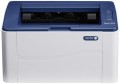 | 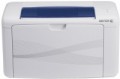 |
|---|---|---|
| Xerox Phaser 3020 | Xerox Phaser 3040 | |
from $164.83 | from $103.00 | |
| User reviews | ||
| TOP sellers | ||
| Print formats | A4 | A4 |
| Print type | laser | lED |
| Output type | monochrome | monochrome |
Print | ||
| Max. resolution | 1200x1200 dpi | 1200x1200 dpi |
| First page print time | 9 с | 8 с |
| Mono print | 20 ppm | 20 ppm |
Printing supplies | ||
| Monthly resource | 15 K pages | 30 K pages |
| Mono cartridge resource | 1500 page | 1000 page |
| Cartridges | 1 | 1 |
| Cartridge model | 106R02773, 106R03048 | 106R02181 |
Features | ||
| Data transfer | PC connection (USB-B) | PC connection (USB-B) |
| Screen | no display | no display |
Hardware | ||
| Grammage (min) | 60 g/m² | 60 g/m² |
| Grammage (max) | 163 g/m² | 163 g/m² |
| RAM | 128 MB | 64 MB |
| Clock Speed | 600 MHz | 150 MHz |
General | ||
| Feed tray | 150 sheets | 150 sheets |
| Output tray | 100 sheets | 100 sheets |
| Power consumption | 313 W | 329 W |
| Dimensions (WxDxH) | 331x215x188 mm | 358x197x208 mm |
| Weight | 4.1 kg | 4.6 kg |
| Color | ||
| Added to E-Catalog | december 2014 | february 2012 |


Compare Xerox Phaser 3020 and 3040
You may be interested in
My comparisons
Xerox Phaser 3020 often compared


Xerox Phaser 3040 often compared
Glossary
Print type
— Inkjet. With inkjet printing, an image is applied to paper using microscopic drops of ink directed by the print head. This technology is well suited for home use and colour printing: inkjet printers are relatively inexpensive, and print quality can be as high as photographic. On the other hand, such printers are not suitable for printing in large volumes, because. the resource of cartridges is small and the price per page is quite high. In addition, if left idle for several days, ink residue in the print head will dry out, degrading print quality. This can be avoided by using the printer continuously or by using a special cleaning procedure that does not improve cartridge yield.
— Laser. Printing in such printers occurs as follows: a laser beam marks individual sections of the photosensitive drum, toner (powdered paint) sticks to these areas, which is then transferred to paper. Laser printers are more expensive than inkjet printers and are overwhelmingly black and white; at the same time, they provide high quality and permanence of black and white printing at a low cost of the print itself, which is why they are considered optimal for business documents. Colour printing using laser technology is rarely used. inferior in quality to inkjet.
— LED. Printing technology, in many ways similar to laser (see above); the only key difference is the use of a strin...g of LEDs instead of the actual laser. This allows you to keep the main advantages of laser technology (quality and durability of black-and-white prints at their low cost), slightly reducing the cost of the printers themselves.
— Sublimation. In such printers, a special ink ribbon is used to form an image, and the print head is a set of heating elements. During the printing process, the head heats up the ribbon, the ink evaporates and settles already on the paper. Printing takes place in several stages, at the last one a special protective coating is usually applied to the image. This technology allows to achieve high-quality colour reproduction, a very small size of one dot and, as a result, high resolution, and therefore will be used mainly in photo printers.
— Solid ink. As the name implies, the ink for such a printer is initially in a solid state. When printing, they are heated to become liquid and applied to paper through a special heated drum (as in laser printers) or directly (like inkjet printers). Prints from a solid ink printer are distinguished by high-quality colour reproduction and resistance to moisture. On the other hand, the resolution of such devices is lower than that of inkjet printers, and the prints fade quickly enough in the light and are sensitive to scratches. Another feature is that the printer takes a portion of the dye from the cartridge every time it is turned on, and if there was no printing, this dye does not return to the cartridge when it is turned off, but is dumped into a special container as unsuitable for further use. Thus, ideally, a solid ink printer should not be turned off at all. Therefore, such devices are mainly used for professional printing in design and advertising firms.
— Thermal printing. Printing technology based on the effect of heat on sensitive media (usually special paper): the media darkens at the point of heating. Due to this, such printing does not require ink — the only “consumable” is the heat-sensitive paper itself; in addition, the design of the printers themselves is much simpler and more compact than with other technologies. However, on the other hand, the need for special paper and incompatibility with regular paper can create some difficulties; and, usually, there is no talk of colour printing. As a result, thermal printing is mainly used for official documents like checks: in cash registers, ATMs, payment terminals, etc. Printers using this technology are usually compact devices designed for maximum portability. They are well suited for those who often need to print documents out of the office — for example, forwarders, service workers, etc.
— Laser. Printing in such printers occurs as follows: a laser beam marks individual sections of the photosensitive drum, toner (powdered paint) sticks to these areas, which is then transferred to paper. Laser printers are more expensive than inkjet printers and are overwhelmingly black and white; at the same time, they provide high quality and permanence of black and white printing at a low cost of the print itself, which is why they are considered optimal for business documents. Colour printing using laser technology is rarely used. inferior in quality to inkjet.
— LED. Printing technology, in many ways similar to laser (see above); the only key difference is the use of a strin...g of LEDs instead of the actual laser. This allows you to keep the main advantages of laser technology (quality and durability of black-and-white prints at their low cost), slightly reducing the cost of the printers themselves.
— Sublimation. In such printers, a special ink ribbon is used to form an image, and the print head is a set of heating elements. During the printing process, the head heats up the ribbon, the ink evaporates and settles already on the paper. Printing takes place in several stages, at the last one a special protective coating is usually applied to the image. This technology allows to achieve high-quality colour reproduction, a very small size of one dot and, as a result, high resolution, and therefore will be used mainly in photo printers.
— Solid ink. As the name implies, the ink for such a printer is initially in a solid state. When printing, they are heated to become liquid and applied to paper through a special heated drum (as in laser printers) or directly (like inkjet printers). Prints from a solid ink printer are distinguished by high-quality colour reproduction and resistance to moisture. On the other hand, the resolution of such devices is lower than that of inkjet printers, and the prints fade quickly enough in the light and are sensitive to scratches. Another feature is that the printer takes a portion of the dye from the cartridge every time it is turned on, and if there was no printing, this dye does not return to the cartridge when it is turned off, but is dumped into a special container as unsuitable for further use. Thus, ideally, a solid ink printer should not be turned off at all. Therefore, such devices are mainly used for professional printing in design and advertising firms.
— Thermal printing. Printing technology based on the effect of heat on sensitive media (usually special paper): the media darkens at the point of heating. Due to this, such printing does not require ink — the only “consumable” is the heat-sensitive paper itself; in addition, the design of the printers themselves is much simpler and more compact than with other technologies. However, on the other hand, the need for special paper and incompatibility with regular paper can create some difficulties; and, usually, there is no talk of colour printing. As a result, thermal printing is mainly used for official documents like checks: in cash registers, ATMs, payment terminals, etc. Printers using this technology are usually compact devices designed for maximum portability. They are well suited for those who often need to print documents out of the office — for example, forwarders, service workers, etc.
First page print time
The time from the receipt of a print command to the exit from the printer of the first page printed in black and white, in other words, how long after pressing the "Print" button, the user will receive the first page. Most often indicated for draft (fastest) print mode, higher quality will take longer. You should pay attention to this parameter if you often need to print small documents (on one or several pages) on the printer.
Monthly resource
The maximum number of pages the printer can print in a month while still operating at full capacity.
Mono cartridge resource
The maximum number of pages that the printer's ink (toner) can print. The value is rather conditional, in reality the deviations from the norm are very large (up or down). In inkjet printers, the cartridge life is relatively small and amounts to several hundred prints. In laser and LED devices, the bill is already in the thousands.
Cartridge model
The types of cartridges (both black and white and colour) used in the printer. Some printer models are able to work with "non-native" cartridges, but this feature usually refers to undocumented features, and the manufacturer's warranty covers only specific types of cartridges. So use "non-native" models with caution.
RAM
The amount of internal memory installed in the printer.
The main purpose of such memory is to store tasks sent for printing. This gives various additional features: printing when the computer is turned off, continuing to work after troubleshooting, pausing the process and resuming at will, etc. The more memory, the wider these printer capabilities (in particular, large volumes allow you to store more tasks ).
Note that we are talking about the built-in memory; if the printer also has a hard drive (see below), its capacity is specified separately.
The main purpose of such memory is to store tasks sent for printing. This gives various additional features: printing when the computer is turned off, continuing to work after troubleshooting, pausing the process and resuming at will, etc. The more memory, the wider these printer capabilities (in particular, large volumes allow you to store more tasks ).
Note that we are talking about the built-in memory; if the printer also has a hard drive (see below), its capacity is specified separately.
Clock Speed
The clock speed of the processor installed in the printer. Theoretically, a higher clock speed improves performance and, accordingly, the actual speed of operation. However, in fact, these indicators depend on so many additional factors that the processor frequency is a purely reference parameter, and when choosing, it is worth focus on more “close to life” characteristics — print speed, first sheet output time, etc.
Power consumption
The maximum power consumed by the printer during operation. The lower the power consumption, the less energy the printer consumes, the more economical it is. On the other hand, devices with lower power consumption are often less performant than their more high consumption counterparts. And for the same performance, a more economical printer is likely to cost more, but with heavy use, it can pay off in energy savings.