
Comparison Kivi 32F720QB vs Kivi 32F770QB
Add to comparison |  | 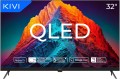 |
|---|---|---|
| Kivi 32F720QB | Kivi 32F770QB | |
| Outdated Product | Outdated Product | |
| User reviews | ||
| TOP sellers | ||
| Size | 32 " | 32 " |
| Operating system | Google TV (Android TV) | Android TV 11 |
Display | ||
| Matrix | QLED | QLED |
| Backlight type | Direct LED | Direct LED |
| Screen surface | glossy | glossy |
| Resolution | 1920x1080 px | 1920x1080 px |
| Static contrast | 4 000:1 | 6 000:1 |
| Response time | 9.5 ms | |
| Frame rate | 50/60 Hz | 50/60 Hz |
| HDR support | HDR10 | |
Multimedia | ||
| Sound power | 20 W | 10 W |
| Number of speakers | 2 | 2 |
| Audio decoders | Dolby Audio | Dolby Audio |
| Digital tuner | DVB-T2 (terrestrial) DVB-C (cable) | DVB-T2 (terrestrial) DVB-C (cable) |
Features | ||
| Features | Wi-Fi 5 (802.11ac) Google Cast (Chromecast) Bluetooth v5.1 voice control Google Assistant | Wi-Fi 5 (802.11ac) Google Cast (Chromecast) Bluetooth v5.1 voice control Google Assistant |
Connectors | ||
| HDMI | 2 | 3 |
| HDMI version | v 1.4 | v 1.4 |
| HDMI technologies | ARC, CEC | ARC, CEC |
| Additional inputs | USB-A LAN composite AV input | USB-A 2 pcs LAN composite AV input |
| Outputs | mini-Jack (3.5 mm) headphones optical | mini-Jack (3.5 mm) headphones optical |
General | ||
| RAM | 1.5 GB | |
| Built-in memory | 8 GB | 8 GB |
| Wall mount | VESA 200x200 mm | VESA 200x100 mm |
| Stand shape | 2 separate legs | 2 separate legs |
| Power consumption | 27 W | 58 W |
| Energy efficiency class | A | |
| Energy efficiency class (new) | F | |
| Dimensions (WxHxD) | 718x449x199 mm | 720x465x183 mm |
| Dimensions without stand (WxHxD) | 718x422x86 mm | 720x430x62 mm |
| Weight | 3.8 kg | 4.2 kg |
| Color | ||
| Added to E-Catalog | march 2025 | december 2024 |


Compare Kivi 32F720QB and 32F770QB
You may be interested in
My comparisons
Kivi 32F720QB often compared

Kivi 32F770QB often compared


Glossary
Operating system
— Smart TV (own system). The operating system of the TV is represented by the manufacturer's proprietary software shell. Usually, such operating systems have an attractive and understandable menu, similar to a traditional Smart TV. A proprietary operating system is developed by the manufacturer for the hardware resources of a particular TV model or a whole line. But, as practice shows, compared to the classic Smart TV, the functionality of its own system often has significant limitations, and the system itself, in fact, is a stripped-down version of a full-fledged Smart TV.
— Smart TV (Android AOSP). This type of operating system is a modification of the popular Android OS, mainly notable for being open source. It is a versatile operating system that gives the user much more freedom to create changes and customizations within the system itself. At the same time, the installation and stability of certain applications on this platform are not guaranteed, and the overall system management was not specially “tailored” for large screens, which may cause some inconvenience. First of all, such solutions will arouse interest among users who understand the features of the Android OS, like to customize and control everything for themselves, and have time for this.
— Android TV. TVs of this type boast full-fledged Android TV software, specially adapted to work on...large screens. In accordance with the name, it is a kind of Android OS, specially “sharpened” for TVs / projectors, etc. In addition to the common features of all “Androids” (such as the ability to install additional applications, including even games), it has a number of special features: optimized interface, integration with smartphones (including the ability to use them as a remote control), voice search, etc. Thanks to this, TVs with this feature are significantly superior in functionality to models with a “regular” Smart TV. Of course, a dedicated processor, graphics subsystem and memory are provided for the operation of a multifunctional OS, and the presence of such hardware resources is reflected in the total cost of the TV. Given the same optical design, models with Android TV will cost more than classic devices with a simple multi-line menu.
— Google TV. Rebranding of the Android TV platform for TVs and smart set-top boxes, or rather, a new shell on top of the operating system under the sign of the “green droid”, introduced since 2021. Among the innovations, it has a redesigned user interface, an improved knowledge base that more efficiently distributes content by genre and collects search information from the entire list of installed applications and subscriptions. The voice assistant now understands the needs of the audience better and provides a detailed list of what was found. A separate tab in the interface contains live broadcasts of current events, whether it be sports events or a rocket launch to Mars. Among other things, the aspects that involve the use of TV as a command post for managing a single ecosystem of a “smart” home have been improved in the system.
Static contrast
The level of static contrast provided by the TV screen.
Contrast in a general sense is the ratio in brightness between the brightest whites and the darkest blacks that the screen can produce. Other things being equal, the higher the screen contrast, the better the quality of colour reproduction and detail, the lower the likelihood that it will be impossible to see details in too bright or too dark areas of the image. Static contrast, on the other hand, describes the maximum difference in brightness that can be achieved within one frame without changing the brightness of the image — this is its difference from dynamic contrast (see below).
The values of static contrast are much lower than those of dynamic, but this characteristic is the most "honest". It is on it that the properties of the image seen on the screen at a particular moment depend, it is describes the basic properties of the screen, without taking into account the software tricks provided by the manufacturer in the hardware of the TV.
Contrast in a general sense is the ratio in brightness between the brightest whites and the darkest blacks that the screen can produce. Other things being equal, the higher the screen contrast, the better the quality of colour reproduction and detail, the lower the likelihood that it will be impossible to see details in too bright or too dark areas of the image. Static contrast, on the other hand, describes the maximum difference in brightness that can be achieved within one frame without changing the brightness of the image — this is its difference from dynamic contrast (see below).
The values of static contrast are much lower than those of dynamic, but this characteristic is the most "honest". It is on it that the properties of the image seen on the screen at a particular moment depend, it is describes the basic properties of the screen, without taking into account the software tricks provided by the manufacturer in the hardware of the TV.
Response time
The response time can be described as the maximum time required for each pixel of the screen to change brightness, in other words, the longest time from the receipt of a control signal to the pixel until it switches to the specified mode. The actual switching time may be less — if the brightness changes slightly, it can be calculated in microseconds. However, it is the longest time that matters — it describes the guaranteed response speed of each pixel.
First of all, the frame rate is directly related to the response time (see the relevant paragraph): the lower the response time, the higher the frame rate can be provided on this sensor. However, the actual frame rate may be less than the theoretical maximum, it all depends on the TV. Also note that the overall image quality in dynamic scenes depends primarily on the frame rate. Therefore, we can say that the response time is an auxiliary parameter: the average user rarely needs this data, and in the specifications they are given mainly for advertising purposes.
First of all, the frame rate is directly related to the response time (see the relevant paragraph): the lower the response time, the higher the frame rate can be provided on this sensor. However, the actual frame rate may be less than the theoretical maximum, it all depends on the TV. Also note that the overall image quality in dynamic scenes depends primarily on the frame rate. Therefore, we can say that the response time is an auxiliary parameter: the average user rarely needs this data, and in the specifications they are given mainly for advertising purposes.
HDR support
TV support for high dynamic range technology — HDR.
This technology is designed to expand the range of brightness reproduced by the TV; Simply put, an HDR model will display brighter whites and darker blacks than a regular TV. In fact, this means a significant improvement in colour quality. On the one hand, HDR provides a very "live" image, close to what the human eye sees, with an abundance of shades and tones that a normal screen cannot convey; on the other hand, this technology allows to achieve very bright and rich colours.
However for the full use of this feature, you need not only an HDR TV, but also content (movies, TV broadcasts, etc.) that was originally created for HDR. Also note that there are several different HDR technologies that are not compatible with each other. Therefore, when buying a TV with this feature, it is highly advisable to clarify which version of HDR it supports (HDR10, HDR10 + or Dolby Vision). And the following are found:
— HDR10. Historically the first of the consumer HDR formats, less advanced than the options described below but extremely widespread. In particular, HDR10 is supported by almost all streaming services that provide HDR content, and it is also common for Blu-ray discs. Allows to work with a colour depth of 10 bits (hence the name). At the same time, devices of this format are also compatible wi...th content in HDR10+, although its quality will be limited by the capabilities of the original HDR10.
— HDR10+. An improved version of HDR10. With the same colour depth (10 bits), it uses the so-called dynamic metadata, which allows transmitting information about the colour depth not only for groups of several frames, but also for individual frames. This results in an additional improvement in colour reproduction.
– Dolby Vision. An advanced standard used particularly in professional cinematography. Allows to achieve a colour depth of 12 bits, uses the dynamic metadata described above, and also makes it possible to transmit two image options at once in one video stream — HDR and standard (SDR). At the same time, Dolby Vision is based on the same technology as HDR10, so in modern video technology this format is usually combined with HDR10 or HDR10+.
This technology is designed to expand the range of brightness reproduced by the TV; Simply put, an HDR model will display brighter whites and darker blacks than a regular TV. In fact, this means a significant improvement in colour quality. On the one hand, HDR provides a very "live" image, close to what the human eye sees, with an abundance of shades and tones that a normal screen cannot convey; on the other hand, this technology allows to achieve very bright and rich colours.
However for the full use of this feature, you need not only an HDR TV, but also content (movies, TV broadcasts, etc.) that was originally created for HDR. Also note that there are several different HDR technologies that are not compatible with each other. Therefore, when buying a TV with this feature, it is highly advisable to clarify which version of HDR it supports (HDR10, HDR10 + or Dolby Vision). And the following are found:
— HDR10. Historically the first of the consumer HDR formats, less advanced than the options described below but extremely widespread. In particular, HDR10 is supported by almost all streaming services that provide HDR content, and it is also common for Blu-ray discs. Allows to work with a colour depth of 10 bits (hence the name). At the same time, devices of this format are also compatible wi...th content in HDR10+, although its quality will be limited by the capabilities of the original HDR10.
— HDR10+. An improved version of HDR10. With the same colour depth (10 bits), it uses the so-called dynamic metadata, which allows transmitting information about the colour depth not only for groups of several frames, but also for individual frames. This results in an additional improvement in colour reproduction.
– Dolby Vision. An advanced standard used particularly in professional cinematography. Allows to achieve a colour depth of 12 bits, uses the dynamic metadata described above, and also makes it possible to transmit two image options at once in one video stream — HDR and standard (SDR). At the same time, Dolby Vision is based on the same technology as HDR10, so in modern video technology this format is usually combined with HDR10 or HDR10+.
Sound power
The nominal power of the sound produced by the TV's sound system.
The larger the screen and the greater the estimated distance to the viewer, the more powerful the sound system must be in order to be heard normally. Manufacturers take this moment into account, moreover, most often they also provide a solid volume margin. So if a TV is bought for home viewing in a quiet, calm environment, you can not pay much attention to the sound power: it is guaranteed to be enough for such a usage. It makes sense to specifically look for models with high-power speakers for a noisy environment — for example, a cafe or other public space. Detailed recommendations on this matter can be found in special sources, but here we note that even in such cases, connecting external speakers can be a good alternative.
The larger the screen and the greater the estimated distance to the viewer, the more powerful the sound system must be in order to be heard normally. Manufacturers take this moment into account, moreover, most often they also provide a solid volume margin. So if a TV is bought for home viewing in a quiet, calm environment, you can not pay much attention to the sound power: it is guaranteed to be enough for such a usage. It makes sense to specifically look for models with high-power speakers for a noisy environment — for example, a cafe or other public space. Detailed recommendations on this matter can be found in special sources, but here we note that even in such cases, connecting external speakers can be a good alternative.
HDMI
The number of HDMI inputs provided in the design of the TV.
HDMI is a comprehensive digital interface that allows high-definition video and multi-channel audio to be transmitted over a single cable. It is widely used in modern HD equipment — in fact, the presence of such an output is mandatory for modern media centers, DVD players, etc. Therefore, LCD TVs in the vast majority of cases are equipped with at least one HDMI port. And the presence of several such ports allows you to simultaneously connect several signal sources and switch between them; in some models, the number of HDMI can reach 4 or even more. At the same time, some manufacturers use technologies that allow you to control devices connected to the TV via HDMI from a single remote control.
HDMI is a comprehensive digital interface that allows high-definition video and multi-channel audio to be transmitted over a single cable. It is widely used in modern HD equipment — in fact, the presence of such an output is mandatory for modern media centers, DVD players, etc. Therefore, LCD TVs in the vast majority of cases are equipped with at least one HDMI port. And the presence of several such ports allows you to simultaneously connect several signal sources and switch between them; in some models, the number of HDMI can reach 4 or even more. At the same time, some manufacturers use technologies that allow you to control devices connected to the TV via HDMI from a single remote control.
Additional inputs
The TV's connectivity options are based not only on wireless technologies (described above), but also on a wired connection. In particular, additional video transmission can be carried out through VGA, composite AV connectors . Some of them also provide sound transmission, in addition to which there may be a mini-Jack (3.5 mm) and other ports for communication with external devices. More about them:
— USB. Connector for connecting external peripheral devices. The presence of USB means at least that the TV is capable of playing content from flash drives and other external USB media. In addition, there may be other ways to use this input: recording TV programs to external media, connecting a WEB camera (see same paragraph), keyboard and mouse to use the built-in browser and other software, etc. The specific set of options depends on the functionality of the TV, it should be specified separately in each case.
— Card reader. A device for working with memory cards, most often in SD format. The main use of the card reader is to play content from such cards on a TV; such an opportunity is especially convenient for viewing materials from photo and video cameras — it is in such devices that memory cards are widely used. There may be other ways to use this function — fo...r example, recording from the broadcast or even exchanging files between the card and the TV's storage. It is worth bearing in mind that SD cards have several subtypes — original SD, SD HC and SD XC, and not all of them may be supported by the card reader.
— LAN. Standard connector for wired connection to computer networks (both local and the Internet). Mostly found in models with Smart TV support (including Android TV devices; see related paragraphs). A wired connection is less convenient than Wi-Fi, not as aesthetically pleasing, so manufacturers place more emphasis on a wireless connection, as a result of which the speed indicators of the LAN connector are not indicated, and in some cases may be unacceptable for 4K broadcasts.
— VGA. Analogue video input, also known as D-sub 15 pin. Initially, the VGA interface was developed for computers, but due to the emergence of more advanced standards like HDMI (see below) and technical limitations (the maximum resolution is only 1280x1024, the inability to transmit sound), it is considered obsolete and is used less and less. So it makes sense to specifically look for a TV with such a connector mainly in cases where it is planned to be used as a monitor for an outdated computer or laptop.
– Composite AV input. Analogue input for video and audio transmission. Previously, it consisted of 3 RCA sockets (yellow for video, white and red for audio) and was connected to the equipment accordingly. Now in many models you can find an AV output, which is a single connector in the “headphone” format, to which a tee cable is already connected (check availability in the package).
— COM port (RS-232). A connector originally designed for computer equipment. In TVs, it is used as a service interface: for troubleshooting, updating firmware, adjusting TV parameters and various calibrations, integrating the TV into centralized remote control systems, etc. Note that the COM port may differ in shape and contact group in different TV models. It is often designated as RS-232C.
— USB. Connector for connecting external peripheral devices. The presence of USB means at least that the TV is capable of playing content from flash drives and other external USB media. In addition, there may be other ways to use this input: recording TV programs to external media, connecting a WEB camera (see same paragraph), keyboard and mouse to use the built-in browser and other software, etc. The specific set of options depends on the functionality of the TV, it should be specified separately in each case.
— Card reader. A device for working with memory cards, most often in SD format. The main use of the card reader is to play content from such cards on a TV; such an opportunity is especially convenient for viewing materials from photo and video cameras — it is in such devices that memory cards are widely used. There may be other ways to use this function — fo...r example, recording from the broadcast or even exchanging files between the card and the TV's storage. It is worth bearing in mind that SD cards have several subtypes — original SD, SD HC and SD XC, and not all of them may be supported by the card reader.
— LAN. Standard connector for wired connection to computer networks (both local and the Internet). Mostly found in models with Smart TV support (including Android TV devices; see related paragraphs). A wired connection is less convenient than Wi-Fi, not as aesthetically pleasing, so manufacturers place more emphasis on a wireless connection, as a result of which the speed indicators of the LAN connector are not indicated, and in some cases may be unacceptable for 4K broadcasts.
— VGA. Analogue video input, also known as D-sub 15 pin. Initially, the VGA interface was developed for computers, but due to the emergence of more advanced standards like HDMI (see below) and technical limitations (the maximum resolution is only 1280x1024, the inability to transmit sound), it is considered obsolete and is used less and less. So it makes sense to specifically look for a TV with such a connector mainly in cases where it is planned to be used as a monitor for an outdated computer or laptop.
– Composite AV input. Analogue input for video and audio transmission. Previously, it consisted of 3 RCA sockets (yellow for video, white and red for audio) and was connected to the equipment accordingly. Now in many models you can find an AV output, which is a single connector in the “headphone” format, to which a tee cable is already connected (check availability in the package).
— COM port (RS-232). A connector originally designed for computer equipment. In TVs, it is used as a service interface: for troubleshooting, updating firmware, adjusting TV parameters and various calibrations, integrating the TV into centralized remote control systems, etc. Note that the COM port may differ in shape and contact group in different TV models. It is often designated as RS-232C.
RAM
The amount of random access memory (RAM) installed in the TV.
In general, this volume is selected by the manufacturer in such a way that the device can normally cope with the tasks that are claimed for it. On the other hand, all else being equal, more RAM ( 3 GB, 4 GB or more) usually means faster performance. This parameter is especially important if the TV runs on Android: such firmware allows the installation of additional applications that may have rather high requirements for RAM. However, TVs with 2 GB of RAM and below can also not be discounted — they just can't pull high-demanding applications. But do not forget that this is a TV, not a laptop.
In general, this volume is selected by the manufacturer in such a way that the device can normally cope with the tasks that are claimed for it. On the other hand, all else being equal, more RAM ( 3 GB, 4 GB or more) usually means faster performance. This parameter is especially important if the TV runs on Android: such firmware allows the installation of additional applications that may have rather high requirements for RAM. However, TVs with 2 GB of RAM and below can also not be discounted — they just can't pull high-demanding applications. But do not forget that this is a TV, not a laptop.
Wall mount
Most TVs have a VESA wall mount which may vary in size. The basis for such mount is a rectangular plate with four holes for screws in the corners. The main characteristic of such a mount is the distance between the holes — it is measured along the sides of the rectangle and is expressed in two numbers. The original VESA format is 100x100, these mounts are used for most medium-sized LCD TVs. For small screens, 75x75 mounts are provided, for large ones — 200x200 and more (up to 800x400).
However, there are also models that are equipped with a standard (proprietary) mount from the manufacturer. Mostly these are either ultra-thin TVs or designer lines. Anyway, the mount in the kit is suitable only for the selected model.
However, there are also models that are equipped with a standard (proprietary) mount from the manufacturer. Mostly these are either ultra-thin TVs or designer lines. Anyway, the mount in the kit is suitable only for the selected model.